Three-Way Match Automation in Singapore: A Practical PO, GRN and Invoice Exception Workflow
Three-Way Match Automation in Singapore: A Practical PO, GRN and Invoice Exception Workflow
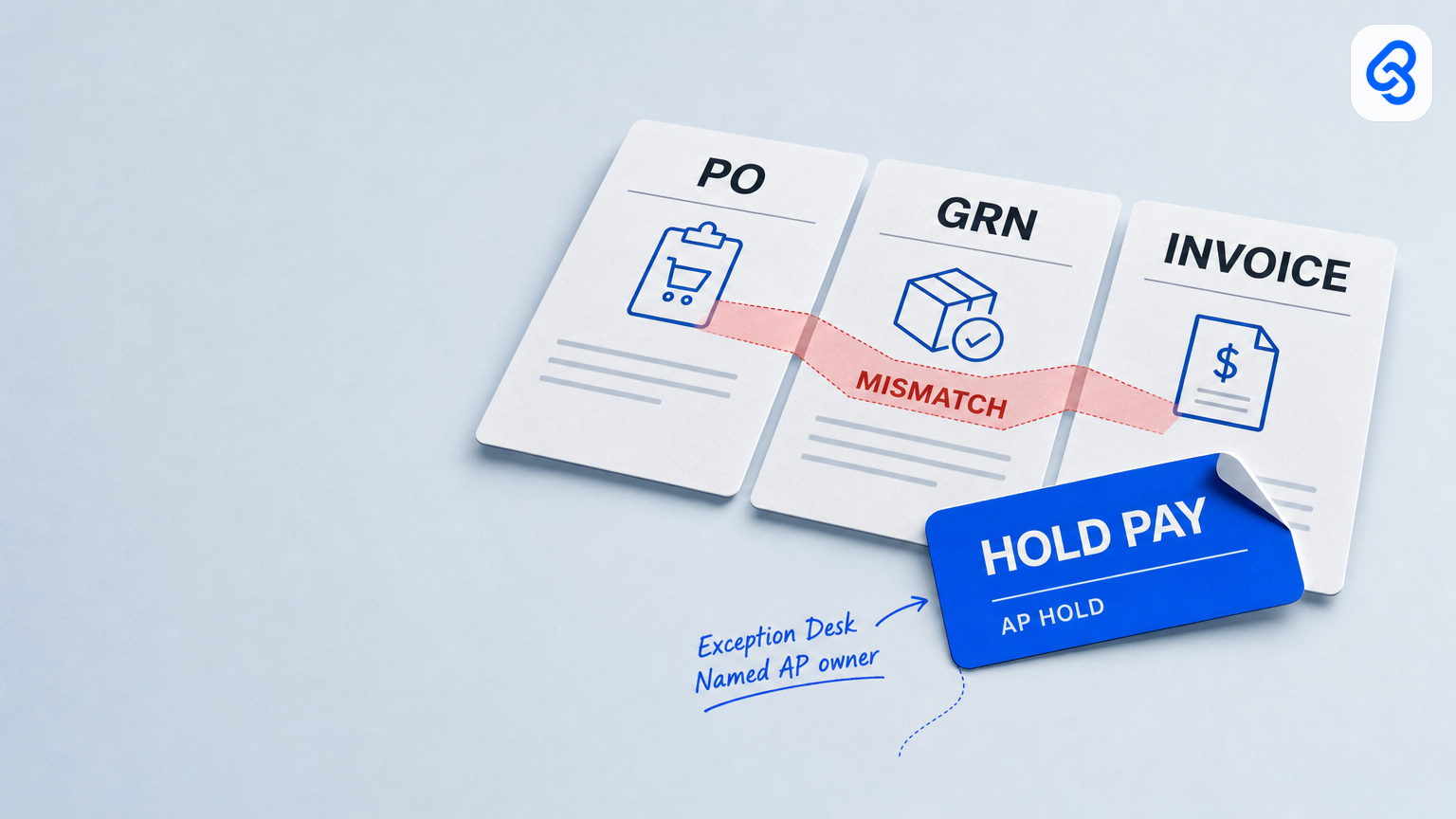
Three-way match automation compares a purchase order (PO), goods receipt note (GRN) and supplier invoice before payment. For a Singapore SME, its main value is making discrepancies visible and assigning each one to an owner, so an invoice with a short delivery or price difference is held for review without necessarily freezing the rest of the pay run.
Automation can collect documents, compare fields, flag exceptions and route follow-up. It should not silently decide that a discrepancy is acceptable or release payment. A named accounts payable (AP) owner should control the hold and payment gate; the relevant warehouse, purchasing or credit owner should resolve the underlying issue.
What three-way matching checks
The three documents answer different questions:
- PO: What goods or services were ordered, at what quantities and prices?
- GRN: What was recorded as received?
- Invoice: What is the supplier asking to be paid for?
A match process compares relevant references and line-level details, such as supplier, PO number, item, quantity and unit price. The exact fields and acceptable tolerances depend on the company’s written policy and purchasing process. A matching header or PO number alone does not establish that every line is correct.
The general purpose of three-way matching is to verify an invoice against the order and receipt before payment. It can help businesses identify discrepancies and strengthen AP and procurement controls; automation does not remove the need to define those controls. Three-way matching verifies invoices against purchasing and receipt records.
Design the exception desk before choosing software
For a small or midsize trading or wholesale business, the first design question is not which platform has the most automation features. It is what happens when the three records disagree.
A useful operating pattern is:
1. Trigger: An invoice is ready to compare and its PO and GRN are available, or a required record is missing.
2. Compare: Bring the relevant PO, GRN and invoice fields together under one match reference.
3. Classify: Record what differs, using a short, consistent reason such as `SHORT`, `PRICE`, `WRONG_SKU`, `NO_GRN` or `DUPLICATE_SUSPECT`.
4. Hold and route: A named AP owner places the affected invoice on hold. Route the discrepancy to the person who can resolve it.
5. Review and close: Record the resolution and who approved the next step. Only then can AP move the invoice to its payment review.
Keep the hold attached to the exception, not automatically to every clean invoice in the pay run. Partial payment should be allowed only if the business has a written rule and a named approver.
Assign clear owners
Name a primary and backup for each role, particularly where one employee covers several responsibilities.
- AP or finance: Owns the match record and hold status, reviews whether the exception is resolved, and controls release to the payment review. AP should not invent receipt quantities or change an agreed PO price to make a match appear clean.
- Warehouse or receiving: Checks quantity, item and receipt-record discrepancies. If the GRN is wrong, the receiving record should be corrected through the company’s normal process, with an appropriate record of the change.
- Purchasing: Reviews price differences, incorrect PO lines and cases that may need an authorised PO amendment.
- Credit-note owner: Handles a supplier credit or other adjustment when that is the appropriate resolution. A credit should not be assumed merely because the invoice and PO differ.
- Automation: Collects information, flags differences, files records, routes tasks and sends reminders. It does not approve its own exceptions or send payment.
For a small firm with dual-role staff, document who is acting in each capacity and who provides backup. Separating the person who changes purchasing records from the person who releases payment can reduce the risk of an unreviewed change.
Route common PO, GRN and invoice exceptions
| Discrepancy | First review | Possible next step |
|---|---|---|
| Invoice quantity exceeds recorded receipt | Warehouse or receiving, with AP hold in place | Confirm the delivery and correct the receipt record if needed; otherwise contact the supplier |
| Invoice quantity is below the receipt | AP and purchasing | Confirm the billed quantity and whether the remaining goods or a later invoice are expected |
| Invoice price differs from the PO | Purchasing | Check the authorised price, PO line and any agreed change; request correction or an authorised amendment if appropriate |
| Item or PO line does not agree | Purchasing and receiving | Verify what was ordered and received before deciding how the invoice should be handled |
| GRN is missing | Receiving | Confirm whether goods arrived and complete the required receipt record; do not treat missing evidence as a match |
| Possible duplicate invoice | AP | Compare supplier, invoice number, amount and supporting records before disposition |
| Supplier credit or tax detail needs correction | AP and the responsible purchasing or credit owner | Obtain and record the correct supporting document before changing the payable amount |
These are routing examples, not accounting or tax advice. Set tolerances, approval limits and document requirements in line with your own policies and applicable obligations.
Keep one traceable match record
A spreadsheet or work queue can be enough to start if staff can reliably access it and keep it current. A basic record can include:
- Match reference and supplier
- PO number, GRN reference and invoice number (or a reason why one is unavailable)
- Line-level quantity and price flags
- Exception reason and assigned owner
- AP hold owner, backup and due date
- Links to the source documents
- Current status, decision, decision-maker and date
Use a small set of controlled statuses, for example: `NEW`, `NEEDS_INFO`, `HOLD_PAY`, `ROUTED`, `MATCH_OK`, `READY_FOR_PAYMENT_REVIEW`, `DUPLICATE` and `CLOSED`. Define what each means. A record marked `MATCH_OK` should mean that the stated matching rules were checked, not that payment has been made. A line at `READY_FOR_PAYMENT_REVIEW` still waits if the supplier's bank details changed since the last payment, and our supplier bank-detail change and payment run release workflow covers that hold and the callback.
Store source documents in an approved, shared location with access limited to people who need them. If invoices or supporting records contain personal data, handle and share them in line with Singapore’s data-protection requirements. The PDPC overview explains that the PDPA governs the collection, use, disclosure and care of personal data in Singapore. Singapore’s PDPA governs personal-data handling.
A worked example
Suppose an invoice requests payment for 12 units, while the recorded GRN shows 9. The invoice also lists a unit price that differs from the PO.
The workflow creates one match record and marks both `SHORT` and `PRICE`. AP holds the invoice. Receiving checks the quantity record; purchasing checks the agreed price and PO line. If the documents are corrected or an authorised adjustment is provided, AP records the decision and returns the invoice to payment review. If either discrepancy remains unresolved, the hold remains. The system can remind owners and show the queue, but a person makes and records the decision.
When existing tools are enough, and when to assess a larger system
A shared mailbox, spreadsheet, cloud document store and accounting system may be sufficient when the number of exceptions is manageable, a named person can review the queue, and staff consistently record outcomes. Start by testing whether the existing setup can answer three questions for every exception: what differs, who owns it, and what evidence closes it?
Consider a more capable AP or ERP workflow when manual line comparison, complex tolerances, multiple entities or exception volume make the current queue unreliable. Before buying, map a real invoice through PO, receipt, discrepancy, resolution and payment review. Check whether the system preserves document links, records decisions, supports backup ownership and keeps payment approval distinct from exception routing.
Singapore SMEs can also use IMDA’s Industry Digital Plans as a reference for sector-specific digitalisation guidance and step-by-step support. The plans provide guidance; they are not a claim that a particular software purchase or funding support is right for every business. IMDA Industry Digital Plans offer SMEs digitalisation guidance.
A safe first implementation
Before automating, agree on:
- Which invoices require three-way matching and what counts as a clean match
- The fields and tolerances to compare
- Exception reasons and who owns each one
- Who can place, release or waive a hold, and what evidence is required
- What happens when a primary owner is absent
- How unresolved exceptions are escalated without holding unrelated invoices
- Where source documents and decision records are stored
Then pilot the workflow alongside the existing process. Test a clean match, a short receipt, a price difference, a missing GRN and a duplicate suspect. Confirm that the automation flags and routes each case correctly, that owners can access the records, and that payment still requires the authorised human review. Revise the rules before relying on the queue as the operating record. If invoices still arrive as PDFs that someone retypes, start with automated invoice processing so each one reaches the queue with its fields already read.
For related process guidance, explore Lynqra’s workflow automation services. To assess a PO–GRN–invoice exception process, book a conversation with one representative workflow and its current documents. The first goal is to determine whether existing tools can support a clear, controlled exception desk, not to assume that a new platform is necessary.
Sources
- Precoro, “3-Way Matching in Accounts Payable: How It Works and Why It Matters.”
- Singapore Personal Data Protection Commission, “PDPA Overview.”
- IMDA, “Industry Digital Plans.”