Workflow Automation

Workflow automation services in Singapore: a step-by-step SME guide

Workflow automation services in Singapore: a step-by-step SME guide

The invoices are in a shared inbox. The CVs are in a Drive folder. The quote is waiting in WhatsApp because the person who can approve it is on MC.

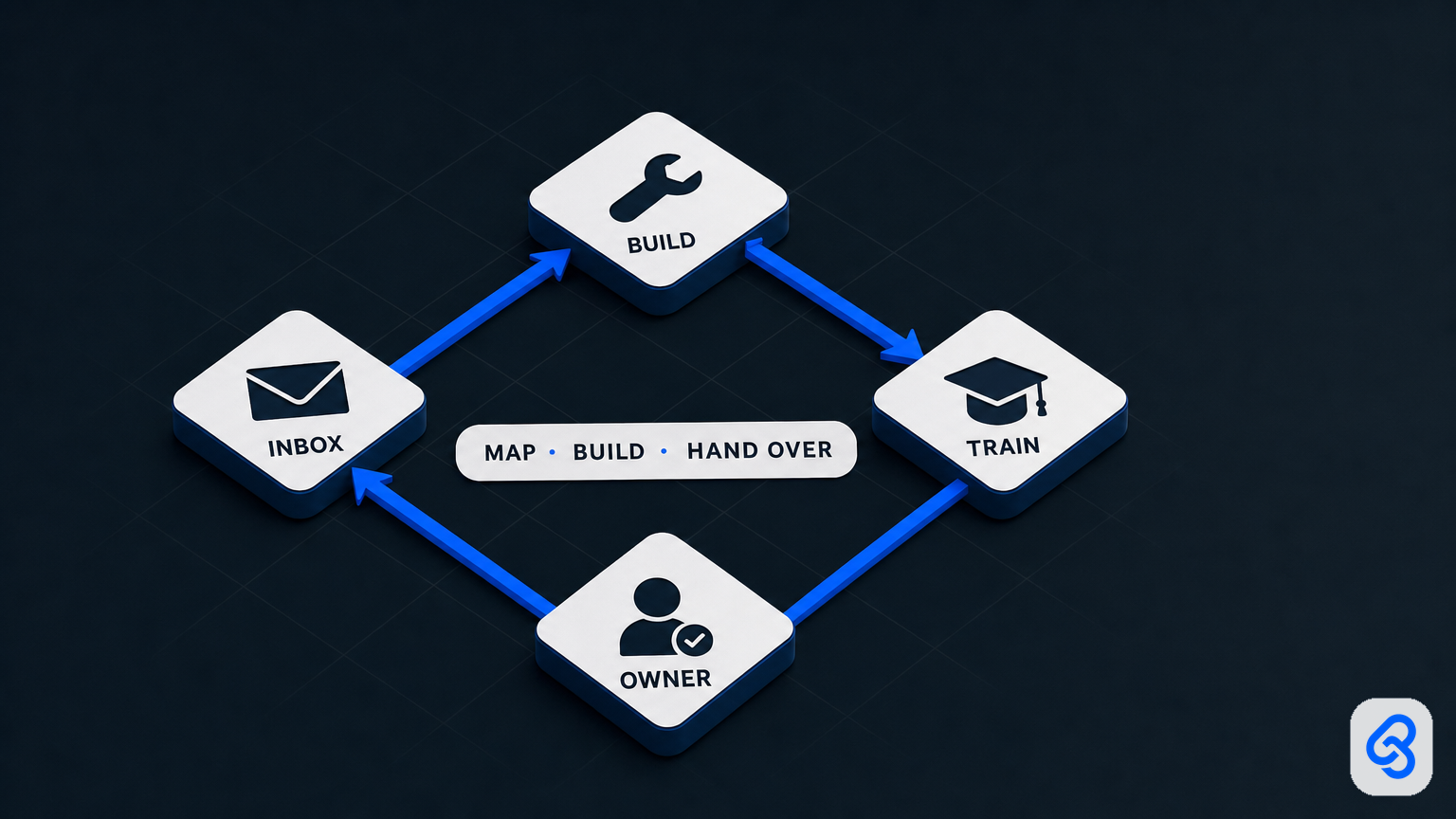
That is the job. A workflow automation service in Singapore is a team that maps one of those piles with the person who already owns it, builds it in the tools you already use, trains that person to run the exceptions, and is still there when it breaks. It is not a new ERP. It is not a ChatGPT tab.

This guide is for the operator, not a procurement deck. It covers what you are actually buying, the three workflows SMEs here pay for, how to tell DIY from a hired build, and four automations you can switch on this week that do not read invoices, rank CVs, or sign anything.

What this guide covers

1. What “workflow automation services” means

2. The three workflows Singapore SMEs actually buy

3. Who signs, who covers leave, where the files sit

4. Do it yourself or hire

5. Four builds you can run this week

6. How to pick the first paid workflow

7. What a competent engagement looks like

8. A one-page brief you can send any firm

9. How you know it worked

What workflow automation services means

Three different purchases get lumped under the same search.

Software is a product with a login. Zapier, Make, an AP platform, an ATS with an “AI screening” toggle. You configure it. You pay per seat or per document. It does what the product does for every customer. Fine if your process already looks like the demo.

A service is a team that maps *your* process, builds something that fits it, and is still reachable when a new invoice layout shows up. You are not buying a licence. You are buying judgement plus implementation.

A browser tab is ChatGPT, Gemini, or Copilot sitting next to the real work. Someone pastes an invoice or a CV in, copies the answer out, and the company calls it adoption. It is the most common version I see. It dies the week that person is on leave.

Buy the feature if you already run a clean process inside Xero or an ATS. Leave it with a person if the volume is tiny and the exceptions *are* the job. Hire a service when the work is the same every time, lives in tools you already have, and one person can own the rules, but the input is messy or a wrong output moves money.

Hiring a service to wrap ChatGPT around a process nobody has written down is how you spend money and still have a hobby.

The three workflows Singapore SMEs actually buy

Not “HR, finance, ops”. These three. If a firm cannot walk them in this shape (trigger, extract, route, human gate, tracker), they are selling a stack, not a workflow.

1. Supplier invoices

Someone already retypes vendor, date, amount, GST, and PO number from a PDF or a photo, then chases an approver, then keys it into accounting. InvoiceNow and IRAS made the data quality matter more. The pain started as typing.

  • Trigger: PDF or photo lands in `ap@` or a shared Gmail
  • Extract: Vendor, date, amount, GST, invoice number, PO if there is one
  • Route: Exception queue: mismatch, missing GST, duplicate, photo too dark
  • Human gate: Named finance owner taps pay. The model does not.
  • Tracker: Sheet or queue the owner can open on Wednesday when they are out

Worked example, one supplier. A PDF arrives from `accounts@steelco.sg`, subject `Tax Invoice 8891`. The workflow files it, reads the four fields, flags that the PO is blank, and puts one row in front of the finance owner: pay / query / duplicate. They tap pay. Xero (or the accounting tool you already have) gets a clean bill. The owner can explain the miss without the vendor on the call.

This is a service. Filing the PDF to Drive is DIY (Build 2 below). Reading it and posting it is not. Existing Lynqra write-ups if this is already your pile: invoice OCR for Singapore SMEs and accounts payable automation.

2. Candidate screening

A role gets 80 to 300 PDFs. The fiftieth CV gets less attention than the fifth. Late applications die in the folder. Nobody replies to the ones you will not hire, because two hundred emails is an afternoon.

  • Trigger: CV PDF to `jobs@`, or a LinkedIn / Jobs Bank forward
  • Extract: Name, role applied, years, must-have skills you named in writing
  • Route: Ranked shortlist into a Sheet the hiring manager already uses
  • Human gate: Hiring manager shortlists. Nobody is auto-rejected.
  • Tracker: Same Sheet: status, who viewed it, who is on leave this week

Worked example. You are hiring a site supervisor. Must-have: Class 4, five years, willing to work Jurong. The workflow drops every PDF into one tab, fills those three fields, and sorts. The hiring manager still reads the top twenty. The other 180 get a polite no that a person approved as a template, not a silent discard. PDPA: the CVs stay in your Drive, not in a public chatbot.

Do not DIY the ranking. Sort the mail, yes (Build 1). Score the person, no. Canonical page if hiring is the pile: HR and candidate screening automation. Longer read: resume screening for Singapore SMEs.

3. Quote, PO, payment approvals

The same fields, every time, waiting on one person in Telegram. Cash gets stuck because the quote is sitting in a chat.

  • Trigger: Sales sends a quote, or a PO needs a second pair of eyes
  • Extract: Customer, amount, margin, payment terms, who must sign
  • Route: The named owner, then the named backup if they have not acted
  • Human gate: Sales or ops owner releases the quote. Finance owner releases payment.
  • Tracker: A queue with an SLA (same day / 24 hours), not a WhatsApp scrollback

Worked example. A S$12,400 quote is sitting with the director. The workflow pings them at 10:00, pings the backup at 16:00 if nothing moved, and does not email the customer on anyone’s behalf. Automation types and chases. It does not spend.

Who signs, who covers leave, where the files sit

If you skip this section you will buy a demo.

The signer is a person with a name. Finance owner taps pay. Hiring manager shortlists. Sales or ops owner releases a quote. Write the names down before anyone mentions models. “Management” is not a signer.

Leave is a design requirement. When the usual approver is on MC or AL:

1. Name the backup. One person, not a group chat.

2. Name the SLA. Same afternoon is a rule. “When they’re back” is how invoices age.

3. Name where the queue lives. A Sheet, a mailbox label, a small review screen. Not that person’s Telegram, which nobody else can open.

If the answer to “who does this when they are away” is “it waits”, you do not have a process. You have a person. Fix that on paper before you buy software or a service.

Files stay in your tenancy. Candidate CVs and supplier invoices belong in the company’s Google Workspace or Microsoft 365, not in a staff member’s ChatGPT history. Collect only the fields the workflow needs. Keep a simple log of who opened the queue. PDPA does not care that it was “just a draft”.

Do it yourself or hire

Do it yourself when all of these are true:

  • one person already understands the process end to end
  • the trigger is clean (a new Gmail, a new Sheet row, a form submit)
  • the action is dumb (label it, file it, ping a chat)
  • a miss is annoying, not expensive
  • you can live with maintaining it

Hire a service when any of these are true:

  • the input is messy (PDFs, photos, forwards, mixed languages, different supplier layouts)
  • a wrong output moves money or a person’s job
  • the process spans three tools and a WhatsApp group, and nobody has drawn it
  • the last “automation” was a staff member’s personal ChatGPT, and they left

The service is not “they know Zapier and you do not”. The service is they will sit in the exceptions with you until the rules are honest. Software demos skip exceptions. That is where the work lives: the invoice that does not match the PO, the CV formatted like a novel, the quote that needs a human because the customer is a cousin of the director.

The four builds next are the ones I would actually run on a shared inbox this week. They sort, file, and ping. They stop before judgement.

Four builds you can run this week

Same shape in Zapier, Make, or n8n. I am using Zapier names because that is where most people start. Free Zapier checks about every 15 minutes. Paid is faster. Make and n8n use the same steps if you already live there.

Do not paste the email body into ChatGPT to “classify” it. Gmail search already knows `from:`, `subject:`, and `has:attachment`. Use that.

Build 1. Mail sorter (Gmail filters, S$0)

What it does: Incoming mail lands in four labels: `suppliers`, `applications`, `quotes`, `newsletters`. You stop hunting.

What it does not do: Read the invoice. Rank the CV.

Time: 20 minutes.

You need: Gmail on a computer (filters are not a phone job). Outlook users: skip to the note at the end.

Step 1. Create the four labels.

1. Open Gmail.

2. Left sidebar, scroll to Labels, click Create new label.

3. Name it `suppliers`. Create.

4. Repeat for `applications`, `quotes`, `newsletters`.

Step 2. Create one filter. Repeat four times.

Google’s own path is Create rules to filter your emails. Operators if you need them: Refine searches in Gmail.

1. Click the Show search options icon in the Gmail search box (the sliders).

2. Paste the query for that bucket in Has the words (table below).

3. Click Search first. You should see real mail you recognise. If you do not, the query is wrong. Fix it before you save.

4. Click Create filter.

5. Tick Apply the label, pick the label.

6. Tick Also apply filter to matching conversations.

7. For `newsletters` only: also tick Skip the Inbox (Archive it) and Mark as read.

8. For `suppliers` and `applications`: do not skip the inbox until you have watched it for a week.

9. Click Create filter.

Use these queries. Copy them as-is, then tighten once you see what they catch.

  • suppliers: `has:attachment (filename:pdf OR filename:jpg OR filename:png) (invoice OR inv OR "tax invoice" OR statement)` Do not archive.
  • applications: `has:attachment filename:pdf (resume OR cv OR "curriculum vitae" OR application)` If CVs actually arrive from LinkedIn, add a second filter: From `noreply@linkedin.com`, same label.
  • quotes: `subject:(quote OR quotation OR proforma)` Tick Star it only if a human must reply the same day.
  • newsletters: `unsubscribe` Archive + mark as read. If that is too greedy, replace with the From: of the lists you already hate.

Step 3. Test.

Send yourself one supplier PDF, one fake CV, one quote reply, one newsletter. Each should hit the right label in under a minute. If a real invoice landed in `newsletters`, edit that filter (Settings, See all settings, Filters and Blocked Addresses, Edit).

Where it breaks: a supplier who sends “Please see attached” with no word “invoice” in the subject or body. Add their domain to a second `suppliers` filter: From `@steelco.sg`.

Outlook: Home tab, Rules, Create Rule, condition on sender or subject, move to a folder. Same four buckets. Same test.

If the next sentence in your head is “now extract GST into Xero”, you have left DIY.

Build 2. Supplier attachments land in Drive

What it does: Every file on the `suppliers` label is copied into a finance Drive folder, named so you can find it without opening Gmail.

What it does not do: Key the bill. Match a PO.

Time: 15 minutes after Build 1 is trusted.

You need: Zapier (or Make/n8n), Gmail, a Drive folder finance already uses. Official template: Save new Gmail attachments to Google Drive.

Step 1. In Drive, create or pick the folder. Name it something like `Inbox-suppliers-2026`. Share it with whoever covers finance leave.

Step 2. In Zapier, make a Zap.

1. Trigger: Gmail, New Attachment.

2. Label or mailbox: `suppliers`. (If you cannot pick a label, set search to `label:suppliers has:attachment`.)

3. Connect the Gmail that owns the shared inbox, not someone’s personal mail.

4. Filter (recommended): only continue if Attachment Filename contains `pdf`, or contains `jpg`, or contains `png`. This drops signature images and “our brochure”.

5. Action: Google Drive, Upload File.

  • File: the attachment from step 1
  • Drive / Folder: `Inbox-suppliers-2026`
  • File Name: `{{From Name}} - {{Subject}} - {{Attachment Name}}`

6. Turn the Zap Off until you test.

Step 3. Test.

1. Send one real supplier PDF to the inbox.

2. Confirm the Gmail label applied (Build 1).

3. In Zapier, Test trigger, then Test action.

4. Open Drive. You should see one file, named with the supplier, not `image001.png`.

5. Turn the Zap on.

Where it breaks: newsletters with PDFs filling the folder. That is a Build 1 problem. Tighten the `newsletters` filter. Also: Zapier Free polls about every 15 minutes, so do not stare at Drive for 30 seconds and declare it dead.

Build 3. Enquiries ping Telegram (or Slack)

What it does: A new website form, or a mail to `hello@`, shows up in the chat the team already lives in. Nobody has to babysit the inbox.

What it does not do: Draft the reply. Qualify the lead.

Time: 25 minutes, including the bot.

You need: Google Form (or `hello@` Gmail), Telegram (or Slack), Zapier. WhatsApp Business API is not a Sunday job. Skip it.

3a. Form already writes to a Sheet

Google Forms does this natively. You do not need Zapier for the log.

1. Open the Form, Responses, Link to Sheets. Use the existing Sheet if you have one.

2. Confirm a test submit creates a row: Name, Company, Message, Timestamp.

3b. One-time Telegram bot

1. In Telegram, search `@BotFather`.

2. Send `/newbot`.

3. Give it a name (example: `Ops Ping`) and a username ending in `bot`.

4. Copy the token. That is a secret. It goes into Zapier, not into a group chat.

5. Open your new bot, tap Start.

6. Add the bot to the ops group. Send `hello` in that group so the bot can see the chat.

7. In Zapier, connect Telegram, paste the token. Chat ID should list the group after that hello.

3c. The Zap

1. Trigger: Google Sheets, New Spreadsheet Row, the Form responses sheet.

2. Action: Telegram, Send Message.

3. Chat ID: the ops group.

4. Message text:

New enquiry

Name: {{Name}}

Company: {{Company}}

What they want: {{Message}}

5. Test with a real form submit. You should get one Telegram message, not five. If you get five, the Sheet has old rows replaying. Set the Zap to trigger only on new rows, then turn it on.

If there is no form, only `hello@`: skip Sheets. Use Gmail New Email Matching Search and the same Telegram action. Template: Send Telegram messages for new Gmail emails matching search.

Search keywords:

to:hello@yourdomain.com -label:newsletters

Replace the address. Keep the `-label:newsletters` so Build 1 does not spam the group.

Slack version: same Zap, action Slack: Send Channel Message, channel `#enquiries`. Only if that is where people actually sit.

Where it breaks: the bot is not in the group; Chat ID is your personal DM; the Form is linked to the wrong Sheet tab.

Build 4. Follow-up dates that actually fire

What it does: Quotes you sent, documents you asked a new hire for, a supplier who said Friday. Someone gets pinged on the morning it is due.

What it does not do: Email the customer. Mark an invoice paid.

Two ways. Use A if you hate Sheets. Use B if the list already lives in a Sheet.

4A. Google Calendar (no Zapier, S$0)

1. Create a calendar called `Follow-ups`. Share it with the backup named in the leave section above.

2. When you send a quote (or ask for a document), create an event on the follow-up day:

  • Title: `Follow up: Steelco quote 8891`
  • Time: 9:00, 30 minutes, timezone Asia/Singapore
  • Description: link to the email or the Drive file
  • Guest: the owner
  • Notification: 10 minutes before, and email

3. The owner already lives in Calendar. They will see it. The backup can open the same calendar on MC days.

That is the whole build. It is ugly and it works. Most “follow-up systems” die because nobody opens the tracker. Calendar is already open.

Optional ping: Zapier trigger Google Calendar: Event Start, calendar `Follow-ups`, action Telegram Send Message with `{{Title}}` and `{{Description}}`.

4B. Sheet plus Zapier Delay

Use this if ops already lives in a Sheet.

Columns, row 1 exactly:

  • Company: What we are waiting on Owner

Status is only `open` or `done`. Dates in column D, real date cells, not text.

The Zap (one Zap per new row, no looping required):

1. Trigger: Google Sheets, New Spreadsheet Row, that tab.

2. Action: Delay by Zapier, Delay Until. Date/time: column D, time `09:00`, timezone `Asia/Singapore`.

3. Action: Google Sheets, Lookup Spreadsheet Row, lookup column A equals `{{Company}}` (or the row ID if you have one). You need a fresh Status, because three days later someone may have marked `done`.

4. Filter: only continue if Status is `open`.

5. Action: Telegram, Send Message:

Follow up today

{{Company}} - {{What we are waiting on}}

Owner: {{Owner}}

{{Link}}

6. Test with a row dated today, Status `open`. You should get the ping after the delay (or after you skip the delay in Zapier’s test). Then add a second test row dated tomorrow, mark it `done` before 9:00, and confirm silence.

Where it breaks: Delay Until eats a Zapier task and is not worth it on a busy Free plan. If you are on Free, use 4A. Do not add “if no reply in 3 days, email the customer”. A person writes that email.

Personal escape hatch if you will not keep a Sheet or a calendar: star the Gmail thread, Zapier sends Telegram. Stars get lazy. Fine for you, bad as a company system.

Where these four stop

They change a shared inbox. They do not replace judgement.

Stop and talk to a firm when the next step is: read the PDF, match it to a PO, post it to Xero, shortlist CVs, draft a customer email from a messy thread, or keep working when a new invoice layout shows up. That is the service. The sorter is not.

How to pick the first paid workflow

Do not start with a strategy deck. Start with last Tuesday.

On paper, not in a vendor demo:

1. Which pile ate the most hours of copying, checking, or chasing.

2. Who does it when the usual person is away. If “it waits”, stop. Name a backup first.

3. Which tools it already touches. Inbox, Drive, Sheets, Xero, Telegram, a desktop folder. Be literal. “Our ERP” is not a tool if the actual work is a WhatsApp screenshot.

4. What “wrong” costs. A mistyped GST line is a different risk from a candidate silently dropped. If you cannot say the cost, you will not know whether an S$8,000 build was stupid.

5. What must stay human. Payments, hiring decisions, anything you would have to explain to a customer or to MOM.

If you cannot fill those five, do not buy anything yet. A decent service will help you fill them. They will not skip them because the calendar invite said “demo”.

A useful first paid build is narrow: one pile, one owner, one exception path, one success test you can see in a week. The queue is current. The owner can explain a miss. It still ran on Wednesday when that owner was out.

What a competent engagement looks like

Ignore the package names. Look at the sequence.

1. Map. Someone watches the real process, not the SOP. They sit with the person who does it. They collect ten real examples, including the ugly ones. They write the rules in language that person would recognise.

2. Decide the human gates. For each step: automate, assist, or leave. Assist means the model drafts or extracts, a named role signs. Leave means a person still does the whole step because the judgement is the job.

3. Build small. One workflow in production beats a “platform” in a slide. Error handling, retries, and an alert when it fails are part of the build. If those are “phase two”, the build is a demo.

4. Run in parallel. For a week or a hiring round, old way and new way together. If the shortlist or the extracted invoice does not match what a careful human would have done, the rules are wrong. Fix the rules. Do not “tune the prompt” in the abstract.

5. Hand over to the owner. The person who already owns the pile learns it. Documentation only the vendor can use is not handover. If they invent a new “AI owner” who is not the process owner, you have added a bottleneck.

6. Stay reachable. APIs change. Gmail filters change. A better model ships. Someone has to decide whether to upgrade, patch, or overhaul. If that someone is “you, using the runbook, forever, with no path back”, you bought a vendor dump. If they will still look at the live workflow when the stack is deficient, you bought a partner. Those are different products. They should not cost the same in your head.

Do not buy a new HRMS, ERP, or AP suite unless the consult says the current stack cannot carry the workflow. A small app, if you need one, is a queue and a review screen. It is not a migration.

Public pages from Singapore firms currently advertise a first setup in the low thousands and a monthly retainer from about S$900 if you want someone on the hook after go-live. Custom quotes run higher. Treat those as market context, not a quote. A number without a named workflow is theatre.

Lynqra does not publish a build price. A consult is free. A fixed-scope quote comes after the map.

What usually goes wrong

The ChatGPT hobby. One staff member is fast because they paste client files into a public model. When they go on leave, the invoices are typed again. You did not adopt AI. You adopted a person.

The software-shaped problem. You buy an AP suite that assumes three-way match against an ERP you do not have. Six weeks later staff are exporting CSVs to make the tool happy. The process got heavier.

The grant-shaped problem. The first conversation is funding. The workflow is reverse-engineered to fit a pre-approved list. You get a tool you would not have bought with your own money. Funding exists. It is a later conversation, after the work is worth doing without it. Eligibility is never a promise.

The demo that cannot survive exceptions. Ten clean invoices in the sales call. Live suppliers send photos, credit notes, and a PDF that is actually a statement. “95% accurate” on the demo set, useless on Tuesday.

The missing owner. The vendor reports to a director who does not touch the pile. Three months later nobody can say whether the queue is right.

The frozen build. It worked in March. In August a better model exists, or the connector breaks, and the person who built it is on another project. The rules were written at go-live and never moved.

If staff are already pasting CVs into a chatbot, that is the programme. Name who may do it and who signs the hire. Then decide whether a service should replace the tab. More on that stance: govern the AI you already use.

A one-page brief you can send any firm

Do not start with “we want AI”. Send this.

1. The pile, in one sentence: invoices / CVs / quotes / claims / other.

2. Volume: roughly how many per week, and who handles them today.

3. Tools: the actual list, including the chat app.

4. What must stay human.

5. What “done” looks like in 30 days. Be boring. “Approver gets a clean exception queue by 10am”, not “transformation”.

6. What happens today when that person is on leave. Backup name, SLA, where the queue will live.

If a vendor replies with a deck before they have asked for those six, they are selling a product you have not agreed you need.

Ask them, out loud:

1. When this is wrong about an invoice or a candidate, whose name is on the decision.

2. When a better model comes out in six months, who tests it against this workflow, and who pays for the upgrade.

3. Where the data sits. If candidate or supplier personal data leaves your tenancy into a public model, that is your PDPA problem, not the model’s.

4. What you can run without them. Handover that requires a private Slack to the original builder is not handover.

How you know it worked

Skip the calculator that converts “15 hours × $30 × 12” into a payback fairy tale. Watch the pile.

After a month, the owner should be able to show you four things:

1. The queue, current.

2. A miss they caught, and what they changed in the rules.

3. That it still ran on a day they were out.

4. That they are now doing something they could not get to before, not just staring at a dashboard that says “12 hours saved” while they are still in the inbox at 8pm.

If they cannot, you automated a demo.

If you want a partner on this

Lynqra does this work for Singapore SMEs. Consult, build, train the process owner, stay. We would rather be in the room when the stack needs an upgrade or an overhaul than be the vendor who shipped and invoiced.

We do not lead with grants. We do not let a model sign payments or reject candidates. We do not treat a finished build as finished forever.

If that matches how you want the work done, bring one live workflow to a free consult. If you are still choosing between software and a service, use the brief above first. It will save both of us a meeting.