02
Focus the search on work you can deliver
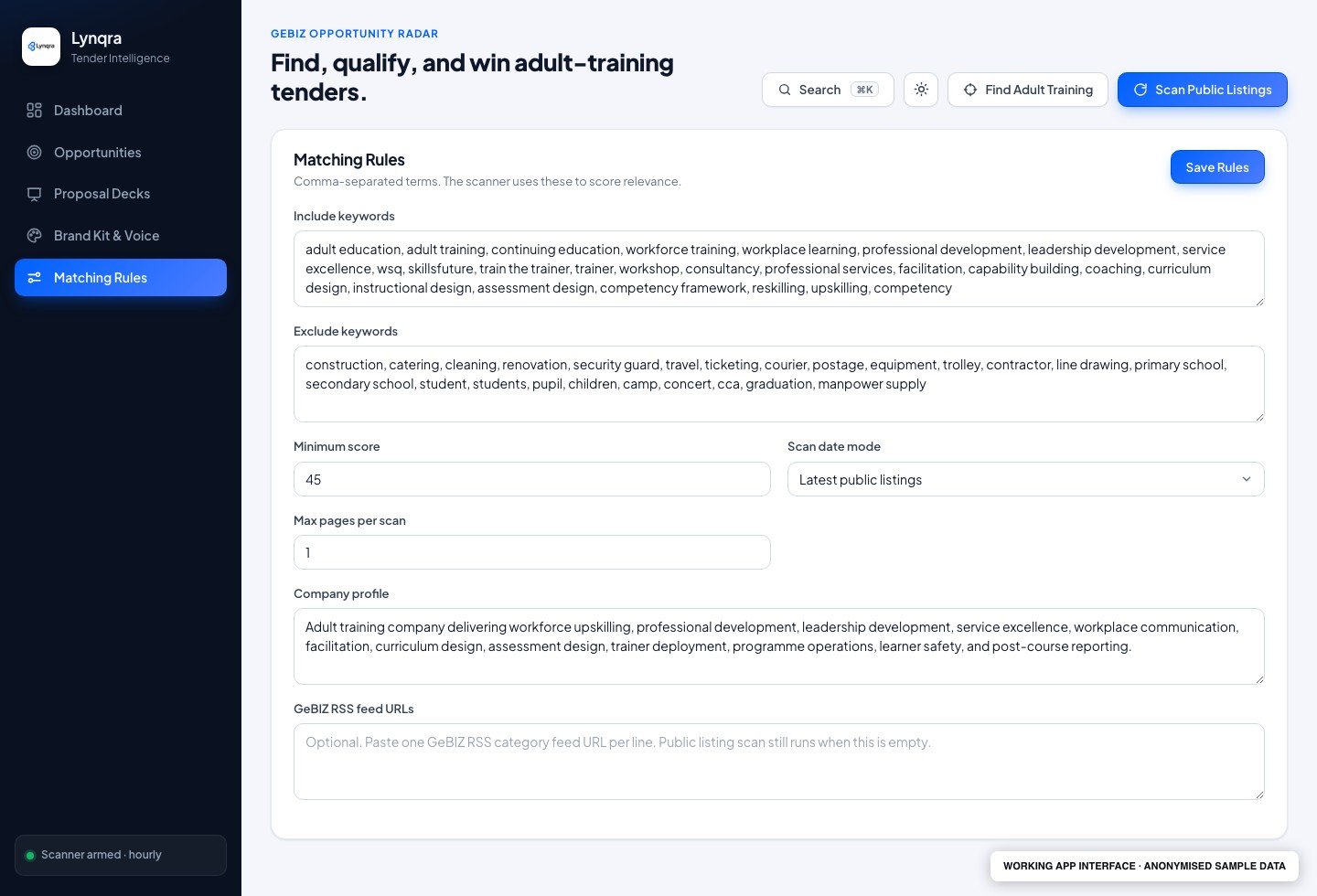
Set the terms, categories and fit threshold that matter to your team. The matching-rules screen makes those choices visible, so you can refine what enters the review queue.
Anonymised application build
This standalone app brings tender discovery, fit scoring, document review and proposal preparation into one workspace. We built it for a training-provider workflow, with a person responsible for the bid decision and submission.
Set the terms, categories and fit threshold that matter to your team. The matching-rules screen makes those choices visible, so you can refine what enters the review queue.
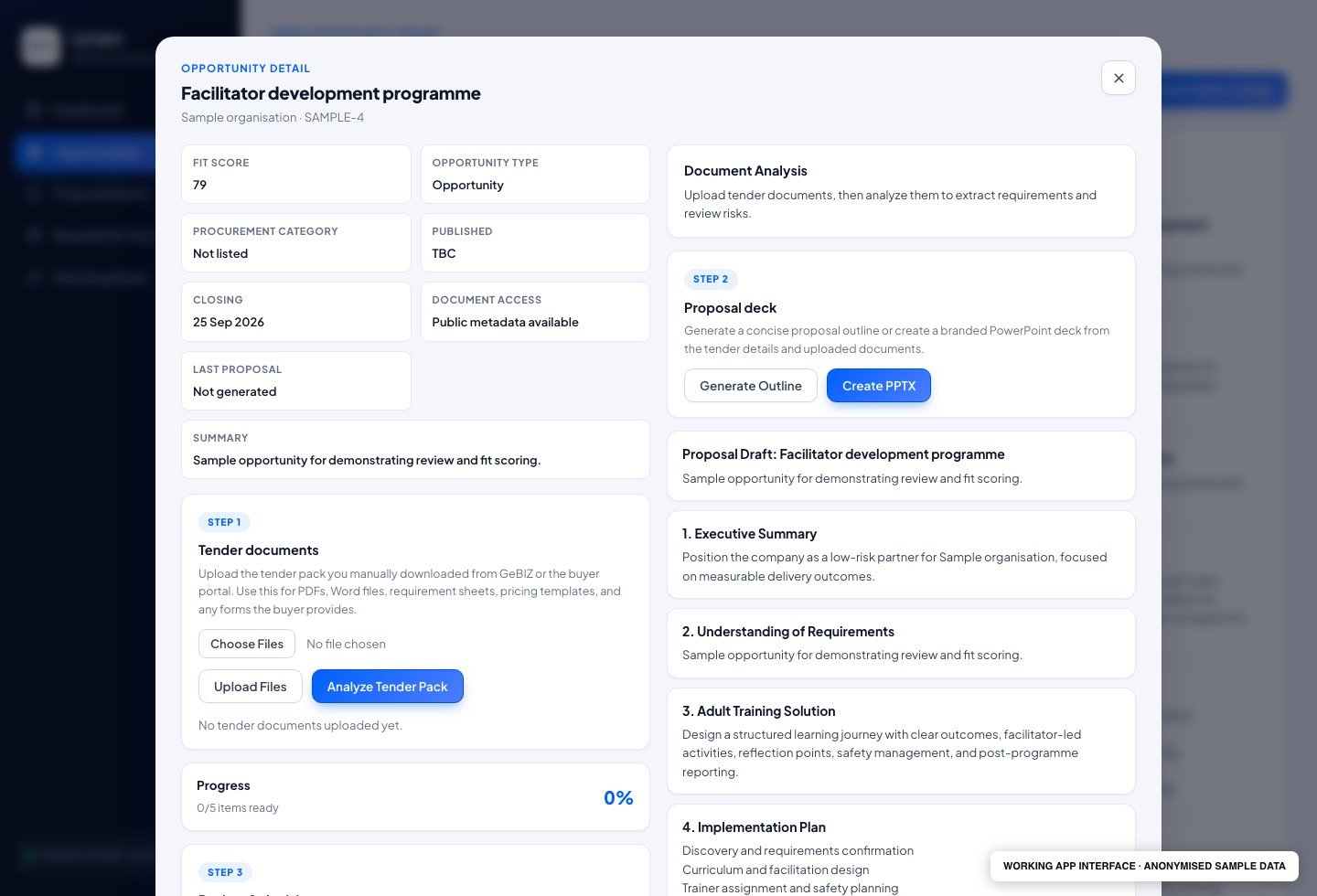
Keep tender documents, the proposal outline and readiness status with the opportunity. The workspace provides document analysis and deck-generation controls, so the team can prepare its response without losing the source material or review context.
The workflow
Tender work starts long before writing a proposal. A team has to watch for opportunities, read the requirements, decide whether there is a fit and keep track of the deadline.
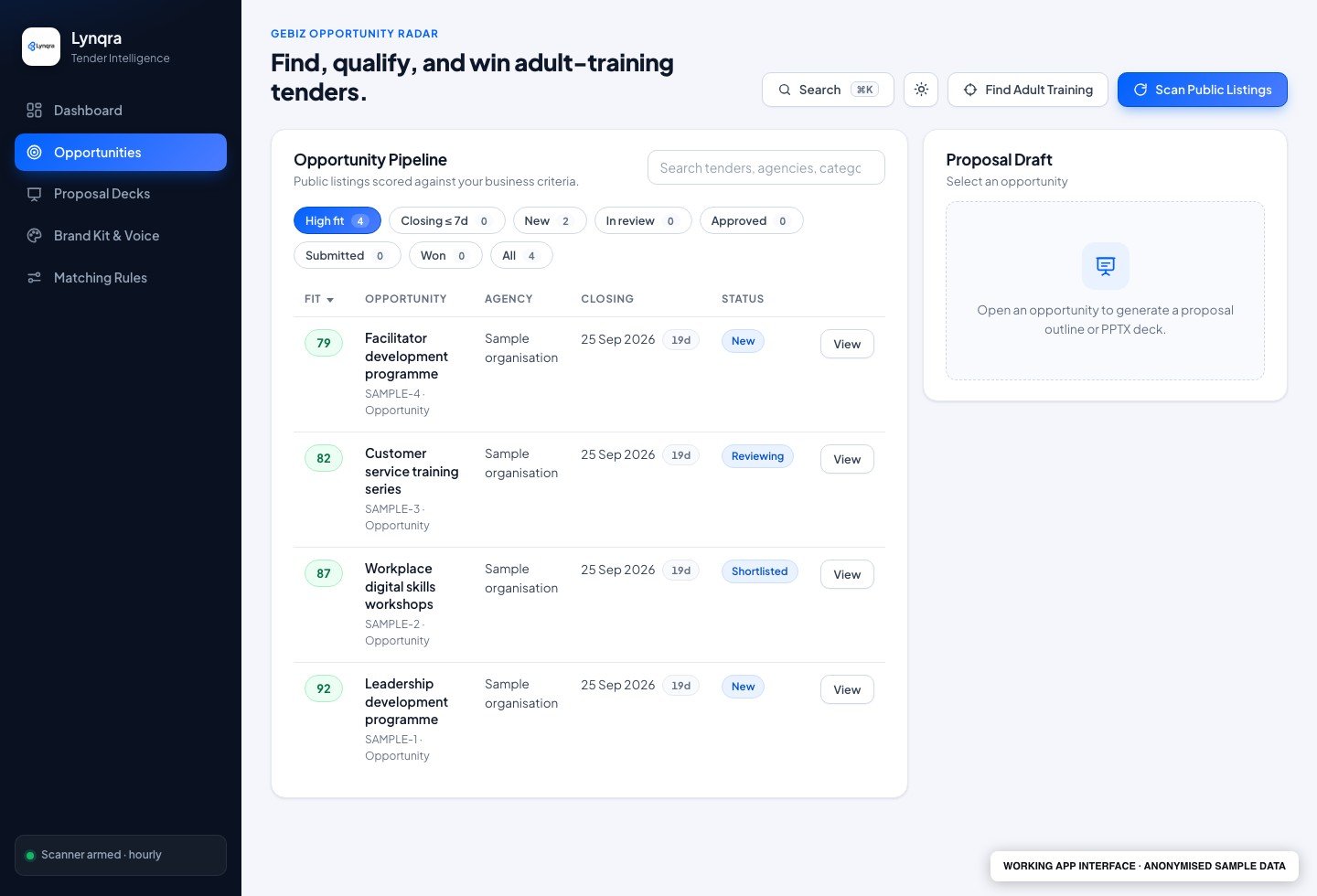
Scan public tender listings, compare them against matching rules and bring relevant opportunities into a review queue. Repeated scans update existing records instead of duplicating them.
Upload tender documents, review the analysis and work through a bid-readiness checklist. Keep the decision rationale with the opportunity.
Create a proposal outline and downloadable PowerPoint deck. Review the material, submit the bid through the appropriate channel and record the outcome.
Visibility
The app shows fit scores, closing dates, review states, scan history and a reviewer inbox. Each opportunity keeps its documents, checklist and activity log together.
Human control
A person reviews the bid and submits it. The build reads public listings and accepts uploaded tender packages; it does not automate supplier login or bid submission.
A practical fit
A working MVP for teams that regularly assess public tenders, particularly training and professional-services providers. Matching rules, proposal structure and review steps can be adapted to the business.
Start with your process
Bring one repeated task and the tools you use today. We can walk through the handoffs, agree what should run automatically and identify the decisions your team should keep.
Book a free consult