02
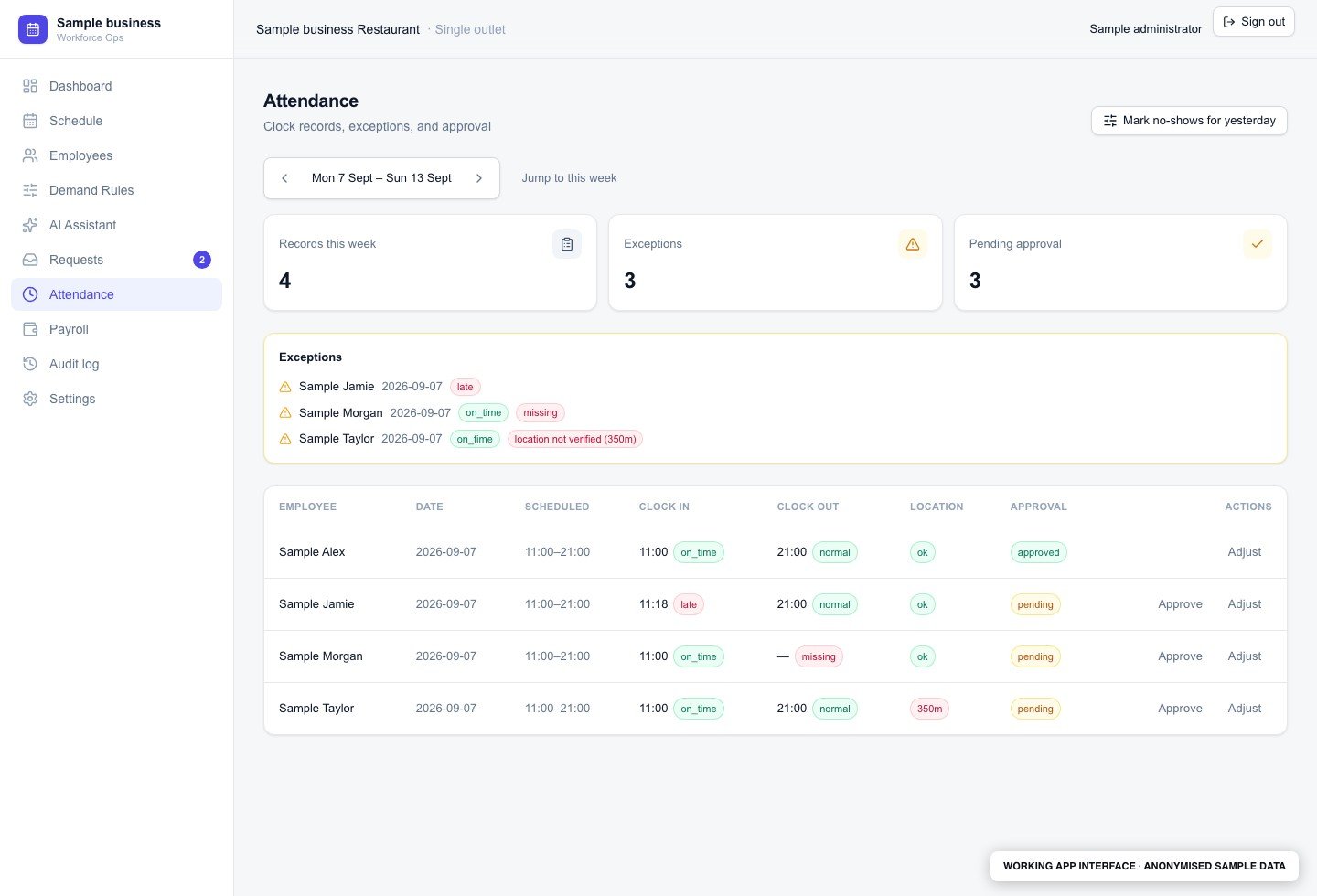
Spot attendance exceptions before payroll
Review late arrivals, missing clock-outs and location flags alongside approval status. Managers can focus on records needing attention before attendance moves into payroll preparation.
Anonymised application build
This workforce app brings weekly scheduling, staff requests, attendance review and payroll export into one system. It separates the manager's planning tools from staff self-service and keeps a record of changes.
Review late arrivals, missing clock-outs and location flags alongside approval status. Managers can focus on records needing attention before attendance moves into payroll preparation.
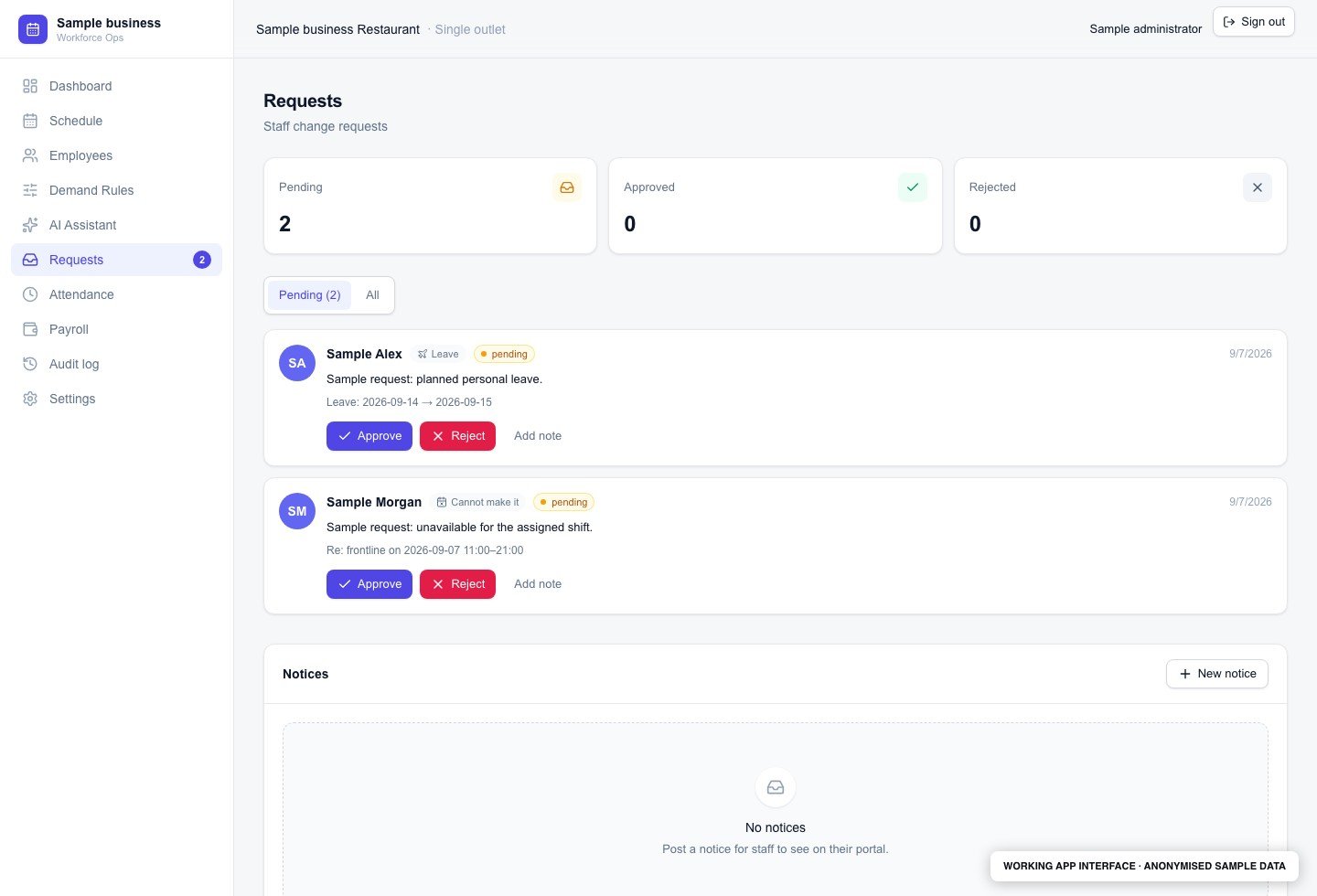
See leave and shift-change requests in a shared queue. The manager can review the affected person and shift, add a note and make a decision with the request in front of them.
The workflow
A roster can look complete while still leaving a shift short of the right people. Last-minute requests, attendance corrections and payroll preparation add more handoffs for the manager.
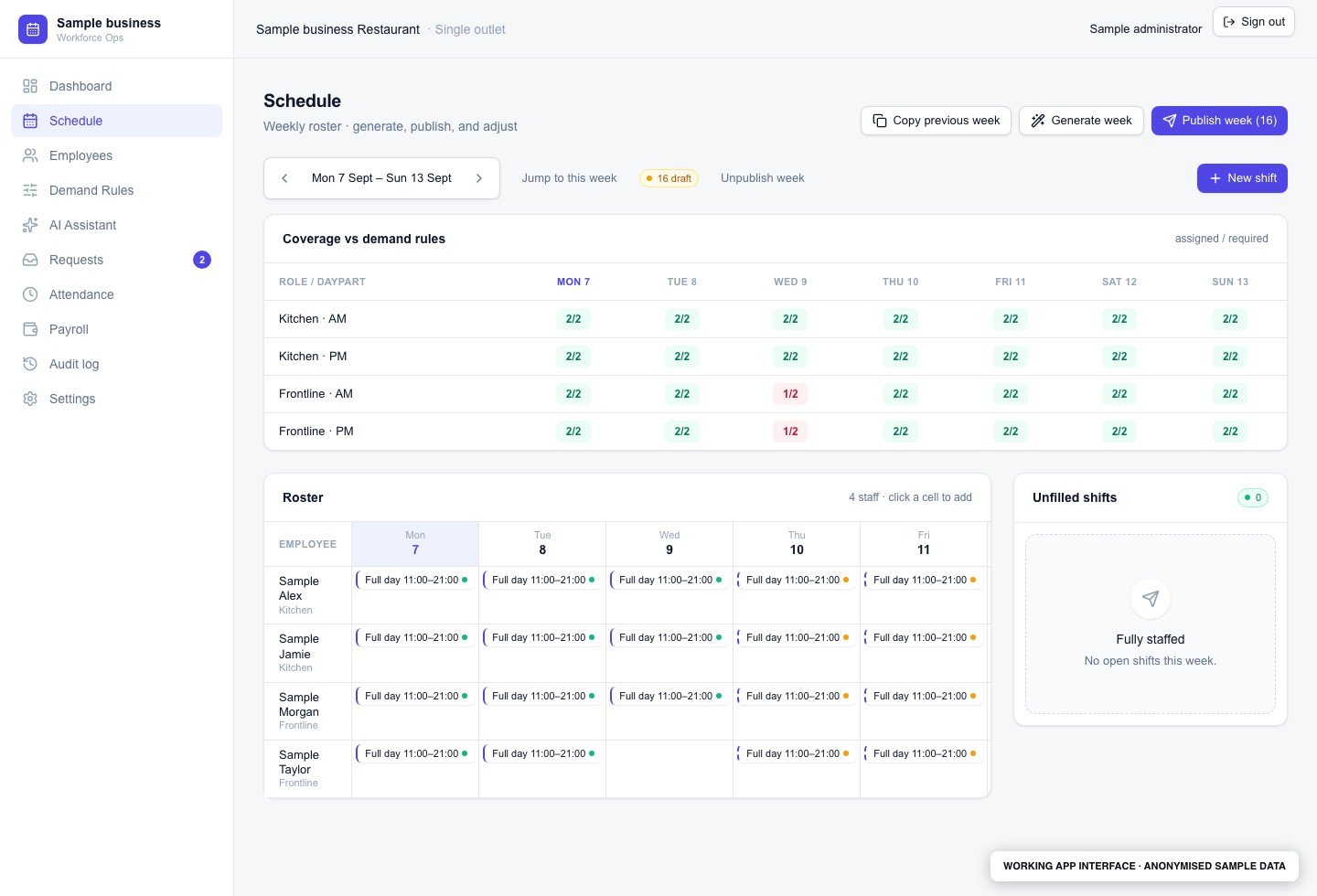
Maintain employees and demand rules, generate or adjust a weekly roster and compare assigned staff with the required coverage.
Publish the schedule for staff, review their requests and keep attendance exceptions visible for a manager to check.
Use approved attendance in the payroll workflow, review the calculation and export the result. The build includes public-holiday pay handling and an audit trail.
Visibility
The scheduling view shows coverage by role and daypart, assigned shifts and draft or published status. Separate areas cover employees, requests, attendance, payroll and the change log.
Human control
Managers approve schedule and attendance decisions. The admin AI assistant follows a propose, confirm, apply and audit flow. Payroll rules and access permissions need to be checked for each deployment.
A practical fit
A built application for a single-outlet workforce. The example demonstrates its roster interface and coverage calculation; it is not a claim about a client's deployment or business results.
Start with your process
Bring one repeated task and the tools you use today. We can walk through the handoffs, agree what should run automatically and identify the decisions your team should keep.
Book a free consult