Built and used by Lynqra

One operating system for the work behind growth.

Outreach OS is the system we built to run Lynqra’s own sales and marketing operations. Its main registry coordinates 22 agents across prospect research, outreach, inbound leads, conversations, referral partners, content, reporting and delivery checks. The work connects through one app, with Telegram giving the owner a way to check status and act.

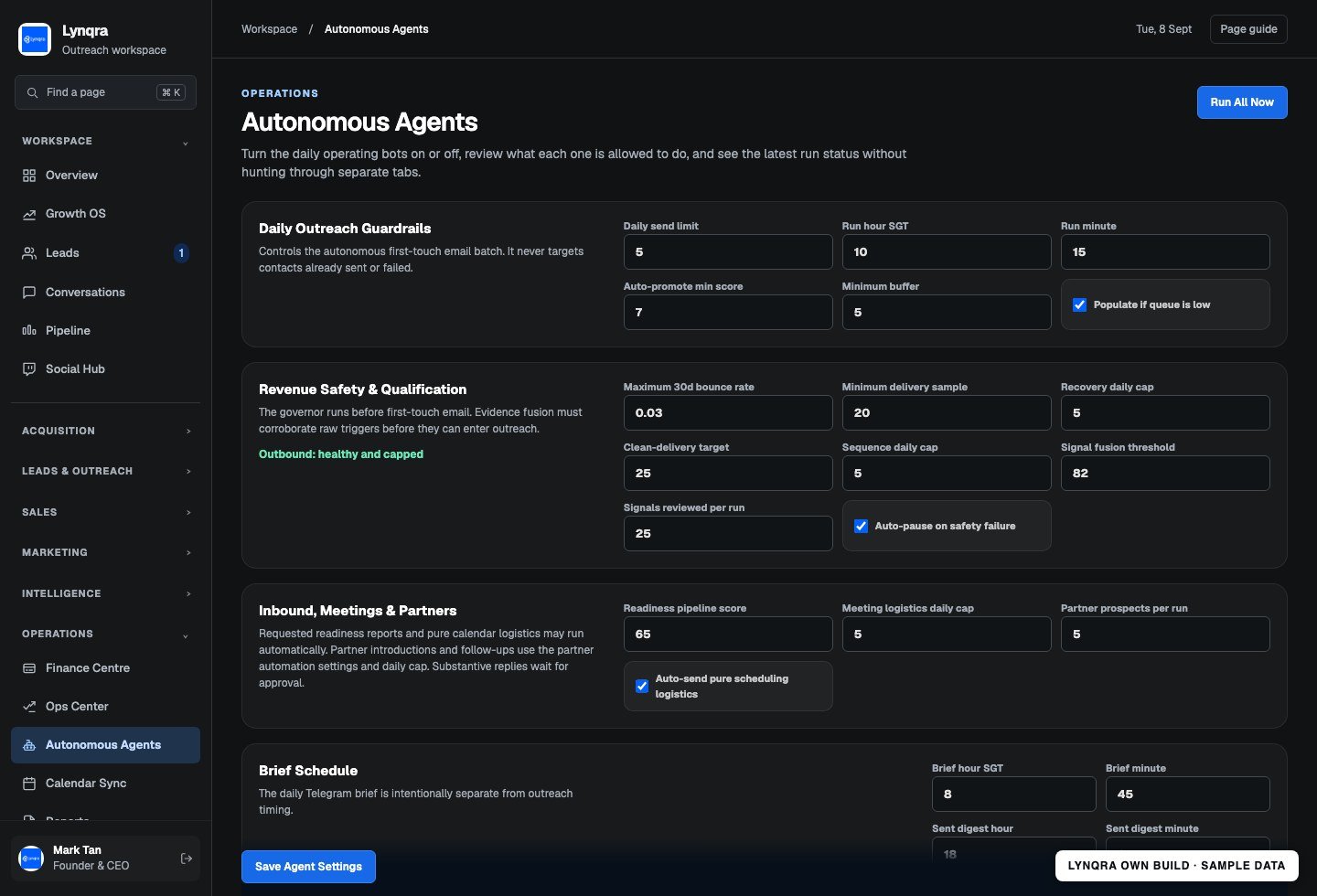
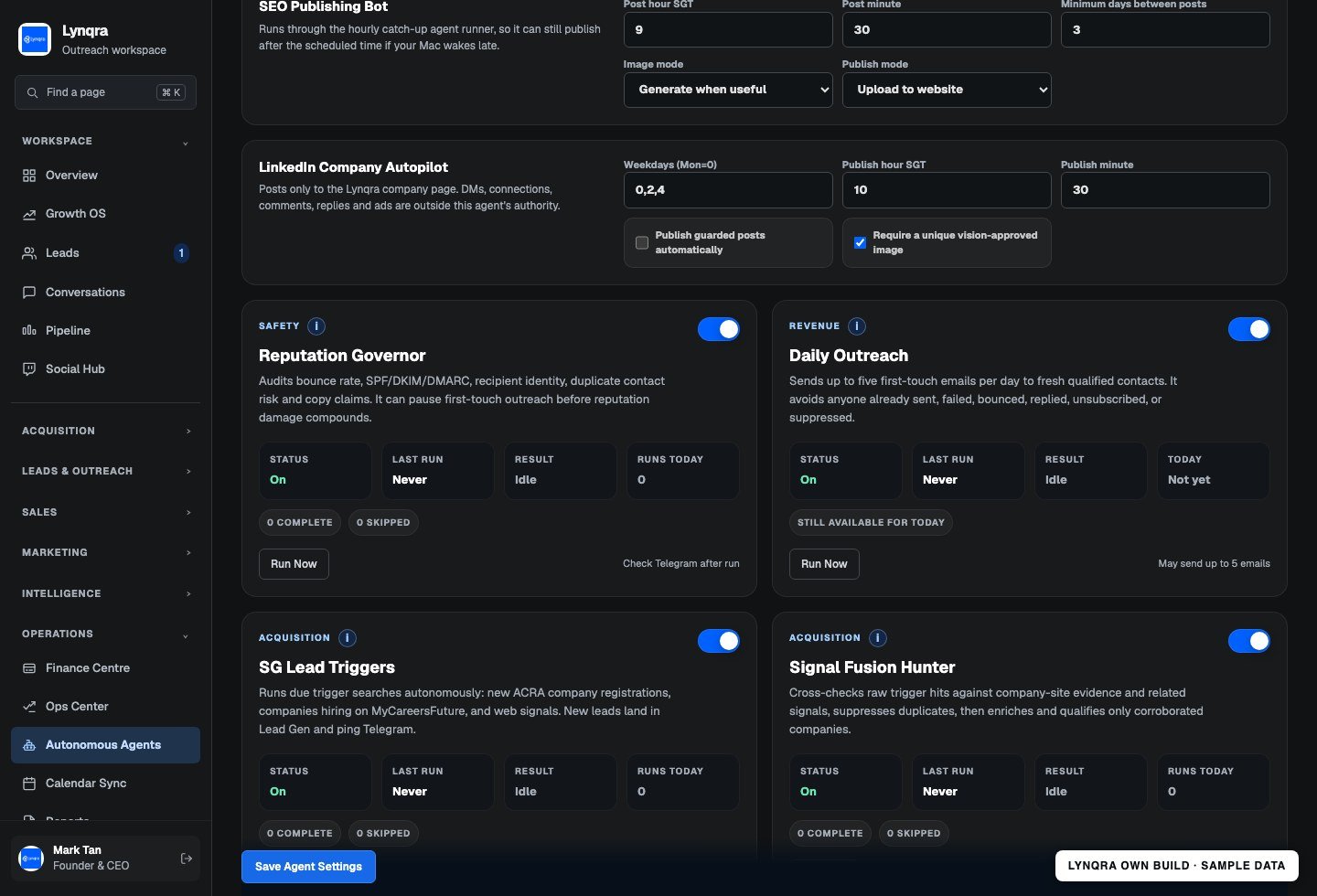
Outreach OS agent controls, captured from the working app with sample settings and an isolated database. No live prospects, messages or account secrets are shown.
Outreach OS agent controls, captured from the working app with sample settings and an isolated database. No live prospects, messages or account secrets are shown.Open full size ↗
See more of the app

A closer look at the useful parts.

02

Give each agent a clear job and visible status

The agent list brings individual workflows into one control surface. See what an agent does, when it runs, whether it is enabled and the result of its latest run. This makes it easier to investigate a problem or pause a specific workflow.

The original agent registry interface with sample state. The main registry contains 22 agents; this screenshot shows part of the list.
The original agent registry interface with sample state. The main registry contains 22 agents; this screenshot shows part of the list.Open full size ↗
03

Connect prospect research to the next sales action

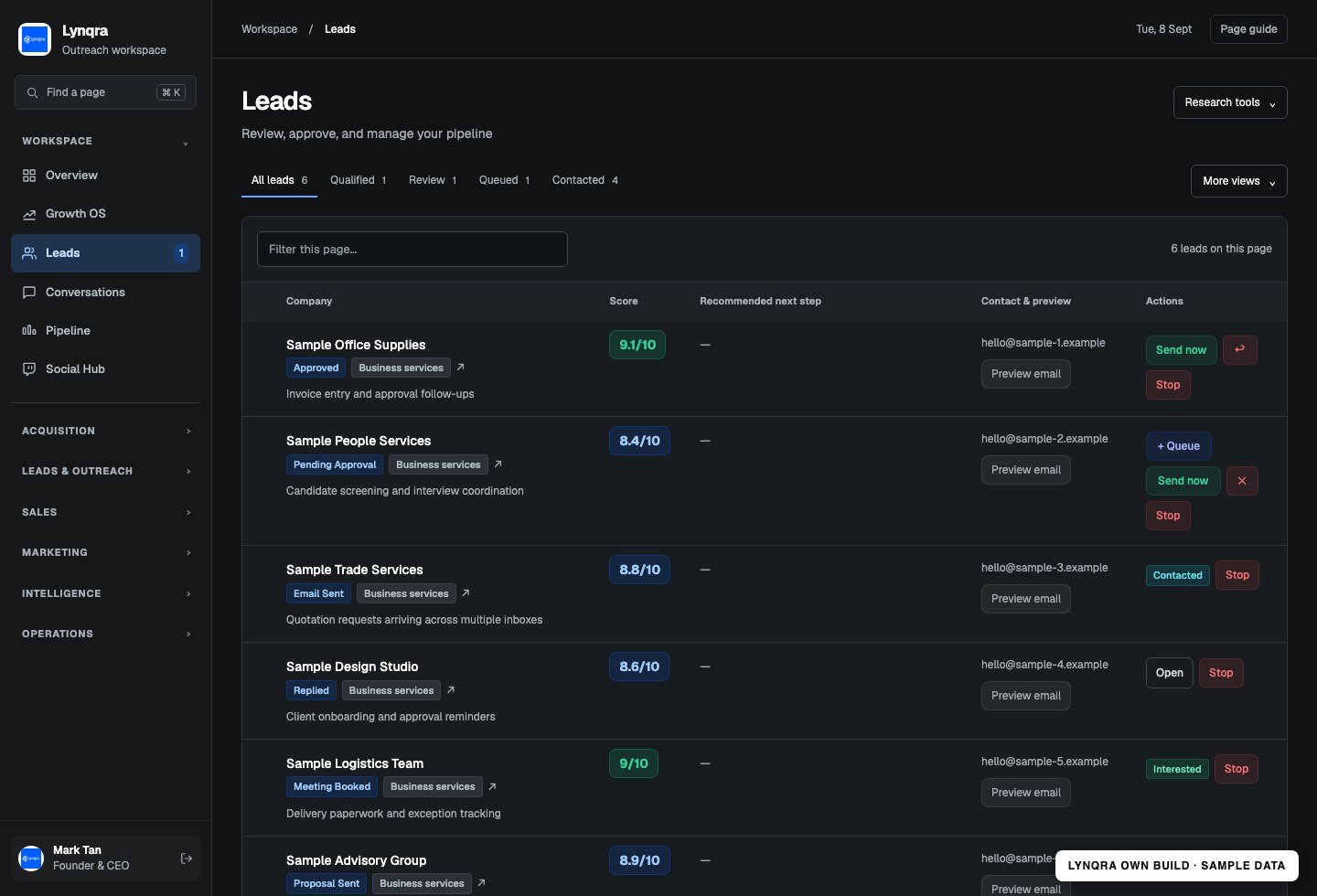
Keep fit scores, contact details, qualification context and outreach status together. Eligible outreach can run within daily limits, while replies and opportunities remain visible for the next conversation.

The lead workspace with fictitious businesses and contacts. This is sample activity, not a claim about sales results.
The lead workspace with fictitious businesses and contacts. This is sample activity, not a claim about sales results.Open full size ↗
04

Track partner introductions through to a reply

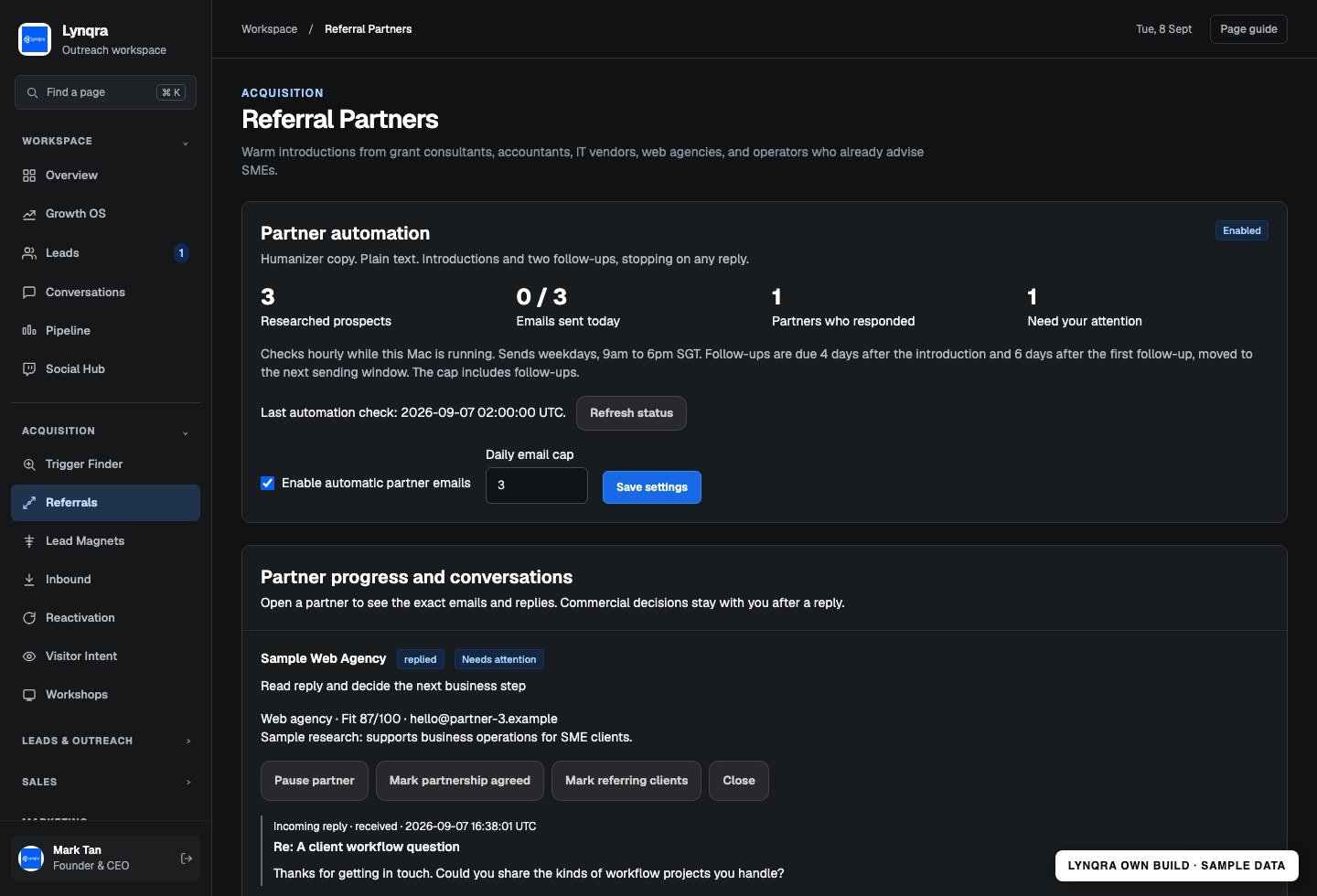
Research complementary businesses, schedule capped introductions and follow-ups, and stop the sequence when a partner responds. The partner record keeps the history and next action in view.

Referral partner automation with sample prospects, an example reply and visible sending controls.
Referral partner automation with sample prospects, an example reply and visible sending controls.Open full size ↗
05

Review the exact website revision before publishing

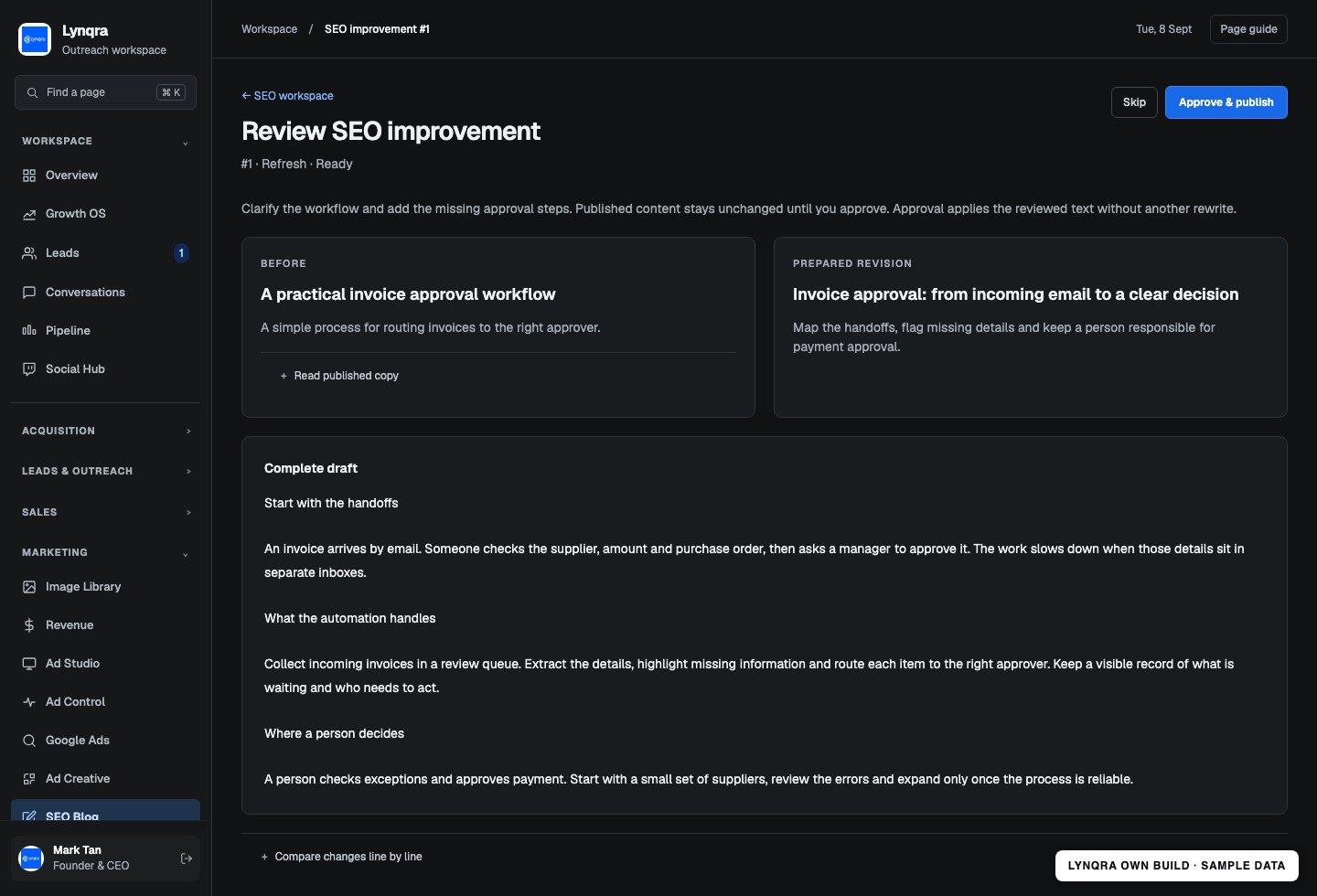
Prepare improvements outside the published article, compare the original and proposed copy, and inspect the research. The reviewer can approve the prepared version or send it back for more work.

An SEO revision prepared from a sample article in the original review interface. No publication action was taken for the screenshot.
An SEO revision prepared from a sample article in the original review interface. No publication action was taken for the screenshot.Open full size ↗
06

Move content through a visible approval queue

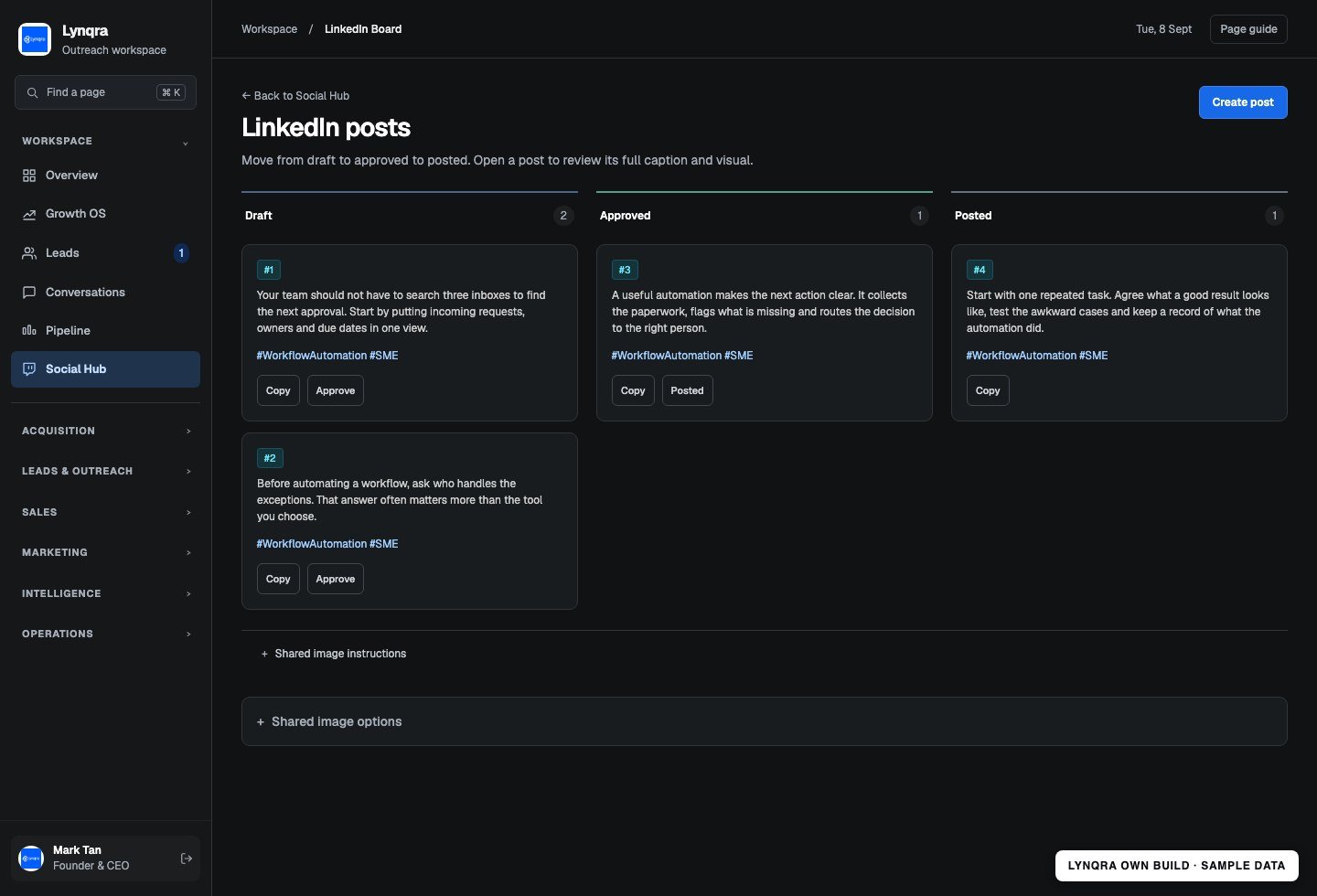
Keep draft posts, approved material and posting status in one board. The team can open the full copy and assets, check what is ready and avoid losing approved versions across folders and chats.

The social content board with sample posts in draft, approved and posted states. The sample posts were not published.
The social content board with sample posts in draft, approved and posted states. The sample posts were not published.Open full size ↗

The workflow

From repeated work
to a clear process.

Running a business creates a long chain of small jobs: research a prospect, check the contact, send the introduction, catch the reply, prepare the next step and keep the website and content moving. Outreach OS brings those jobs into a shared operating system so the owner can see what happened and what needs attention.

  1. 01

    Collect the signals and work

    Bring researched prospects, website enquiries, replies and partner opportunities into the app. Agents qualify, organise and prepare the next action.

  2. 02

    Run the scheduled workflows

    Execute eligible outreach and follow-ups within configured caps, prepare content and review tasks, and record activity. Agents have defined jobs, schedules and settings.

  3. 03

    Keep the owner in control

    Surface pending work and meaningful changes through the app and Telegram. Inspect supported agents, pause workflows and review decisions that need approval.

Visibility

What you can see

Agent controls show schedules, limits, permissions and recent runs. Lead records, partner conversations, content boards and review queues provide the detail behind the summary. Telegram brings together routine notices and outstanding requests.

Human control

Where you decide

The system includes delivery checks, pause controls and specific approval steps. Scheduled work depends on the host being available and the relevant integration being connected. The 22-agent figure refers to the main registry, not a claim that every agent is continuously running or sending.

A practical fit

Who this could help

Our own working internal platform, built around a founder-led sales and marketing process. It demonstrates how many focused automations can share data and controls. A build for another business would start with its workflows, integrations and approval requirements.
Start with your process

Build around the work
your team actually does.

Bring one repeated task and the tools you use today. We can walk through the handoffs, agree what should run automatically and identify the decisions your team should keep.

Book a free consult