RMA Automation in Singapore: A Practical Customer Returns Workflow
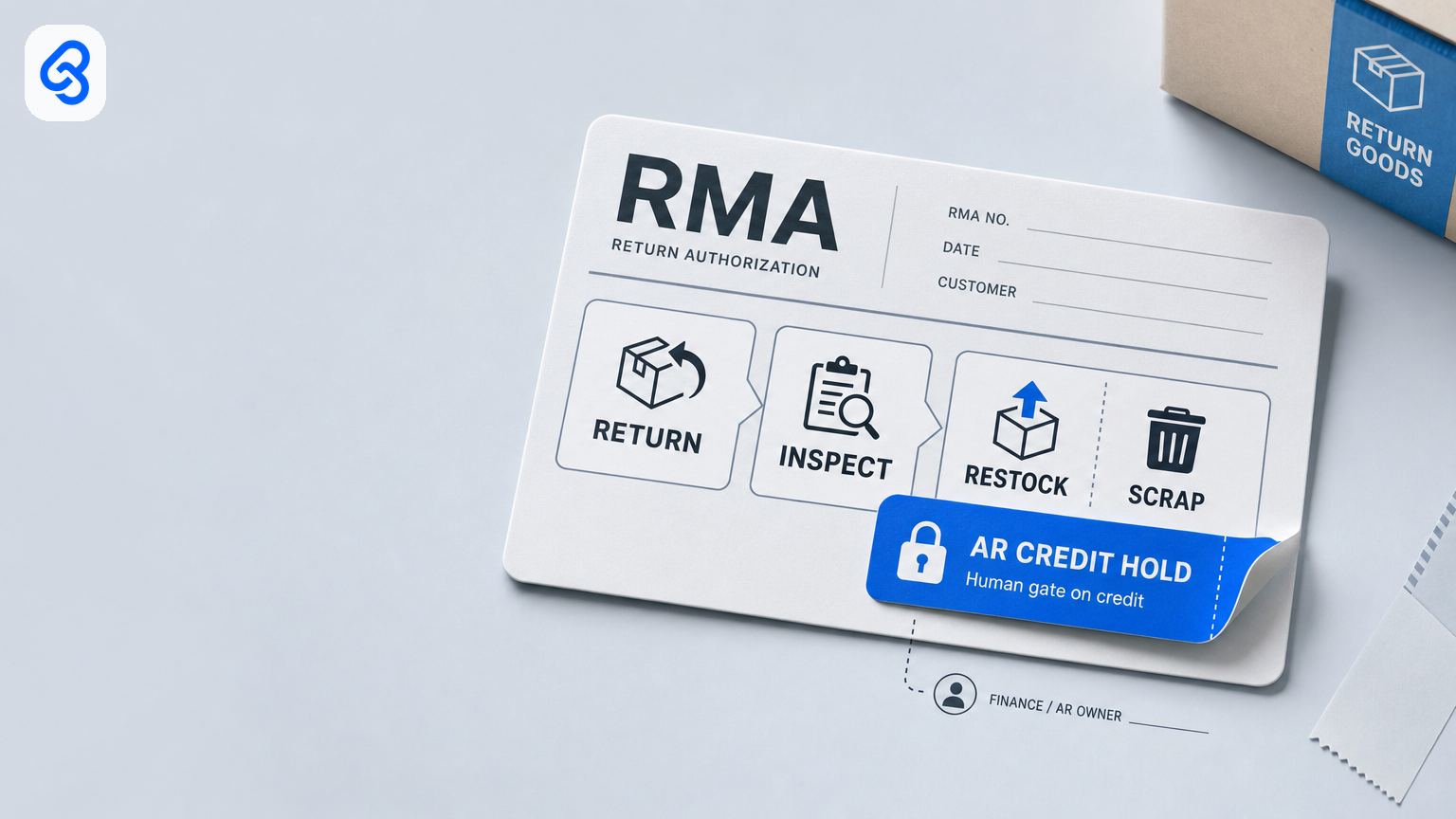
RMA automation in Singapore: a practical customer returns workflow
A customer return is not complete when the parcel reaches your warehouse. The request must be linked to the original sale, the goods inspected, stock disposition recorded, and any customer credit checked and approved. A clear RMA workflow helps Singapore SMEs reduce missing returns, avoid incorrect restocking or write-offs, and keep the customer credit trail accountable, without automating decisions that need a person.
This guide explains a practical customer-returns process for trading, wholesale and ecommerce-light businesses. Automation can capture requests, file evidence, route exceptions and remind owners. A named operations or warehouse owner should approve inspection and restock, quarantine or scrap; a named finance owner should approve any AR credit. Do not treat a returned parcel, a message or a status field as approval to change inventory or post a credit.
What customer-returns automation should do
For a small business, RMA automation is the coordination around a return: record the request, connect it to the outbound delivery and original invoice or order, track whether goods have arrived, gather inspection evidence, route decisions to the right people and retain the outcome.
Automation is useful for repetitive administration. It can create a queue, flag missing references, file photos and documents, and escalate a waiting item to a named backup. It should not decide whether a returned item is saleable, authorize a write-off, or post a customer credit without the appropriate human approval.
Keep customer returns distinct from related workflows:
- An outbound delivery-order problem belongs in the delivery-order workflow.
- Supplier goods received into your business and supplier-side adjustments are separate processes: see the GRN exception workflow and AP credit-note workflow.
- This workflow concerns goods returning from your customer and a possible credit on your sales side. Keep the original invoice and credit posting connected to the invoice workflow, without turning this article into an invoice-processing guide.
A five-step RMA workflow
1. Capture the request
Provide one shared intake route, such as a returns mailbox or a form that creates a tracker row. A chat message may alert the team, but the request should be entered into the shared record rather than left only in personal or group messages.
Record the customer, return ID, original delivery-order or fulfilment reference, invoice or order reference, item and quantity, reason for return, date and any attachments. Useful reason codes include wrong item, damage, unwanted, warranty, exchange and other. If a reference or quantity is missing, mark the request as needing information instead of guessing.
2. Track the goods coming back
Keep a return open while the goods are in transit or awaiting collection. Record the expected return method and the date the goods arrive. Attach relevant customer photos, courier details and a receipt or dock photo in a shared location that the assigned owner and backup can access.
A request approval is not evidence that goods have arrived. Likewise, goods arriving is not evidence that they have been inspected or returned to saleable stock.
3. Assign inspection and record the outcome
Assign a named operations, warehouse or customer-service owner to inspect the returned quantity and condition against the request. Record the condition and any relevant item or serial-number check. Route unclear, partial or mismatched returns to a needs-information or inspection-hold status.
The inspection result should lead to an explicit proposed disposition, such as restock, quarantine, scrap or further review. Automation may route the case and remind the owner; a person with the right authority should approve the stock decision. Set a second approval threshold for higher-value write-offs if that fits your controls.
4. Put customer credit behind a separate approval
Inspection and customer credit are different decisions. A returned item may be exchanged, partially credited, rejected or handled under another agreed arrangement. Route a credit candidate to a named finance or accounts-receivable owner with the original invoice reference, approved return quantity, inspection outcome and supporting documents.
The finance owner checks the amount and customer treatment before authorizing a credit. Do not infer a full invoice credit from a partial return, and do not let a tracker status post a credit automatically. Record the credit document or posting reference when the process is complete.
5. Close the record with an audit trail
Use one queue that a backup can access. At minimum, track: return ID, customer, delivery reference, original invoice or order, reason, quantity, condition, inspection owner, stock-disposition approver, credit approver, backup, due date, status, exception, evidence link and final stock and credit references.
Choose statuses that distinguish the important events, for example: New, Awaiting return, Goods received, Needs information, Inspection hold, Restock approved, Scrap hold, Ready for credit, Credited, Exchange only, On hold, Duplicate and Cancelled. Limit who can approve or change consequential fields, and retain who made each decision and when.
Set ownership before choosing software
A basic responsibility map can make the workflow workable even when one person has more than one role:
- Customer service or account owner: captures the request, confirms customer details and coordinates collection or exchange. This role does not automatically approve a stock write-off or AR credit.
- Warehouse or operations owner: confirms goods received and records inspection findings; approves routine stock disposition within the agreed authority.
- Scrap or write-off approver: approves disposal or quarantine according to a written threshold. In a small team, document any dual role and the backup.
- Finance or AR owner: checks the return against the original sale and approves the credit treatment and posting.
- Automation: files, flags, routes and reminds. It is not an approver.
Specify a primary and backup for inspection, stock disposition and credit holds. A process that works only while one person is present is not a reliable workflow.
Start with the tools you already use
If returns are limited and the team can review a shared queue, a mailbox, shared file storage and a spreadsheet may be enough to establish the controls. Add a form or simple automation only where it reliably creates the record, files evidence and routes a pending decision. Keep permissions, backups and change history in view.
Consider a dedicated returns, ecommerce or warehouse system when the existing queue cannot support your volume, item-level tracking, integrations or audit requirements. First map the actual process and identify which limitations matter; a new platform alone does not resolve unclear authority or missing references.
For Singapore businesses planning digitisation, IMDA's Industry Digital Plans offer a step-by-step framework for SME digitalisation. Use that kind of guidance to consider needs and capabilities, not as a reason to buy a particular returns product. See IMDA's Industry Digital Plans.
Returns records may include customer contact details and other personal data. Limit collection to what the process needs, control access, and handle the information appropriately. The PDPC's overview of Singapore's PDPA explains the law's scope for collection, use, disclosure and care of personal data.
A practical implementation checklist
Before adding automation, answer these questions:
1. Where is the single record created when a customer asks to return an item?
2. Which delivery and invoice or order references must be present before a case can progress?
3. Who confirms receipt and inspects the returned goods?
4. Who can approve restock, quarantine or scrap, and when is a second approval required?
5. Who separately approves the customer credit, and how is the final posting recorded?
6. Who is the backup when an owner is away, and where does the backup find the evidence?
7. Which statuses stop the case from advancing until information or approval is supplied?
A first build can be modest: a shared intake, a tracker with required references, an evidence folder, named approvers and reminders for items on hold. Test it with a few representative cases, including a partial return and a damaged item. Check that the record shows who inspected, who decided stock disposition, who approved credit and what was ultimately posted. Adjust the process before expanding automation.
Measure whether the workflow is improving
Use operational measures that your team can verify, such as time from goods receipt to inspection decision, age of open return cases, share of cases missing an original reference, and time from approved credit to recorded posting. Compare like periods and define when the clock starts and stops. A change in these measures does not by itself prove that automation caused the difference; volume, staffing and return mix may also change.
Prioritize control quality alongside speed: unresolved holds, duplicate credits, stock adjustments without documented approval and returns closed without evidence are useful review points. Do not optimize for a “touchless” rate if that encourages unverified inventory or credit decisions.
Common failure points
- Goods shelved before inspection: receipt is recorded as restock. Keep goods-received and restock-approved as separate states.
- Return messages without a case record: requests remain in chat or email. Create the shared record and link the original sale.
- Partial returns treated as full returns: the credit amount is not checked against the returned quantity and original invoice.
- One person owns every decision: inspection, write-off and credit have no independent review or backup. Define authority and document dual roles where separation is impractical.
- Automation advances consequential statuses: a photo, keyword or elapsed time changes stock or posts a credit. Use automation to surface decisions, not make unsupported ones.
- Too much system too soon: a new platform is selected before the team has agreed on intake, references, owners and exception handling. Map the queue first.
Decide on the next step
If return requests, inspection decisions or customer credits are hard to trace, start by mapping one recent return from request to final stock and AR outcome. Identify the missing references, approval points and backup owner. Then decide whether a shared tracker is sufficient or whether volume and integration needs justify a more capable system.
Lynqra's workflow automation services can help assess the process and scope an appropriate build. To discuss a customer-returns workflow, contact Lynqra.