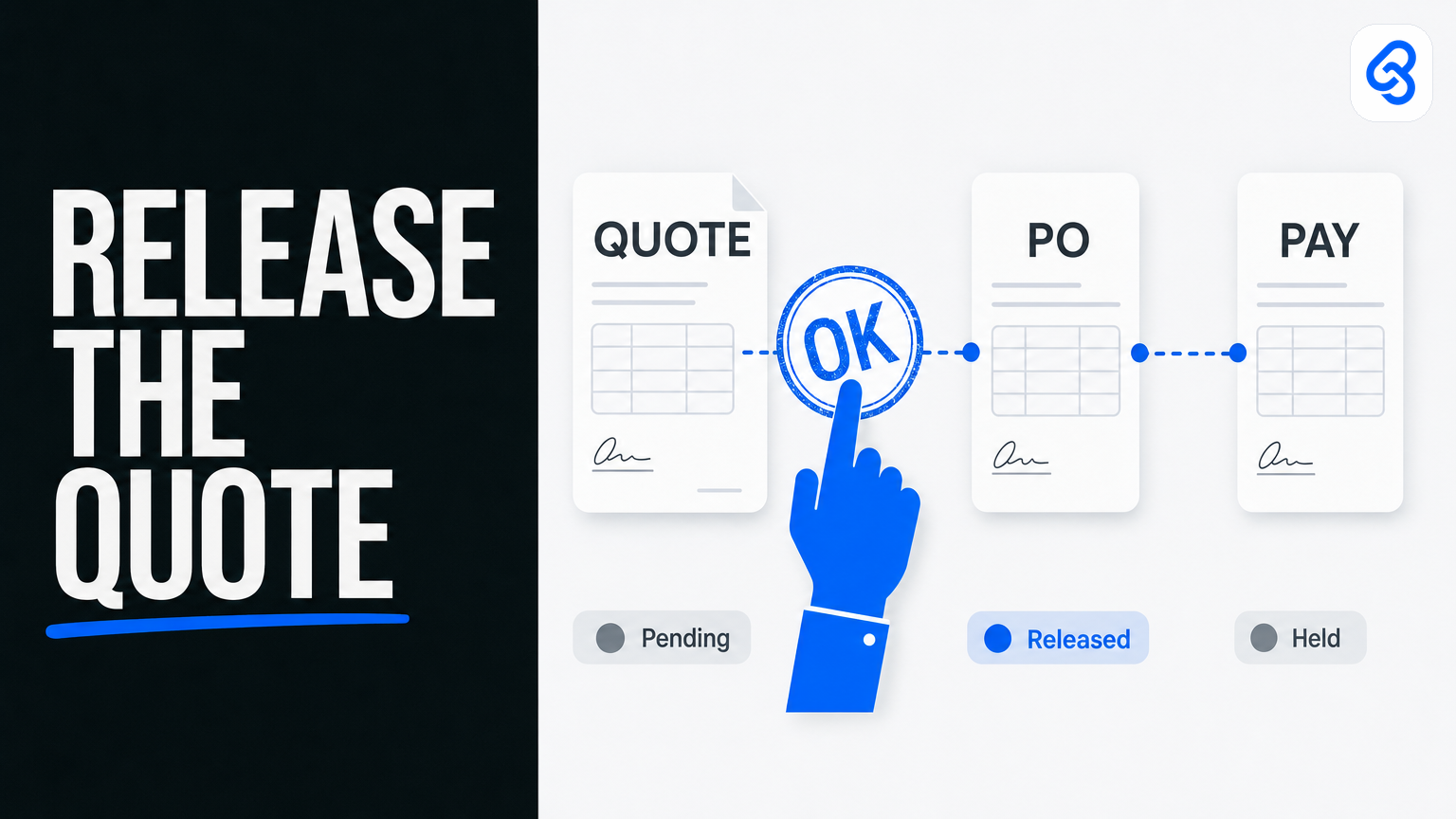
Quote-to-PO approval automation for Singapore SMEs: who releases the quote when WhatsApp stalls
The quote PDF is ready. Sales pasted the link into the ops WhatsApp group at 10:47. The director who must release anything over S$10,000 is on MC. By 16:00 the same thread has three “gentle reminders,” two thumbs-up, and zero decision. The customer follows up. Someone says “waiting for boss.” Cash that should have moved this week is still a scrollback.
That is the quote-to-PO approval problem for a Singapore SME. Not a missing procurement suite. Not a missing AI feature. A lived chain — quote out, customer accepts, PO raised, goods or work delivered, payment released — that stalls the week one named person is away, and that still lives in chat because chat is where the firm actually works.
This guide is the operator version of quote-to-PO approval workflow automation in Singapore. It is a named runbook: trigger, extract, route, human gate, tracker. It says who releases the quote and who releases payment. It designs leave cover. It keeps customer pricing and margin notes inside your company’s Workspace. It is the third named workflow from our workflow automation services pillar — the one that sits between “sales sent a number” and “finance taps pay.” It is not another Power Automate tutorial with a grant paragraph. It is not a Telegram-only quotation tip. It covers the full quote → PO → payment-release chain.
If you want the wider services frame first, start with that services guide or the workflow automation Singapore page. If supplier invoices are the louder pile, use the sibling invoice workflow automation runbook. This piece stays on approvals that commit the firm to a customer and then to a payment.
What this guide covers
- What “quote-to-PO approval automation” means for a 10–80 person firm here
- Why Singapore SME cash flow, leave, and WhatsApp culture matter without a news roundup
- A named quote → PO → payment-release runbook you can print and mark up
- Who releases the quote, who releases payment, and how leave cover is designed
- PDPA and commercial sensitivity for customer pricing and margins
- When Sheets, Gmail/Telegram, and Xero are enough — and when they are not
- Steal-this-build DIY that stops before judgement (no auto-send to customer, no auto-approve PO)
- Failure modes: silent auto-approve, group chat as queue, no backup
- Consult → build → train, lightly
- Checklists you can use this week
What quote-to-PO approval automation means here
Search “purchase order approval automation” or “quotation workflow Singapore” and you will mostly get either global procure-to-pay diagrams or short local posts that jump to a tool demo and a funding footnote. Useful as a sketch. Thin as an operating manual for a trading, logistics, construction, M&E, or professional-services firm that already lives in Gmail, Drive, Sheets, Xero (or QuickBooks / MYOB), and a WhatsApp or Telegram group.
For an SME operator, quote-to-PO approval automation is simpler to name:
Automation types, files, flags, and chases. A named person still releases the quote to the customer. A named person still releases payment.
Anything that emails the customer a quote without a human tap, auto-approves a PO because the amount is “under threshold and the Sheet said so,” or releases a payment because a bot saw “approved” in a group chat is not a productivity win. It is a control failure with a notification sound.
Three purchases get confused under the same phrase:
- Software — a procurement module, an approval SaaS, a Power Automate template. Fine when your process already looks like the demo and your hierarchy is clean.
- A service — someone maps *your* quote → PO → pay path, builds in the tools you already use, trains the sales/ops and finance owners to run the queue, and is still reachable when a cousin-of-the-director exception shows up.
- A browser tab — someone pastes a customer RFQ into ChatGPT, drafts a quote, forwards it from a personal WhatsApp, and the firm calls it adoption. It dies the week that person is on leave, and customer pricing may already be sitting in a public chat history.
Buy software if the process is clean and the product fits. Leave it with a careful human if volume is tiny and every quote is a negotiation. Hire a service when the same fields wait on the same people every week, the work spans chat + Sheet + ledger, and a wrong release commits margin or money.
Shorter siblings on Lynqra if you only need a slice: the thinner purchase order approval post and quotation automation notes. This article is the full-chain runbook in between — and it deliberately does not end in a grant checklist.
Why Singapore SME context matters (without a news roundup)
You do not automate quote and PO approvals because a press release landed. You automate because cash gets stuck in chat, leave gaps turn “same day” into “next week,” and the person who “just knows” the margin rule is the same person who goes on MC.
Cash flow is a queue problem. A quote that sits three days is not a CRM hygiene issue. It is a customer who buys from the supplier who answered. A PO that waits for a director who is travelling is a site that cannot order materials. A payment that waits because finance never saw the approved PO is a supplier who stops delivering. The chain is one process with three human gates. Most SMEs only notice the gate that is screaming this week.
WhatsApp (and Telegram) is the real inbox. Singapore trading and services firms do not lose quotes because Outlook is broken. They lose them because the decision lived in a group thread nobody owns, with no status, no SLA, and no backup who can open the same queue on a laptop. Automation that “sends another reminder into the same group” without a named owner and a tracker is just louder stalling.
Leave is not an edge case. For a 15–40 person firm, one finance owner and one sales director on AL the same week is a normal calendar, not a black swan. If the process lives in their heads, you do not have a process. You have two people.
Labour and AI adoption (named surveys only — same care as the invoice pillar). Manpower cost remains the top business challenge in the Singapore Business Federation’s National Business Survey 2024 Annual Business Sentiments Edition — 66% of respondents (n=519), as reported in SBF’s survey materials and covered by *The Business Times*. MOM’s inaugural firm-level AI report (press release 30 April 2026; survey of 2,560 firms) found 71.5% of firms had yet to adopt AI, with adoption at 23.9% among firms under 25 employees versus 76.4% among the largest; among adopters, only a small share (3.8%) were integrating AI into core processes. High implementation cost (44.9%) and lack of in-house expertise (42.4%) were the most cited constraints. IMDA’s Singapore Digital Economy Report 2025 (released 6 October 2025) had earlier reported SME AI adoption rising from 4.2% in 2023 to 14.5% in 2024 — still a minority.
Read those numbers as permission to stay practical. Most small firms are not rebuilding procure-to-pay on a platform this quarter. The useful move is one trusted quote → PO → pay runbook with named signers — not a migration sold as readiness.
The named quote-to-PO workflow runbook
Print this. Write real names in the blanks. If a step has no owner, you do not have a process yet.
Trigger
- Sales (or ops) prepares a quote — PDF, Sheets-generated PDF, or accounting-software quote — ready for internal release.
- Optional second trigger: customer accepts / sends a PO / asks for a revised quote.
- Optional third trigger: finance receives a supplier invoice or payment request that must match an approved PO before release.
- Rule: one intake path into the queue. “Sometimes WhatsApp, sometimes the director’s personal email, sometimes a verbal yes in the pantry” is how double quotes and ghost POs are born.
Extract
- Fields that matter every time: customer name, quote / revision number, amount (ex-GST and with GST if relevant), currency, payment terms, validity date, margin or cost note if your firm tracks it, who must sign for this tier, linked job or project if you have one.
- For the PO leg: PO number, supplier (if buy-side), amount, linked quote or job, delivery / service date.
- Capture the original file to a company Drive/SharePoint folder with a boring naming pattern (`YYYY-MM-DD_customer_Q####` or `…_PO####`).
- Flag confidence: missing validity, margin blank when policy requires it, amount above the named signer’s tier, related-party customer, revision that undercuts the last approved quote without a reason.
Route
- Clean, under-threshold quote → sales/ops owner queue with a one-line summary and the PDF link.
- Above threshold or exception → named director / second signer with the reason attached.
- Customer acceptance / inbound PO → ops or finance queue to raise or match the internal PO.
- Payment release request → finance owner queue only after the human gates above are logged.
- Exception examples: margin below floor, new customer credit terms, cousin-of-the-director, quote already expired, PO amount ≠ accepted quote.
Human gate
- Named sales or ops owner releases the quote to the customer. The Zap does not. The model does not.
- Named finance owner releases payment (or “approve to pay,” then the banking workflow).
- Above a threshold you write in dollars, second pair of eyes. Write the threshold. Do not leave it as “ask boss if big.”
- Automation may draft a reminder, update a status, and escalate to a named backup. It does not spend. It does not hire. It does not email the customer “on your behalf” unless a human has already tapped release and you have consciously chosen a send step *after* that tap — most SMEs should keep send human for year one.
Tracker
- A Sheet, mailbox label set, or small review screen the backup can open without the primary’s phone.
- Columns that earn their keep: status, owner, backup, SLA due, amount, margin flag, exception reason, link to file, quote released? PO raised? paid?
- Status values people actually use: Draft / Needs info / Ready to release / Released to customer / Accepted / PO raised / Ready to pay / Paid / On hold / Expired / Superseded.
Worked example (one quote, one Tuesday)
Sales prepares `Q-2401` for Acme Marine, S$12,400, 30-day terms, margin noted in the Sheet. Workflow files the PDF to Drive, writes a tracker row, pings Priya (sales/ops owner) at 10:00. Amount is over the S$10,000 threshold → also flags Wei (director) as second signer. Priya taps “ready.” Wei is on MC. Backup Ravi sees the same row, SLA “same business day,” taps release by 15:30. Quote PDF goes to the customer from Priya’s company mailbox — human send. Customer accepts Thursday. Ops raises PO-881 against Q-2401. Finance later matches the supplier bill to PO-881 before anyone taps pay. Nobody asked a chatbot to invent the margin. Nobody treated a WhatsApp thumbs-up as an audit trail.
That shape — trigger, extract, route, human gate, tracker — is what you buy when you buy quote-to-PO approval automation as a service. If a vendor cannot walk your process in those five words, they are selling a stack.
Who releases the quote, who releases payment
Write the names before anyone mentions models or Zaps.
- Sales or ops owner (primary for quote release): clears exceptions they own, confirms terms and margin notes, taps “release quote” within the SLA.
- Second signer (if needed): amounts above the threshold, related-party customers, first quote to a new credit-risk account, revisions that cut margin below floor.
- Finance owner (primary for payment release): matches approved PO / delivery confirmation, taps approve / pay within the SLA.
- Ops or project owner (optional): confirms goods/services received on PO-backed work — confirmation, not payment authority.
- Automation: labels mail, files PDFs, extracts fields, flags threshold breaches, pings people, escalates to backup, writes tracker rows. It does not spend. It does not hire.
“Management” is not a signer. A Telegram group is not a signer. A WhatsApp thread with five people who “usually look” is how quotes age and how a verbal yes becomes an argument at month-end.
Segregation matters on both ends of the chain. The person who drafts the quote should not be the only person who can release payment against the matching PO with no log. Speed without a named gate is just faster leakage — of margin on the way out, or of cash on the way through.
Leave and backup approver (design requirement, not an FAQ)
When Wei is on MC or AL, the workflow must not live in Wei’s WhatsApp.
Design it on paper:
- Name the backup. One person for quote release, one person for payment release — they can be the same human in a tiny firm, but write the name. Not “ops group.”
- Name the SLA. Same afternoon for routine quotes under threshold; next business morning for the rest. “When they’re back” is how customers buy elsewhere and how early-payment supplier discounts die.
- Name where the queue lives. Company Sheet, shared mailbox label, or review app the backup already has access to.
- Name the escalation. If neither primary nor backup acts by SLA, ping the director once — then stop. Automation that nags forever trains people to ignore it.
- Name what the backup is *not* allowed to do alone. Example: backup may release routine matched quotes under S$X; related-party customers and margin-below-floor still need the primary or director even on leave weeks. Backup may approve routine matched payments under S$Y; new beneficiary bank details still need out-of-band verification.
Test it. Pick a quiet week. Primary goes “offline” for a day. Backup clears three real quote rows and one payment row using only the tracker. If they need a WhatsApp call to the primary for the login or the “real” rule, the design failed.
PDPA and commercial sensitivity (quotes, margins, customer files)
Quote packs are business documents, but they carry personal and commercial data operators treat too casually: customer contact names and mobiles, delivery addresses, sometimes NRIC fragments on older forms, and — more importantly for this workflow — your pricing, discount logic, and margin notes.
Plain rules that survive a real sales week:
- Keep files in the company tenancy. Google Workspace / Microsoft 365 Drive or SharePoint the company controls — not a staff member’s personal Drive, not a public ChatGPT history, not a random WhatsApp export on a phone.
- Collect only what the workflow needs. Customer, amounts, terms, validity, signer tier, status. Do not scrape every contact into a marketing list because the quote PDF had a CC line.
- Limit who sees margin. Sales/ops owner, second signer, finance as needed. Not the whole company chat. A group thread that forwards “cost + 8%” to twelve people is a commercial leak with a laughing emoji.
- Log access lightly. Who opened the exception queue is enough for most SMEs.
- Retention with a reason. Keep quotes and POs as long as your commercial and accounting practice requires; do not keep every draft forever in a personal folder “just in case.”
- Vendors and processors. If a tool extracts quote fields or drafts from customer RFQs, know where the file goes, whether it trains a public model, and whether you can delete it. If the answer is a shrug, do not paste live customer pricing there.
PDPA in plain English is: the quote stays yours, only the people who need it see the margin, and you can explain that in one sentence to a director. Commercial sensitivity is the same sentence with “pricing” instead of “personal data.”
Sheets, Gmail/Telegram, and Xero vs dumping a new suite
Most Singapore SMEs already have an inbox, a Sheet, a chat app, and an accounting system. The failure mode is not “we lack software.” It is “nobody can see which quote is waiting, who must sign, and whether payment is allowed yet.”
Stay on Sheets + Gmail/Telegram + Xero (or your current ledger) when:
- Volume is tens to low hundreds of quotes / POs a month, not thousands.
- One sales/ops owner and one finance owner can still clear their queues in a sitting.
- Exceptions are the hard part (margin, related party, leave, credit terms), not multi-entity matrix approvals.
- You can name primary and backup today.
- Customer send and payment release stay human-gated.
Consider a dedicated approval / procurement layer when a consult shows the current stack cannot carry the workflow — for example multi-entity matrices, three-way match at volume into an ERP you actually run, or auditors demanding a productised trail you cannot sensibly build in Sheets. Even then, prefer a queue/review surface that feeds the ledger and mailbox you already trust over a full rip-and-replace.
Partner vs vendor dump, said plainly. A partner maps your live quote and pay path, builds the smallest thing that makes the runbook true, trains the owners to explain exceptions without the builder on the call, and stays reachable when a new exception type appears. A vendor dump sells seats, imports last year’s vendors badly, and leaves you with a second system nobody opens while WhatsApp remains the real approval desk. If the first meeting is a platform tour and the process map is “phase two,” you are buying a dump.
DIY the dumb parts: labels that file quote PDFs, Sheet status columns, reminder pings, backup escalation. Do not DIY the judgement layer if a wrong release commits margin or pays against an unapproved PO. That is where a scoped service earns its fee — and where this runbook stays distinct from the thinner PO and quotation posts that stop at “connect Power Automate.”
Steal-this-build DIY (stops before judgement)
Same shape in Zapier, Make, or n8n. Gmail + Sheets + Telegram (or Slack) is enough to start. These builds sort, file, ping, and escalate. They do not auto-send the quote to the customer. They do not auto-approve a PO. They do not release payment.
Do not paste the email body or the quote PDF into ChatGPT to “decide” the tier. Your Sheet already knows the amount column. Use that.
Build 1. Quote mail / label intake (Gmail filters, S$0)
What it does: Incoming quote-related mail lands in labels you can see: `quotes-draft`, `quotes-customer-reply`, `po-inbound`. You stop hunting.
What it does not do: Release the quote. Raise the PO.
Time: 20 minutes.
You need: Gmail on a computer (filters are not a phone job). Outlook users: Rules → folders with the same three buckets.
1. Create labels: `quotes-draft`, `quotes-customer-reply`, `po-inbound`.
2. Filters (test with Search before Create filter):
- quotes-draft: `has:attachment filename:pdf (subject:(quote OR quotation OR proforma) OR "quotation")` — do not archive yet.
- quotes-customer-reply: `subject:(re: quote OR re: quotation OR "we accept" OR "please proceed")` — star if same-day reply is required.
- po-inbound: `has:attachment filename:pdf (subject:(PO OR "purchase order") OR "purchase order")`.
3. Send yourself one fake quote PDF, one “we accept” reply, one PO PDF. Each should hit the right label in under a minute.
Where it breaks: a customer who replies “ok” with no quote number. Add their domain to a second filter once you see the pattern — still a label, still a human opens it.
Build 2. Quote / PO attachments land in Drive
What it does: Files on those labels copy into a company Drive folder finance and sales can both open on leave week.
What it does not do: Key amounts into Xero. Match PO to quote.
Time: 15 minutes after Build 1 is trusted.
You need: Zapier (or Make/n8n), Gmail, a Drive folder already shared with backup.
1. Folder example: `Inbox-quotes-PO-2026`. Share with primary and backup.
2. Zap: Gmail New Attachment on label `quotes-draft` (repeat or branch for `po-inbound`).
3. Filter: filename contains `pdf`.
4. Drive Upload File, name `{{From Name}} - {{Subject}} - {{Attachment Name}}`.
5. Test with one real PDF. Confirm the backup can open the folder without the primary’s Google account.
Where it breaks: newsletters and brochures. Tighten Build 1. Free Zapier polls ~15 minutes — do not declare death after thirty seconds.
Build 3. Sheet queue + reminder pings (Telegram or email)
What it does: Every live quote / PO has a row. Owner and backup get a ping when SLA is near. Status is visible without scrolling WhatsApp.
What it does not do: Tap release. Email the customer.
Columns, row 1 exactly:
`QuoteOrPO | Customer | Amount | Owner | Backup | SLADue | Status | Exception | Link | Notes`
Status values: only the list from the runbook above. Dates as real date cells. Amount as a number.
Zap shape (reminder):
1. Trigger: Schedule (morning Asia/Singapore) or new/updated Sheet row.
2. Lookup rows where Status is `Ready to release` or `Ready to pay` and SLADue is today or earlier.
3. Action: Telegram Send Message (or Gmail) to the Owner:
```
Waiting on you
{{QuoteOrPO}} — {{Customer}} — S${{Amount}}
Status: {{Status}}
SLA: {{SLADue}}
{{Link}}
```
4. Do not add a step that emails the customer. A person writes or sends that.
Where it breaks: Status left as free text (“chasing”, “boss looking”). Lock the status list. If nobody updates Status, the ping is noise — fix the habit before you add more Zaps.
Build 4. Backup escalate once (then stop)
What it does: If Owner has not moved Status by SLA, ping Backup once. Optionally ping Director once after that. Then silence.
What it does not do: Auto-approve because time passed. Auto-send because Backup was mentioned.
Zap shape:
1. After Build 3 ping, Delay Until SLADue + 4 business hours (or next 09:00 SGT).
2. Lookup the same row. Fresh Status.
3. Filter: only continue if Status is still `Ready to release` or `Ready to pay`.
4. Telegram to Backup with the same fields + “Primary did not clear SLA.”
5. Optional second Delay + Director ping. No further loop.
Where it breaks: infinite reminder loops. If you build a nag every hour, people mute the bot and you are back to WhatsApp stalling with extra steps.
Where these four stop
They change a shared inbox and a Sheet. They do not replace judgement.
Stop and talk to a firm when the next sentence is: draft the quote from a messy RFQ and send it, decide the margin, approve the PO because the amount is under threshold, match invoice to PO and post to Xero, or keep working when a new exception type appears. That is the service. The sorter and the ping are not.
Failure modes worth designing against
Speed is not the same as control. Approvals that only notify can accelerate a bad commitment.
Silent auto-approve. “If no reply in 48 hours, treat as approved” is a policy some firms copy from consumer apps. On a quote or a PO it is how margin disappears and how a payment leaves without a human gate. Escalation pings a backup. It does not invent consent.
Group chat as queue. Five people saw the PDF. Nobody owned the row. A thumbs-up is not a signature. A laughing sticker is not a second signer. If the audit question is “who released Q-2401,” the answer must be a name and a timestamp in the tracker — not “it was in the ops group.”
No backup. Primary on MC, queue in their phone, SLA “when they’re back.” That is not leave cover. That is hope.
Auto-send to customer. Drafting a quote is assist. Sending it is a human gate for most SMEs until the template, pricing source, and release tap are boringly reliable. Year-one default: human sends.
Threshold theatre. “Under S$5,000 auto-approves” with no log, no backup rule, and no related-party exception. Write the exceptions beside the number.
Margin in the wrong room. Cost-plus notes pasted into a 20-person WhatsApp group. Limit margin visibility the same way you limit who taps pay.
The ChatGPT hobby. Pasting live customer RFQs and your rate card into a public model to “save typing” is not a quotation strategy. It is an uncontrolled processor with no backup when that staff member is away.
Design the failure modes into the runbook: hard stop on related-party and margin-below-floor, no silent approve, one escalation then stop, human send, human pay. Then measure how often each exception fires. That log is more honest than a “touchless rate.”
Consult → build → train (lightly)
You do not need a 40-slide methodology. You need three honest phases.
Consult. Map one live quote → PO → pay path with the sales/ops owner and the finance owner. Count weekly volume, exception types, who releases quote today, who releases payment, who covers leave, where files sit. Baseline cycle time from “quote ready” to “released,” and from “PO ready to pay” to “paid.” Leave with a yes/no and a scoped runbook — not a platform recommendation in search of a problem.
Build. Implement one workflow in the tools you already use. Parallel-run with the manual chat process for a defined window. Error handling, retries, and an alert when intake fails are part of the build, not “phase two.” Keep customer send and payment release behind named taps.
Train. The sales/ops owner, finance owner, and backups can explain every exception reason without the builder on the call. They know what automation is allowed to do and what only they may release. Expand to neighbouring piles (supplier invoice intake, expense claims) only after this chain is trusted — the invoice sibling runbook is the natural next map if AP is the louder fire.
That is partner work. It is not “we build AI agents” as a homepage line. The product is a runbook that still works on a quiet Tuesday in July when half the office is on AL.
Practical checklists
This week (no new software)
- Draw the five steps: trigger, extract, route, human gate, tracker — for quote release *and* for payment release.
- Write primary and backup names, SLA, and dollar thresholds for second signer on both gates.
- Create one shared intake label or Sheet; stop accepting “approve please” only in personal WhatsApp.
- Create a Drive folder and a one-tab Sheet with the status values above.
- Add a rule: no silent auto-approve; escalation pings a person, it does not invent consent.
- Pick three recent painful quotes or POs and mark which exception reason each would have carried.
Before you buy anything
- Can the vendor walk *your* runbook without opening their product slide?
- Where do files and margin notes live, and who can open the queue on leave week?
- What is explicitly never auto-approved and never auto-sent?
- How do related-party, margin-below-floor, and expired quotes get held?
- Who trains the backup, and who is reachable when a new exception type appears?
- Does the proposal assume a new procurement suite, or does it start from Gmail/Sheets/Telegram/Xero?
- Is the first conversation your queue — or funding? (Funding, if any, is a later conversation after the work is worth doing without it. This runbook does not start there.)
Red flags in a demo
- “Touchless” with no exception taxonomy.
- No named signer on the page.
- Leave cover treated as a product toggle for later.
- Group chat treated as the system of record.
- Auto-send to customer in week one with no human release tap.
- PDPA / pricing answered only with “we are secure.”
- Parallel-run discouraged because it “slows go-live.”
Soft next step
If quotes stall in WhatsApp when the director is on MC, or payments wait because nobody can see whether the PO was really approved — bring one real week of that chain to a free consult. We will map the runbook, name who releases the quote and who releases payment, design leave cover, and say plainly whether Sheets and Telegram can carry it or whether something smaller needs building. No platform tour first. No invented case-study numbers. Just whether the workflow is worth making durable.
Sources
- SBF National Business Survey 2024 (Annual Business Sentiments Edition) — manpower cost 66% (n=519); also covered by *The Business Times*
- MOM — inaugural report on AI adoption among firms (press release 30 Apr 2026; survey of 2,560 firms) — 71.5% yet to adopt; 23.9% vs 76.4% by firm size; 3.8% integrating into core processes; cost 44.9% / expertise 42.4% constraints
- IMDA — Singapore Digital Economy Report 2025 (6 Oct 2025) — SME AI adoption 4.2% → 14.5% (2023→2024)
- Lynqra context pages: workflow automation services Singapore, invoice workflow automation, workflow automation Singapore
- Shorter siblings (not replacements): PO approval automation, quotation automation Singapore