Invoice workflow automation for Singapore SMEs: who taps pay when the inbox is full
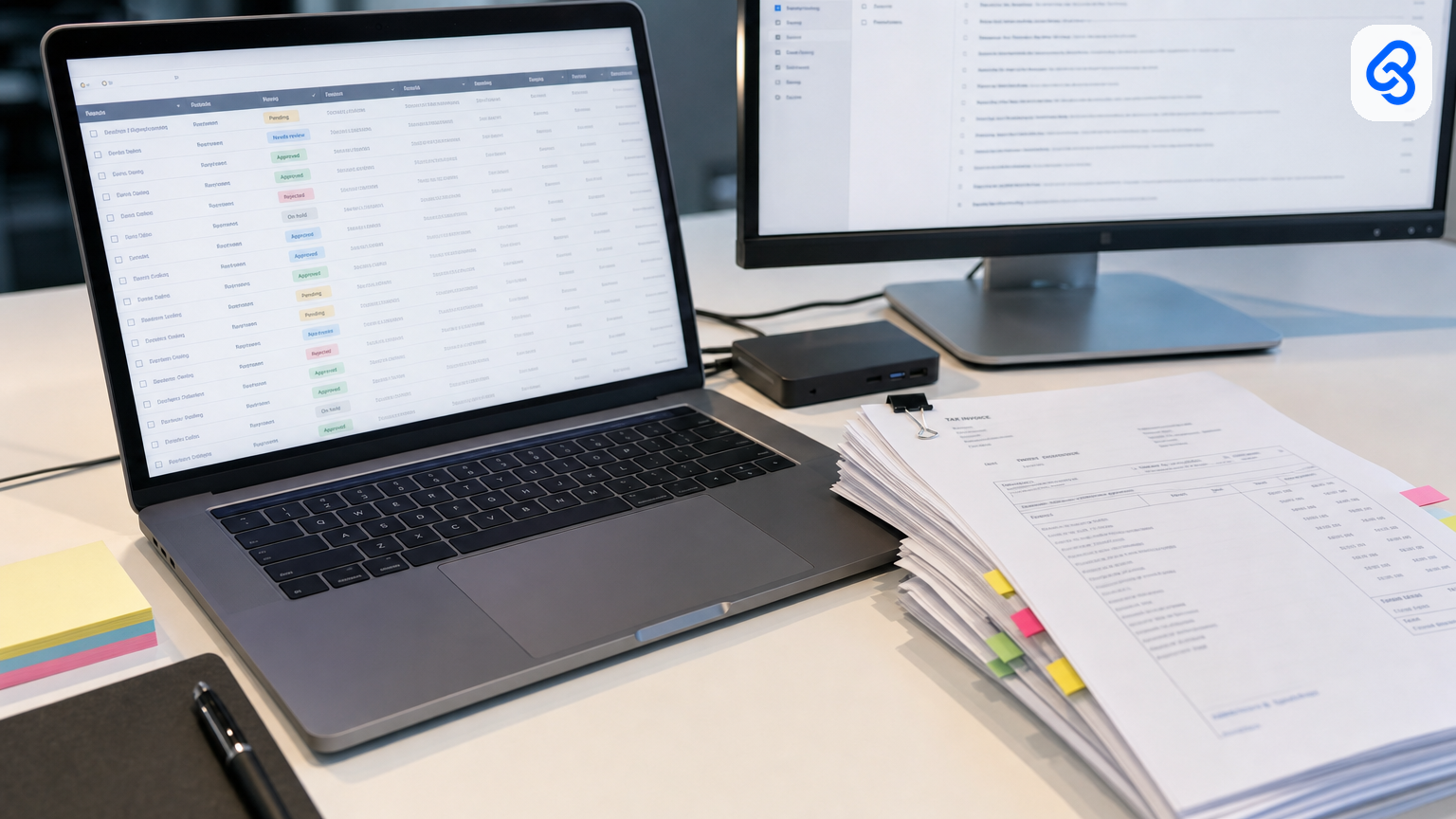
Invoice workflow automation for Singapore SMEs: who taps pay when the inbox is full
The supplier PDF landed at 9:12. Someone screenshots it into a group chat. Someone else retypes the amount into Xero. The GST line looks wrong. The person who usually “just knows” is on MC. By Friday the same invoice is still sitting in three places, and nobody can say who is allowed to tap pay.
That is the invoice workflow problem for a Singapore SME. Not a missing AI feature. Not a missing enterprise AP suite. A lived process that moves money, lives in email and Sheets and accounting software you already pay for, and stalls the week one person is away.
This guide is the operator version of invoice and accounts-payable workflow automation in Singapore. It is a named runbook: trigger, extract, route, human gate, tracker. It says who signs. It designs leave cover. It keeps supplier files inside your company’s Workspace. It treats InvoiceNow and GST as context you build around — not as a reason to dump your stack. It is not another global “what is invoice automation” essay. Those pages already own the head term; Singapore operators need something else.
If you want the wider services frame first, start with workflow automation services in Singapore or the workflow automation Singapore guide. This piece stays on invoices.
What this guide covers
- What “invoice workflow automation” means for a 10–80 person firm here
- Why InvoiceNow / Peppol and GST submissions change the stakes without forcing a new AP platform
- A named supplier-invoice runbook you can print and mark up
- Who taps pay, who covers leave, and where the queue lives
- PDPA in plain English for supplier invoices
- When Sheets, Xero, and email are enough — and when they are not
- Failure modes: speed without integrity, touchless myths, invoice fraud
- Consult → build → train, lightly
- Checklists you can use this week
What invoice workflow automation means here
Search “invoice workflow automation” and you will mostly get global RPA and AP SaaS pages: capture → OCR → match → approve → pay → ERP. Useful as a diagram. Thin as an operating manual for a Singapore trading, logistics, construction, or professional-services firm that already lives in Gmail, Drive, Sheets, and Xero (or QuickBooks, or MYOB).
For an SME operator, invoice workflow automation is simpler to name:
Automation types, files, flags, and chases. A named person still decides to pay.
Anything that auto-posts a bill, changes a vendor bank account, or releases a payment without a human gate is not a productivity win. It is a control failure with a dashboard.
Three purchases get confused under the same phrase:
- Software — an AP platform, an OCR seat, a matching module. Fine when your process already looks like the demo.
- A service — someone maps *your* inbox and exception rules, builds in the tools you already use, trains the finance owner to run the queue, and is still reachable when a new invoice layout shows up.
- A browser tab — someone pastes a tax invoice into ChatGPT, copies the fields out, and the firm calls it adoption. It dies the week that person is on leave, and it may already be a PDPA problem.
Buy software if the process is clean and the product fits. Leave it with a careful human if volume is tiny and every invoice is an exception. Hire a service when the work is repetitive, the inputs are messy (PDF, photo, forward from WhatsApp), and a wrong output moves money.
If capture and field extraction are already your bottleneck, the sibling post on invoice OCR for Singapore SMEs goes deeper on reading documents. The accounts payable automation service page is the money URL if you already know invoices are the pile. This article is the runbook in between.
Why Singapore context matters now (without turning this into a news roundup)
You do not automate invoices because a press release landed. You automate because typing, chasing, and leave gaps are expensive — and Singapore’s e-invoicing track makes clean invoice *data* harder to ignore.
InvoiceNow / Peppol. InvoiceNow is Singapore’s nationwide e-invoicing network, based on the Peppol standard, introduced by IMDA in 2019. IRAS describes it as the channel GST-registered businesses will use to submit invoice data through InvoiceNow-Ready Solutions. See IRAS’s GST InvoiceNow Requirement page and IMDA’s InvoiceNow overview.
The GST InvoiceNow Requirement is already live for some firms, and phased for the rest. Per IRAS:
- From 1 November 2025, newly incorporated companies that voluntarily register for GST within six months of incorporation must submit invoice data via InvoiceNow.
- From 1 April 2026, all new voluntary GST registrants must do so, regardless of incorporation date or business structure.
- Remaining GST-registered businesses are phased from 1 April 2028 to 1 April 2031, sequenced by total annual supplies (Box 4 of the GST return for periods ending in calendar year 2025), with smaller firms earlier.
On 26 February 2026, IRAS’s Committee of Supply 2026 announcement confirmed the extension to all GST-registered businesses by April 2031, noted over 63,000 businesses already on the InvoiceNow network, and estimated the extension would bring about 90,000 more onboard. IRAS has also been notifying pre-2026 GST-registered businesses of their mandatory implementation dates from mid-2026, with an implementation-date calculator on the requirement page.
What that means for an AP workflow. Structured invoice data, Peppol IDs, and submission deadlines raise the cost of “we will fix the spreadsheet at month-end.” They do not mean you must rip out Xero and buy an enterprise AP suite this quarter. Many SMEs will meet the requirement through an InvoiceNow-Ready accounting solution and an Access Point — then still need a human-gated intake and exception queue for the PDFs and photos that keep arriving from suppliers who are not tidy yet. Compliance and a working AP runbook are related; they are not the same purchase.
Labour and AI adoption (named surveys only).
Manpower cost is still the top business challenge in the Singapore Business Federation’s National Business Survey 2024 Annual Business Sentiments Edition: 66% of respondents (n=519), as reported in SBF’s survey materials and covered by The Business Times.
MOM’s inaugural firm-level AI report (press release 30 April 2026; survey of 2,560 firms, Jan–Mar) is the clearer AI picture:
- 71.5% of firms had yet to adopt AI
- Adoption was 23.9% among firms under 25 employees, versus 76.4% among the largest
- Among adopters, only 3.8% were integrating AI into core processes
- Top constraints: high implementation cost (44.9%) and lack of in-house expertise (42.4%)
- Among firms already using AI, 70.7% reported productivity gains
CNA summarised the same MOM findings on 30 April 2026. IMDA’s Singapore Digital Economy Report 2025 (released 6 October 2025) had earlier reported SME AI adoption rising from 4.2% in 2023 to 14.5% in 2024 — still a minority.
Read those numbers as permission to stay practical. Most small firms are not “AI native.” The useful move is one trusted invoice workflow with a named signer — not a platform migration sold as readiness.
The named invoice workflow runbook
Print this. Write real names in the blanks. If a step has no owner, you do not have a process yet.
Trigger
- Invoice arrives as PDF, photo, or forward into `ap@…`, a shared Gmail/Outlook mailbox, or a dedicated Drive drop.
- Optional second trigger: structured e-invoice via InvoiceNow / Peppol when the supplier is already on the network.
- Rule: one intake path. “Sometimes WhatsApp, sometimes the director’s personal email” is how duplicates are born.
Extract
- Fields that matter every time: vendor name / UEN if present, invoice number, invoice date, currency, subtotal, GST amount, total, PO number if you use POs, bank details if shown.
- Capture the original file to a company Drive/SharePoint folder with a boring naming pattern (`YYYY-MM-DD_vendor_inv####`).
- Flag confidence: dark photo, cut-off total, GST that does not match the line math, missing invoice number.
Match and validate (lightweight)
- Against vendor master (name and known bank account — not “whatever is printed on this PDF”).
- Against open PO or delivery note if you have one.
- Against recent payments for near-duplicates (same vendor + similar amount + close dates), not only exact invoice-number matches.
- GST sense-check: registered supplier charging GST when they should not (and the reverse) is an exception, not an auto-post.
Route
- Clean match → finance owner queue with a one-line summary.
- Exception → exception queue with the reason attached (missing PO, GST mismatch, new bank details, duplicate suspect, unreadable scan).
- New vendor or bank-detail change → hard stop until out-of-band verification (phone a known number, not “reply” to the invoice email).
Human gate
- Named finance owner taps pay (or “approve to post,” then pay in the banking workflow).
- The model, the Zap, and the OCR do not.
- Above a threshold you set, second pair of eyes (director / second signer). Write the threshold in dollars, not vibes.
Tracker
- A Sheet, mailbox label set, or small review screen the backup can open without the primary’s phone.
- Columns that earn their keep: status, owner, backup, SLA due, exception reason, link to file, posted? paid?
- Status values people actually use: New / Needs info / Ready to approve / Approved / Posted / Paid / On hold / Duplicate.
Worked example (one supplier, one Tuesday)
PDF from `accounts@steelco.sg`, subject `Tax Invoice 8891`. Workflow files it to Drive, extracts vendor, date, amount, GST, invoice number. PO field is blank → exception reason “missing PO.” Row appears in front of Mei (finance owner) with actions: query supplier / attach PO / mark duplicate. Mei attaches PO-4412, taps approve. Bill lands clean in Xero. Backup Wei can see the same row if Mei is out tomorrow. Nobody asked a chatbot to invent the total.
That shape — trigger, extract, route, human gate, tracker — is what you buy when you buy invoice workflow automation as a service. If a vendor cannot walk your process in those five words, they are selling a stack.
Related deep-dives on Lynqra if a neighbouring pile is louder than AP: purchase order approval automation, expense claims automation, procurement workflow automation, and InvoiceNow / Peppol automation for SMEs.
Who taps pay
Write the names before anyone mentions models.
- Finance owner (primary): opens the queue, clears exceptions they own, taps approve / pay within the SLA.
- Second signer (if needed): amounts above the threshold, related-party vendors, first payment to a new bank account.
- Ops or project owner (optional): confirms goods/services received on PO-backed invoices — confirmation, not payment authority.
- Automation: labels mail, files PDFs, extracts fields, flags mismatches, pings people, writes tracker rows. It does not spend.
“Management” is not a signer. A Telegram group is not a signer. A shared mailbox with five people who “usually look” is how invoices age and how fraud slips through when everyone thought someone else checked.
If two people can both tap pay with no log, fix segregation before you speed anything up. Speed without a named gate is just faster leakage.
Leave and backup approver (design requirement, not an FAQ)
When Mei is on MC or AL, the workflow must not live in Mei’s head or Mei’s Telegram.
Design it on paper:
- Name the backup. One person, not “accounts team.”
- Name the SLA. Same afternoon for routine invoices under threshold; next business morning for the rest. “When they’re back” is how suppliers escalate and how early-payment discounts die.
- Name where the queue lives. Company Sheet, shared mailbox label, or review app the backup already has access to.
- Name the escalation. If neither primary nor backup acts by SLA, ping the director once — then stop. Automation that nags forever trains people to ignore it.
- Name what the backup is *not* allowed to do alone. Example: backup may approve routine matched invoices under S$X; new vendor bank changes still need the primary or director even on leave weeks.
Test it. Pick a quiet week. Primary goes “offline” for a day. Backup clears three real invoices using only the tracker. If they need a WhatsApp call to the primary for the login, the design failed.
Beezy-style “process lives when the expert is out” is the right instinct; put it in the invoice queue, not in a generic SOP tool nobody opens.
PDPA in plain English (supplier invoices)
Supplier invoices are business documents, but they still carry personal data more often than operators admit: signatory names, mobile numbers, email addresses, sometimes NRIC fragments in older letterheads, home addresses for sole props.
Plain rules that survive a real inbox:
- Keep files in the company tenancy. Google Workspace / Microsoft 365 Drive or SharePoint the company controls — not a staff member’s personal Drive, not a public ChatGPT history, not a random WhatsApp export on a phone.
- Collect only what the workflow needs. Vendor, amounts, GST, invoice identifiers, PO, payment status. Do not scrape every contact on the PDF into a marketing list.
- Limit who sees the queue. Finance owner, backup, second signer. Not the whole company chat.
- Log access lightly. Who opened the exception queue is enough for most SMEs; you do not need a SOC2 brochure to know Wei viewed three rows on Tuesday.
- Retention with a reason. Align with how long you keep accounting records (GST legislation expects proper records for at least five years — IRAS reminds businesses that InvoiceNow submission does not replace existing GST record-keeping duties). Do not keep every blurry photo forever “just in case” in a personal folder.
- Vendors and processors. If a tool extracts invoice fields, know where the file goes, whether it is used to train a public model, and whether you can delete it. If the answer is a shrug, do not paste production invoices there.
PDPA is not “enterprise-grade security” filler. It is: the invoice stays yours, only the people who need it see it, and you can explain that in one sentence to a director.
Sheets, Xero, and email vs dumping a new AP suite
Most Singapore SMEs already have an accounting system and an inbox. The failure mode is not “we lack software.” It is “the software never sees a clean, approved bill on time.”
Stay on Sheets + email + Xero (or your current ledger) when:
- Volume is tens to low hundreds of supplier invoices a month, not thousands.
- One finance owner can still clear the queue in a sitting.
- Exceptions are the hard part (GST, missing PO, photos), not concurrent multi-entity matching.
- You can name primary and backup today.
- InvoiceNow readiness can ride on an InvoiceNow-Ready accounting solution / Access Point without a parallel AP platform.
Consider a dedicated AP layer when a consult shows the current stack cannot carry the workflow — for example multi-entity approval matrices, three-way match at volume, or auditors demanding a productised audit trail you cannot sensibly build in Sheets. Even then, prefer a queue/review surface that feeds the ledger you already trust over a full “rip and replace.”
Partner vs vendor dump, said plainly. A partner maps your live inbox, builds the smallest thing that makes the runbook true, trains the owner to explain exceptions without the builder on the call, and stays reachable when layouts change. A vendor dump sells seats, imports last year’s vendors badly, and leaves you with a second system nobody opens while Gmail remains the real AP. If the first meeting is a platform tour and the process map is “phase two,” you are buying a dump.
DIY the dumb parts: labels that file supplier PDFs to Drive, reminders that ping an approver, a Sheet status column. Do not DIY the judgement layer if a wrong extract posts GST wrong or pays the wrong bank account. That is where a scoped service earns its fee — see also approval workflow automation and the practical BPM framing in a Singapore SME owner’s guide to practical automation.
Failure modes worth designing against
Speed is not the same as control. Reputable AP and fraud writing keeps making the same point: automation that only extracts and routes can accelerate a bad payment.
Matching assumes upstream truth. Three-way match checks that amounts and POs line up. It does not prove the PDF was not edited, or that the bank account on the invoice is the account you verified last quarter. Practitioners writing on AP fraud gaps (for example Pulsify on the pre-approval window, Docklands AI on automation blind spots, HTPBE on altered PDFs) hammer this: field-level consistency can pass while document integrity fails.
Duplicate detection that only matches exact invoice numbers. Near-duplicates — one digit off, re-sent PDF, same amount a week later — are how double pay happens. Fuzzy checks on vendor + amount + date belong before the approver queue, not after.
“Touchless” as a north star. Touchless is fine for a repeated, matched, low-value invoice from a known vendor with unchanged bank details. It is a slogan when applied to first-time vendors, bank changes, GST oddities, or unreadable scans. Human-in-the-loop finance means exceptions are a designed queue with reasons attached — not a shame metric to drive to zero.
Invoice and payments fraud is not theoretical. The Association for Financial Professionals’ 2026 Payments Fraud and Control Survey (underwritten by Truist; AFP materials updated mid-2026) reports that 76% of organisations experienced attempted or actual payments fraud, with business email compromise the leading avenue in 2025 and invoice fraud among the recurring methods. AFP’s guidance emphasises segregation of duties, dual approvals, and verifying settlement-instruction changes out-of-band — not replying to the email that requested the change. Automation should surface anomalies; a named human still decides.
The ChatGPT hobby. Pasting live supplier invoices into a public model to “save typing” is not an AP strategy. It is an uncontrolled processor with no backup when that staff member is away.
Design the failure modes into the runbook: hard stop on bank-detail change, near-duplicate hold, GST mismatch hold, new vendor hold, unreadable scan hold. Then measure how often each fires. That log is more honest than a “touchless rate.”
Consult → build → train (lightly)
You do not need a 40-slide methodology. You need three honest phases.
Consult. Map one live invoice path with the finance owner. Count weekly volume, exception types, who taps pay today, who covers leave, where files sit. Baseline cycle time from receipt to posted bill. Leave with a yes/no and a scoped runbook — not a platform recommendation in search of a problem.
Build. Implement one workflow in the tools you already use. Parallel-run with the manual process for a defined window. Error handling, retries, and an alert when intake fails are part of the build, not “phase two.” If InvoiceNow submission is in scope for your GST timeline, treat it as a connected obligation to the ledger — not as a reason to postpone the exception queue.
Train. The finance owner (and backup) can explain every exception reason without the builder on the call. They know what automation is allowed to do and what only they may approve. Expand to expense claims or PO approvals only after this workflow is trusted.
That is partner work. It is not “we build AI agents” as a homepage line. The product is a runbook that still works on a quiet Tuesday in July when half the office is on AL.
Practical checklists
This week (no new software)
- Draw the five steps: trigger, extract, route, human gate, tracker.
- Write primary and backup names, SLA, and dollar threshold for second signer.
- Create one shared intake address or label; stop accepting AP PDFs only in personal inboxes.
- Create a Drive folder and a one-tab Sheet with the status values above.
- Add a rule: any bank-detail change requires a phone call to a known number.
- Pick three recent painful invoices and mark which exception reason each would have carried.
Before you buy anything
- Can the vendor walk *your* runbook without opening their product slide?
- Where do files live, and who can open the queue on leave week?
- What is explicitly never auto-approved?
- How do near-duplicates and GST mismatches get held?
- Who trains the backup, and who is reachable when a new layout breaks extraction?
- Does the proposal assume a new AP suite, or does it start from Gmail/Sheets/Xero?
InvoiceNow / GST readiness (operator view)
- Know whether you are already in the Nov 2025 / Apr 2026 voluntary-registrant cohorts, or which 2028–2031 band IRAS has indicated for your supplies. Use IRAS’s requirement page and calculator; do not guess from a blog.
- Confirm whether your accounting software is on IMDA’s InvoiceNow-Ready list (or how your Access Point connects).
- Separate “can we submit invoice data to IRAS” from “do we have a human-gated AP queue.” You likely need both, on different timelines.
- Keep filing accurate GST returns and retaining records; InvoiceNow submission does not replace those duties (IRAS).
Red flags in a demo
- “Touchless” with no exception taxonomy.
- No named signer on the page.
- Leave cover treated as a product feature you might toggle later.
- PDPA answered only with “we are secure.”
- First conversation is funding or a pre-approved tool list, not your inbox.
- Parallel-run is discouraged because it “slows go-live.”
Soft next step
If supplier invoices are the pile that eats your week — PDFs in a shared inbox, GST arguments at month-end, payments stuck because the approver is on MC — bring one real week of that inbox to a free consult. We will map the runbook, name who taps pay and who covers leave, and say plainly whether Sheets and Xero can carry it or whether something smaller needs building. No platform tour first. No invented case-study numbers. Just whether the workflow is worth making durable.
Sources
(publish dates / pages)
- IRAS — GST InvoiceNow Requirement (phased dates; mid-2026 notifications noted on page)
- IRAS — COS 2026: Extension of GST InvoiceNow Requirement… (26 Feb 2026; 63,000+ on network; ~90,000 more)
- IMDA — InvoiceNow
- MOM — Inaugural report on AI adoption among firms (30 Apr 2026)
- CNA — MOM AI adoption coverage (30 Apr 2026)
- SBF National Business Survey 2024 (Annual Business Sentiments Edition) — manpower cost 66% (n=519); also covered by The Business Times
- IMDA — Singapore Digital Economy Report 2025 (6 Oct 2025) — SME AI adoption 4.2% → 14.5% (2023→2024)
- AFP — 2026 Payments Fraud and Control materials (76% attempted/actual fraud; BEC leading; invoice fraud among methods; page updated 30 Jun 2026)
- Practitioner AP fraud / HITL commentary: Pulsify (pre-approval gap), Docklands AI (automation blind spots), HTPBE (altered PDFs) — used for failure-mode framing, not for invented Singapore stats