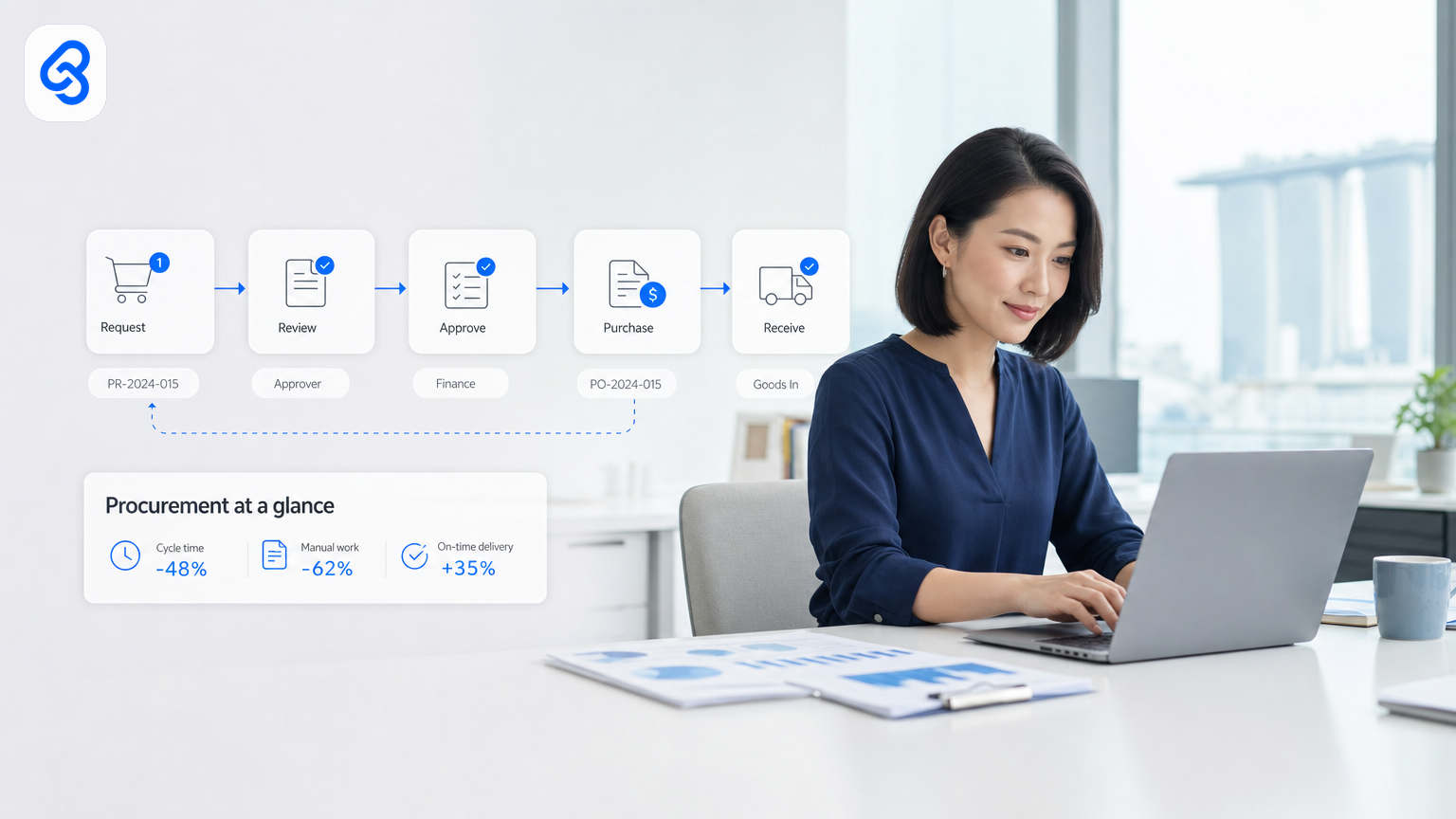
Your procurement team opens the inbox. Another 20 quotation requests. Another stack of invoices waiting for approval signatures. Another spreadsheet that should have been updated yesterday.
If you run a Singapore SME, you know the feeling. Procurement isn't fancy. It's repetitive. A quotation comes in, gets forwarded to the boss, sits in a folder, gets followed up twice, then finally gets approved. An invoice lands, needs three sign-offs, gets lost in email, resurfaces with an apology. Stock orders pile up without a clear audit trail. Someone always knows what happened, but nobody can prove it.
Procurement workflow automation cuts that friction. Not by replacing your team or forcing you onto a new system. By removing the manual, repetitive parts of the work your team already does. Quotations that route themselves. Invoices that extract their own data. Approvals that flow from email or Telegram with a full record. Stock optimised without a spreadsheet check-in.
This article shows you what procurement automation really means for a Singapore SME, why it matters, how to spot what to automate first, and what to check before you start.
What Procurement Workflow Automation Actually Is
Procurement automation is not one thing. It's the removal of repetitive manual steps in the flow of orders, quotations, invoices, approvals, and documents.
A quotation arrives as a PDF. Your team currently:
1. Opens it
2. Extracts key data (price, terms, delivery date)
3. Forwards it to the decision-maker
4. Waits for approval
5. Sends a response
6. Logs it manually in a spreadsheet or accounting system
Automation does steps 1, 2, and 4. Your team still decides and sends the final response. But the friction is gone.
An invoice comes in. Someone:
1. Opens it
2. Checks PO number against the order log
3. Extracts amount, date, vendor
4. Routes it for approval
5. Updates the accounts payable record
6. Files it
Automation does 1, 2, 3, and handles the routing. Your accounts team gets a clean, pre-checked document ready to approve. Nothing gets lost. Nothing needs double-entry.
The same pattern applies to stock management (automated reorder triggers), approval sign-offs (Telegram or email-based routing with audit trail), candidate screening (CV parsing and shortlisting), and operational reporting (daily or weekly summaries pulled from your existing tools).
The core idea: your team keeps control and context. The software removes the busy work.
Why This Matters for Singapore SMEs Right Now
Singapore SMEs operate lean. You probably have 10 to 50 people. Most are doing two jobs. Your finance team manages receivables and payables. Your operations team orders stock and chases delivery. Your admin team screens candidates and files documents.
Operational efficiency and cost control directly affect cash flow and profitability, especially in wholesale, distribution, food production, and recruitment sectors where procurement is a daily function. You don't have an army of junior administrators to do manual data entry. You need your people working on decisions, relationships, and strategy.
When procurement is manual, three things happen:
Payments slip: An invoice gets missed. A due date passes. You pay a late fee or damage a vendor relationship. Over a year, that's real money.
Decisions stall: An approval is waiting in someone's inbox. A quote sits unanswered. A customer gets frustrated. A sale delays.
Data is hidden: Nobody knows why stock ran out. Nobody can explain what happened to that quotation from three weeks ago. Your finance team rebuilds the same reports every month from scattered emails and spreadsheets.
Automation flips this. Invoices arrive, extract, route, and record in the same day. Approvals flow in near real-time with a full history. Stock levels update automatically. Reports build themselves from your actual data.
For a trading or distribution SME, that might save several hours each week on invoice processing. For a food production company, quotation response time can drop from 2 hours to 6 minutes. For logistics operators, stock optimisation can cut overstock by meaningful margins.
Singapore SMEs also qualify for support when investing in automation. The Infocomm Media Development Authority (IMDA) runs the SMEs Go Digital programme, which helps you explore funding and grants for digital capability building. Enterprise Singapore also offers grants for automation and business transformation projects. Both require checking the latest eligibility against official channels, but the support exists. You don't have to fund this alone.
Where to Look First: What Procurement Workflows to Automate
Not all procurement work should be automated. Start with the repetitive, high-volume, low-judgment tasks.
Priority 1: Invoice and Accounts Payable Processing
Invoices are the biggest win for most SMEs. Every invoice does the same thing: arrives, needs checking, needs approval, needs recording.
If you process 50 invoices per month, and each takes 15 minutes of manual work (opening, checking, forwarding, filing, updating your accounts system), that's 12.5 hours per month gone. Add a second approval layer, and you're at 20 hours.
Automation handles the boring parts. Extract vendor name, invoice number, amount, date, and PO reference automatically. Route to the right approver based on amount or vendor. Log it in your accounting system. File it in the right folder. When the approver says yes, mark it as approved with a timestamp and their name attached.
Read more about this approach in our guide to accounts payable automation for Singapore SMEs.
Priority 2: Quotation Generation and Approval
A quotation request comes in via email or form. Your team currently:
1. Opens it
2. Calculates pricing (or fetches it from a spreadsheet)
3. Builds a PDF or email reply
4. Sends it back
If you send 10 quotations per day, that's 30 to 40 minutes per day on this work alone. Over a month, that's 10 to 14 hours.
Automation pulls the request data (item, quantity, customer), looks up pricing, generates the quotation document, and routes it for approval if needed. Some SMEs skip the approval layer for quotations under a threshold. Either way, response time drops dramatically.
A food production company we worked with cut quotation response time from about 2 hours to 6 minutes. They now send quotations the same day, not three days later. Customers notice.
Priority 3: Approval Routing and Sign-Off Trails
Your team probably uses email or WhatsApp to approve things. "Can you OK this invoice?" Someone forwards it around. No one remembers who said yes. An auditor asks for proof later.
Approval automation runs approvals through tools your team already uses (email, Telegram, WhatsApp, Google Forms). When someone approves, the system logs it with their name, timestamp, and a link to what they approved. Full audit trail. No lost approvals.
This matters if you have compliance requirements, if you want to reduce approval delays, or if you're tired of chasing people for sign-offs. Learn more in our article on approval workflow automation.
Priority 4: Document and Data Extraction
Quotations, invoices, delivery notes, and purchase orders often arrive as PDFs. Your team currently opens each one and copies the data into a spreadsheet or accounting system.
Automation reads the document, extracts the data (vendor, amount, line items, dates), and feeds it where it needs to go. No manual copying. No typos from re-entry. Higher accuracy and less time.
Priority 5: Stock and Reorder Management
If you manage inventory, you probably have a spreadsheet. Someone checks it. When stock hits a threshold, someone creates a purchase order. Someone sends it to a supplier.
Automation monitors your stock levels (from your existing system, spreadsheet, or manual entry). When reorder point is hit, it creates the PO, routes it for approval, and can even send it to your supplier automatically. You avoid stockouts. You avoid overstock. Cash flow improves.
This is less flashy than quotation automation, but the savings are real. One logistics operator improved stock planning by automating reorder logic that previously relied on manual spreadsheet reviews.
How to Set Up Procurement Automation Without Breaking Your Existing Tools
Most Singapore SMEs use the same core set of tools:
- Email and Gmail for communication
- Google Sheets for data and planning
- Accounting software like Xero or QuickBooks
- Maybe Telegram or WhatsApp for fast approvals
- PDF documents and forms
You don't need to rip all this out and buy enterprise software. Automation lives inside these tools.
Start with your worst bottleneck
Pick one procurement pain point. Invoices. Quotations. Approvals. Stock. The one that costs you the most time or money or causes the most delays.
Map the current workflow. Write down every step. Mark the steps that are repetitive, low-judgment, and the same every time. Those are automation candidates.
Check what your current tools can do
Google Sheets can be automated. Invoice extraction from PDFs can feed straight into your accounting system. Email routing rules can sort and forward automatically. Zapier or Make can connect tools.
You might not need a new platform at all. A good automation consultant should ask: "What do you already have that we can improve?" not "What new software should we sell you?"
Test with a small batch
Pick 20 invoices or 10 quotations. Build the automation. Run it. Check the output. Does it extract correctly? Does it route to the right person? Does it update your system?
If it works, expand to all invoices or quotations. If it has issues, fix them before you go wide.
Risk and Things to Check Before You Start
Automation is not risk-free. The risks are manageable, but you need to think about them.
Data security and compliance
If automation touches invoices, customer data, or vendor information, it touches sensitive data. Make sure any automation tool you use has basic security: encryption in transit, access controls, and audit logging.
Singapore's Personal Data Protection Act (PDPA) requires you to protect personal data. If your invoices contain customer names or employee names, the automation tool needs to handle that responsibly. The PDPC provides step-by-step guidance on data protection responsibilities, including what it means to secure customer and employee data, build trust, and ensure compliance. Review this if you're managing any personal data through your automation.
If you're scanning documents or extracting data from PDFs, make sure the tool doesn't store or log the document content longer than needed. Check what the vendor does with the data.
Integration and data quality
If your automation feeds data into your accounting system, the data has to match the format. If your invoice extraction pulls the wrong field or a vendor name is misspelled, that error cascades. The automation needs feedback loops so someone can catch and fix bad extractions before they hit your accounts.
Change management
Your team will need to learn the new workflow. An approval that used to be email is now Telegram. A quotation that took 2 hours now takes 5 minutes. People adapt, but you need to help them. Give them a week of heads-up. Show them the new process. Be patient with questions.
Audit and approval
Automation removes human eyes from intermediate steps. This is the point. But you still need human approval on high-value or high-risk decisions. Automate the data extraction and routing. Keep the approval human.
Who Pays for Procurement Automation in Singapore
Cost is a real question. A custom automation built by a consultant costs more than a template-based SaaS product, but it fits your actual workflows.
As a Singapore SME, you have options:
IMDA SMEs Go Digital
The IMDA SMEs Go Digital programme supports digital capability building, including automation and workflow optimisation. Check the official site for current eligibility, funding levels, and application windows. Rules change, so verify against the official channel.
Enterprise Singapore grants
Enterprise Singapore offers grants for business transformation and efficiency projects. Procurement automation often qualifies if you can show ROI.
Grant advisory support
Some automation consultancies (including Lynqra) work with grant advisory partners to help you explore and apply for funding. A good partner helps you understand what you might qualify for, what documentation you need, and what the timeline looks like. They don't guarantee approval, but they increase your chances and reduce the paperwork burden.
ROI calculation
Before you apply for a grant or budget any automation, calculate the return:
- Current time spent on the process (hours per week)
- Your team's loaded cost per hour (salary, benefits, on-costs)
- Annual cost of errors, delays, or missed payments
- Estimated time savings from automation
- Simple payback: (automation cost) / (annual time savings in dollars)
If an automation costs SGD 5,000 and saves one person 4 hours per week, and that person costs SGD 30 per hour loaded, the annual benefit is SGD 6,240. Payback is under a year. That's a strong business case.
If the benefit is lower, the payback is longer, but it might still make sense if you have grant support. Check with an advisor about what your business profile might qualify for.
The Right Way to Choose an Automation Partner
You'll find two kinds of vendors:
Template vendors: Sell you a pre-built workflow software. Fast to deploy, limited to what they offer, rigid if your process is different. Useful if your process matches their template exactly. Most don't.
Custom automation consultancies: Analyse your actual workflow, build something that fits, stay with you to iterate. Slower to start, fit is much better, cost is higher upfront but the ROI is clearer. Better for SMEs with unique processes or specific pain points.
Lynqra is the second kind. We analyse your workflows, identify the bottlenecks that cost you the most time or money, and build automations that solve those specific problems. We use the latest tools and integration platforms to remove manual work without forcing you onto heavy new software. We stay with you to iterate as your business changes. We focus on ROI, not just technology.
When you choose a partner, ask:
- Will you look at my actual process, or just pitch your standard product?
- Can you work inside the tools I already use (Google Sheets, email, my accounting system)?
- What happens after you build it? Will you help me fix issues?
- Can you connect me with grant advisory support if I need it?
- Can you show me a workflow that fits my industry?
A good partner answers these clearly.
Next Steps
Procurement automation is not theoretical. It's a practical fix for the repetitive work that steals time from your team.
Start by picking one bottleneck. Map the workflow. Identify the manual, repetitive steps. Calculate how much time it costs. That's your business case.
If you're ready to explore what automation could look like for your procurement process, book a free discovery call with Lynqra. We'll walk through your current workflow, identify where the biggest wins are, and outline what automation could look like for your business.
Email mark@lynqra.com or visit our contact page to get started.
We also offer guidance on which workflows to automate first and how to automate Google Sheets workflows if you want to explore those topics separately.