You're drowning in invoices. They arrive by email, WhatsApp, PDF, even printed paper. Your team spends hours typing numbers into spreadsheets or accounting software. Data entry mistakes delay payments or confuse your records. You've heard about invoice OCR software, optical character recognition that reads invoice data automatically, but you're not sure if it's worth the cost, complexity, or disruption to your team.
This guide cuts through the noise. We'll show you what invoice OCR actually does, how it fits into your workflow, what it costs in Singapore, and how to fund it. Most importantly, we'll help you decide whether OCR alone is enough, or whether you need something more customised to your specific operation.
What Is Invoice OCR Software?
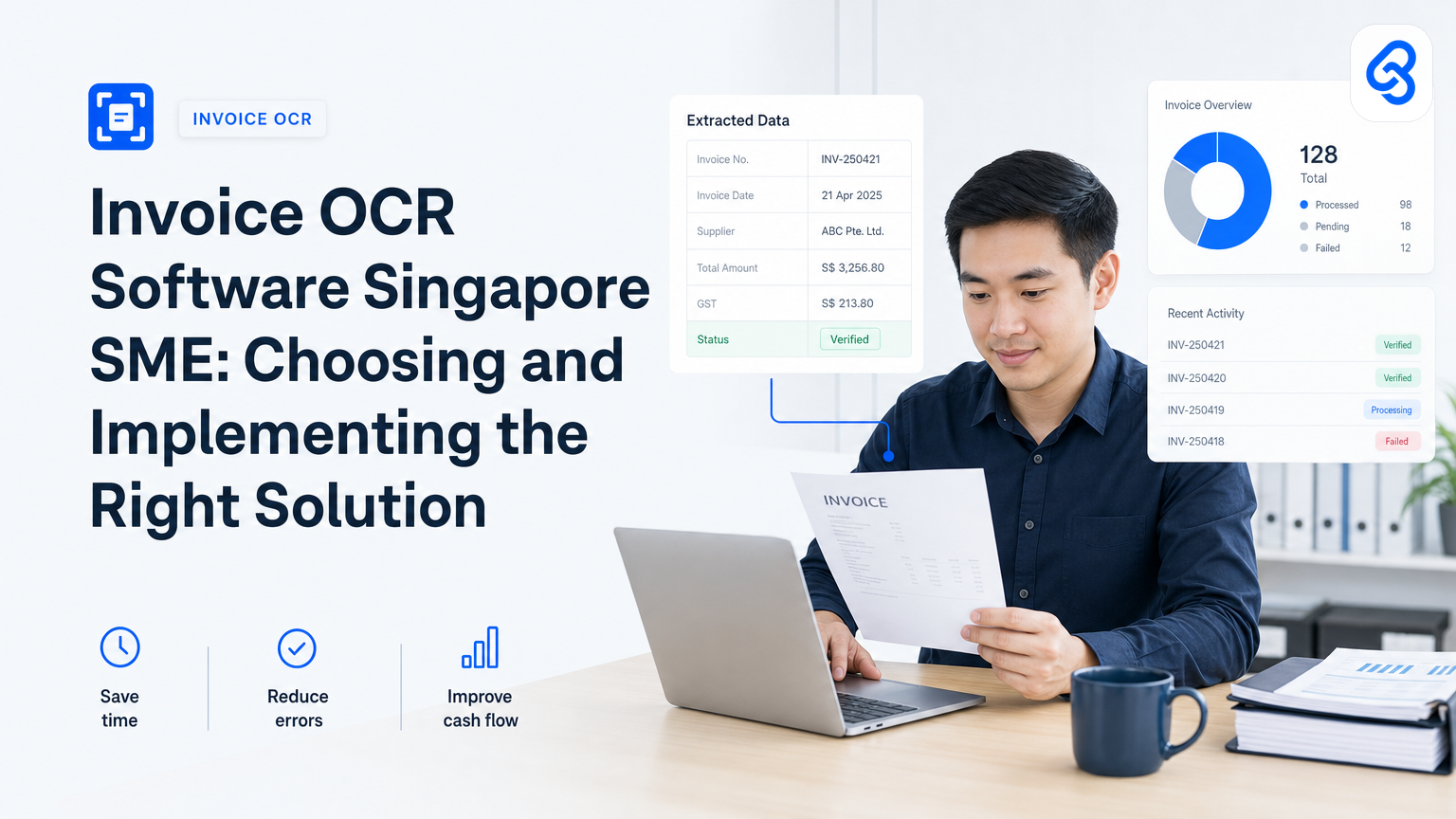
Invoice OCR (optical character recognition) is software that reads printed or digital invoices and extracts key data: invoice number, date, vendor name, line items, amounts, tax, and totals. Instead of manually typing this information, the software scans the document and populates your accounting or inventory system automatically.
Most OCR tools work like this: you upload an invoice image or PDF, the software analyses the layout, identifies text fields, and outputs structured data. Accuracy varies. Clean, standardised invoices from large vendors are caught quickly. Handwritten notes, unusual layouts, and regional variations (such as GST calculations specific to Singapore suppliers) often need human review.
OCR is useful, but it is not a complete invoice solution. It solves data entry, the mechanical task of reading numbers. It does not handle approval workflows, payment timing, duplicate detection, or integration with your existing tools. That distinction matters because many SME owners discover too late that OCR software alone does not address the operational bottleneck they actually face.
How Do Singapore SMEs Currently Process Invoices?
Most small and medium enterprises in Singapore follow a similar pattern:
Incoming invoices arrive in multiple formats. Email PDFs from suppliers, printed invoices from local vendors, screenshots over WhatsApp from smaller contractors. No single entry point.
Someone enters data manually. Usually the admin staff member or accountant. They open each invoice, read the key fields, and type them into a spreadsheet (Google Sheets, Excel) or accounting software (Xero, MYOB, Wave).
Errors happen during entry. Transposed numbers, missed decimal points, wrong vendor code, or duplicate entries. These mistakes are discovered weeks later during bank reconciliation or when a supplier asks why payment is late.
Approval is slow or unclear. If you have approval workflows, they happen via email or in-person sign-offs. No clear audit trail, and no automated reminders when approvals are pending.
Payments are reactive, not planned. You process invoices as they come in, rather than batching them or planning cash flow. Late payments accidentally happen because invoices get lost in inboxes.
Integration with other systems is manual. Data from invoices does not automatically flow to your purchase ledger, stock updates, or financial reporting. Someone has to manually sync it.
This workflow is time-consuming and error-prone. OCR addresses the first two steps (data collection and entry). But it does nothing about approval routing, duplicate detection, cash flow planning, or downstream system integration. For that reason, the most successful invoice automation projects we've seen in Singapore combine OCR with workflow logic, approval routing, and integration to the tools you already use.
What Does Invoice OCR Actually Cost for Singapore SMEs?
Pricing varies widely depending on the tool and what you bundle with it.
Standalone OCR services typically charge per document. Tools like ABBYY or Tesseract offer free-tier limits (10-50 pages per month) and then scale from SGD 0.10 to SGD 0.50 per page for commercial use. If your SME processes 200 invoices per month, that runs to SGD 20-100 monthly. Manageable for some operations, expensive if you're already tight on budget.
Bundled accounting software (Zoho Invoice, Xero, Wave) includes basic OCR as part of the subscription. You pay SGD 30-150 per month for the full accounting package, and OCR is included. This model makes sense if you don't have accounting software yet, but you're paying for features you might not use.
Custom automation built on top of OCR, approval routing, integration to Google Sheets or your existing system, duplicate checking, and payment reminders, costs more upfront (typically SGD 3,000-8,000 to design and build) but removes the ongoing manual work entirely. This is what Lynqra builds. The ROI calculation changes when you account for staff time saved.
Beyond the software license, factor in implementation time (2-6 weeks for a proper rollout), staff training (a few hours), and accuracy review during the first month (someone will need to spot-check extracted data).
Singapore-based SMEs should also explore government support. The Infocomm Media Development Authority (IMDA) runs the SMEs Go Digital programme, which provides grants and technical support for digital transformation tools. These programmes change regularly, so check official channels for current eligibility and application windows.
Additionally, as IRAS begins to roll out mandatory e-invoicing, your invoicing software should comply with these requirements. Many tools now support IRAS e-invoicing standards to ensure your invoice automation aligns with Singapore's regulatory landscape.
Do You Actually Need Invoice OCR?
Before you commit to software, answer these questions honestly:
How many invoices do you process each month? If fewer than 50, OCR may not save you much time. Manual data entry takes 3-5 minutes per invoice. OCR takes 1-2 minutes (including verification and fixes). At 50 invoices, you save 2-3 hours monthly. That might be worth it; it might not be.
What format do your invoices arrive in? Clean digital PDFs from large vendors? OCR will be 95% accurate. Handwritten notes, printed documents, or unusual layouts from small local suppliers? Accuracy drops to 60-80%, and you'll spend time correcting errors.
Is data entry the actual bottleneck? Or is the real problem that approvals are slow, payments happen late, or invoices get lost? OCR won't fix those issues.
Do your invoices need to integrate with other systems? If you use Xero, QuickBooks, or Wave, bundled OCR works fine. If you use custom spreadsheets or an internal system, you need integration, which OCR alone cannot provide.
Do you have the cash flow to invest upfront? Most OCR tools charge monthly or per-page. Custom automation requires a bigger upfront spend but saves more money long-term.
A practical test: for two weeks, track how long someone spends processing invoices. Count the time spent on data entry, approvals, corrections, and follow-ups. Multiply by 26 (roughly two weeks per year). If the annual cost of that labour is more than the annual cost of OCR software plus staff training, OCR makes financial sense.
Invoice OCR Implementation: What Actually Happens
If you decide to move forward, here's a realistic walkthrough of how invoice OCR fits into your workflow.
Trigger: An invoice arrives via email, WhatsApp, or is printed and scanned.
Step 1 - Capture: The invoice is either forwarded to a dedicated email inbox, uploaded to a folder, or manually added to an OCR tool.
Step 2 - Extract: The OCR software reads the document and outputs structured data: vendor name, invoice number, date, line items, amounts.
Step 3 - Review: Someone (your accountant or admin) checks the extracted data for accuracy. They correct any misreads, add a cost centre or project code if needed, and flag any issues (duplicate, missing tax, missing PO reference).
Step 4 - Route for approval: The invoice is sent to the appropriate person for approval, the department head, manager, or director. This step is critical and often misses from standalone OCR. You need an approval workflow, not just data extraction.
Step 5 - Payment: Once approved, the invoice is scheduled for payment. This integrates with your accounting software or cash flow tracker.
Step 6 - Record: The transaction is recorded in your ledger and linked to the supplier, purchase order, or project. This is where integration matters. If you're manually moving data from OCR to Xero or Google Sheets, you're still doing manual work.
Common pitfalls:
- No approval step. Many SMEs implement OCR, extract data, and assume it's ready to pay. Without approval routing, invoices slip through without the right authority sign-off. That creates compliance risk and can mask fraud.
- Accuracy assumptions. You assume OCR is 100% accurate. It's not. You need someone assigned to review extracted data, especially for high-value invoices or new vendors.
- Integration gaps. OCR exports data as CSV or JSON, but your accounting software expects a different format or field structure. You need someone to translate or map the data. This is tedious and error-prone.
- No deduplication. If the same invoice arrives twice (once via email, once on paper), OCR will extract it twice, and you'll pay it twice if no one catches it.
- Insufficient training. Staff don't know how to upload invoices correctly, so they skip the OCR step and do manual entry anyway.
The cleaner your process, the more you gain from OCR. If your invoices are standardised, your approval workflows are clear, and your downstream systems are ready to receive automated data, OCR saves time quickly. If your invoices are messy, your approvals are ad-hoc, and your systems are disconnected, OCR alone won't solve the problem.
Why Simple OCR Often Fails for Singapore SMEs
We work with dozens of Singapore SMEs on invoice automation. Most try a standalone OCR tool first and then hit a wall.
They extract data, but approvals still take days. OCR gets the numbers out of the invoice, but the approval still happens via email chains. No one sees the pending invoice unless they remember to check.
They end up re-entering data anyway. The OCR output doesn't match the format their accounting software expects. Or they need to add a cost centre, project code, or supplier reference that OCR can't infer. So someone opens the OCR output, adjusts it, and enters it into their main system. That's still manual work.
They can't connect to their existing tools. They use Google Sheets to track cash flow, Gmail for approvals, and Xero for accounting. A standalone OCR tool doesn't talk to any of them. So they're manually moving invoices between systems.
Accuracy review becomes a bottleneck. The business owner or accountant has to check every invoice OCR extracts. That takes time. For a tool to be truly valuable, extraction accuracy needs to be 98%+ for routine invoices. Most standalone OCR is 85-92% accurate, which still requires human review.
For these reasons, the invoicing automation projects that work best in Singapore are end-to-end workflows. You capture the invoice (OCR or manual upload), extract data (OCR handles most, human review catches the rest), route for approval (automated workflow with email or Telegram reminders), update your accounting system (automated sync), and record it for reporting. OCR is one piece of that chain, not the whole solution.
We've helped trading companies, distribution businesses, and professional services firms in Singapore automate their invoice workflows. The ROI typically shows up in two places: time savings (staff spend less time on data entry and chasing approvals) and accuracy (fewer duplicate payments, fewer missed payment deadlines, cleaner audit trails).
For comprehensive guidance on building a complete automation system, read our detailed guide on accounts payable automation for Singapore SMEs. It covers integration patterns, ROI measurement, and how to structure the workflow for maximum efficiency.
How to Choose the Right Invoice OCR Tool for Your SME
Here's a practical checklist to evaluate options:
Data accuracy on your invoices. Don't trust vendor claims. Upload 5-10 of your actual invoices (from real suppliers) and see what the tool extracts. Check for mistakes, missing fields, and handling of local details like Singapore GST.
Integration with your existing systems. Can it connect to Xero, QuickBooks, Google Sheets, Wave, or MYOB? If you use a custom system, does the tool offer API access or CSV export that your developer can work with?
Approval workflows. Does the tool include approval routing, or do you manage approvals separately? If separately, how does it connect to email, Telegram, or your existing communication channel?
Duplicate detection. Can the tool flag invoices that appear to have been uploaded twice (same vendor, same amount, same date)?
Audit trail. For compliance and dispute resolution, you need a clear record of who extracted the data, when it was reviewed, who approved it, and when it was paid. The ACRA how-to guides outline record-keeping requirements for Singapore companies, so ensure your OCR tool supports the audit trail you need.
Cost structure. Per-page pricing, monthly subscription, or one-time build? What happens as your invoice volume grows? Is there a minimum commit?
Onboarding and support. Do you get training? Is there a technical support contact? How long does implementation take?
Trial period. Can you test it with real invoices before committing?
The best tool isn't always the most expensive or the most famous. It's the one that integrates smoothly with your existing tools, extracts data accurately from your invoices, and includes approval routing so approvals don't become a separate pain point.
Beyond OCR: What a Complete Invoice Automation Looks Like
Invoice OCR is useful, but it's not enough on its own. A complete invoice automation system includes:
Intelligent capture. Not just OCR, but also automated email parsing (extract invoice details directly from email text), handling of different invoice formats, and duplicate detection.
Approval routing based on rules. If the invoice is over SGD 5,000, it goes to the director. If it's under SGD 1,000 and the vendor is approved, it auto-approves. If it's a recurring vendor, it batches with other recent invoices from that vendor.
Integration to your accounting system and reporting. The approved invoice automatically syncs to Xero, updates your purchase ledger, and feeds into your cash flow forecast.
Audit trail and compliance. Every action is logged: who extracted the data, who reviewed it, who approved it, and when. This is essential for dispute resolution and audits. Singapore's Personal Data Protection Act requires you to protect customer and employee data. Ensure your OCR tool and approval workflow comply with data protection standards, as outlined in PDPC resources for organisations.
Payment workflow. Once approved, the invoice is scheduled for payment on the right date, recorded in your ledger, and reconciled against bank statements automatically.
Reporting and analytics. You can see which vendors are slow to invoice, which invoices take longest to approve, and where bottlenecks are. This data guides process improvements.
If this sounds complex, it can be. But when it's built well for your specific workflow, it removes the repetitive manual work that ties up your team. Instead of someone spending 30 minutes a day on invoicing, they spend 5 minutes on exception handling. That time goes to work that actually grows your business.
For more detail on automating the broader accounts payable process, explore our guide on document processor AI for Singapore SMEs, which covers how AI and automation work together to streamline data extraction across multiple document types.
Funding Your Invoice Automation Investment
Singapore SMEs have options for funding digital transformation projects.
IMDA SMEs Go Digital: The Infocomm Media Development Authority runs the SMEs Go Digital programme, which provides funding and support for digital tools and capabilities. Check the SMEs Go Digital page for the latest details on eligible solutions and application windows. You may also qualify for IMDA Industry Digital Plans if you're in a specific sector such as F&B, logistics, built environment, or retail.
Enterprise Singapore grants: Enterprise Singapore provides grants and financial assistance for business development and capability building projects, including digital transformation. Check their current programmes for invoice automation eligibility.
Tax deductions: Invoice automation software and implementation costs may be deductible as business expenses. Check IRAS guidance on corporate income tax to understand what qualifies as deductible expenses under Singapore tax law.
Cybersecurity funding: If your OCR and automation solution includes security features (encryption, audit logging, access controls), you may qualify for cybersecurity development funding. Explore the Cyber Security Agency's resources for available programmes.
Most funding programmes require you to apply in advance and specify the tools and vendors you plan to use. Start conversations with potential vendors early so you understand timelines and can include them in grant applications.
Frequently Asked Questions About Invoice OCR for Singapore SMEs
Q: What's the difference between invoice OCR and document processing AI?
A: OCR (optical character recognition) is the technology that reads text from images and scans. Document processing AI goes further by understanding the context of that data, recognising patterns, and making intelligent decisions (like flagging duplicates or routing invoices based on rules). For many SMEs, a solution combining both gives better results than OCR alone.
Q: Can invoice OCR work with handwritten invoices?
A: Basic OCR struggles with handwriting because handwriting varies widely and is harder to match against trained models. If your suppliers send mostly handwritten or semi-handwritten invoices, you'll need either higher-accuracy OCR (which costs more) or a hybrid approach where handwritten invoices are manually entered while clean digital ones are OCR-processed.
Q: What happens if OCR makes a mistake and we pay the wrong amount?
A: That's why approval routing is critical. No invoice should be paid without human review. OCR is a first pass that saves time, but the approval step catches errors. If you implement OCR without approval workflows, you're taking unnecessary risk.
Q: Do we need special software, or can we use our existing accounting package's OCR feature?
A: If your accounting software (Xero, Wave, QuickBooks) includes OCR, it handles basic data extraction. The question is whether it also handles approval routing, integration with your other tools, and duplicate detection. Most bundled OCR features handle extraction well but not the workflow part. If workflow is your bottleneck, you may need additional tools.
Q: How long does it take to implement invoice OCR?
A: A simple deployment (integrating OCR with your existing accounting software) takes 2-3 weeks. A more complete solution (OCR plus approval workflows, integration, and duplicate detection) takes 4-6 weeks. Most of that time is planning, configuration, testing, and staff training, not technical setup.
Q: Will our supplier's invoices work with OCR?
A: It depends on the format and consistency. Test with your actual invoices before committing. Clean, digital PDFs from larger suppliers work very well. Handwritten notes, unusual layouts, and printed documents with poor image quality will have lower accuracy. Most SMEs find OCR works well on 70-80% of invoices, with the remainder requiring manual entry or review.
Frequently Asked Questions About Costs and ROI
Q: Is invoice OCR worth it for a small SME with few invoices?
A: If you process fewer than 30 invoices per month, the time savings may not justify the cost. Manual entry takes 3-5 minutes per invoice. OCR takes 1-2 minutes. At 20 invoices monthly, you save 40-60 minutes per month, which is valuable but not transformative. If your approval bottleneck is the real issue, OCR alone won't help, and you'd be better off fixing approval routing first.
Q: What's the typical ROI for invoice automation?
A: ROI depends on your volume and where the bottleneck is. If data entry is the problem and you process over 100 invoices monthly, a simple OCR solution pays for itself in 2-4 months through staff time savings. If the bottleneck is approvals or system integration, the ROI is longer because OCR alone doesn't solve those problems. A complete automation solution (capture, OCR, approval, integration) typically shows ROI in 6-12 months.
Q: What if we start with standalone OCR and later upgrade to a complete solution?
A: That's a valid approach. You can test OCR with a cheaper, simpler tool first. If it works well for your invoices and you see time savings, you can invest in a more complete system later. The risk is that you may have wasted time with a tool that doesn't integrate well with your final choice. It's worth clarifying your long-term needs upfront.
Q: Can we get government funding to cover the cost?
A: Yes, Singapore SMEs often qualify for grants through IMDA or Enterprise Singapore. These programmes change regularly, so you need to check current eligibility. Most require you to apply before you purchase the tool, so plan ahead. Budget 4-8 weeks for the grant application process.
Final Checklist: Is Invoice OCR Right for Your SME?
Choose OCR if:
- You process more than 50 invoices per month.
- Your invoices are mostly clean, digital PDFs.
- Your team spends significant