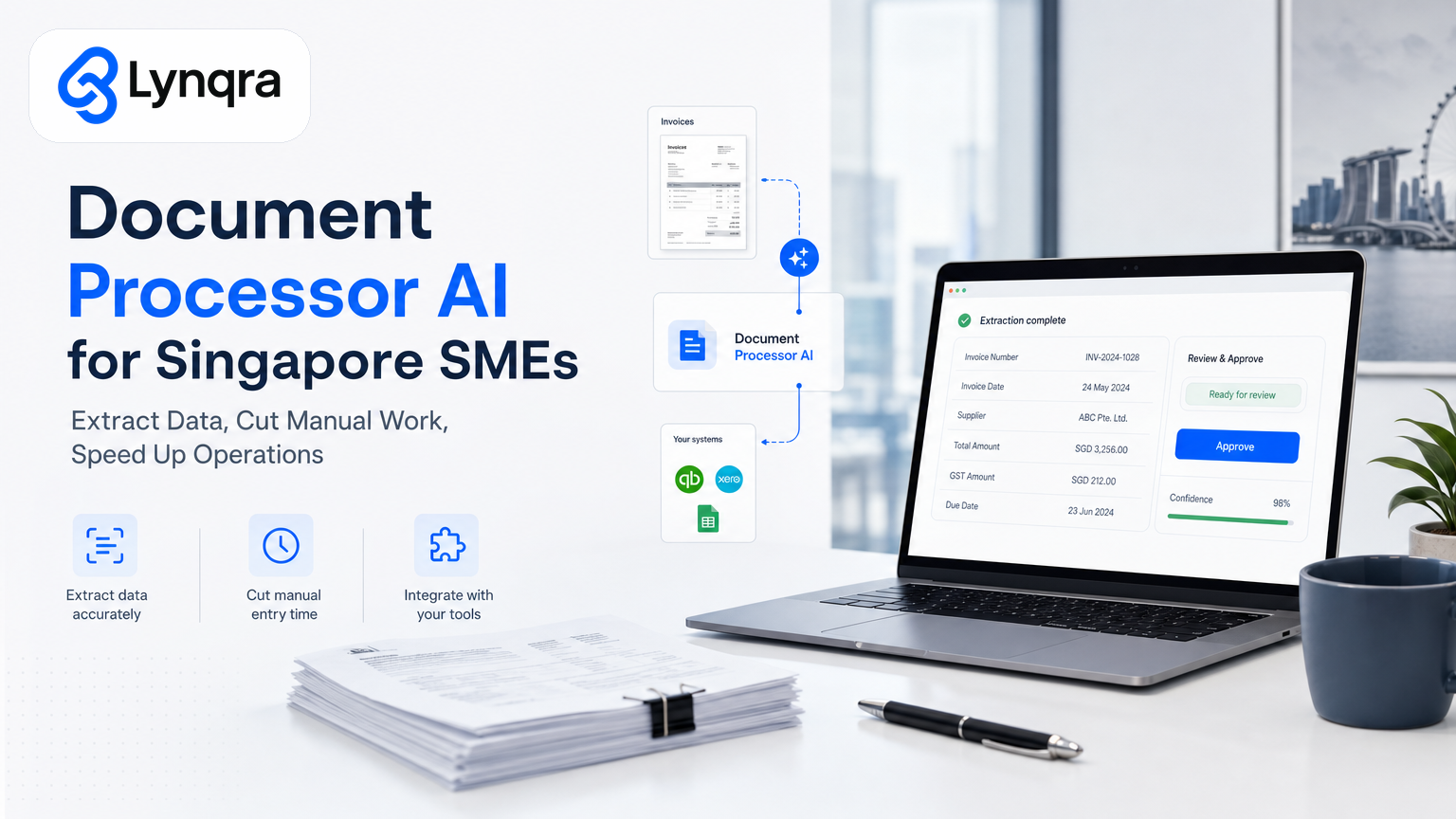
You're drowning in paperwork. Every day, your team spends hours typing invoice numbers, extracting quotation details, pulling candidate information from application forms, or copying data from PDFs into spreadsheets. It's not high-skill work. It's just repetitive, error-prone, and expensive.
Document processor AI changes that. Instead of manually reading and entering data, intelligent systems read documents, pull out the information you need, and feed it directly into your workflows, your email, your approval chain, or your Google Sheets. No retyping. No missed data. No Friday night data-entry marathons.
If you run an SME in Singapore, you've probably heard the term "document processor AI" and wondered whether it's real, whether it works for your specific mess of invoices and forms, and whether it's worth the effort to set up. This article answers those questions with clarity, practical examples, and a real decision framework for whether this automation belongs in your business right now.
What is document processor AI, and why does it matter for your operation?
Document processor AI is software that reads unstructured documents (PDFs, scanned images, email attachments, web forms) and extracts structured data from them. It doesn't just scan and save; it understands context. It recognizes that "Invoice #2401-567" is an invoice number, that "Qty: 50" is a quantity field, that "John Tan, Senior Manager" is a person and a role. It then routes that data where it belongs: into your accounting system, your hiring spreadsheet, your approval workflow, or your operations dashboard.
Singapore's government technology initiatives recognize this too. The Government Technology Agency has developed AI-powered document readers that extract, classify, and transform information from unstructured documents into structured responses. As government agencies explain, the volume of data Singapore's public sector collects has increased exponentially, and they've created several AI-enabled services aimed at increasing productivity. The same logic applies to your business: government agencies are using AI document readers to handle the growing volume of unstructured data, and the same technology can work for your SME's invoices, forms, and reports.
For your SME, the payoff is simple: time savings, fewer data-entry errors, and the ability to move faster on decisions that depend on having clean, current information.
Where does document processor AI actually save time in an SME?
The best way to understand whether this technology fits your business is to see where it actually works:
Invoice management and accounts payable
Your finance team receives invoices as PDFs via email, through your supplier portal, or as scanned images. Right now, someone opens each one, reads the vendor name, invoice number, amount, due date, and line items, and enters them into your accounting software or a Google Sheet for approval and payment tracking. For a trading or distribution business with 50 to 200 invoices per month, this can consume 4 to 8 hours per week.
A document processor pulls that data automatically. The invoice lands in your inbox. An AI system reads it, extracts the key fields, and either posts the data directly to your accounting system or drops it into a structured form that your approver sees. Mistakes drop dramatically because the machine reads the same field the same way every time. Approval workflows move faster because the data is already organized.
One Singapore trading company we worked with cut their weekly invoice processing time from 6 hours to under 1 hour, with zero missed payment deadlines after the automation went live. The finance team moved from data entry to exceptions: they now focus only on invoices with unusual terms or amounts that need human judgment.
Quotation and proposal generation
You receive inquiry emails or forms from customers asking for a price on a product or service. Your team reads the request, looks up pricing, calculates delivery costs or customization fees, drafts a quote, and sends it back. The whole cycle can take 2 to 3 hours per quote.
A document processor paired with a simple calculation engine pulls the customer details and product requirements from the inquiry, looks up pricing from your database or Google Sheet, generates the quote automatically, and sends it back. What took 2 hours now takes 6 minutes.
A food production company in Singapore set this up and saw their quotation response time collapse from about 2 hours per quote to 6 minutes. Faster responses meant more quotes converted to orders.
Candidate screening and recruitment
You advertise a role. Resumes and application forms arrive. Your hiring team reads each one, makes notes on whether the candidate meets your basic criteria (experience, qualifications, location), and shortlists the promising ones. For a popular role, this can mean reading 50 to 100 applications and manually comparing them against your requirements.
Document processor AI reads the CVs, extracts key details (years of experience, qualifications, previous roles, location), and scores each candidate against your stated requirements. Your team sees a shortlist ranked by fit, with the relevant details already highlighted. Screening that took 3 to 4 hours now takes 30 to 45 minutes. A recruitment agency we worked with reduced manual screening time and made structured shortlists for review.
Expense reports and reimbursement claims
Your team submits expense reports with attached receipts (photos or PDFs). Normally, someone reads each receipt, extracts the amount and category, checks it against policy, and approves or flags it. A document processor reads the receipt images, extracts the date, vendor, category, and amount, and populates the expense entry. Your approver just confirms and submits.
Regulatory and compliance documents
Your business handles customer information, employment contracts, terms and conditions, or regulatory filings. Pulling data from these documents for reporting, auditing, or compliance checks is manual, slow, and prone to error. A document processor extracts and organizes the relevant data so you can report faster and with more confidence.
How does document processor AI actually work?
There are a few ways this technology gets built, and understanding them helps you decide what setup makes sense for your SME.
Optical character recognition plus field mapping
The simplest approach scans an image or PDF, reads the text (OCR), and uses rule-based logic to find specific fields. For example: "Look for the word 'Invoice', then grab the number that appears 2 words to the right." This works well for highly structured documents like standard invoices or forms where the layout doesn't change. It's also fast and can run offline.
The limitation: if your invoice layout changes, if a supplier sends a PDF instead of a scanned image, or if the text format shifts slightly, the rules break. You'll need to rebuild them.
Machine learning and large language models
Newer document processors use AI models that can understand context, not just pattern-match. These systems can read a messy, hand-written form, a supplier invoice in a layout they've never seen before, or a contract with non-standard formatting, and still extract the right fields.
Models like those available through government platforms or commercial APIs can handle variation. They learn from examples and can adapt to new document types with minimal retraining.
The trade-off: they're slightly slower, they may cost more, and they sometimes need human review of uncertain extractions (a "confidence score" of 70% rather than 99%).
For most Singapore SMEs, the right answer is a hybrid: use rule-based OCR for high-volume, standardized documents (invoices, forms with fixed layouts) and add AI model capabilities for one-off documents, contracts, or varied formats.
Practical decision framework: does your SME need document processor AI right now?
Before you invest time or money, ask yourself these questions. If you answer yes to most of them, the automation likely pays for itself within 3 to 6 months.
Volume and repetition
Do you process more than 20 documents per week of the same type (invoices, applications, timesheets, quotations)? If yes, automation saves time. If you process 5 unique invoices a month, manual handling is probably fine.
Error cost
Do mistakes in data entry have consequences? Late payments because an invoice was entered wrong? Wrong shortlists because a CV was misread? Customers lost because a quote took 3 days? The bigger the consequences, the stronger the case for automation.
Tool fit
Do you already use Google Sheets, email, Gmail, Telegram, or WhatsApp for workflows? Can you extract data into these tools without forcing your team onto new software? If yes, you can build lean automation that people actually use. If your only option is a heavy, unfamiliar new platform, adoption will be painful.
Funding headroom
Singapore's government supports digital and AI adoption for SMEs through several pathways. IMDA's SMEs Go Digital program helps SMEs adopt digital tools and capabilities to drive growth, while Enterprise Singapore offers financial assistance for qualifying businesses. Grant eligibility, amounts, and timelines vary by industry, company size, and scope, so check with IMDA and Enterprise Singapore to understand what your business qualifies for based on your specific profile. Even without grants, automation often pays back faster than you think: if one team member spends 5 hours a week on data entry at a fully-loaded cost of SGD 40 to 60 per hour, automating that work breaks even in weeks, not months.
Team readiness
Are your team members willing to use a new workflow? Are they tired of manual work and motivated to try something better? Or will they resist change and keep doing things the old way in parallel? Automation only works if people use it.
If you answered yes to three or more of these, document processor AI is likely worth exploring.
Common objections, and what actually matters
"We tried automation before and it failed."
Most automation fails because companies buy a platform, dump their problem on it, and hope it works. That's not automation; that's delegation without support. Real automation requires someone to own the setup, test it thoroughly, gather feedback from the people using it, and iterate. At Lynqra, we stay with you to iterate as your business evolves. We don't sell a product; we solve a problem, and that includes making sure the solution actually works for your team.
"Our documents are all different. This won't work for us."
If your documents are mostly similar (invoices from 10 suppliers, or application forms with the same fields), rule-based extraction works. If they're wildly varied, AI models handle that better. And in reality, most SMEs fall somewhere in the middle: mostly standard, with some variation. The automation handles the 80% that's standard, and humans handle the 20% that's unusual. That's still a massive time saving.
"We can't afford to mess with our workflow."
Understand the concern. But bad workflows are expensive too: missed invoices, slow decisions, team frustration. Good automation integrates into your existing workflow (usually Google Sheets, email, or approval chains you already use) rather than forcing you onto new software. The risk is lower than you think.
"What about security and data privacy?"
Fair question. Singapore's Personal Data Protection Act (PDPA) sets the rules for how you handle customer and employee data. PDPC's data protection officer guidance outlines your key responsibilities to protect customer and employee data, build trust, and ensure compliance. Any document processor you use must let you store and process data securely, preferably in Singapore or with clear compliance standards. Make sure your chosen solution (or the consultant helping you build it) can demonstrate PDPA compliance and data security practices. If you're handling sensitive information, ensure your automation partner has security certifications and can show you their practices.
Building document processor AI for your SME: what's involved
You have two main paths.
Path one: buying and configuring off-the-shelf software
Platforms like Zapier, Make, UiPath, or Docparser let you upload sample documents, define the fields you want extracted, and connect the output to your tools. If your documents are standardized and your needs are simple (extract 5 fields, send to Google Sheets), this can work and is fast to set up.
The trade-off: you're limited by what the platform can do, and moving documents between systems can get expensive at scale.
Path two: building a custom automation with your team or a consultant
You identify your biggest bottleneck (say, invoice processing), map out the exact workflow (PDF arrives in email, extract 8 fields, post to Google Sheet, trigger approval notification in Telegram), and build an automation that solves that specific problem. Custom automation is more flexible, integrates tightly with your existing tools, and scales as your business grows.
This is what Lynqra does. We analyze your workflows, identify the high-impact bottlenecks, and build automations using the latest AI tools and stacks. We focus on ROI, not just technology. And we iterate with you as your business evolves, not as a one-time vendor but as a long-term partner. We've also created specialized solutions like Google Sheets automation for Singapore SMEs that keep your existing tools while removing manual work.
The decision between off-the-shelf and custom usually comes down to: how much does this specific problem cost your business right now? If it's costing you SGD 2,000 to 4,000 a month in lost time and mistakes, a custom solution pays for itself quickly. If it's costing you SGD 200 a month, buy a low-cost platform and move on.
Funding and support for automation in Singapore
If cost is a blocker, Singapore offers real support. IMDA's industry digital plans and Enterprise Singapore's financial assistance schemes can help cover costs of digital and AI adoption. Eligibility, scope, and amounts vary by industry, company profile, and timing. Grant conditions, percentages, and approval timelines should be confirmed directly with IMDA or Enterprise Singapore; they change periodically and depend on your specific situation.
Many automation consultants, including Lynqra, work with grant advisory partners who help clients navigate these pathways. If you're interested in exploring funding, mention it in your first conversation.
Document processor AI as part of your broader automation story
Document processor AI rarely works in isolation. The most effective automations combine document processing with workflow routing, approval chains, reporting, and integration with your existing tools.
For example, an invoice automation pipeline might look like this: PDF arrives in email, document processor extracts fields, automation checks the amount against your approval rules (invoices under SGD 5,000 auto-approve; above that go to the finance manager), sends an approval notification via Telegram or email, logs the transaction to Google Sheets for reporting, and triggers a payment reminder based on due date.
That's document processing plus approval routing plus integration. And it cuts your finance team's weekly workload from 6 hours to under 1 hour.
If your bottleneck is specifically invoices, quotations, candidate screening, or approval workflows, we've built this. If it's something else, the principle is the same: identify the manual work, automate the repetitive parts, and keep humans in the loop for judgment calls. Our AI document processing solutions in Singapore cover these use cases and more.
Next steps: is document processor AI right for you?
The best way to know is to talk it through. Every business is different. What works for a trading company might not work for a recruitment agency. What's worth automating in one workflow might not be in another.
Book a free discovery call with Lynqra. We'll spend 30 minutes understanding your biggest operational bottlenecks, whether document processing is the right lever, and what a real solution might look like for your business. No pitch. No templates. Just a conversation about what's actually costing you time and money right now.
Contact us at mark@lynqra.com to schedule a time.