Workflow Automation

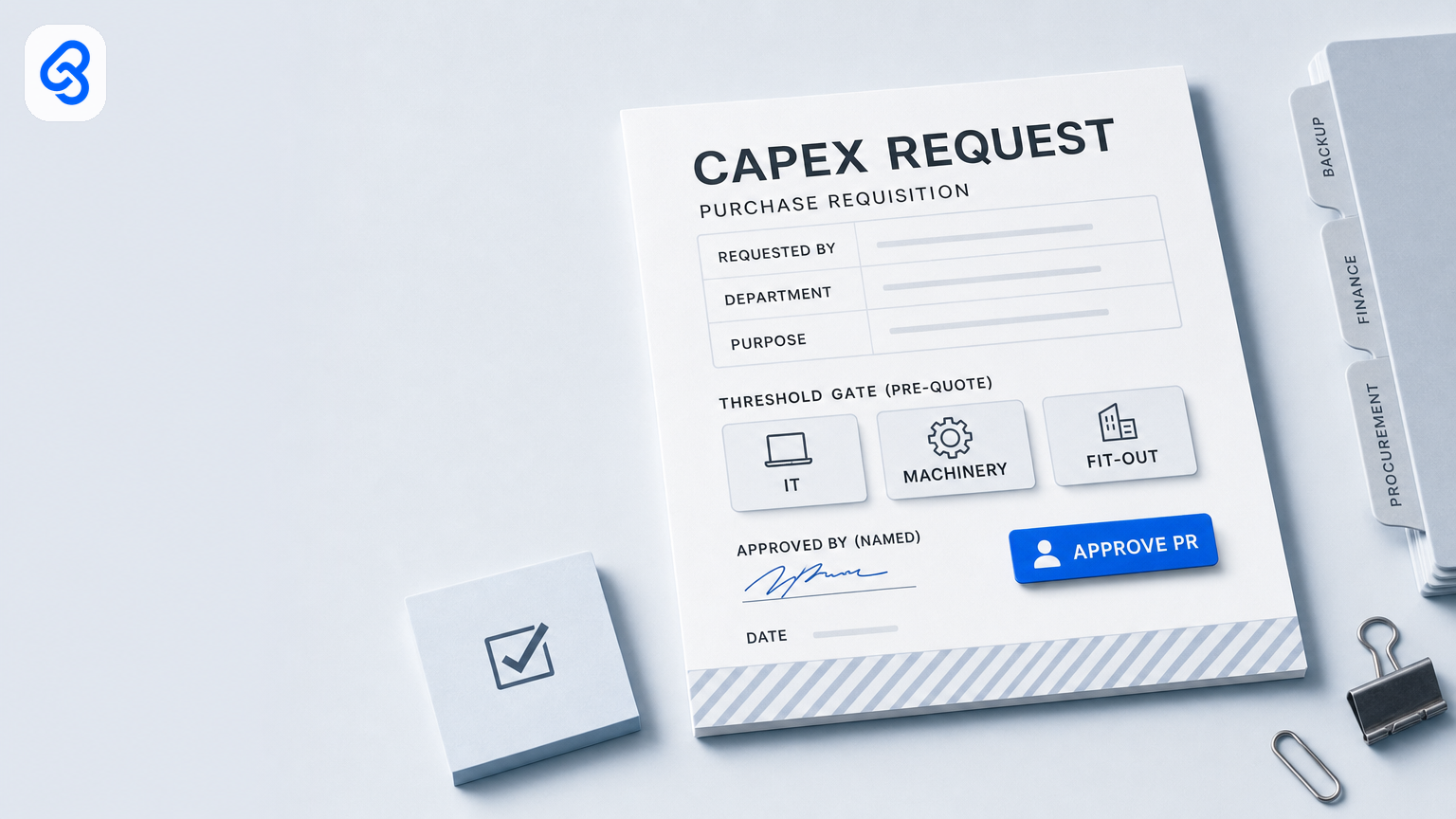
Capex and purchase requisition approval for Singapore SMEs: who signs the PR before the quote chase

Capex and purchase requisition approval for Singapore SMEs: who signs the PR before the quote chase

Capex and purchase requisition approval for Singapore SMEs: who signs the PR before the quote chase

The Telegram lands at 09:14 — “need 3 laptops for the new hires, any brand ok, ASAP.” Someone replies “ok I get quotes.” Two supplier PDFs land by lunch. Ops pastes both into the purchasing group. The director who must sign anything that looks like an asset buy is on MC. By Thursday someone has already told a vendor “we’re proceeding,” a deposit sits on a personal card, and the PR that should have lived as a named row still lives in someone’s head. Spend is already committed. The approval trail is a scrollback.

That is the capex / purchase requisition problem for a Singapore SME. Not a missing ERP asset module. Not a missing AI feature. A lived gate — need stated, PR raised, named human signs above a written threshold, *then* quotes are chased — that gets skipped the week one named person is away, and that still lives in chat because chat is where the firm actually works.

This guide is the operator version of purchase requisition approval automation and capex approval workflow for Singapore SMEs. Named runbook: trigger, extract, route, human gate, tracker. Automation files, flags, and chases. A named director or finance owner still signs the PR above threshold. It sits before the shipped quote-to-PO approval pillar — open that as the next chapter once the PR is approved. Do not rebuild quote release, PO raise, or payment here. Not a grant checklist. Not a silent “under S$X auto-approve into PO.” Pre-quote PR / asset threshold gate only.

Wider frame: workflow automation services. Downstream cash lightly: invoice workflow. Opex contrast: expense claims. Leave overlay: leave cover. Optional later: GRN, supplier onboarding. Visitor / contractor site induction stays parked — this piece stays on who signs the PR before the quote chase.

What this guide covers

  • What capex / purchase requisition approval automation means for a 10–80 person firm here — pre-quote PR gate only, not a second quote-to-PO tutorial
  • Why Singapore SME threshold culture matters without an IFRS lecture
  • A named need → PR → extract → route → human gate on PR → tracker runbook you can print and mark up
  • Who signs the PR vs who chases quotes vs who releases the PO (segregation)
  • The tight PR approved → quote-to-PO → (optional) invoice / GRN trail — link those pillars, short
  • When Sheets, Gmail/Drive, and Telegram are enough — and when they are not
  • Steal-this-build DIY that stops before judgement (no silent auto-approve PR into PO)
  • Failure modes, consult → build → train, and checklists for this week

What capex / purchase requisition approval automation means here

Search “purchase requisition approval automation singapore” or “capex approval workflow SME” and you will mostly get global procure-to-pay diagrams, ERP asset-capitalisation screens, or thin local posts that jump to a tool demo and a funding footnote. Useful as a sketch. Thin as an operating manual for a trading, logistics, construction, M&E, F&B, or professional-services firm that already lives in Gmail, Drive, Sheets, Xero (or QuickBooks / MYOB), and WhatsApp or Telegram — with a real habit of buying laptops, machinery, fit-out, vehicles, or software seats sold as capex *before* anyone wrote down who was allowed to.

For an SME operator, capex / PR approval automation is simpler to name:

Automation files the request pack, extracts threshold fields, flags asset vs opex, and chases the PR hold. A named director or finance owner still signs the PR above the written threshold. Nobody auto-approves a PR into a PO because a Sheet said “under S$X,” and nobody treats a Telegram “need 3 laptops” as a signed requisition.

Anything that starts the quote chase because a thumbs-up landed in a group, raises a PO because a bot saw “ASAP,” or capitalises spend because a cell said “laptop” is not a productivity win. It is a control failure with a notification sound — commitment before authority, and a month-end fight about whether this was ever approved.

Three purchases get confused under the same phrase:

  • Software — a procurement / PR module, an approval SaaS, a Power Automate template. Fine when your asset classes, thresholds, and cost centres are already clean.
  • A service — someone maps *your* need → PR → named human gate → then-and-only-then quote chase path, builds in tools you already use, trains finance/ops owners, and stays reachable when a fit-out or vehicle exception shows up on leave week.
  • A chat habit — “need 3 laptops” in a group, quotes chased from vibe, deposit paid from hope. Dies when the director is on MC — and spend may already have left.

Buy software if the process is clean. Leave it with a careful human if volume is tiny. Hire a service when the same fields wait every week, the work spans chat + Sheet + Drive, and a wrong PR (or a skipped PR) commits the firm to asset spend before anyone signed.

Contrast once — quote-to-PO is the next chapter (link, do not rehash)

Do not rebuild quote release, PO raise, or payment here.

  • This chapter — PR / capex gate: “Are we allowed to buy this class of thing at this budget?” Named human signs the requisition before anyone chases supplier quotes in earnest.
  • Next chapter — quote-to-PO: once the PR is approved, who releases the quote / who raises and matches the PO / who gates pay: quote-to-PO approval. Open that when the stall is “quote PDF ready, director on MC, customer or supplier waiting.” Do not paste that tutorial into this page.

Staff cash / opex (Grab, meals, small tools expensed): expense claims. Supplier bill after goods move: invoice lightly. “Need asset → PR signed → *then* quote chase” is here.

Why Singapore SME capex / PR context matters (without an IFRS lecture)

You do not automate purchase requisitions because a press release landed. You automate because “need 3 laptops” lives in Telegram, leave gaps turn a threshold into a verbal yes, and the person who “just knows” whether a fit-out is capex or opex is the same person who goes on MC — while purchasing is already chasing quotes.

Threshold culture, not a capitalisation textbook. Most 10–80 person firms here do not need an IFRS lecture on useful life. They need a written dollar (and asset-class) gate: laptops above S$A, machinery / fit-out / vehicles above S$B, software seats sold as capex above S$C — with a named signer. Accounting treatment stays with your bookkeeper. This runbook owns the authority gate, not the depreciation schedule.

Spend commits early. A supplier who heard “we’re proceeding” will invoice. A deposit on a personal card becomes a claim fight. One loop — need → PR → signed → quotes → PO — most SMEs only notice when month-end asks “who approved these three laptops?” and the answer is a thumbs-up from last Tuesday.

Telegram is the real PR desk. “Need ASAP” with no owner, no SLA, and no backup who can open APPROVE PR is how asset buys skip the gate. Ops and finance on AL the same week is normal — name primary and backup; leave cover is the overlay, not a re-teach here.

Labour and AI adoption (named surveys only). SBF 2024: manpower top challenge for 66% (n=519). MOM AI report (30 Apr 2026; 2,560 firms): 71.5% yet to adopt; only 3.8% of adopters integrate AI into core processes. IMDA 2025: SME AI 14.5% in 2024 (from 4.2%). Permission to stay practical: one trusted PR runbook with a named APPROVE PR owner beats an ERP asset-module migration sold as readiness.

The named capex / purchase requisition workflow runbook

Print this. Write real names in the blanks. If a step has no owner, you do not have a process yet.

Trigger

  • Someone needs an asset or capital-looking buy — laptops / IT kit, machinery / tools, office fit-out, vehicle, software seats or licences the firm treats as capex, or a bundled project that will sit on the balance sheet in practice.
  • Also: manager or finance flags a Telegram “need ASAP” that has no PR row; purchasing refuses to chase quotes without a PR ID; a deposit receipt appears with no signed requisition.
  • Rule: one intake path — `pr@…` / shared mailbox, a Drive form, or a Sheet form that writes a tracker row. “Sometimes Telegram need, sometimes personal email to a vendor, sometimes a pantry yes then quotes” births spend-before-authority and ghost PRs.

Extract

  • Fields: requester, dept / cost centre, asset class (LAPTOP / MACHINERY / FITOUT / VEHICLE / SOFTWARE_CAPEX / OTHER), Qty, EstAmt (ex-GST and with GST if known), justification (one line), preferred supplier if any, linked job / project, threshold tier, attachment links (spec note, photo of failed kit, headcount plan).
  • File to company Drive/SharePoint: `YYYY-MM-DD_dept_PR####_capex` (or your naming — one path the backup can open).
  • Flag: blank EstAmt, asset class blank, EstAmt over written threshold with no second-signer path, related-party supplier preference, “ASAP” with no date need, software seats with no seat count, fit-out with no location/scope note.
  • Do not DIY quote OCR or PO matching here — that eats the quote-to-PO seat. Use EstAmt and class your Sheet already holds; flag missing attachments.

Route

  • Under written threshold / clean pack → named manager or finance queue with one-line summary + file link — still a human gate before APPROVE PR (clean pack ≠ silent approve).
  • Over threshold / asset class on the capex list → named director or finance second-signer with reason.
  • Missing info → back to requester with a fixed reason code — not a mute group “pls clarify laptops.”
  • After APPROVE PR → status becomes Ready for quotes — purchasing may chase. That handoff is a status change, not an auto-raised PO.

Human gate

  • Named manager / finance / director signs the PR (approve / reject / amend budget / send back for info). The Zap does not. The model does not. A Telegram thumbs-up is not a purchase requisition.
  • Write the threshold in dollars and asset class — not “ask boss if big.” Example shape (fill your numbers): routine IT under S$A → manager; over S$A or machinery / fit-out / vehicle → director; related-party always director.
  • Purchasing / ops chases quotes only after APPROVE PR — confirmation of supplier options, not PR authority.
  • PO release stays on quote-to-PO — do not collapse PR approve and PO raise into one mute group. Next chapter: quote-to-PO approval.
  • Automation may remind, update status, escalate to a named backup. It does not silent-approve the PR. It does not auto-raise a PO. It does not invent EstAmt from a Telegram “need 3 laptops.”

Tracker

  • Sheet, mailbox labels, or review screen the backup can open without the primary’s phone.
  • Columns: PrID, Requester, Dept, AssetClass, Qty, EstAmt, ThresholdTier, Owner, Backup, SLADue, Status, Exception, Link, Approved?, QuotesStarted?, LinkedPO?, Notes.
  • Statuses: New / Needs info / HOLD PR / Ready to approve / APPROVE PR / Rejected / Ready for quotes / Quotes in progress / Linked to PO / On hold / Duplicate / Cancelled / Superseded.

Worked example (three laptops, one Tuesday)

Ops Telegram: “need 3 laptops for new hires.” Instead of vanishing into scrollback, `pr@` creates PR-208: AssetClass LAPTOP, Qty 3, EstAmt S$4,200, Dept Ops. Workflow files the pack, Status → HOLD PR / Ready to approve. Amount sits over the firm’s written IT threshold → flags Wei (director) as signer. Wei is on MC. Backup Farah sees the same APPROVE PR queue, same SLA, same written limit (routine IT under the backup cap yes; machinery / fit-out / vehicles and related-party still need primary / director). Farah confirms headcount plan attachment, taps APPROVE PR — human — Status → Ready for quotes. Purchasing then chases two suppliers under PR-208. Nobody treated “ok I get quotes” as authority. Nobody auto-raised a PO because a cell said “3 laptops.” Nobody paid a deposit before the PR row existed. When a quote PDF is ready to release or a PO must be raised, that work opens the quote-to-PO runbook — next chapter, not this page.

That shape — trigger, extract, route, human gate, tracker — is what you buy as a service. If a vendor cannot walk your process in those five words, they are selling a stack.

Who signs the PR vs who chases quotes vs who releases the PO

Write the names before anyone mentions models or Zaps.

  • Requester: states need, EstAmt, asset class, justification; answers Needs info. Not the sole approver of their own over-threshold PR.
  • Manager / finance owner (routine PR gate): clears under-threshold and owned exceptions; taps APPROVE PR within SLA.
  • Director / finance second signer: over written threshold, machinery / fit-out / vehicle / software-capex tiers, related-party, first-of-class buys.
  • Purchasing / ops (quote chase): starts after APPROVE PR / Ready for quotes; gathers supplier options; does not invent PR approval.
  • Quote / PO / pay gates: named owners on the quote-to-PO chapter — do not collapse them into the PR signer.
  • Automation: labels, files, flags, routes, pings, escalates, writes rows. Does not silent-approve PR. Does not raise PO. Does not spend.
  • “Ops group”: not a signer. Five people who “usually look” is how laptops land before anyone signed.

Segregation matters: the person who typed “need 3 laptops” should not also be the only person who taps APPROVE PR *and* raises the PO with no log. Tiny firms can dual-role manager + purchasing on quiet weeks — write the dual role and the backup. Leave cover stays light: name primary/backup for HOLD PR / APPROVE PR; leave cover for full design.

PR approved → quote-to-PO → invoice / GRN trail (tight — link, do not rehash)

One buy trail. Do not collapse it into one mute Telegram.

1. PR / capex gate — authority to buy this class at this budget. This chapter.

2. Quote → PO → pay-releasequote-to-PO approval. Do not rehash quote release, PO raise, or payment here.

3. Invoice / pay (when the bill lands) — lightly: invoice workflow.

4. Optional GRN (when goods land vs PO) — GRN exception.

5. Optional supplier master (new vendor path) — supplier onboarding.

Tight trail rules: every quote chase and PO row carries PrID (or a written exception reason); Ready for quotes ≠ PO raised; APPROVE PR blocks quote chase until a named human taps; silent “we’re proceeding” is Needs info / HOLD PR until a row exists; staff opex stays on expense claims if separate.

If pain is still “quote PDF ready / who releases PO,” open the quote-to-PO pillar. If pain is “need ASAP, quotes already chasing, director on MC, no PR,” you are here.

Sheets, Gmail/Drive, and Telegram vs dumping a new procurement suite

Most Singapore SMEs already have an inbox, a Sheet, a chat app, and a ledger. The failure mode is not “we lack an asset module.” It is “nobody can see which asset need is waiting, who must sign APPROVE PR, and whether purchasing is allowed to chase quotes yet.”

Stay on Sheets + Gmail/Drive + Telegram when: volume fits one tracker; one owner can clear HOLD PR in a sitting; exceptions are the hard part (threshold, asset class, related-party, leave) — not multi-entity capex matrices; you can name primary and backup today; PR approve stays human-gated and PO stays on the next chapter.

Consider a deeper procurement / ERP PR layer when a consult shows the stack cannot carry it — multi-entity thresholds, high-volume project capex, or auditors demanding a productised trail Sheets cannot hold. Prefer a queue that feeds Drive and the quote-to-PO path you already trust over a rip-and-replace sold as “capex automation.”

Partner vs vendor dump. A partner maps your live need → PR → named gate → Ready for quotes path, builds the smallest true runbook, trains owners, and stays reachable. A vendor dump sells seats and leaves Telegram as the PR desk. Platform tour first and process map “phase two” means you are buying a dump.

Steal-this-build DIY (stops before judgement)

Same shape in Zapier, Make, or n8n. Gmail + Sheets + Telegram is enough to start. These builds sort, file, flag, ping, and escalate. They do not silent-approve the PR. They do not auto-raise a PO. They do not invent EstAmt from “need 3 laptops.” They do not paste specs into ChatGPT to “decide” the threshold tier.

Do not DIY quote send or PO approve here. That stays on the quote-to-PO pillar. Use EstAmt / AssetClass fields your Sheet already holds.

Build 1. PR intake labels (Gmail filters, S$0)

What it does / does not: Labels `pr-new`, `pr-needs-info`, `pr-hold`, `pr-approved`. Does not mark APPROVE PR or raise a PO.

1. Create the four labels.

2. Filters: pr-new — `to:pr@` OR subject (PR / “purchase requisition” / “capex” / “need laptop” / fit-out / machinery); pr-needs-info — missing amount / “pls clarify”; pr-hold — HOLD / threshold / “awaiting director”; pr-approved — “APPROVE PR” / “Ready for quotes”.

3. Test one fake PR PDF, one “need 3 laptops” forward, one HOLD note.

Where it breaks: Telegram-only “need ASAP” with no `pr@` or form. Chat can *link* to the row; it is not intake.

Build 2. PR attachments land in Drive

Zap: Gmail New Attachment on `pr-new` / `pr-hold` → company `Inbox-PR-Capex-2026` shared with backup. Does not OCR into Xero or invent quote matches.

Build 3. Sheet queue + HOLD PR / APPROVE PR reminder pings

What it does / does not: Every live PR has a row; Owner/Backup get a ping on HOLD PR SLA. Does not set `Approved` or `QuotesStarted` because time passed.

Columns, row 1 exactly: `PrID | Requester | Dept | AssetClass | Qty | EstAmt | Owner | Backup | SLADue | Status | Exception | Link | Notes`

Status = locked runbook list. AssetClass = `LAPTOP` / `MACHINERY` / `FITOUT` / `VEHICLE` / `SOFTWARE_CAPEX` / `OTHER`.

Zap (reminder): Asia/Singapore morning schedule → Status `HOLD PR` or `Ready to approve` with SLADue today or earlier → Telegram/Gmail Owner:

```

HOLD PR waiting — {{PrID}} {{Requester}} {{AssetClass}}

Qty {{Qty}} | EstAmt S${{EstAmt}} | SLA {{SLADue}}

{{Link}}

```

Do not set `Approved` or start a supplier email sequence because SLA passed or AssetClass is “LAPTOP.” A person taps APPROVE PR. Lock Status — free text (“chasing boss”) breaks the queue.

Build 4. Backup escalate once (then stop)

What it does / does not: Owner misses HOLD PR SLA → ping Backup once; optional director for over-threshold / machinery / fit-out / vehicle; then silence. Does not auto-approve PR. Does not raise PO.

Zap: Delay Until SLADue + 2–4 business hours (or next 09:00 SGT) → still `HOLD PR` / `Ready to approve` → Backup once → optional director → stop. No hourly nags.

Where these four stop

They change a shared inbox and a Sheet. They do not replace judgement.

Stop and talk to a firm when the next sentence is: invent EstAmt from a blurry Telegram, approve every laptop under a dollar threshold with no named tap, auto-raise a PO the moment Status flips to APPROVE PR, start supplier quote emails without a human Ready for quotes, or rebuild the full quote-to-PO tutorial to “save a seat.” That is the service. Quote release, PO, and pay stay on the next chapter — this DIY does not eat them.

Failure modes worth designing against

Speed is not the same as control. Automation that only notifies can accelerate a bad asset buy — and a skipped PR.

Silent auto-approve PR into PO. “If EstAmt < S$X and AssetClass = LAPTOP, mark Approved and raise PO” with no named gate is how wrong buys hit the ledger. Draft auto-advance to HOLD PR / Ready to approve is fine. APPROVE PR stays human. PO stays on quote-to-PO.

Quote chase before PR. “Ok I get quotes” with no PrID is how deposits and verbal yeses become month-end arguments. Ready for quotes only after APPROVE PR.

“Need ASAP” as queue / no backup. Five people saw the Telegram; nobody owned the row. A thumbs-up is not a PR. Name backup and where HOLD PR lives — leave cover lightly.

Collapse PR and PO / pay. Keep PR authority here; quote release, PO, and payment on the quote-to-PO runbook; bills on invoice. One mute group for all three is how spend commits twice.

Opex theatre / ChatGPT hobby. Calling every Grab claim “capex” to skip expense policy — or pasting live specs into a public model to “decide” the tier — is not a requisition strategy. Staff cash: expense claims. Threshold rules live beside AssetClass in the Sheet.

Threshold theatre. “Under S$5,000 auto-approves” with no log, no asset-class list, no related-party exception. Write the exceptions beside the number.

Hard stops: no silent APPROVE PR, no auto-raise PO from PR status, one escalation then stop, human PR gate, PrID on every quote chase. Exception log beats a “touchless PR rate.”

Consult → build → train (lightly)

You do not need a 40-slide methodology. You need three honest phases.

Consult. Map one live need → PR → HOLD PR → APPROVE PR → Ready for quotes path with finance/ops (and purchasing if they chase). Count volume, asset classes, who signs under vs over threshold, leave cover, where files sit. Baseline “need stated → APPROVE PR” and “APPROVE PR → quotes started.” Yes/no + scoped runbook. If the stall is already “quote ready / who releases PO,” send them to the quote-to-PO pillar first.

Build. One workflow in tools you already use. Parallel-run beside Telegram “need ASAP.” Retries and intake alerts are part of the build. APPROVE PR stays behind a named tap. Quote chase is a status handoff, not an auto-PO.

Train. Owners and backups explain every HOLD PR without the builder on the call. Expand only after trusted. Park visitor / contractor site induction. Link — do not rebuild — quote-to-PO when the next chapter is ready.

That is partner work. It is not “we build AI agents” as a homepage line. The product is a runbook that still works when the director is on AL — flags move; the PR still has a named human on APPROVE PR before anyone chases quotes.

Practical checklists

This week (no new software)

  • Draw trigger → extract → route → human gate → tracker for need → HOLD PR → APPROVE PR → Ready for quotes.
  • Write asset-class list + dollar thresholds in one paragraph; related-party beside it.
  • Primary/backup, SLA, backup limits for APPROVE PR.
  • One shared intake (`pr@` or form); stop “need ASAP” only in personal WhatsApp.
  • Drive folder + one-tab Sheet; every quote chase later must carry PrID.
  • No silent APPROVE PR / no auto-raise PO — escalation pings a person.
  • Mark three recent painful laptop / fit-out / machinery buys with the PR each would have carried.
  • Confirm purchasing will not chase quotes on rows still on HOLD PR.

Before you buy anything

  • Can they walk *your* PR / capex runbook without a product slide — and without rehashing a quote-to-PO demo?
  • Who opens APPROVE PR on leave week? What is never auto-approved and never auto-raised into a PO?
  • Gmail/Sheets/Telegram first — or a new suite? First conversation: your queue, not a funding tour.

Red flags in a demo

  • “Touchless PR” / auto-approve every laptop under a threshold with no exception taxonomy; no named APPROVE PR owner.
  • Group chat as system of record; auto-raise PO when “need ASAP” lands; leave cover as a later toggle.
  • Rebuilds quote-to-PO / invoice OCR to “save a seat”; collapses PR + quote + PO + pay into one mute approval; parallel-run discouraged.

Downstream when the PO, GRN, and invoice disagree: three-way match exception desk.

Soft next step

If asset buys stall as “need 3 laptops” in Telegram when the director is on MC, quotes start before anyone signed a PR, or PR → quote-to-PO → invoice cannot be read as one trail — bring one real week of that queue to a free consult. We will map the runbook, name who signs the PR vs who chases quotes vs who releases the PO, keep quote-to-PO linked not rebuilt, and say plainly whether Sheets and Telegram can carry it. No platform tour first. No invented case-study numbers.

Book a free consult

Sources