Stock Variance Workflow for Singapore SMEs: A Practical Cycle-Count Exception Desk
Stock Variance Workflow for Singapore SMEs: A Practical Cycle-Count Exception Desk
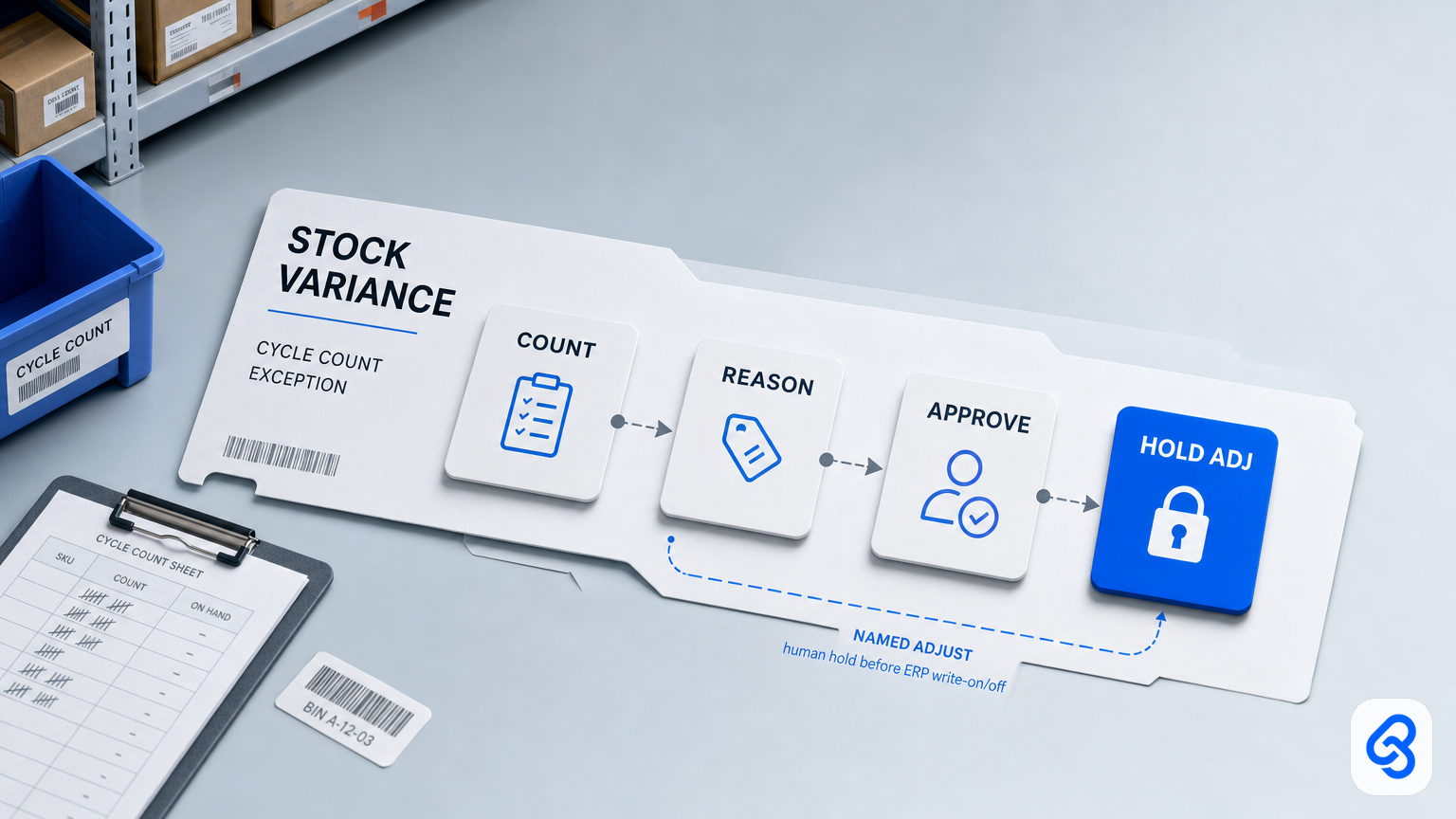
A dependable stock variance workflow turns a count mismatch into a documented decision, not an unreviewed inventory adjustment. For Singapore SMEs, the practical sequence is: record the physical and system quantities, investigate the reason, assign an owner, approve any write-on or write-off, and only then update the inventory system.
That distinction matters when a shelf count differs from the stock record. A count discrepancy may come from a counting error, damage, a receiving issue or an unexplained loss. Changing the system quantity before someone checks the evidence can hide the cause and create a second problem for fulfilment or finance.
This guide sets out an inventory cycle count exception desk for retail, wholesale and light-manufacturing SMEs. It focuses on the decisions and controls around a variance; it is not a guide to reorder planning, warehouse-system selection or sales-order fulfilment.
What a stock variance workflow should do
Cycle counting checks selected inventory against system records without requiring a full stocktake each time. A count exception is the workflow for resolving a difference between the physical count and the recorded quantity. A stock-verification guide likewise describes the core task as physically counting inventory and matching it against system records; the software matters less than maintaining a disciplined process (physical counting and matching inventory records).
A useful exception desk should:
- Capture the SKU, bin or location, count date, counter, physical quantity and system quantity.
- Calculate and preserve the variance rather than overwriting either count.
- Record a reason code and supporting evidence, or return the case for more information.
- Assign a named owner and deadline for recount or investigation.
- Require a named approver for adjustments according to the business’s written policy.
- Keep the approval and final system adjustment traceable to the exception record.
Automation can create a record, file count sheets, flag missing fields and send reminders. It should not decide whether an unexplained difference is theft, damage or a counting error, nor should it silently write stock on or off. The adjustment policy, including thresholds and approval authority, belongs to the business and should be documented before automating the queue. It also helps to store count sheets in one document system, so the evidence behind each adjustment is easy to find later.
Keep adjacent inventory workflows separate
A count variance is not the same as a low-stock signal or a failed pick. If the issue is when to replenish, use a reorder workflow. If a picker cannot fulfil an order because the bin is short, the fulfilment exception may need to be held while the stock variance is investigated. Keep the records connected where useful, but avoid making a sales-order need the reason for an inventory adjustment.
A receiving discrepancy may point back to the goods-receipt record. Link that evidence to the variance instead of treating a cycle-count adjustment as a substitute for resolving the original receipt. The objective is one traceable explanation for each quantity change. If the mismatch is the delivery document itself (short ship, missing POD, or quantity versus the DO), keep that on the delivery order workflow and only bring the residual quantity into this count desk.
A five-step cycle-count exception runbook
1. Trigger and intake
Start a variance record when a scheduled or spot count disagrees with the inventory system, a recount is required, or a pick reveals an apparent shortage. Use one shared intake route, such as a form, shared mailbox or controlled spreadsheet. Chat can notify the owner, but should not be the only place where the count, evidence and decision live.
Assign a unique exception ID. Keep the original count information even if a recount later changes the result.
2. Capture the count pack
A basic record can include:
- Exception ID, SKU and bin or location
- Count date and counter
- Physical quantity, system quantity and calculated difference
- Reason code and a short explanation
- Count sheet or other supporting evidence
- Related receipt or sales-order reference, when relevant
- Owner, backup, due date, status and approval tier
Do not treat a sales-order reference as a reason for changing the stock balance. If a field is missing, mark the case as needing information or recount rather than filling it with a guess.
3. Route by reason and risk
Use a short, controlled list of reasons that fits the business. For example: count error, damage, receiving discrepancy, pick shortage, suspected loss, unknown, write-on or write-off. Assign an owner for each route.
A count error may require a recount. Damage should have supporting evidence where practical. A receiving discrepancy should be checked against the receipt record. An unexplained or higher-risk variance should be escalated to the designated operations and finance approvers. If the cause is unknown, keep it unknown until evidence supports a more specific explanation.
4. Apply the human approval gate
Write down who may confirm a count, select or amend a reason, approve an adjustment and post it to the ERP or stock ledger. Those roles may be combined in a small business, but the policy should say when an independent review or second approval is required.
Set thresholds as routing rules, not as permission for an unlogged automatic write-off. A designated person should approve or reject the adjustment under the company’s policy. A backup should know where the queue is and what authority they have when the primary owner is away.
5. Record the outcome and close the loop
Use clear statuses such as New, Needs information, Recount, On hold for approval, Approved, Rejected, Adjusted or Closed without adjustment. Record the approver, decision date and final adjustment reference. Close the exception only after the approved action is reflected in the inventory record, or document why no adjustment was made.
Periodically review recurring reasons. Repeated count errors, receipt discrepancies or damage may call for a process fix, not just another adjustment. A structured, risk-based cycle-count programme can help organisations identify variance patterns and root causes, although the appropriate counting cadence and controls depend on the operation (risk-based cycle counting and variance analysis).
Example: resolving a six-unit difference
Suppose a count records 31 units in a bin while the inventory system shows 37. The operator creates an exception with both quantities, the SKU, location, date and count evidence. The case is held because its reason is not yet known. A recount or investigation identifies the cause; the owner records the supported reason and routes the proposed adjustment to the authorised approver. After approval, the inventory record is updated and the adjustment reference is added to the exception.
If the investigation cannot establish a cause, the record should say so and follow the business’s escalation policy. It should not be relabelled as damage or changed simply to make a pending order appear available.
Choosing tools: start with the control, not the platform
A spreadsheet and shared folder may be enough when the business can maintain one reliable queue, assign owners and preserve the approval trail. Consider an inventory or warehouse system when the operation needs capabilities that the current setup cannot reliably support, such as location-level controls, higher-volume scanning or coordinated multi-site records.
Before buying or building, check that the proposed setup can answer these questions:
- Where is the original count and its evidence stored?
- Can staff see which exceptions need a recount, information or approval?
- Does every case have an owner, backup and due date?
- Can the system distinguish count confirmation from approval to adjust?
- Can an adjustment be traced back to its exception and approver?
- What happens when a reason is unknown or the primary approver is unavailable?
IMDA’s Industry Digital Plans provide SMEs with step-by-step guidance on digitalisation options by industry; they can be a starting point for considering broader digital needs, not a substitute for defining the variance-control process (IMDA Industry Digital Plans).
A safe DIY starting point
A lightweight setup can use a shared intake form or mailbox, a spreadsheet tracker, a restricted folder for evidence and reminders for overdue cases. Keep automated actions administrative: create a case, calculate a difference, flag missing information and notify the assigned owner.
Keep human judgement and approval separate from these reminders. Do not automatically write off a difference because it is small, infer a cause from a note, or change inventory to release an order. Test the workflow with a few historical or simulated cases before relying on it, and confirm that the authorised approver can review the evidence and that a backup can access the queue.
For personal data included in count records or attachments, collect and share only what is needed for the operational purpose, and restrict access appropriately. Singapore’s PDPA overview explains the Act’s framework for the collection, use, disclosure and care of personal data (PDPA overview).
Implementation checklist
Before the next cycle count:
- Choose a single intake route and an exception ID format.
- Agree which fields are mandatory and where evidence is stored.
- Define a concise reason-code list and an “unknown” route.
- Name the count owner, adjustment approver and backup.
- Document approval thresholds and cases requiring escalation.
- Confirm the system adjustment is linked to the approved exception.
- Review unresolved and repeated variances regularly.
When to get help
Consider outside implementation support if exceptions routinely disappear into email or chat, teams disagree about who can approve adjustments, or the current tools cannot preserve a usable audit trail. A sensible first step is to map one real count-to-adjustment process, identify the control gaps, and decide whether a spreadsheet, configuration change or larger system is proportionate.
Lynqra’s workflow automation services can be considered alongside the process and tool questions above. For a discussion of your current queue and its approval steps, contact Lynqra. The goal is a clear, reviewable stock record, not automation for its own sake.