Interior Design Service Invoice Template: A Safer Workflow
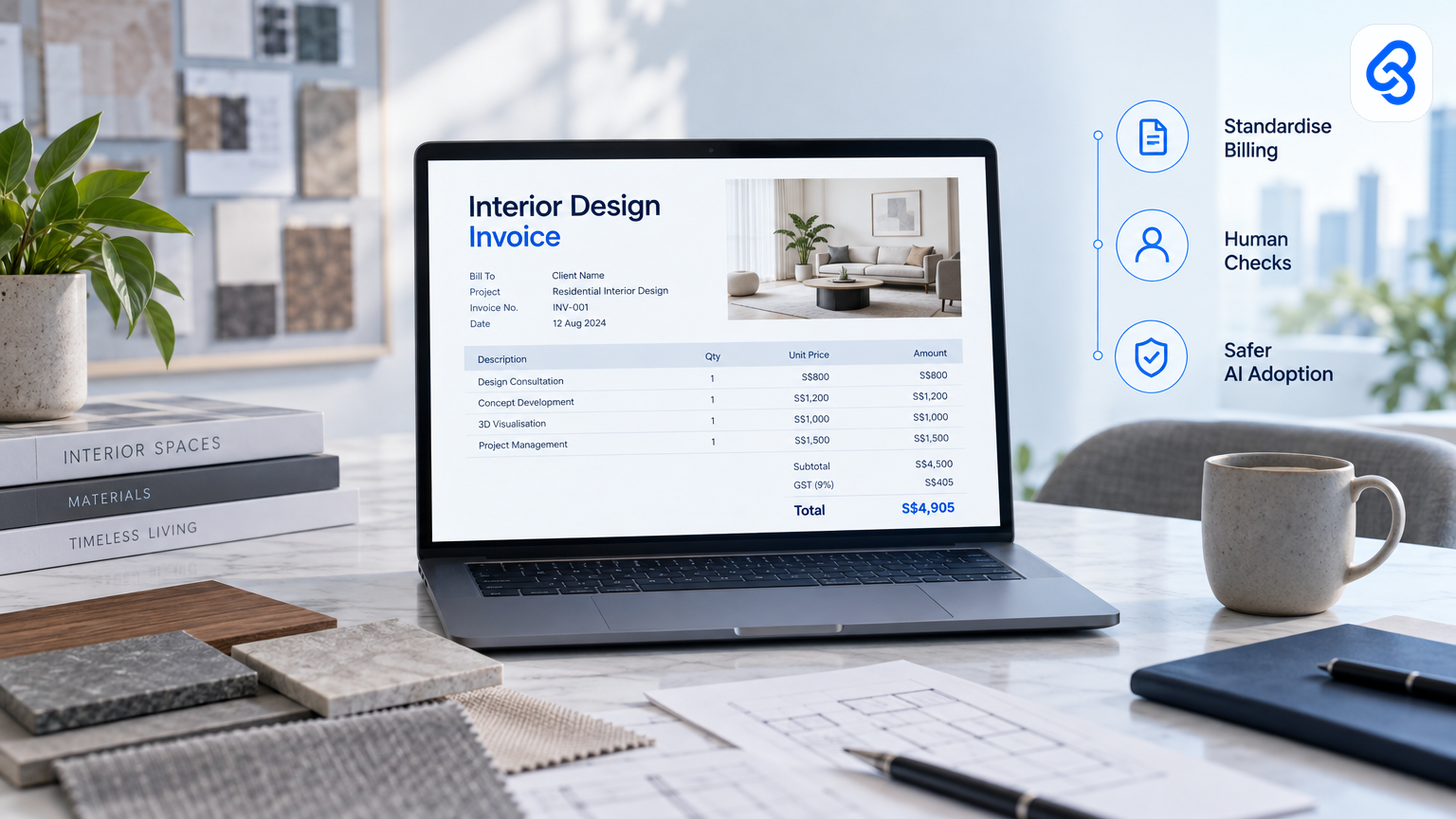
A good interior design service invoice template does more than make a bill look tidy. It helps your team connect project work to approved charges, spot missing details and keep a reliable record of what it sent to a client.
For a Singapore design or renovation firm, the template can also reveal where admin slows down: staff retype details from project records, chase approvals or update accounting software by hand. That makes invoicing a useful place to assess AI readiness. Start with a controlled process, then decide whether automation or AI has a clear job to do.
What should an interior design service invoice template include?
An interior design service invoice template should identify the supplier and client, describe the work, show the amount due and state the payment terms. It should also connect each charge to an agreed project milestone or approved variation, so your team can explain the bill later without searching through scattered messages.
Include fields such as:
- Your business name and contact details
- Client name and billing details
- Invoice number and issue date
- Project name, site address or another clear project reference
- A description of each service or milestone
- Quantity, rate and line amount, where relevant
- Any applicable tax details
- Total amount due, due date and payment instructions
- A reference to the approved quotation, variation or milestone
For interior design work, keep design fees, procurement charges, site work and approved changes clear enough for a client to recognise. Avoid vague entries such as "project work". Use a specific description, such as "Design development, living room, approved milestone 2".
Keep the invoice aligned with your accounting and tax records. For official guidance on corporate tax and business accounting matters, check IRAS corporate income tax guidance. Your accountant can advise how your business should treat specific transactions. Do not treat a template as tax advice.
If you already invoice from a spreadsheet, Lynqra's guide to an automated invoice template in Excel for Singapore SMEs covers practical spreadsheet considerations. The useful next step is to decide which fields staff must enter and which they can draw from an approved project record.
How do you make the invoice template fit a real project workflow?
Make the template follow the way your team already approves work. Before an invoice goes out, someone should be able to trace each charge to a quotation, project milestone or authorised variation. That link matters more than a polished layout because it gives staff a clear basis for checking the amount and answering client questions.
Map the process from the point a charge becomes billable:
1. A designer or project lead records the completed milestone or approved variation.
2. A manager checks that the work and amount match the agreement.
3. An administrator prepares the invoice using the approved details.
4. A second person reviews the draft when the amount, client or project terms warrant it.
5. The business sends the invoice and records its reference and status.
Set rules for exceptions. For example, a variation without a recorded client approval should not enter the invoice queue. If a project lead changes a milestone amount, require the reason and the person who approved it. These rules reduce confusion without making every small invoice wait for unnecessary sign-off.
For firms working across design and renovation administration, Lynqra's free templates for Singapore ID and renovation firms provide related examples. A defect checklist workflow can also help teams keep site observations separate from billing decisions.
Where can AI help, and where should a person stay in control?
AI can help organise information, flag incomplete records or prepare a draft for review. It should not decide that unapproved work is billable or send a client invoice without the controls your business requires. Keep a named person responsible for confirming the project evidence, amount and recipient before the invoice leaves your business.
Start with low-risk support. For example, an AI-enabled workflow might identify that a project record lacks a client reference, or compare a draft description with the approved milestone text. Treat any suggested correction as a prompt for staff to check, not as a fact.
Keep people in control of decisions that affect money or client commitments:
- Require approval for new charges and variations.
- Show staff the source record behind each proposed invoice line.
- Keep an audit trail of edits, approvals and invoice status.
- Restrict who can change client details, rates and payment terms.
- Provide a way to pause the workflow when records conflict.
These controls form part of AI governance, even when a workflow uses only simple automation today. Singapore SMEs can use IMDA's SMEs Go Digital programme information to explore digital solutions and practical support. Check current programme details and any eligibility requirements against official channels before making a funding or purchasing decision.
How can an invoice workflow run on a Tuesday morning?
A controlled invoice workflow can start when a project lead marks a milestone as approved in a shared record. A script checks the required fields, sends a draft to the accounting system and returns its reference for review. A staff member then checks the draft against the approval evidence before the business sends it.
The following is an illustrative setup, not a report of a Lynqra deployment. It uses Google Sheets as a simple project billing queue, Google Apps Script to process a status change and the Xero Accounting API to create a draft invoice. Google documents Apps Script as a way to automate tasks across Google products, while Xero documents its Accounting API.
Tuesday, 9:00 am: A project lead changes a milestone's status in Google Sheets to "Approved for invoicing". That status change is the trigger. The row contains the client reference, project name, approved description, amount and approval record link.
Next, the script checks the row: Google Apps Script reads the changed row and checks that required fields exist. It can stop the run if the amount is blank or the approval link is missing. The script hands a validated set of invoice details to the next step.
Then, the accounting system receives a draft: The workflow sends those details to Xero through its Accounting API, configured with the appropriate access and permissions. Xero returns an invoice record or an error. The workflow hands the returned reference and status back to the spreadsheet.
Finally, a person reviews the draft: An administrator opens the invoice in Xero, checks the client, amount and description against the approved project record, then follows the firm's usual process to send it. The spreadsheet stores the invoice reference and review status, so staff can see what happened without treating a script run as approval.
What breaks in practice: A client record may not match the accounting system, a project lead may mark an unapproved variation as ready, or an API request may fail. The workflow should stop rather than guess. It should record the error, leave the invoice unsent and route the row to a named staff member for correction. Add a duplicate check so a repeated trigger does not create a second draft.
This system only works if staff keep the project record accurate and the approval step meaningful. A spreadsheet status is not proof of client approval by itself. Keep the evidence and make a person accountable for checking it.
How should a Singapore SME decide what to automate first?
Automate a step only when the team can describe its inputs, decision owner, expected output and exception path. If staff cannot agree on what makes a charge billable, a faster invoice process will move confusion more quickly. Fix the approval rule first, then test whether a simple workflow can apply it consistently.
Use this short decision check:
- Repeatability: Do staff follow the same steps for this type of invoice?
- Evidence: Can the workflow link each charge to an approved source?
- Risk: What could go wrong if the system uses an outdated amount or client record?
- Human review: Who checks the draft, and what must they verify?
- Recovery: How does staff correct an error without losing the audit trail?
- Value: Does the change remove a real delay or reduce avoidable rework?
If the process crosses several teams or systems, map it before choosing a tool. Lynqra's guide to AI automation for interior design and renovation firms in Singapore discusses how to examine real workflows before deciding what to build. For wider digital planning, IMDA's Industry Digital Plans explain how businesses can consider digital solutions in an industry context.
Grant support may affect your decision, but do not assume a solution qualifies. Check details, eligibility and current requirements with the relevant official channels, including Enterprise Singapore's business capability support information.
What should you do before changing your invoice process?
Before changing an invoice process, trace one common invoice from the approved project record to the sent bill. Note every retyped field, approval, handoff and exception. That single walkthrough helps leaders see whether the main problem involves missing data, unclear authority or repetitive entry, and it gives staff a sensible starting point for improvement.
Ask the people who prepare and approve invoices to walk through a recent example. Record where they find the approved amount, how they handle variations and what they do when client or project details do not match. Then choose one small workflow to test, with a named owner and a clear way to stop it.
If you want to discuss how AI readiness, governance and workflow changes fit your business, start an AI readiness conversation with Lynqra or email mark@lynqra.com.
Frequently asked questions
Does an interior design service invoice template need a project reference?
Yes. A project name, site address or another stable reference helps staff and clients connect the bill to the right work. Add a reference to the relevant milestone, quotation or approved variation where useful. The reference should help someone verify the charge without relying on memory or searching through unrelated project messages.
Can AI create and send an invoice without staff review?
A business can design an automated process, but it should set review and approval rules based on the risk of mistakes. For a workflow that handles project charges, keep a person responsible for confirming the amount, client and approval evidence before sending. AI output should not replace the source record or the person who owns the billing decision.
Should an interior design firm use Excel, Google Sheets or accounting software?
Choose based on where your business keeps reliable project and finance records. A spreadsheet can support a controlled queue, while accounting software can hold invoice records and status. Avoid copying data between tools without clear ownership, validation and error handling. Check the capabilities and setup requirements of the specific products you plan to connect.
What is the first step toward invoice automation?
Map one invoice from the approved work record to the final client bill. Identify who approves the charge, which details staff retype and what happens when information is missing. Fix unclear approval rules before automating data movement. Then test one repeatable workflow and make sure staff can pause it and correct errors.