Interior Design Quotation Template: Add Safe AI Controls
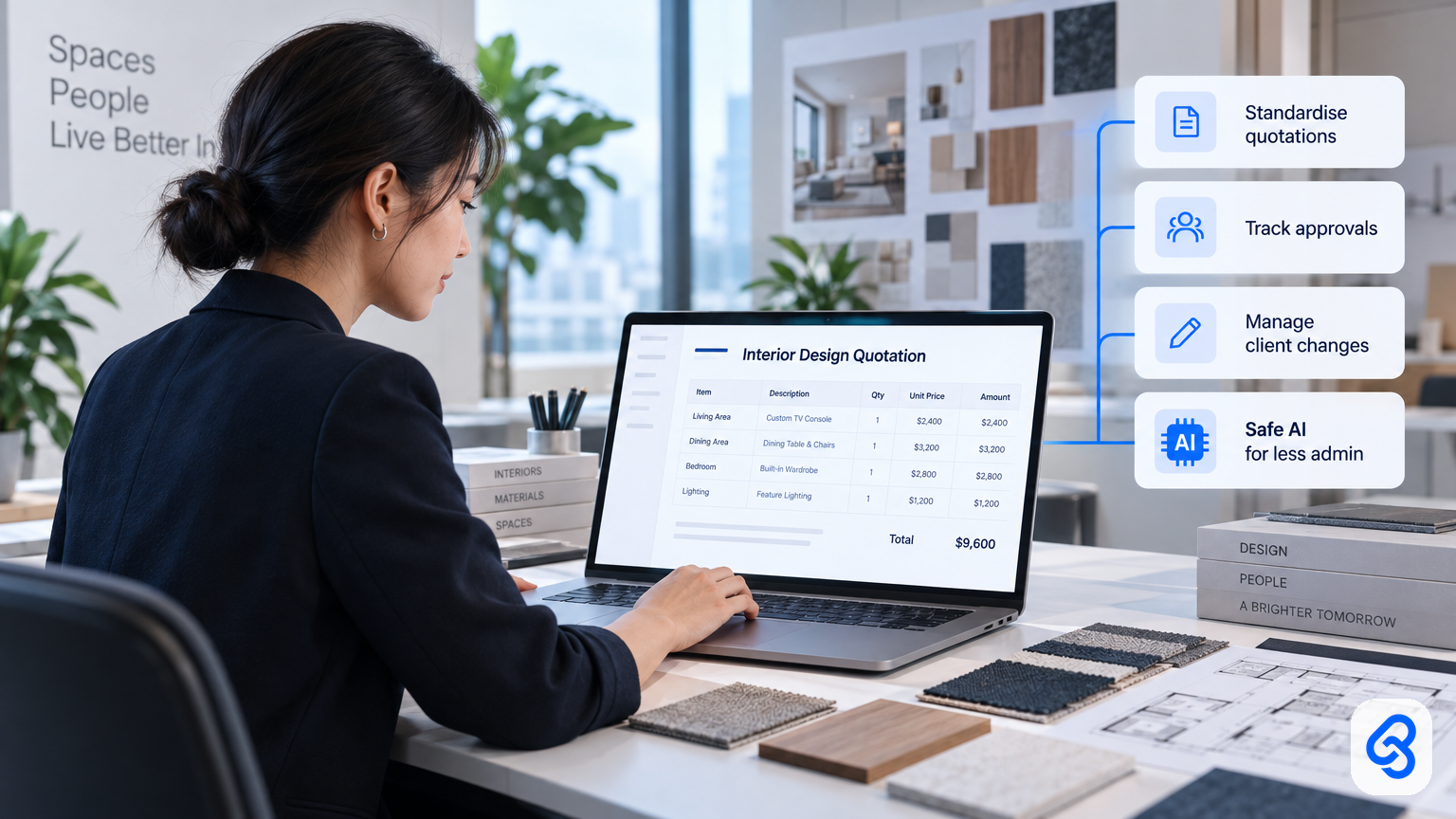
A useful interior design quotation template does more than list prices. It helps a firm show what the client will receive, what each item costs, and what happens when the scope changes.
For a Singapore design or renovation business, the template also reveals where work gets stuck: staff copy details between spreadsheets, chase approvals over chat, or retype changes into invoices. Those steps can make a quote hard to check and harder to govern if you introduce AI.
Treat the quotation as part of your operating process. First make the information and approvals clear. Then decide whether a simple workflow, AI assistance, or no new technology will solve the problem.
What should an interior design quotation template include?
An interior design quotation template should show the client, project, scope, price, payment terms, exclusions and approval status in a format both parties can check. It should also make revisions traceable, so your team can see which version the client reviewed and what changed before work begins.
Include these practical fields:
- Business and client details: Legal business name, contact details, client name and project address.
- Quote control: Unique quote reference, issue date, expiry date and version number.
- Scope: Room or work area, description, quantity, unit and any relevant specification.
- Price: Unit price, line total, subtotal, applicable tax treatment and total payable.
- Commercial terms: Payment stages, assumptions, exclusions, lead times and validity conditions.
- Approval: Client acceptance, date, and the name or role of the person who approved it.
- Change control: A clear note that additional work needs a documented variation and approval before the team proceeds.
Use specific descriptions. "Kitchen carpentry" tells a client less than "supply and install lower kitchen cabinets, with finish and hardware specified in the project schedule." When a quote needs detailed drawings or schedules, refer to those documents by name and version.
For practical starting points, see Lynqra's free templates for Singapore ID and renovation firms and its guide to a renovation quotation template in Singapore. Adapt any sample to your firm's actual terms and have the appropriate adviser review legal or tax questions.
How can you make quotation approvals safer?
Make approval a recorded decision, not an assumption based on a message, phone call or file sitting in a shared folder. Set one status for each quote, keep the approved version identifiable, and require a named person to check the total and scope before the quote goes to the client.
A straightforward approval path might use these statuses:
1. Draft: The designer or coordinator prepares the quote.
2. Internal review: A manager checks scope, arithmetic, exclusions and terms.
3. Ready to send: The reviewer confirms that the version can go to the client.
4. Sent: The team records when and how it sent the quote.
5. Accepted, declined or revised: The team records the client's decision and links it to the relevant version.
Avoid overwriting a quote the client has already seen. Create a new version when the price or scope changes, and record what changed. That gives the team a clearer basis for answering questions such as, "Was this item in the approved scope?"
Keep personal data limited to what the quoting process needs. Singapore's PDPA includes obligations around personal data protection, and the PDPC's overview of the PDPA is a useful starting point for understanding the framework. Your business should decide who can access client information and how long it needs to retain it.
Where can AI help with quotation work, and where should it stop?
AI can help staff organise supplied information, draft descriptions and flag missing fields, but a person should verify the price, scope, exclusions and final wording. Keep AI away from autonomous commitments to clients unless your firm has defined and tested the authority, controls and escalation path for those decisions.
A sensible first use may be an internal check that flags a blank project address or a line item with no quantity. Another may be a draft summary of a client's requested changes for a designer to verify. In both cases, the AI assists the employee. It does not decide whether the firm should accept the request or change the price.
Set boundaries before testing a tool:
- Do not let AI invent prices, product specifications or project commitments.
- Give it only the information it needs for the task.
- Require a named employee to review client-facing text and totals.
- Keep a record of the approved quote and any AI-assisted edits that matter to the decision.
- Provide a manual route when the system cannot interpret a request or when a client disputes a detail.
Singapore SMEs can use IMDA's SMEs Go Digital guidance to explore digital solutions for business needs. Start with the workflow and the problem to solve, rather than choosing an AI tool first.
How should you assess quotation automation before buying or building?
Assess quotation automation by tracing one quote from the first client brief through approval, revision and handoff to invoicing. Mark every place a person re-enters information, makes a judgement or grants approval. Those points show where automation may help and where a human decision must remain.
Use this short decision framework:
- Map: Write down how staff receive a brief, prepare prices, review the quote and record the client's response.
- Separate: Distinguish repeatable data handling from decisions about price, scope, risk or client commitments.
- Control: Name who can approve a quote, change a price, or send a revised version.
- Test: Try the proposed workflow with a small set of representative quotes, including incomplete briefs and late changes.
- Review: Check errors, staff effort and client confusion before expanding use.
For Singapore businesses, IMDA's Industry Digital Plans provide sector-specific digital guidance. If you consider a grant or other support, check current details and eligibility through official channels. Requirements can change, so do not rely on an old article or a vendor's summary.
How this actually runs: a reviewed quote in Google Sheets
A small design firm can use a Google Sheet to collect quote lines and Google Apps Script to automate parts of the handoff. In this illustrative workflow, a staff member still checks the quote and approves it before it reaches the client. Google describes Apps Script as a way to automate tasks across Google products in its Apps Script overview.
Here is how a Tuesday morning might look:
1. Trigger: A coordinator changes the quote status in Google Sheets from "Draft" to "Ready for review." The status change starts the team's review process.
2. Check and prepare: Google Apps Script reads the quote reference, project details and line items from the sheet. It checks required fields and prepares a review summary. The script hands that summary and any missing-field warnings to the reviewer.
3. Human approval: The designer or manager checks descriptions, quantities, rates, exclusions and totals against the brief. If something looks wrong, they return the sheet to "Draft" and add a note. If it checks out, they record approval and the version number.
4. Send and record: After approval, the coordinator uses the approved details to prepare and send the client's quote. They record the sent date and version in the sheet. That record becomes the handoff for follow-up and any later revision.
What breaks in practice: A client may send a change through a chat message, a line item may lack a quantity, or a staff member may edit the sheet after approval. The workflow should stop when required information is missing, send unclear requests back to a person, and require a new version and review after a material change. Do not let a script treat an incomplete quote as approved.
This approach works only if the firm agrees on field names, statuses and approval ownership first. If staff cannot tell which version is current, adding automation will make the confusion faster, not fix it.
How do you connect quotes to variations and invoices?
Connect each variation and invoice to the original quote reference, then record the client's approval of any scope or price change before updating the project total. This creates a traceable chain from the agreed work to later charges and helps the team explain what changed.
A variation should describe the requested change, its cost or pricing basis, any effect on timing, and the approval status. Keep the original quote intact. When the client agrees, record the approved variation as a separate item and update the project's current total through a controlled process.
That handoff matters when the team prepares an invoice. The person invoicing should be able to identify the approved quote and approved variations, rather than relying on memory or searching through chat messages. Lynqra's guide to an interior design service invoice template and safer workflow explains how invoice steps fit into this wider process.
If quotation changes create repeated admin, review the workflow before choosing software. Lynqra also covers quotation and variation order automation for renovation firms and AI automation for interior design and renovation firms in Singapore.
What should a Singapore firm check before adopting AI for quotes?
Before adopting AI for quotation work, check the data it will use, the decisions it may influence, who reviews its output, and what happens when it fails. Assign an owner for the process and keep a manual way to prepare and approve a quote if the tool is unavailable or produces an unreliable result.
Start with these questions:
- Does the tool receive client names, addresses, floor plans, budgets or other personal information?
- Which staff can access the information and the resulting quotes?
- Can the tool change prices, scope or client-facing terms, or only prepare a draft?
- How will a reviewer spot a missing detail or unsupported suggestion?
- Can the team identify the final approved version and its approver?
- What is the fallback when the system gives an unclear result?
These are operating questions, not just software questions. Lynqra's approach to AI adoption follows an operating journey of Assess, Govern, Enable, Build and Operate. That means understanding the work first, setting controls and helping staff use them, then building and managing a solution around the actual process.
FAQ
Can I use an interior design quotation template in Google Sheets?
Yes. A Google Sheet can hold project details, line items, statuses and approval records. Decide who can edit it, how you identify versions and who approves a quote before sending it. If you add automation with Apps Script, test incomplete briefs and later edits so the process does not mistake a draft for an approved quote.
Should AI calculate the final quotation price?
Keep a responsible employee accountable for the final price. AI may help organise supplied information or flag missing data, but the reviewer should verify quantities, rates, tax treatment, exclusions and the project scope. Do not let generated text or a suggested figure become a client commitment without an authorised person checking it.
What should happen when a client changes the scope?
Record the requested change against the original quote. Describe the affected work, any price or timing impact, and whether the client has approved it. Keep the earlier quote version intact, and update the current project total only through your firm's approval process. That gives the team a clearer record when it prepares an invoice.
Can Singapore SMEs get support for digital adoption?
Singapore has official digital guidance for SMEs, including IMDA's SMEs Go Digital and Industry Digital Plans. Whether a particular firm or solution qualifies for support depends on the current programme rules. Check eligibility, terms and application details through official channels before making a purchasing decision.
A template is a useful starting point, but the bigger question is whether your team can trace a quote from brief to approval to invoice. If you want to assess where AI could safely reduce that admin, start an AI readiness conversation with Lynqra or email mark@lynqra.com.