Renovation Quotation Template Singapore: A Safer Workflow
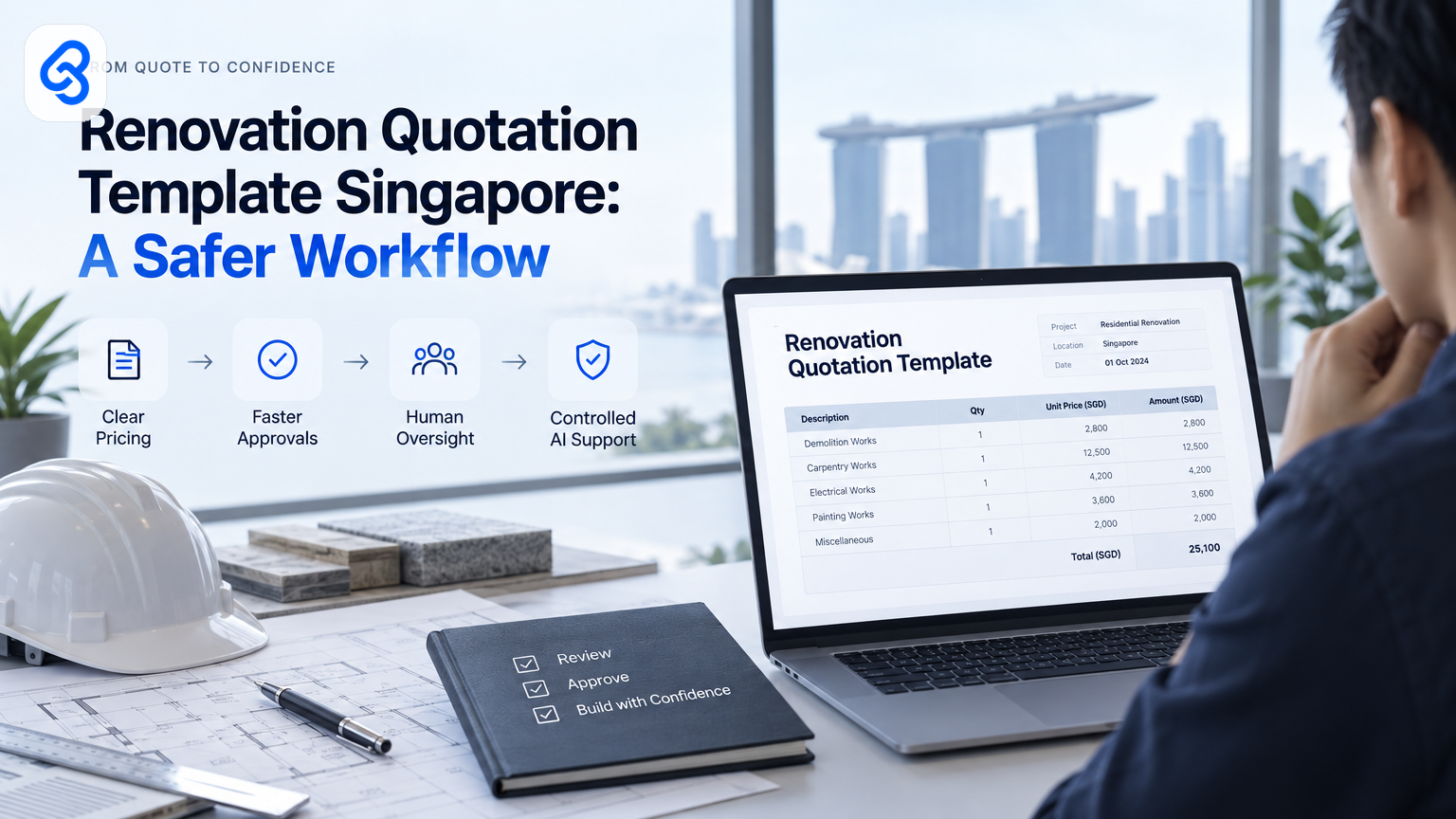
A renovation quotation template Singapore firms can use should do more than list prices. It should make scope, assumptions, exclusions and approval status clear before a quote reaches a client. That clarity also gives your team a safer starting point if you later use AI to draft, check or route quotation information.
For a business leader, the key question is not simply which spreadsheet to download. It is whether your quotation process gives staff clear rules, preserves human approval and keeps customer information under control.
What should a renovation quotation template in Singapore include?
A useful renovation quotation template separates the work, quantities, unit rates, taxes and payment terms. It also records assumptions, exclusions, validity dates and approval status. These fields help the client understand what the price covers and give your team a consistent basis for preparing, checking and revising each quotation.
A practical quotation usually includes:
- Business and client details: Company name, client name, contact details and quotation reference.
- Project details: Site address, project name, prepared date and quotation validity period.
- Scope of work: Description of each item, such as hacking, carpentry, electrical work or painting.
- Pricing: Quantity, unit, rate and line total. State clearly whether quoted prices include GST where applicable.
- Assumptions and exclusions: For example, access arrangements, concealed conditions, permit costs or work outside the stated scope.
- Payment and scheduling terms: Deposit, progress payments, estimated start date and any conditions that affect the schedule.
- Approval record: Who prepared the quote, who checked it and whether the client accepted it.
The template cannot replace a careful scope review. If a client asks to change a material or add work, record the change as a revised quotation or variation order. A clear record helps both sides see what changed and when.
Lynqra provides a free renovation quotation template in Excel. You can also browse free templates for Singapore ID and renovation firms. Treat either as a starting point. Adjust the fields to fit your actual terms, pricing practices and approval responsibilities.
How do you choose the right template for your team?
Choose a template your team can complete consistently, review quickly and maintain without relying on one person's memory. A polished layout matters less than clear scope fields, working formulas and a reliable revision process. Test it against a real, recently completed job before asking staff to use it for live client quotations.
Use this short decision check:
- Can a new staff member identify which work belongs in each line?
- Do the formulas calculate line totals and the quotation total correctly?
- Can the team distinguish the original quote from a revised version?
- Does the client see key assumptions, exclusions and payment terms?
- Can a manager tell who prepared and approved the quote?
- Does the file avoid collecting personal information that the business does not need?
If staff copy old quotations, check whether old rates, exclusions or client details can carry over by mistake. If several people edit one file, decide which version counts as final and where the team stores it. A template works best when the process around it is just as clear.
How can renovation firms bring AI into quotation work safely?
Start with a defined task, such as summarising a site note or checking whether a draft contains required fields. Keep a person responsible for scope, pricing and client communication. Decide what data staff may enter, where it may go and who must approve the result before AI touches live quotations.
Singapore businesses can use IMDA's SMEs Go Digital guidance to explore digital solutions for business needs. For firms in sectors covered by them, IMDA's Industry Digital Plans offer sector-specific digital guidance. These are useful starting points for planning, not a reason to automate a process before you understand it.
Before you trial an AI-assisted quotation task, decide:
- Purpose: What recurring task should the tool help with?
- Allowed inputs: Can staff use internal notes, client details, photos or only approved project information?
- Human check: Who verifies scope, prices, tax treatment and promises to the client?
- Correction path: What should staff do when the output is wrong or incomplete?
- Record keeping: Where does the approved quotation and its revision history live?
Personal information needs particular care. Read the PDPC's overview of the PDPA and set practical rules for staff before they place client data into AI tools. Do not assume that a tool's convenience settles the question of whether a particular input is appropriate.
For a wider look at how digital and AI-related work might fit your existing processes, see Lynqra's overview of AI automation for interior design and renovation firms in Singapore. The first step is still to map the task and its risks, not to hand quotation decisions to a model.
How does a quotation workflow run on a Tuesday morning?
A controlled quotation workflow starts when a staff member marks a project as ready for a quote. Google Sheets holds the structured job details, and Google Apps Script can connect actions across Google products. A person checks the proposed quote, approves it and sends it. The workflow records the decision and flags exceptions instead of guessing.
Illustrative scenario: A renovation firm uses a Google Sheet to collect job details. This example describes a possible workflow, not a Lynqra client deployment.
1. Trigger: On Tuesday morning, the estimator changes a project's status from "Site notes received" to "Ready for quotation" in Google Sheets.
2. Check the inputs: A staff member confirms that the scope, measurements, rates and assumptions are present. The sheet hands those structured details to the next step.
3. Prepare a draft: A Google Apps Script action uses the approved fields to populate the firm's quotation layout. Google describes Apps Script as a cloud-based platform for integrating with and automating tasks across Google products. The script hands the draft and its source values to the reviewer.
4. Review and approve: A manager checks the scope and every price against the source information. The reviewer records approval in the sheet. The approval status then hands the approved document to the staff member responsible for sending it.
5. Send and record: The staff member sends the quotation through the firm's chosen channel and updates the sheet with the date and version sent. The record hands any client response or requested change back to the team for review.
See the Google Apps Script overview for the platform's documented capabilities. A script can move information between supported Google services, but it cannot decide whether a renovation scope or price is commercially correct.
What breaks in practice? Measurements may be missing, staff may use an old rate, a client may request a change by phone, or two people may edit different copies. Set the workflow to stop when required fields are blank. Keep a named reviewer responsible for pricing. Store the approved version in a location the team can identify, and record changes before sending a revision. If the system cannot confirm what changed, route the job back to a person instead of producing a confident-looking draft.
This control pattern keeps the automation narrow: it prepares and routes information, while a person owns the quotation decision. For a deeper look at connecting quote changes with approvals, read about quotation and variation order automation for renovation firms.
What should leaders review before approving a pilot?
Approve a small pilot only when the task, data rules and human decision point are clear. Pick a repeatable quotation step, decide how staff will check the output, and agree what success means for that team. Keep the pilot narrow enough to pause or change without disrupting live client commitments.
A practical leadership review can cover five points:
1. The task: Name the specific step, such as checking a draft for missing terms.
2. The boundary: State what the tool must not decide, such as final pricing or whether unlisted work falls within scope.
3. The data: Identify what information the tool receives and whether staff should remove client-identifying details.
4. The owner: Name the person who reviews output and handles errors.
5. The evidence: Track whether the pilot reduces rework or delays without creating more corrections, confusion or privacy risk.
Ask the team to record errors as well as successful cases. A few clean examples do not show how the process handles missing information, unusual site conditions or late client changes. Review those exceptions before expanding the pilot.
If the business explores grants or other support for digital capability building, check current eligibility and grant details against official channels. Enterprise Singapore's boost capabilities guidance outlines support areas. Do not assume that a particular project or company qualifies without checking the current official requirements.
FAQ: Renovation quotation templates and AI
Is an Excel quotation template enough for a small renovation firm?
It can be enough when the team has a consistent way to prepare, check, send and revise quotes. Excel does not prevent unclear scope or old rates from being copied into a new job. Add clear fields, review formulas and assign an approval owner. If several staff handle quotes, also agree where the final version lives.
Should AI decide the final renovation price?
No. A person who understands the project should own the final price and scope. AI may help organise notes or flag a missing field, but it can miss site conditions, misunderstand an instruction or repeat an outdated rate. Keep a named reviewer between any AI-generated draft and the client.
What details should staff leave out of an AI prompt?
Set rules before staff use AI. Avoid entering personal or commercially sensitive information unless the business has checked the tool, its data handling and the purpose of the task. Use only the information needed for the job. For Singapore data protection considerations, refer to the PDPC's PDPA overview and your organisation's own policies.
When should a firm automate quotation approvals?
Consider a pilot when the team follows a repeatable approval process but loses time tracking status or checking document completeness. First confirm who can approve pricing, how revisions are recorded and what happens when information is missing. Automation should route the decision to the right person, not hide who made it.
A quotation template gives your team a shared structure. A governed workflow gives that structure clear owners, checks and approval points. If you are reviewing AI readiness or want to discuss a safe first use case for your business, start an AI readiness conversation with Lynqra or email mark@lynqra.com.