Workflow Automation

Timesheet and OT approval for Singapore SMEs: who signs hours when the manager is on MC

Timesheet and OT approval for Singapore SMEs: who signs hours when the manager is on MC

Timesheet and OT approval for Singapore SMEs: who signs hours when the manager is on MC

Friday 11:20. Three site supervisors drop timesheet photos into the ops Telegram — handwritten grids, OT circled in red, one “ok?” with a thumbs-up already waiting. Payroll cuts Monday. The named manager who must sign anything over contracted hours and any OT row is on MC. By Sunday night the Sheet still says “waiting boss,” and someone already keyed last week’s hours into the pay file from memory. Staff get paid wrong — or OT that nobody owned lands as if it were approved. The queue lived in one person’s phone.

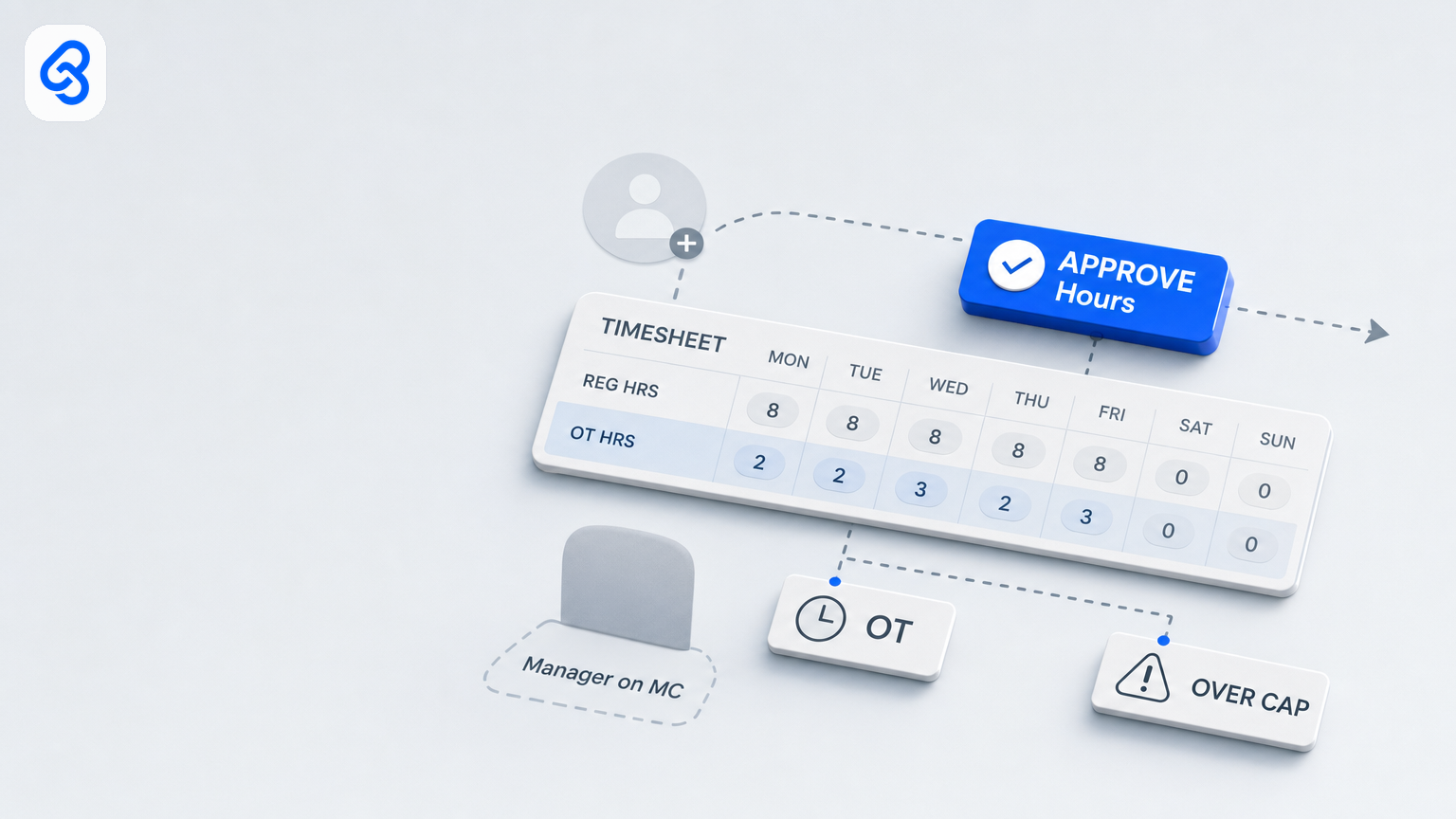
That is the timesheet / OT approval problem for a Singapore SME. Not a missing payroll-suite “time clock” feature. Not a missing AI that “auto-approves every OT under four hours.” A lived queue — submit hours → file and flag unusual / over-cap / OT → route to a named manager → human gate before payroll handoff — that stalls the week one signer is away, and that still lives in chat because chat is where the firm actually works.

This guide is the operator version of timesheet and OT approval workflow automation for Singapore SMEs. Named runbook: trigger, extract, route, human gate, tracker. Automation files, flags, and chases. A named manager still signs hours and OT. Nobody silent-pushes OT into the pay file because a Sheet said “ok” or a Telegram thumbs-up landed. It sits beside expense claims (people / PDPA adjacency, light) and overlays leave cover when the hours signer is on MC — without twinning leave-cover (backup design for gates; this is the hours runbook). Lightly adjacent to employee onboarding paperwork when hire packs feed the first timesheet cycle. Optional: invoice workflow when contractor hours meet AP. Not payroll / CPF product theatre. Not a leave-pay chapter.

Wider frame: workflow automation services. Stays on who signs hours when the manager is on MC.

What this guide covers

  • What “timesheet / OT approval automation” means for a 10–80 person firm here — hours gate, not a payroll product
  • Why Singapore SME OT reality, Telegram culture, and leave gaps matter without a statutory dump
  • A named submit → flag → approve hours / OT → payroll-ready handoff runbook you can print and mark up
  • Who signs routine hours vs OT / unusual vs payroll handoff (segregation)
  • Leave-cover overlay when the hours manager is on MC (link, do not re-teach)
  • When Sheets, Gmail/Drive, and Telegram are enough — and when they are not
  • Steal-this-build DIY that stops before judgement (no silent auto-approve OT into payroll)
  • Failure modes, consult → build → train, and checklists for this week

What timesheet / OT approval automation means here

Search “timesheet approval automation Singapore” or “OT approval workflow SME” and you will mostly get global HRIS / time-clock demos, biometric pitches, or thin local posts that jump to a tool list and a funding footnote. Useful as a sketch. Thin as an operating manual for a trading, logistics, construction, facilities, recruitment, or professional-services firm that already lives in Gmail, Drive, Sheets, WhatsApp or Telegram, and a payroll path — with one named manager still holding the week’s OT rows.

For an SME operator, timesheet / OT approval automation is simpler to name:

Automation files timesheets, flags OT / over-cap / missing / unusual hours, and chases incomplete rows. A named manager still taps Approve hours (and a named OT gate when you separate them). Nobody auto-approves OT into payroll because a Sheet said “ok,” a calendar said OOO, or a bot saw “ok” in Telegram.

Anything that marks OT “approved” because the amount is under four hours and nobody replied in 48 hours, posts hours into the pay file because three thumbs-up landed in a group, or invents OT eligibility from a blurry photo is not a productivity win. It is a control failure with a notification sound — and Monday’s pay-run already wrong.

Three purchases get confused under the same phrase:

  • Software — a time-clock / HRIS timesheet module, an attendance SaaS, a Power Automate template. Fine when hour rules and hierarchy are already written.
  • A service — someone maps *your* submit → flag → Approve hours / OT → payroll-ready path, builds in tools you already use, trains manager and backup, and stays reachable on leave-week OT rows.
  • A browser tab / chat habit — someone pastes timesheet photos into ChatGPT, copies hours into a personal Sheet, forwards “pls OT ok” into a group, and calls it adoption. It dies on MC week — and staff names / NRIC fragments may already sit in public chat history.

Buy software if the process is clean. Leave it with a careful human if volume is tiny. Hire a service when the same fields wait every pay cycle, the work spans chat + Sheet + payroll handoff, and a wrong Approve hours moves cash or invents OT nobody owned.

Not leave-cover twin — once. The leave-cover runbook is backup design for *any* gate. Open it when the question is “who covers while the owner is on MC.” This chapter is the *hours* runbook: who signs contracted hours, who signs OT / unusual, what never silent-pushes into payroll. Same five-word shape. Different queue. Overlay leave-cover blanks — do not re-teach them here.

Why Singapore SME timesheet / OT context matters (without a news roundup)

You do not automate timesheet approval because a press release landed. You automate because OT photos stall in Telegram, leave gaps turn “sign before payroll cut” into “we already paid from last week’s habit,” and the person who “just knows” which site OT was pre-agreed is the same person who goes on MC.

Hours are a queue that touches cash and trust. A timesheet that sits until Monday with no named Approve hours is delayed pay or wrong pay. OT that only lived as a thumbs-up is an argument later — with the staffer, finance, or labour budget owner. One loop — submit → flag → named approve → payroll-ready — most SMEs only notice when the pay file already left.

OT is real in Singapore SME life — keep MOM light. Many firms still pay overtime under Employment Act-shaped rules for eligible workers; others run contracted / all-in arrangements and still need a named gate for “extra hours” before budget or client bill moves. This guide does not restate statutory OT formulas, rest-day multipliers, or CPF calculation. It names the operating truth: OT and unusual hours need a human who owns the yes — written, timestamped, coverable on leave week. Keep rate tables with your payroll provider. Do not DIY “the bot decides OT is payable.”

WhatsApp and Telegram are the real timesheet desk. Hours are lost in a group thread with no owner, no SLA, and no backup who can open Approve hours on a laptop. Another “gentle reminder” without a named owner is louder stalling — worse when the manager is offline and payroll still cuts Monday.

Leave is not an edge case. In a 15–40 person firm, the line manager and the ops coordinator on AL the same week is normal. If the OT rule and “the real Sheet” live in their heads, you have people, not a process. Leave cover is the overlay, not an FAQ dump here.

Labour and AI adoption (named surveys only). SBF National Business Survey 2024: manpower cost top challenge for 66% (n=519). MOM firm-level AI report (30 April 2026; 2,560 firms): 71.5% yet to adopt; only 3.8% integrating AI into core processes. IMDA Digital Economy Report 2025: SME AI 14.5% in 2024 (from 4.2%). Permission to stay practical: one trusted hours + OT gate with named signers beats a time-clock migration sold as readiness.

The named timesheet / OT approval workflow runbook

Print this. Write real names in the blanks. If a step has no owner, you do not have a process yet.

Trigger

  • Staff (or supervisor) submits a timesheet / hours pack for the period: days, start/end or total hours, OT hours if any, job / site / cost centre if you use one, into one intake — shared form, `timesheets@…`, or a channel that writes a tracker row.
  • Also: manager returns for missing OT reason; payroll flags incomplete hours before cut; ops flags over-cap vs roster.
  • Rule: one intake path. “Sometimes Telegram photo, sometimes personal WhatsApp, sometimes payroll invents hours from last month” births wrong pay and ghost OT.

Extract

  • Fields: staff name, period, contracted / roster hours, submitted hours, OT hours, job/site, OT reason (if required), exception tier, attachment link.
  • File to company Drive/SharePoint: `YYYY-MM-DD_staffname_period_timesheet`.
  • Flag: missing period, unreadable photo, OT with no reason, over daily/weekly cap, weekend / PH hours with no note, duplicate period, new starter with no first timesheet path (hire adjacency — chase once; do not spawn a second hire-pack chapter).
  • Do not DIY “AI calculates payable OT” or CPF. Flag missing / over-cap / unusual. A named human judges Approve hours and OT.

Route

  • Clean, under-cap, no OT (or OT within a written pre-agreed band) → named manager queue with one-line summary + file link.
  • OT / over-cap / unusual / missing reason → named OT / exception queue (same manager or a second signer — write which) with reason codes.
  • Missing info → back to submitter with a fixed reason code: MISSING_PERIOD, UNREADABLE, OT_NO_REASON, OVER_CAP, DUPLICATE, NEEDS_INFO — not “pls redo.”
  • Exceptions: over-cap OT, no pre-approval note when policy requires one, related-party / owner hours, contractor vs employee mix, first OT for a new starter.

Human gate

  • Named manager taps Approve hours (or reject / return). The Zap does not. The model does not.
  • Named OT gate (same human or second pair — write which): OT rows, over-cap, unusual hours, PH / rest-day packs your policy treats as special. Telegram thumbs-up is not Approve OT.
  • Clean under-cap packs still need that tap for year one — write what “approved hours” means beside the Sheet.
  • Payroll stays a handoff, not a collapse. Do not fold Approve hours, OT yes, and “push to pay file” into one mute group. Payroll receives Payroll-ready rows only — human batch for year one.
  • Automation may remind, escalate to a named backup. It does not invent Approve hours, silent-push OT into payroll, or decide statutory OT rates.

Tracker

  • Sheet, mailbox labels, or review screen the backup can open without the primary’s phone.
  • Columns: status, staff name, period, hours, OT hours, Owner, Backup, SLADue, Exception, FileLink, HoursApproved?, OTApproved?, PayrollReady?, Notes.
  • Statuses: Submitted / Needs info / Ready to approve / OT review / Exception / Hours approved / OT approved / Payroll ready / On hold / Rejected / Duplicate.

Worked example (one week, one Tuesday)

Site lead Jordan submits week-ending 13 Sep via the timesheet form — 44 hours, 4 OT on Thursday night job `ACME-04`, reason “client cutover,” site-grid photo attached. Workflow files to Drive, writes a row, flags OT + OVER_CAP vs the written daily band, pings Priya (named manager) at 11:15. Priya is on MC. Backup Wei opens the same OT review queue — not Priya’s personal Telegram — same SLA before payroll cut. Wei confirms the pre-agreed cutover note in the shared job folder, taps Hours approved + OT approved by 16:00 under written backup limits (routine OT under X hours yes; related-party / owner hours / over weekly budget still need primary or director). Friday: payroll pulls only Payroll-ready rows — human batch. Nobody treated a Telegram thumbs-up as OT authority. Nobody auto-posted 4 OT into the pay file because a Sheet said “ok.”

That shape — trigger, extract, route, human gate, tracker — is what you buy as a service. If a partner cannot walk your process in those five words, they are selling a stack.

Who signs hours vs OT vs payroll handoff

Write the names before anyone mentions models or Zaps.

  • Named manager (Approve hours): opens Ready to approve / Needs info / Exception; taps Hours approved or return within SLA.
  • OT / unusual signer (same human or second pair — write which): owns OT review and over-cap; taps OT approved. Above a written weekly OT budget or for owner / related-party hours, many SMEs want a director name.
  • Supervisor / site lead (optional): submits or validates field hours — not silent group consent for OT.
  • Payroll owner: receives Payroll-ready handoff; does not invent hours from Telegram or last month’s habit. CPF / leave-pay stay on your payroll path — not this chapter.
  • Staff: submits complete pack; responds to Needs info — not the approver of their own OT.
  • Automation: labels, files, flags, pings, escalates. Does not approve hours, approve OT, or push the pay file.
  • “Ops group”: not a signer. Five people who “usually look” is how OT becomes an argument after payday.

Segregation matters: the person who chased the blurry photo should not also be the only person who marks OT approved and pushes the pay file with no log. Tiny firms can dual-role — write the dual role, the backup, and the threshold for a second pair of eyes.

People adjacency, light: staff names (and ID fragments on older forms) are personal data — same tenancy instinct as expense claims. Hire-pack once: if the stall is “new starter has no timesheet path yet,” open employee onboarding paperwork — do not twin NRIC / Day-One here.

Leave cover overlay (when the hours manager is on MC)

When Priya is on MC or AL, the hours queue must not live in Priya’s Telegram. Do not re-teach leave-cover here — use the leave-cover pillar and fill the same five blanks on this gate:

  • Name the backup. One person for Approve hours, one for OT review if you split them (same human fine in a tiny firm — write it down). Not “ops group.”
  • Name the SLA. Same afternoon for clean under-cap; same business day (or before payroll cut — write the clock) for OT / over-cap. “When they’re back” is how Monday’s pay file invents hours.
  • Name where the queue lives. Company Sheet or shared mailbox — not the primary’s phone.
  • Name the escalation. Neither acts by SLA → ping director once → stop. Forever-nags train people to mute.
  • Name backup limits. Routine under-cap Hours approved and routine OT under band X yes; owner hours, related-party, over weekly OT budget, and “pay from last month’s pattern” still need primary or director. Payroll push stays human.

Worked leave overlay (not a second leave-cover article). Priya offline Tuesday. Wei opens the same tracker, clears three OT-review rows under written limits by 16:00. Nobody auto-approved because the calendar said “out.” Nobody treated a group sticker as OT yes. Smoke-test: primary offline half a day; backup clears three real rows alone. If they WhatsApp the primary for the login or the “real” OT rule, rewrite the blanks before you buy a time clock.

Sheets, Gmail/Drive, and Telegram vs dumping a new time-clock suite

Most Singapore SMEs already have an inbox, a Sheet, a chat app, Drive, and a payroll path. The failure mode is not “we lack software.” It is “nobody can see which timesheet is waiting, whether OT was signed, who must Approve hours, and whether payroll may run.”

Stay on Sheets + Gmail/Drive + Telegram (or Slack) when: volume is tens to low hundreds of timesheet rows a month; one manager (and optional OT second signer) can clear before payroll cut; exceptions are the hard part (OT reason, over-cap, leave, blurry photos); you can name primary and backup today; Approve hours / OT approved stay human-gated; Payroll-ready stays an explicit handoff.

Consider a dedicated time / attendance layer when a consult shows Sheets cannot carry it — biometric / geofenced attendance at volume, auditors needing a productised trail, or multi-site roster complexity your Sheet cannot hold. Prefer a queue that feeds the payroll path you already trust.

Partner vs dump. A partner maps your live path, builds the smallest true runbook, trains owners, and stays reachable on leave week. A dump sells seats and leaves Telegram as the OT desk. Same discipline as expense claims and leave cover. Optional: contractor hours that become AP bills keep Approve hours separate from tap pay — invoice workflow.

Steal-this-build DIY (stops before judgement)

Same shape in Zapier, Make, or n8n. Gmail + Sheets + Drive + Telegram (or Slack) is enough to start. These builds sort, file, flag, ping, and escalate. They do not auto-approve hours, auto-approve OT, silent-push OT into the pay file, or paste timesheet photos into ChatGPT to “decide” if OT is payable.

Do not DIY OT-rate engines or CPF math here. Flag over-cap and missing reason. Leave judgement and payroll authority for named humans.

Build 1. Timesheet intake labels (Gmail filters, S$0)

What it does / does not: Labels `ts-new`, `ts-needs-info`, `ts-ot-review`, `ts-payroll-ready`. Does not mark Hours approved, OT approved, or push payroll.

1. Create the four labels.

2. Filters on `to:timesheets@` / subject keywords for timesheet, OT, needs info, payroll ready.

3. Test one under-cap pack, one “OT no reason,” one payroll-ready note.

Where it breaks: Telegram-only site photos with no form or `timesheets@`. Chat links to the row; it is not intake.

Build 2. Timesheet files land in company Drive

What it does / does not: Copy attachments into `Inbox-timesheets-2026` shared with backup. Does not OCR hours into the pay file.

1. Folder: `Inbox-timesheets-2026` (or per-period `YYYY-MM-DD_staffname`).

2. Zap: Gmail New Attachment on `ts-new` / `ts-ot-review` → Drive Upload File.

3. Test one redacted pack; backup opens without the primary’s account. Share with owner + backup + payroll for Payroll-ready only.

Where it breaks: personal Drive; NRIC fragments in Telegram captions on older forms.

Build 3. Sheet queue + reminder pings

What it does / does not: Every live timesheet has a row. Owner/backup get a ping near SLA / before payroll cut. Does not tap Approve hours / OT or push pay.

Columns, row 1:

`TimesheetID | StaffName | Period | Hours | OTHours | Owner | Backup | SLADue | Status | Exception | FileLink | HoursApproved | OTApproved | Notes`

Locked Status list. Real date cells. Hours / OT as numbers.

Zap shape: morning schedule (Asia/Singapore) → Status in `Needs info` / `Ready to approve` / `OT review` / `Exception` with SLADue today or earlier (or PayrollCut − 1 business day) → Telegram/Gmail to Owner with ID, staff, period, Hours, OTHours, Status, SLA, Exception, FileLink.

Do not mark `Hours approved`, `OT approved`, or `Payroll ready` because time passed. Lock Status — free-text (“chasing”) breaks it.

Build 4. Backup escalate once (then stop)

What it does / does not: Owner misses SLA → ping Backup once; optional Director once; then silence. Does not auto-approve OT or push payroll because Backup was mentioned.

Zap shape: Delay Until SLADue + 4 business hours (or next 09:00 SGT / PayrollCut − 4h — write one) → still waiting → Backup once → optional Director → stop. No hourly nag loops.

Where these four stop

They change a shared inbox and a Sheet. They do not replace judgement. Stop when the next sentence is: decide if OT is “client enough,” auto-approve under four hours, silent-push into the pay file, invent statutory OT multipliers, or treat calendar OOO as consent. That is the service. The sorter and the ping are not.

Failure modes worth designing against

Speed is not the same as control. Timesheet automation that only notifies can accelerate a wrong Monday pay-run.

Silent auto-approve OT into payroll. “If under four hours and no reply in 48 hours, treat as approved” — or “calendar says OOO so OT is fine” — is how budget and trust leave without a human gate. Escalation pings a backup. It does not invent consent.

Group chat as timesheet system of record. Five people saw the site photo. Nobody owned the row. A thumbs-up is not Hours approved or OT approved. Audit answer is a name and timestamp — not “it was in the ops group.”

No backup. Primary on MC, queue in their phone, SLA “when they’re back,” payroll still cuts Monday. Hope is not a process — and someone will invent hours from last week.

Pay-file from memory / last month’s habit. Payroll-ready is assist. Pushing hours without Hours approved (+ OT approved when needed) is how wrong pay becomes “we always do it this way.” Year-one default: human batch from Payroll-ready rows only.

Policy-in-someone’s-head. OT caps that change by “who was on site.” Write the bands beside the tracker. Automation flags over-cap; a named human still decides — including the backup, same written rule.

PDPA-in-Telegram / ChatGPT hobby. Forwarding timesheet photos with staff names (or NRIC fragments on older forms) into a twelve-person group — or a public model — widens access without a reason. File in company Drive; ping a named owner with a link. Same instinct as expense claims.

Scope creep. Hours + OT + payroll handoff only. Full payroll / CPF and leave-pay stay parked. Leave-cover is overlay. Hire-pack is adjacency, not a twin. Invoice is optional when contractor hours become AP.

Hard stops: no silent OT into payroll, no auto-approve because time passed or OOO, one escalation then stop, human gate stays human, backup limits written, timesheets in company tenancy.

Consult → build → train (lightly)

You do not need a 40-slide methodology. Three honest phases.

Consult. Map one live submit → flag → Approve hours / OT → Payroll-ready handoff. Count volume, OT frequency, who signs, leave cover, where files sit, payroll cut clock. Leave with a yes/no and a scoped runbook — not a time-clock in search of a problem.

Build. One workflow in tools you already use. Parallel-run beside Telegram. Hours approved and OT approved stay behind named taps; Payroll-ready stays an explicit handoff.

Train. Owners and backups explain every exception without the builder on the call. Smoke-test: primary offline; backup clears three rows alone under written limits before a real payroll cut. Expand after trust — leave cover as overlay, expense claims if staff cash is louder, hire-pack if Day-One → first timesheet is broken. Stay off full payroll product theatre.

That is partner work. It is not “we build AI agents” as a homepage line. The product is a runbook that still works when the hours manager is on MC — and OT still has a named yes before Monday’s pay file.

Practical checklists

This week (no new software)

  • Draw trigger → extract → route → human gate → tracker for Approve hours and OT review → Payroll-ready.
  • Write primary/backup, SLA (clock language before payroll cut), OT / over-cap bands, and backup limits.
  • One shared intake (`timesheets@` or form); company Drive + one-tab Sheet shared with backup.
  • Rule: no silent auto-approve OT into payroll — escalation pings a person, it does not invent consent.
  • Mark three recent painful weeks with the exception reason each would have carried.
  • Fill leave-cover blanks for this gate — or open the leave-cover checklist and write names once.

Before you buy anything

  • Can they walk *your* hours + OT runbook without a product slide?
  • Where do timesheets live, and who opens Approve hours / OT on leave week?
  • What is never auto-marked Hours approved / OT approved and never silent-pushed to payroll?
  • Gmail/Sheets/Drive first — or a new time-clock suite? Who trains the backup?
  • First conversation: your queue — not a funding tour.

Red flags in a demo

  • “Touchless OT” / auto-approve under threshold with no exception taxonomy.
  • No named signer; leave cover as a later toggle; group chat as system of record.
  • Silent OT push into the pay file in week one; “AI decides OT payable” without a human gate.
  • DIY that pastes staff timesheets into a public model; confuses this with full payroll / leave-pay.
  • Parallel-run / smoke-test discouraged because it “slows go-live.”

Soft next step

If timesheets stall in Telegram when the manager is on MC, or OT lands in the pay file without a named yes — bring one real week of that queue to a free consult. We will map the runbook, name who signs hours and OT, design leave cover for the gate, and say whether Sheets and Drive can carry it before payroll cut. No platform tour first. No invented case-study numbers.

Book a free consult

Sources