Visitor and contractor site induction for Singapore SMEs: from pre-registration to a named gate pass
Visitor and contractor site induction for Singapore SMEs: from pre-registration to a named gate pass
Monday 07:40. A three-person aircon servicing crew turns up at the loading bay for a job the facilities coordinator booked over WhatsApp last Thursday. The guard has a paper logbook, a box of lanyards, and no idea who they are. Someone photographs the logbook page into the ops Telegram: "contractor here, can let in?" Two thumbs-up. The ops lead who usually walks new crews through the site rules is on MC. By 08:15 the crew is on the roof with a ladder. Nobody has shown them the fire exit, the lifting zone, or where to report an incident. The work-at-height permit is still unsigned in someone's inbox, and the only trail is a thumbs-up and a blurry page of names. Nothing went wrong today. That is luck, not a process.
That is the visitor and contractor site induction problem for a Singapore SME with a factory floor, a warehouse, a workshop, a central kitchen, or an office under fit-out. Not a missing visitor management system. Not a missing check-in kiosk. A lived queue: someone is coming, they need the right briefing for where they are going and what they will do, a named person confirms they got it, and only then does the gate open. When that queue lives in chat, the first person to notice it is broken is whoever is standing next to the ladder.
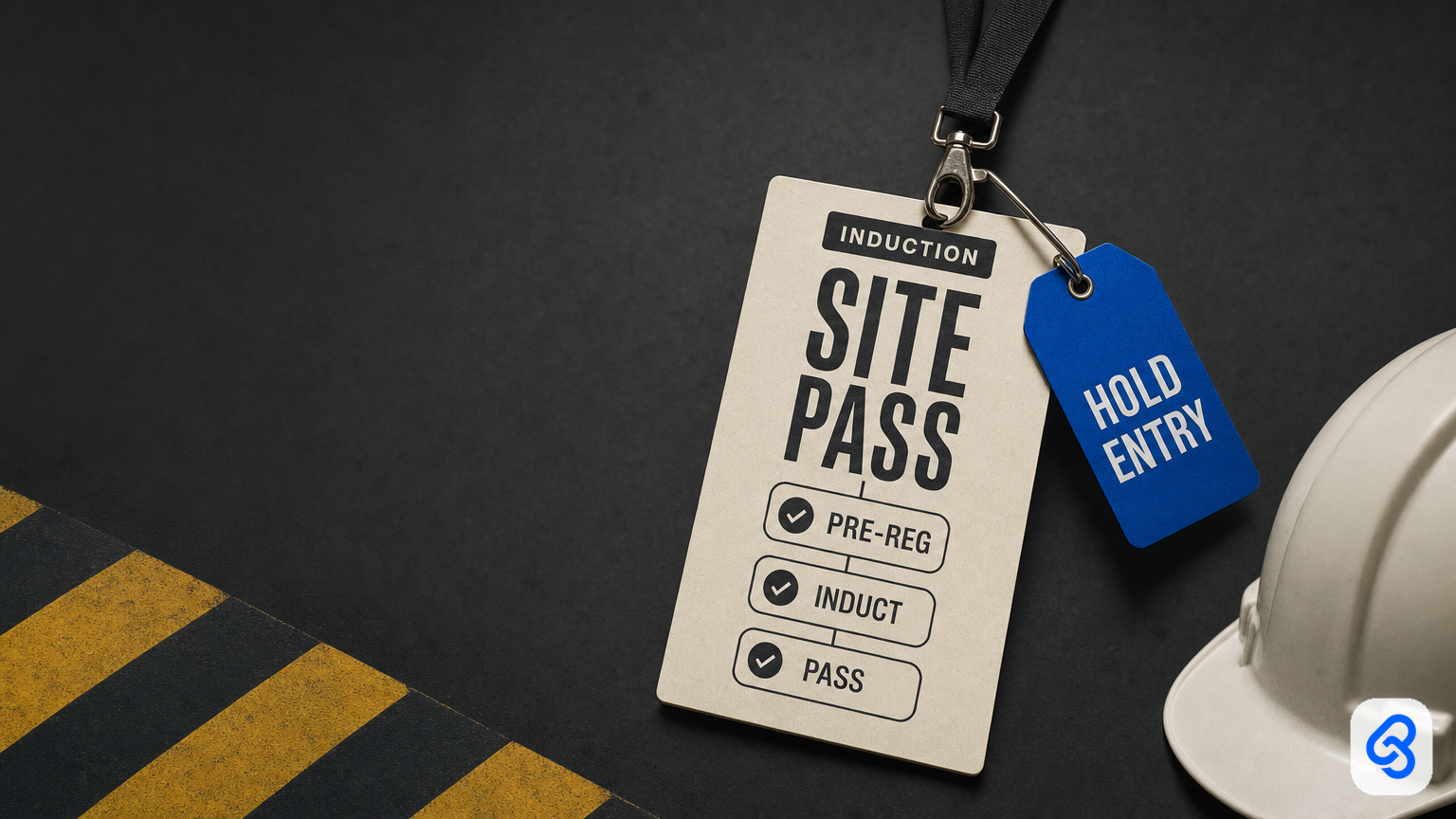
This guide is the operator version of a visitor contractor induction workflow for Singapore SMEs, and of the site induction approval desk behind it. Named runbook: trigger, extract, route, human gate, tracker. Three states: PRE-REG, INDUCT, PASS. One human gate: HOLD ENTRY. Automation files the pre-registration, sends the right induction pack, chases the missing acknowledgement, and drafts the pass. A named host or site owner still decides who walks in. Nobody gets waved through because a form was submitted, and nobody gets a pass because the guard recognised the van. Wider frame: workflow automation services.
What this guide covers
- What visitor and contractor induction automation means for an SME operator, and what it does not
- Why this desk is not hire-pack onboarding, IT access, or supplier onboarding
- WSH context in plain words, with official sources, and without pass theatre
- The named PRE-REG, INDUCT, PASS runbook with one HOLD ENTRY gate
- A short worked example
- Who signs what: host, site owner, permit owner, guard, backup
- When Sheets, Gmail, Drive and Telegram are enough, and when a visitor management system earns its seat
- Steal-this-build DIY that stops before judgement
- Failure modes, consult to build to train, checklists, and FAQ
What visitor and contractor induction automation means here
Search "visitor contractor induction Singapore" and you will mostly get visitor management product pages (kiosk check-in, QR passes, ID scan), animated induction video vendors, and guideline PDFs. Useful as reference. Thin as an operating manual for a 20 to 80 person firm where the "front desk" is the admin executive, the "security system" is a guard with a logbook, and the induction is whichever supervisor happens to be free.
For an SME operator, the job is simpler to name:
Automation collects the pre-registration, matches each visitor or contractor to the right induction pack for the area and the work, chases a named acknowledgement from every person, and drafts the gate pass. A named host or site owner still clears HOLD ENTRY. Nobody auto-issues a pass because a form arrived, nobody treats a Telegram thumbs-up as an induction, and nobody starts higher-risk work because a pack was "sent".
Three purchases get confused under the same phrase:
- Software. Visitor management system, kiosk, QR pass, badge printer. Fine when your site rules, induction packs, and who-may-approve are already written down.
- A service. Someone maps *your* real flow (who books, who inducts, who opens the gate, who covers on MC) into tools you already use, splits your site rules into routable packs, and trains the host, the site owner, and the backup.
- A chat habit. "Contractor here, can let in?" It works until the person who knows the site rules is on leave the same morning a new crew arrives.
Buy software if the process is already clean and volume is high. Keep it careful and manual if you see two visitors a month. Hire a service when the same scramble repeats every week, contractors do real work on your premises, and "who was inducted, on what, and who let them in" has no answer beyond scrollback.
Operator definition: the desk starts when someone books a visit or a contractor job that needs site entry, or when someone walks in unannounced. It ends when a named person issues the pass, parks HOLD ENTRY, or rejects. The row closes at sign-out. Everything between is filing, routing, and chasing incomplete acknowledgements. Boring is how MC week survives.
This desk is not the hire pack, IT access, or supplier onboarding
These are neighbours. They share a runbook shape, not a queue.
- Hire pack. Employee onboarding paperwork is contract, NRIC, bank, and Day One for your own staff. If a new starter needs the site briefing on Day One, the hire pack can point here. Contract, bank, and payroll never live on this desk.
- IT access. IT access provisioning and offboarding is logins and revoke. This desk is physical entry. A guest Wi-Fi code is fine here. A contractor who needs a system login is an access register row, not a gate pass.
- Supplier onboarding. Supplier onboarding paperwork is vendor master and bank verification. A supplier's crew coming on site belongs here. The supplier's bank details never do.
- Timesheets. Sign-in and sign-out times on this desk are an access and roll-call record. They are not a billable timesheet or an OT claim. Keep those on their own approval path.
If your pain is "we do not know who is on site right now or what they were told," you are in the right chapter.
WSH context in plain words (without pass theatre)
You do not build this desk because a vendor said "compliance." You build it because people who are not your employees walk onto your premises every week, some of them do work that can hurt someone, and the person who knows the site rules is not always there.
Principals have duties toward contractors. MOM's page on the WSH Act responsibilities of stakeholders describes a principal as any person or organisation that engages another to supply labour or perform work under a contract for service. It says a principal must ensure the contractor it engages is able to perform the work and has made sure the machinery, equipment, and processes used at work are safe. It also notes that if you instruct the contractor or their workers on how the work is carried out, your duties include those of an employer. Read the page itself for your situation. This guide is not legal advice.
Induction before work starts is the published expectation. The WSH Council's guidelines on contractor management say contractors and subcontractors should receive WSH orientation or induction before contract works commence. The topics they list include site rules, site arrangements, hazards and controls, permit arrangements, emergency procedures, medical provisions, and where safety equipment is. They also say induction records should be documented and maintained, and that induction should be reviewed periodically or when the items it covers change.
What that means for an SME desk. An induction is not a video link in a group chat. It is a record: who, which pack, which version, acknowledged when, by whose name, and who cleared entry. That record is what the tracker holds.
What this desk is not. It does not verify work passes. It does not check anyone's MOM records. It does not replace sector courses. For example, MOM's construction sector requirements set out safety courses that migrant construction workers must complete for their Work Permits. Your desk can record that the contractor's supervisor confirmed the crew meets the requirements for their trade. The contractor and the official systems remain the authority. That is what "no pass theatre" means here: the desk never pretends a Google Form is a regulator check.
Personal data, lightly. Visitor logs are personal data. PDPC's advisory guidelines on NRIC numbers generally restrict collecting full NRIC numbers unless the law requires it or identity must be established to a high degree of fidelity, and describe recording a visitor's name, partial NRIC number, and mobile number as an alternative for routine visitor registration. Default to the least identity data you need. Do not photograph IC cards into chat.
Why Singapore SME site-induction context matters (without a news roundup)
The front desk is a person, not a kiosk. In a 20 to 80 person firm, visitors are booked by whoever invited them, the guard may be outsourced, and the induction lives in one supervisor's head. That is fine until the supervisor is on AL and three crews arrive on the same Monday.
Contractors arrive in chat. Aircon servicing, fire system checks, electrical works, pest control, racking installers, renovation crews. They are booked by WhatsApp, they swap crew members on the day, and their risk assessment arrives as a PDF the night before, if at all.
One induction does not fit every visitor. An office guest needs the fire exit and the escort rule. A delivery driver needs the loading bay lanes. A crew working at height, doing hot work, or opening an electrical panel needs the full site pack and a permit owner who has signed. One laminated sheet for everyone means the guest reads too much and the roof crew reads too little.
Pass theatre is common in both directions. A laminated "VISITOR" card with no record behind it is theatre. So is a kiosk that prints a smart sticker for a contractor nobody inducted. The pass is only worth something if it is the last step of a trail.
Leave is not an edge case. Host and site owner on leave the same week is normal. If "which pack does a roof crew need" lives in one head, you have a person, not a process.
The named site induction runbook (PRE-REG, INDUCT, PASS)
Print this. Write real names in the blanks. A step with no owner means you do not have a process yet.
Trigger
- A host books a visitor or contractor job through one intake: a short form or a shared mailbox such as `visits@`. Ask for at least one working day's notice for contractors, and write that rule down.
- A walk-in arrives with no booking. That is also a trigger. It goes straight to HOLD ENTRY until pre-registration is complete and a host claims it.
- Also: a returning contractor whose last induction is older than your written refresh interval; the site pack changes version; a contractor swaps a crew member on the day.
- Rule: one intake path, one VisitID per visit. "Sometimes WhatsApp the guard, sometimes email admin, sometimes just show up" is how people end up on site with no record.
Extract (PRE-REG)
- Fields: VisitID, visitor type (guest, delivery, contractor, subcontractor), company, each person's name and mobile, host, date and time window, areas (office, warehouse floor, production, roof, plant room), work type (none, general, higher-risk such as work at height, hot work, confined space, electrical, lifting), permit needed, PPE required, induction pack and version, last inducted date per person, contractor documents (risk assessment and safe work procedure for the job where relevant), vehicle number, SiteOwner, Backup, Status.
- File contractor documents to company Drive or SharePoint: `YYYY-MM-DD_company_VISIT`.
- Flag: no host; area not on the list; higher-risk work with no named permit owner; contractor work with no risk assessment on file; crew list blank; induction older than the refresh interval; a full ID number typed where your form asks for partial.
- Do not build identity scanning or face recognition here. Names, mobiles, company, and host are enough to run the desk.
Route (INDUCT)
- Guest, office only. Short visitor pack: sign in, emergency exit, assembly point, escort rule. Acknowledged at arrival.
- Delivery, loading bay only. Bay pack: pedestrian lanes, where to wait, no entry past the line.
- Contractor, general work. Site induction pack: site rules, hazards and controls for the areas they will enter, emergency and first aid, PPE, how to report an incident. Every crew member acknowledges by name.
- Contractor, higher-risk work. Site pack plus a route to the named permit owner. PASS cannot issue until that person records the permit reference in your existing permit process. The desk does not sign permits.
- Returning, same pack version, inside the refresh interval. Acknowledgement check only.
- Pack version changed. Re-induct, even if they were here last week.
- Missing information. Send a fixed reason code back to the host, not a mute "pls check": `NO_CREW_LIST`, `NO_RA_SWP`, `NO_PERMIT_OWNER`, `PACK_OUTDATED`, `WALK_IN`, `NO_HOST`.
Human gate (HOLD ENTRY)
- Anything that is not clean sits at HOLD ENTRY. The named site owner (ops, facilities, or safety lead) clears it or rejects it. The named host confirms the person is expected. A Telegram "ok can" is not a clearance.
- Acknowledgement is per person, not per company. "ABC Aircon acknowledged" is not an induction for the third technician who joined at 7am.
- The guard issues passes only from PASS rows. The guard is not the approver, and the guard may always refuse.
- Named backup with written limits. Guests and routine general contractors, yes. Higher-risk work, walk-ins with no host, and pack exceptions still need the primary site owner or a director.
- Automation may draft the pass, ping the host, and escalate once. It does not clear HOLD ENTRY, does not mark "acknowledged" because a message showed as read, and does not issue a permit.
Tracker
- One Sheet, mailbox label set, or review screen the backup can open without the primary's phone.
- Columns: VisitID, Date, Company, Person, Type, Host, Area, WorkType, Pack, PackVer, AckAt, AckName, PermitRef, Status, PassNo, SignIn, SignOut, SiteOwner, Backup, Notes.
- Statuses: Booked / PRE-REG incomplete / INDUCT sent / Acknowledged / HOLD ENTRY / PASS issued / On site / Signed out / Rejected / No-show / Cancelled.
- End of day: anyone still On site with no sign-out gets one ping to the host. Your emergency roll call is only as good as that column.
Worked example (one crew, one Monday)
Thursday, Hui Min in admin books two technicians from an aircon contractor for Monday's roof plant job, host Raj in ops. The workflow opens V-0412, files the contractor's risk assessment, and flags `NO_CREW_LIST` plus work at height. Raj sends names on Friday, both technicians acknowledge the roof pack by name, and the row waits at HOLD ENTRY for the permit owner. Monday 07:35 a third technician turns up and Raj is on MC. Backup Daniel sees the same queue: the permit is signed at 07:50, two technicians move to PASS, and the third stays on HOLD ENTRY until he acknowledges at the gate. The guard issues passes only from PASS rows, and sign-out at 15:10 closes the visit. A new starter the same morning stays on the hire pack, not this desk.
That shape (trigger, extract, route, human gate, tracker) is what you buy as a service. If a vendor cannot walk your process in those five words, they are selling a stack.
Who signs what (and who does not)
Write the names before anyone mentions kiosks or QR codes.
- Host. Books the visit, confirms the person is expected, owns the crew list for their contractor.
- Site owner (ops, facilities, or safety lead). Owns the packs and their versions, clears HOLD ENTRY, decides higher-risk entries and exceptions.
- Permit owner. Signs permit-to-work in your existing process. The desk records the reference and waits.
- Guard or front desk. Matches the person to a PASS row, issues the physical pass, records sign-in and sign-out, and may refuse entry.
- Contractor supervisor. Provides the crew list, the risk assessment and safe work procedure for the job, and confirms their crew meets the course requirements for their trade.
- Backup. Opens the same queue with written limits.
- Automation. Files, flags, routes, pings, drafts. Not a signer.
- "Ops group". Not a signer. Five people who "usually know" is how a crew ends up on the roof uninducted.
Segregation matters lightly: the host who invited a contractor should not be the only person who can clear a higher-risk HOLD ENTRY for them with no log. Tiny firms can dual-role host and site owner on quiet weeks. Write the dual role and the backup down.
Sheets, Gmail/Drive, and Telegram vs buying a visitor management system
Most SMEs already have an inbox, a Sheet, a chat app, and a guard with a logbook. The failure is not "we lack software." It is "nobody can see who is expected today, what pack they need, whether they acknowledged it, and who may open the gate."
Stay on Sheets, Gmail or Outlook, Drive, and Telegram when: you run one or two sites; visitors and contractors come in tens per week, not hundreds per day; one site owner can clear HOLD ENTRY in a sitting; your packs are countable; you can name the primary and backup today.
Consider a visitor management system when a consult shows the light stack cannot carry it: multiple gates, heavy walk-in volume, badge printing at scale, live roll call across sites, or a building system that needs an integration. Even then, the runbook comes first. A kiosk without written packs, routing, and a named HOLD ENTRY owner just prints stickers faster.
Partner vs vendor dump. A partner maps your live booking to induction to pass flow, builds the smallest true runbook in tools you already use, trains the host, the site owner, and the backup, and stays reachable when you add a site or a new work type. A vendor dump sells seats and leaves "can let in?" as the real desk. If the first meeting is a kiosk demo, you are buying a dump.
Steal-this-build DIY (stops before judgement)
Same shape in Zapier, Make, n8n, or Apps Script. A form, a Sheet, Gmail, Drive, and Telegram are enough to start. These builds collect, file, route, ping, and escalate. They do not clear HOLD ENTRY. They do not mark acknowledged from a read receipt. They do not issue or sign permits. They do not store photos of ID cards.
Build 1. Visit intake form and labels (S$0)
What it does / does not: One form writes one VisitID row; Gmail labels `visit-new`, `visit-hold`, `visit-pass`, `visit-closed` stop the hunt. Does not issue a pass.
1. Build a form with the PRE-REG fields above; area and work type are dropdowns, not free text.
2. Form responses land in a Sheet tab called `Visits`.
3. Filters: mail to `visits@` gets `visit-new`; replies containing a reason code get `visit-hold`.
4. Test one guest, one delivery, one higher-risk contractor.
Where it breaks: contractors who only ever WhatsApp the guard. Chat can link to the form. It is not intake.
Build 2. Contractor documents land in Drive
What it does / does not: Attachments on `visit-new` copy into a company folder such as `Inbox-Visits-2026`, shared with the backup. Does not judge whether a risk assessment is adequate.
Zap: Gmail New Attachment on `visit-new` to Drive upload, filename prefixed with VisitID. Confirm the backup can open the folder without the primary's account.
Build 3. Pack routing and named acknowledgement
What it does / does not: A lookup tab maps Area plus WorkType to PackID and PackVer. The workflow sends each person a pack link and a two-field acknowledgement form (name, VisitID). The form writes AckName, AckAt, and PackVer to the row. Does not mark Acknowledged because an email was opened.
Columns, row 1 exactly:
`VisitID | Date | Company | Person | Type | Host | Area | WorkType | Pack | PackVer | AckAt | AckName | PermitRef | Status | PassNo | SignIn | SignOut | SiteOwner | Backup | Notes`
Lock Status to the runbook list. Free text ("waiting ah") breaks the queue.
Build 4. HOLD ENTRY reminder, one escalation, end-of-day sweep (then stop)
What it does / does not: Morning schedule (Asia/Singapore) pings the SiteOwner with every HOLD ENTRY row for today, with VisitID, company, person, reason code, and link. If still HOLD ENTRY one hour before the visit window, ping the Backup once. At 18:00, any On site row with no SignOut pings the host once. Then silence. Does not flip anything to PASS.
Where these four stop
They change a form, a Sheet, a folder, and a few pings. They do not replace judgement.
Stop and talk to a partner when the next sentence is: auto-issue passes when the form is complete, decide whether a risk assessment is good enough, let a walk-in through because the host is not answering, verify a worker's pass or course status from a photo, or roll this out across several sites with different rules. That is the service.
Failure modes worth designing against
Speed is not the same as control. A faster gate with no trail is just a faster gate.
Form submitted equals pass issued. Pre-registration is not induction, and induction is not clearance. Keep the three states separate.
Company-level acknowledgement. One supervisor ticks for the crew; the extra technician who joined at 7am never saw the pack. Acknowledge per person.
Video link as induction. A link in a group chat with no named acknowledgement and no pack version is not a record.
Guard as approver. The guard matches people to PASS rows and can refuse. The guard does not decide whether a roof crew with no permit may go up.
Walk-in bypass "just today". Every exception becomes the habit. Walk-ins go to HOLD ENTRY and wait for a host.
No sign-out. If nobody signs out, your roll call lists people who left at lunch and misses the ones still in the plant room.
Pass theatre. A desk that claims to verify work passes or safety courses. It records what the contractor confirmed and points to the official source. It does not become the authority.
ID hoarding. Photos of IC cards in chat, full numbers in an open Sheet. Collect the least you need.
Collapse with neighbours. Hire packs, logins, and vendor bank details creep into the visit row. Keep them on their own desks.
No backup. Host on MC, queue in their phone. Name the backup and where HOLD ENTRY lives; the leave-cover runbook is the overlay.
Hard stops: no pass without PASS status, no acknowledgement without a name, one escalation then stop, higher-risk entry waits for the permit owner, backup limits written, sign-out on every row.
Consult, build, train (lightly)
You do not need a 40-slide methodology. You need three honest phases.
Consult. Walk one real week of visits and contractor jobs with the host, the site owner, and whoever runs the gate. Count visitor types, areas, work types, who inducts today, who covers on leave, where packs live. Leave with a yes or no and a scoped runbook. If the real stall is a hire pack or a login, we will say so and point you to that chapter.
Build. One workflow in tools you already use. Parallel-run beside the logbook for two weeks. HOLD ENTRY and PASS stay behind named taps.
Train. Host, site owner, guard, and backup can each explain any row without the builder on the call. Smoke test: primary offline, backup clears a morning of visits alone within written limits. Expand to a second site only after this one is trusted.
That is partner work. The product is a desk that still works when the ops lead is on AL: guests get the short pack, crews get the right one, and nobody reaches the roof without a named clearance.
Practical checklists
This week (no new software)
- Draw trigger, extract, route, human gate, tracker for your gate, and name the HOLD ENTRY owner.
- List your visitor types, areas, and work types. Split the site rules into two or three packs and give each a version.
- Name primary and backup site owners, and write the backup's limits.
- One intake path (`visits@` or a form). Tell contractors that WhatsApp to the guard is not a booking.
- One Sheet tab with the tracker columns; every row carries a named acknowledgement.
- Agree with the guard: passes only from PASS rows, and a refusal is always allowed.
- Add a sign-out step and one end-of-day sweep.
- Remove full ID numbers and IC photos from wherever they currently sit.
Before you buy anything
- Can they walk *your* PRE-REG, INDUCT, PASS flow without a kiosk slide?
- Where do packs and versions live, and who opens HOLD ENTRY on leave week?
- What is never auto-cleared?
- How are walk-ins and higher-risk work held?
- What identity data do they collect by default, and why?
- New system, or form, Sheet, and chat first?
- First conversation: your gate, not a feature tour.
Red flags in a demo
- "Touchless entry" for contractors with no named acknowledgement.
- The kiosk is the approver.
- One induction video for every visitor type.
- Claims to verify work passes or safety courses from a photo.
- Full ID capture as the default.
- No backup design; leave cover "in phase two".
FAQ
Do we need a visitor management system to run a site induction desk?
Not to start. One or two sites with visitors in tens per week can run PRE-REG, INDUCT, PASS on a form, a Sheet, Drive, and chat pings, provided a named person owns HOLD ENTRY. A system earns its seat when volume, gates, or sites outgrow the Sheet.
Does every visitor need the full induction?
No. Route by area and work type. Office guests get a short pack, delivery drivers get the loading bay pack, and contractors get the site pack. Higher-risk work adds a permit owner before PASS.
Is a WhatsApp "ok noted" a valid acknowledgement?
Treat it as a nudge, not a record. The record is a named acknowledgement tied to a VisitID and a pack version, written to the tracker.
Does this desk check work passes or safety course certificates?
No. It records what the contractor's supervisor confirmed and links the official source. MOM and the contractor remain the authority for passes and sector courses.
How often should contractors be re-inducted?
Write your own refresh interval and re-induct whenever the pack changes. The WSH Council's contractor management guidelines say induction should be reviewed periodically or when the items it covers change, and repeated at intervals.
What should we collect at the gate?
The least you need to run the desk and a roll call: name, company, mobile, host, areas, and times. Read PDPC's NRIC guidance before you add any ID field, and never collect IC photos in chat.
Related runbooks
- Employee onboarding paperwork: the hire pack for your own staff, not visitors
- IT access provisioning and offboarding: logins and revoke, not physical entry
- Supplier onboarding paperwork: vendor master and bank checks, not the crew at the gate
- Workflow automation services Singapore: the wider partner frame
- Leave cover for SME workflows: backup design for the HOLD ENTRY owner
Soft next step
If contractors still arrive as "can let in?" in Telegram, the induction lives in one supervisor's head, or you could not say who was on site at 3pm yesterday, bring one real week of that gate to a free consult. We will map PRE-REG, INDUCT, PASS with you, name who clears HOLD ENTRY and who covers on MC, and say plainly whether a form, a Sheet, and chat can carry it. No kiosk tour first. No invented case-study numbers.
Sources
- MOM: WSH Act responsibilities of stakeholders (principals and contractors)
- WSH Council: Workplace Safety and Health Guidelines, Contractor Management (WSH induction before contract works; induction records)
- MOM: Construction sector Work Permit requirements (required safety courses)
- PDPC: Advisory guidelines on NRIC and other national identification numbers (visitor registration and partial NRIC)