IT Access Provisioning and Offboarding for Singapore SMEs: A Practical Runbook
IT Access Provisioning and Offboarding for Singapore SMEs: A Practical Runbook
When an employee or contractor leaves, removing their primary work account is only one part of the job. Finance platforms, vendor portals, shared mailboxes, password vaults and company data on devices may need separate attention. A simple access register and a named owner for each action help a Singapore SME grant the right access at the start and close it reliably at the end.
This guide sets out an operator-focused process for IT access provisioning and offboarding in a small business. It does not require a dedicated identity platform: a controlled spreadsheet can be a starting point, provided a responsible person maintains it, verifies changes and follows up on exceptions. Automation can create tasks and reminders; a designated human should approve access and confirm consequential actions.
What the process covers
Access provisioning is the controlled granting of accounts and permissions when someone joins or changes roles. Offboarding is the planned removal or reassignment of access when employment or a contract ends. Both should account for:
- Primary identity accounts, such as a company email or directory account
- Business applications, including finance, HR, operations and supplier systems
- Privileged or administrative permissions
- Shared mailboxes, folders, vaults and credentials
- Company devices and any approved company data held on personal devices
- Decisions to retain, transfer or delete work records
The aim is operational continuity as well as security: a former user should not retain access unnecessarily, and the business should not lose access to records or work needed by the team.
Start with a current access register
Create one row for each person and each system, rather than relying on a generic note such as “standard access.” A spreadsheet is often adequate for a small operation if access to it is restricted and the information is kept current.
| Field | Purpose |
| --- | --- |
| Person and role | Identifies the account holder and role context |
| System and account identifier | Shows what account or permission needs action |
| Access level | Distinguishes standard, privileged, shared or service access |
| Single sign-on (SSO) status | Highlights accounts that may require a separate vendor action |
| System owner | Names the person who can confirm or remove access |
| Grant date and approver | Records who authorised the access |
| Expected end date, where relevant | Helps track contractors and temporary access |
| Revoke status, timestamp and actor | Records whether and when access was removed |
| Notes on ownership or handover | Captures mailbox, data, device or exception decisions |
Keep the register in a company-controlled location with access limited to those who need it. Do not store passwords, recovery codes or break-glass credentials in the register. Use an approved credential vault for secrets, with access controlled separately.
Review the system list periodically with application owners. Include tools purchased outside a formal procurement process, as well as accounts used by contractors. A register is useful only if it reflects the systems people actually use.
Provision access deliberately
A repeatable joiner process can be lightweight:
1. Record the trigger. Identify who confirms the start date, role and manager, and who notifies the person responsible for access.
2. Prepare a role-based list. Use a small set of role templates as a starting point, not as automatic approval. Remove systems the person does not need and add justified exceptions.
3. Review sensitive access. Require an appropriate business owner to approve administrator privileges, finance access, payroll data or broad customer-data access.
4. Grant through the system owner. Create named accounts where available; avoid shared personal logins. Record the grant and approver in the register.
5. Check completion. Confirm that the person can use the required tools and that pending invitations or temporary access have an owner and follow-up date.
6. Revisit on role change. When duties change, review access rather than only adding permissions. Remove access that is no longer needed.
Automation may create a draft checklist from a role template or remind an approver about an open task. It should not infer approval for privileged access from a job title alone.
Run offboarding as a sequence
Set the final working date and the intended access-removal time with the appropriate manager. The exact timing depends on the circumstances and the organisation's policies. For an ordinary planned departure, coordinate the steps so that work is handed over without leaving accounts active beyond the authorised period. For an urgent security concern, follow the organisation's incident process and authorised decision-making route.
A practical checklist:
1. Confirm the exit details. Record the last working date, time zone, trigger owner and person responsible for coordinating the work.
2. Review the register. Identify primary accounts, privileged access, applications, shared resources, devices and any exceptions.
3. Disable the primary account. Use the relevant identity or directory administration process at the authorised time.
4. Revoke active sessions and tokens where supported. Disabling sign-in may not by itself end every existing session or application token; check the provider's administrative controls and relevant policies.
5. Close application access. For each system, the named owner should confirm removal or record why action is pending. Do not assume that disabling the primary account removes access from every application.
6. Handle shared credentials and vaults. Remove the departing person from authorised groups and assess whether shared secrets they could access need rotation.
7. Decide what happens to work records. Assign a business owner for mailboxes, files and shared folders. Follow retention and privacy policies; do not delete an account or its data automatically without an authorised decision.
8. Address devices. Record company equipment return and the handling of approved work data on personal devices. Use the organisation's device-management and data-handling process where applicable.
9. Record completion and escalate gaps. Enter the completion time and responsible person for each item. Assign every outstanding action to an owner with a due date and escalation path.
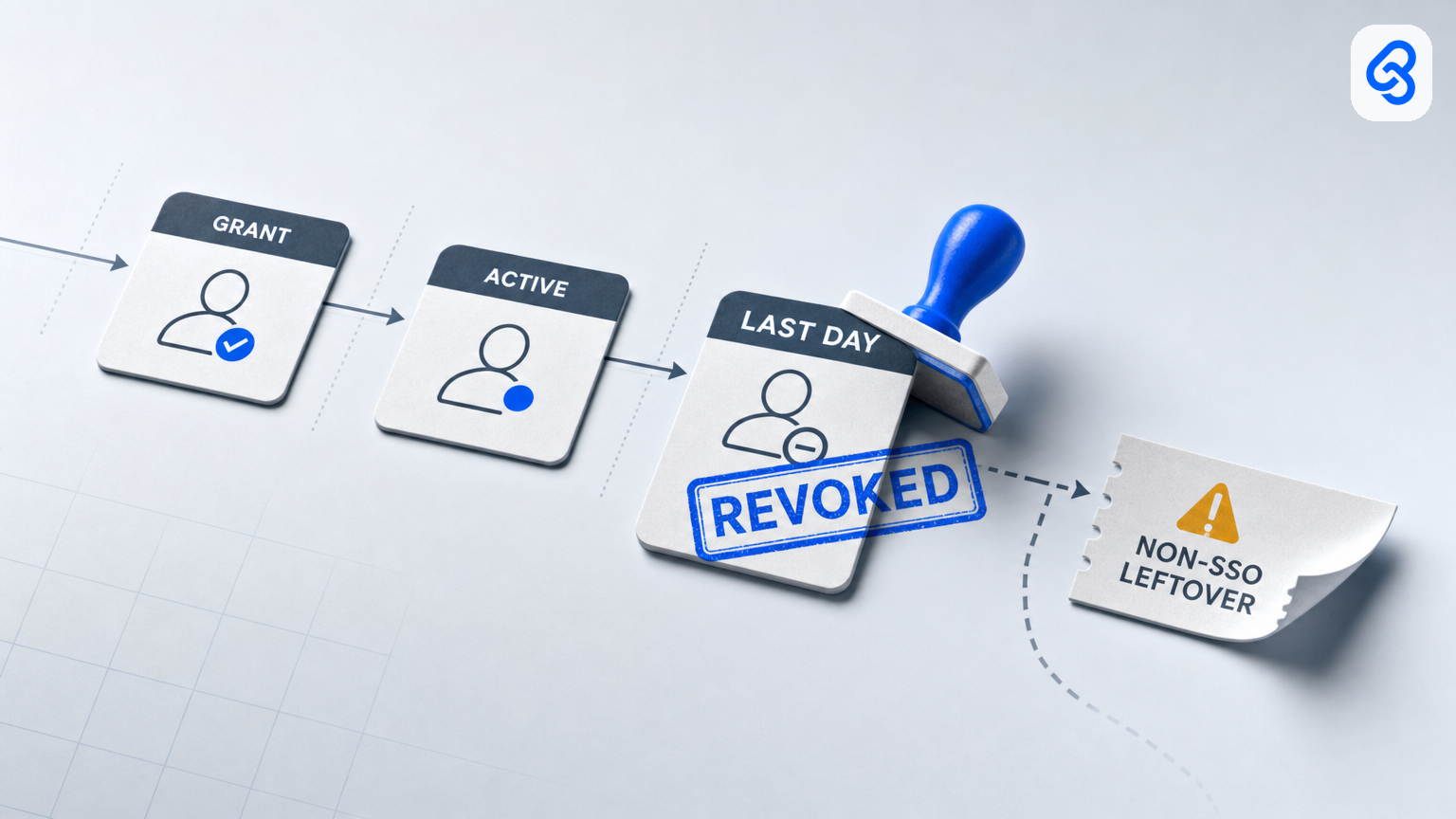
For a non-SSO application, the system owner may need to act directly in the vendor portal. Treat “no response” as incomplete, not as proof that access was removed.
Assign decision rights and cover
Write down who may approve, perform and verify each kind of action. For example, a manager can confirm the role and departure details; an application owner can remove access in their system; and an IT administrator can coordinate the primary account and session steps. Sensitive exceptions should go to the appropriate business decision-maker.
Also name a backup. The backup should know where the register is, how to reach system owners and how to use the approved administrative access process. Limit the backup's permissions to what is needed, and document any actions that require additional approval. Avoid dependence on one employee's personal device or private notes for business-critical administration.
A useful exception record answers four questions: what access remains, why it remains, who approved it, and when it will be reviewed or removed. Exceptions should be explicit and time-bound where practical.
Treat personal data and records with care
Offboarding can involve mailboxes, personnel information, customer files and data on devices. Singapore's PDPA overview describes the Act's scope in relation to the collection, use, disclosure and care of personal data. The practical implication for an offboarding checklist is to make retention, access and handover decisions deliberately, restrict access to appropriate people, and follow the organisation's policies rather than treating account deletion as a default.
This operational guide is not legal advice. Organisations should consult their data-protection lead or qualified adviser when a case raises questions about retention, access to personal communications or other legal obligations.
When a spreadsheet is enough, and when to review the approach
A controlled spreadsheet may suit a small organisation with a manageable application list, clear owners and someone accountable for updates. Review whether the approach still works when:
- The register regularly falls behind actual access
- Many contractors or role changes create frequent updates
- System owners are hard to identify or follow up
- There are multiple administrators and no reliable audit trail
- The business needs stronger workflow controls or integration with its people systems
A digital identity or workflow tool can help coordinate tasks, but it does not remove the need to define roles, owners, approvals and exceptions. Start by documenting the process and the systems in scope; choose tooling to address a specific operating gap.
For Singapore SMEs planning broader digital processes, IMDA's Industry Digital Plans provide step-by-step guidance for SMEs across participating industries. CSA also provides enterprise resources, including an Internet Hygiene Portal with resources and self-assessment tools to support security practices. These are reference points, not a substitute for a business-specific access process.
A one-week implementation checklist
- Name the process owner and a capable backup.
- List the systems that can hold company data, enable business operations or move money.
- Add an owner and a removal method for each system.
- Create a basic access register and restrict who can view or edit it.
- Agree how joiners, role changes and departures are reported.
- Define the approvals needed for privileged and sensitive access.
- Write down the sequence for primary account disablement, session revocation, application access and data handover.
- Decide how incomplete actions are assigned, escalated and recorded.
- Walk through a sample departure and note unclear ownership or missing systems.
- Review the process after real changes and update the register and checklist.
Next step
If access changes currently depend on memory or informal messages, begin with a short inventory and name an owner for each system. Lynqra can help organisations map a workflow, implement a practical register and reminder process, and train the people who operate it. Explore Lynqra's services or contact the team to discuss a process that fits your systems and approval needs.
The essentials are straightforward: know what access exists, assign a person to each decision, and record when actions are complete. Make that process reliable before adding more automation.