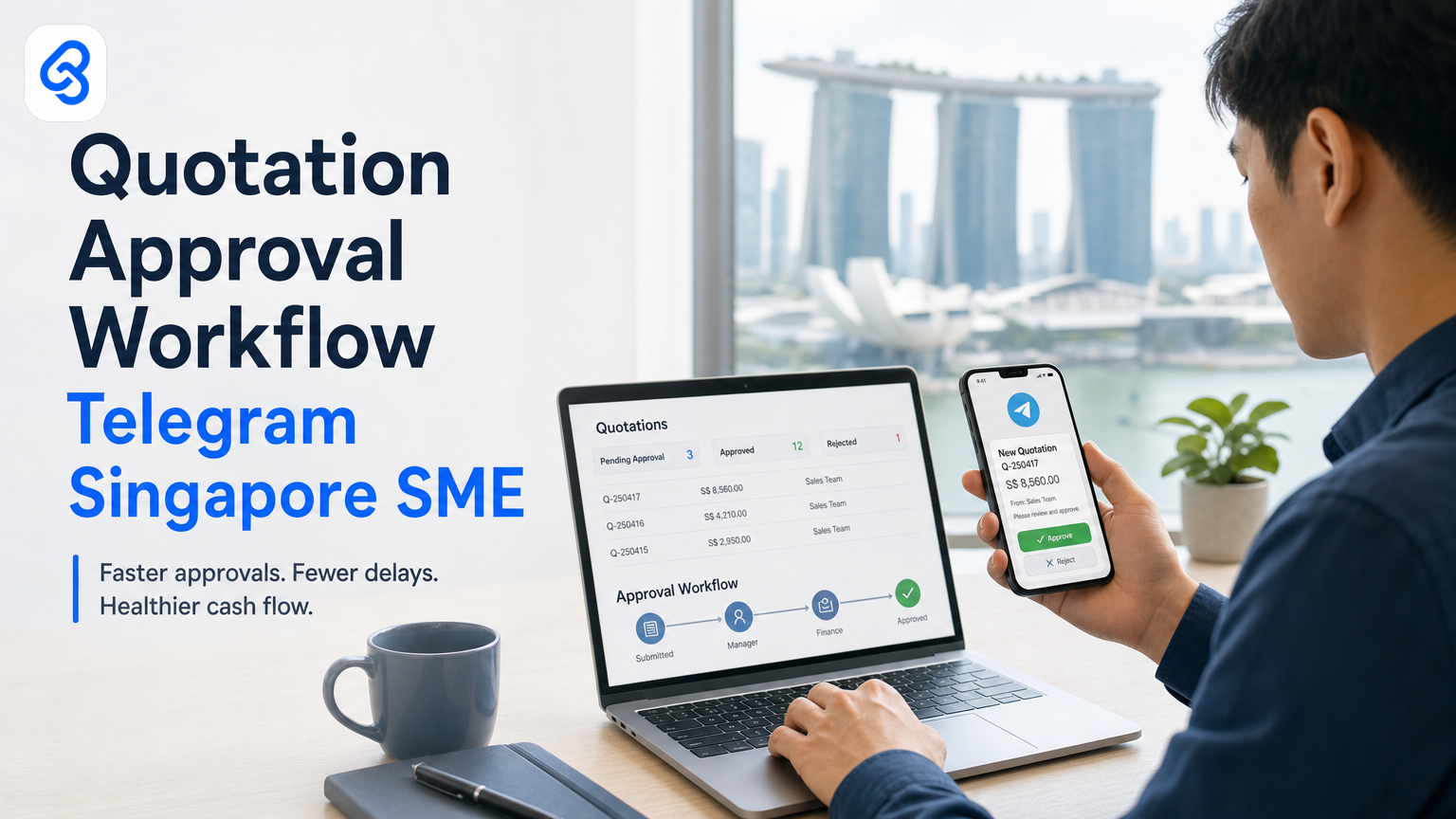
Your sales team sends 20 quotations a week. Each one needs sign-off from management. Right now, that means emails, follow-ups, and delays that cost you time and sometimes deals. A quotation approval workflow powered by Telegram fixes this completely, turning a manual bottleneck into something that runs on its own while keeping your team in the loop.
This isn't about flashy technology. It's about moving approvals from your inbox into a channel that works the way your team already communicates. Singapore SMEs using Telegram-based approval workflows report faster decision cycles, clearer audit trails, and fewer lost quotations stuck in someone's draft folder.
Let me show you how this works in practice, why it matters for your cash flow, and how to build one without hiring a full-time engineer.
Why quotation approval delays cost Singapore SMEs real money
Most Singapore SMEs handle quotation approvals manually. A salesperson creates a quote, sends it by email or Slack, a manager reads it days later, replies with feedback or approval, and the sales team sends it to the client. Three to four days gone. Somewhere in that chain, one quotation gets missed entirely.
Over a year, that compounds. Clients expect a response within 48 hours. Your approval process takes twice that. Some prospects move on. Your team re-sends quotes and chases follow-ups that automation would prevent.
The cost isn't just lost deals. It's your manager's time spent checking email instead of closing bigger accounts. It's your sales rep waiting to quote another client because the previous one is stuck pending. It's the inconsistency where different managers apply different approval rules, so some quotes go out with incorrect pricing or terms.
Lynqra has worked with Singapore SMEs across logistics, wholesale, and professional services. The pattern is consistent: companies that automate approvals close quotes 40-50% faster and reduce quote-related errors by cutting manual data re-entry steps.
How does Telegram fit into a quotation workflow?
Telegram isn't just a messaging app for SMEs. It's a platform that integrates with your business systems through its Bot API, which allows you to send, receive, and act on messages programmatically. Compared to email approvals, Telegram offers speed, clarity, and a permanent, searchable record.
Here's why your team prefers it: managers already use Telegram. They see a notification immediately. They approve or request changes in seconds, not hours. The conversation stays in one place instead of scattering across email threads. And because Telegram bots can handle structured data (buttons, forms, inline replies), you're not asking people to type "approved" or "reject" in free text. They tap a button.
For Singapore SMEs operating lean teams, this matters. Your manager approving quotes between meetings, on the MRT, or from a site visit becomes practical. The quotation isn't held up because approval feels like admin work. It feels like a quick decision.
Singapore's push toward SME digital adoption, outlined in the IMDA SMEs Go Digital initiative, emphasizes tools that reduce friction and integrate with existing workflows. Telegram-based approvals do exactly that.
How this actually runs: a concrete workflow
Let's walk through a real approval system. Your sales team uses Google Sheets to draft quotations. When a quote is ready, your salesperson marks it "pending approval" in a specific column.
A scheduled automation (built using Google Apps Script, which you can run for free) checks that Google Sheet every 15 minutes. When it finds a row marked "pending approval", it extracts the customer name, quote amount, and product details. It constructs a message and sends it to your Telegram approval channel via the Telegram Bot API. The message includes the quote details and two buttons: "Approve" and "Request Changes".
Your manager sees the notification on their phone. They tap "Approve". The Telegram Bot receives that tap, logs the approval timestamp, notes the manager's ID, and sends a confirmation message back. Meanwhile, a webhook (a listener that your automation sets up) triggers a second Google Apps Script function. This function finds the original quotation row and updates its status to "approved" and fills in the approval timestamp and approver name automatically.
Your CRM (or quoting tool, whether that's Xero, Pipedrive, or a custom sheet) watches that same column. Within two minutes, the quote status syncs. Your sales team sees it's been approved. They send the final quotation to the client the same day it was reviewed, not three days later.
Now, what breaks in practice? A few things:
If the manager taps "Request Changes", your current setup doesn't capture what the changes are. A better version adds a second step: the bot asks the manager to send a follow-up message explaining the issue. Google Apps Script reads that message, logs it in the sheet, and notifies the salesperson automatically. Now the salesperson has clear feedback and doesn't have to ask for clarification.
If your bot goes down (rare, but possible), quotations stop reaching managers. You handle this by building a fallback: if the automation fails to send to Telegram, it sends an email as a backup. The manager handles it manually that day. It's not ideal, but it prevents quotations from vanishing.
If two managers are on holiday and quotations are still arriving, you need an escalation rule. Set a timer: if a quote hasn't been approved within four hours, send it to a director or the owner automatically. This prevents the system from creating a new bottleneck.
The tools involved are: Google Sheets (your quotation source), Google Apps Script (the automation engine), Telegram Bot API (the communication layer), and your CRM or sheet-based tracker (the destination). Each step passes structured data forward, so errors are visible immediately.
This entire system costs almost nothing to run once it's built. Google Apps Script is free. Telegram Bot API is free. Your time investment is maybe 4-6 hours of setup with someone who knows how to write a simple script, or you can work with a consultant to build it in a day.
Building approval workflows that handle real complications
A basic system works for small teams. A system that scales handles edge cases.
Multi-level approval. Some quotations are low-value and need one approval. High-value quotes need finance, operations, and a director to sign off. Your workflow routes based on quote amount. A quote under SGD 5,000 goes to the sales manager. A quote between SGD 5,000 and SGD 20,000 goes to finance first, then the director. Above that, it goes to the owner. Telegram's bot system can send the message to different channels or groups based on these thresholds. Each approver sees it, taps approve or request changes, and it moves to the next stage automatically.
Deadline enforcement. Set a rule: if a quote isn't approved within 24 hours, notify the next level up. If it's not approved within 48 hours, escalate to the owner. You build this by adding a timestamp check in your automation. Every 30 minutes, your script looks for quotes that have been pending for 24+ hours and sends a reminder message to the original approver in Telegram, pinging them directly. If it's been 48 hours, it sends to the owner instead.
Client revisions. A client asks for a tweak to the quote. Your salesperson updates the Google Sheet row and marks it "reapproval needed". The automation detects that the status changed from "approved" to "reapproval needed" and sends a new Telegram message to the approver, but this time with a note that this is a revision, not a new quote. The approver sees the context and approves the change. Speed matters here, because your client is waiting.
Audit trail. Every decision gets logged automatically. Who approved it, when, from which device (Telegram shows this), and what the quote contained at that moment. You're not maintaining a separate approval log. It's all in Telegram's message history and in your Google Sheet. When an auditor asks "who approved this deal?", you have the answer with a timestamp, and the decision history is searchable.
Check out Lynqra's approval workflow automation guide for a deeper look at handling multi-stage approvals across different business scenarios.
Should you use Telegram for approvals? A decision framework
Ask yourself these questions honestly:
- Does your team already use Telegram or are you comfortable adopting it? If your team communicates on WhatsApp or email and has no appetite for Telegram, you'll fight adoption. The best automation is the one your people actually use.
- Are your quotations simple and structured (product, quantity, price, customer name)? Or are they deeply customized with complex terms, contingencies, and negotiated conditions? Simple quotations work well with button-based approvals. Complex ones might need people to read a PDF and send back detailed feedback, which is harder to automate.
- How many quotations per week? If you send 200 quotations a week and each needs approval, automation is essential. If you send five, you might be fine with email and a spreadsheet.
- How often do quotations change after approval? If the client revises and you need re-approval every time, your workflow needs revision tracking built in. If approvals are final, the system is simpler.
- Can you integrate Telegram with your existing systems? If you're on a closed platform with no API access, or if your team's workflow is entirely offline, Telegram integration will be harder.
For most Singapore SMEs, the answer is yes to at least three of those questions. That's when Telegram-based approvals become worthwhile.
What Singapore SMEs need to know about grants and support
If you're building an automation system, Singapore offers support. Enterprise Singapore's Boost Capabilities grant helps SMEs invest in productivity and operational improvements. Approval workflow automation qualifies as a productivity improvement. Check the current eligibility criteria with Enterprise Singapore directly, as requirements change annually.
IMDA also runs industry-specific digital plans through their SMEs Go Digital and Industry Digital Plans programmes, which can fund digital transformation projects. Worth exploring if you're automating multiple workflows simultaneously.
These aren't free money, but they do reduce your upfront cost. You'll cover most of the consulting and tooling investment through grants if you're eligible. Always verify current details with the agencies directly, as deadlines and amounts shift.
Comparing Telegram to other approval tools
Email remains the default. It's free, integrated everywhere, and requires no setup. But it's also the slowest. Approvals get buried in an inbox with 200 other messages. Some managers don't enable notifications, so a critical quote sits unseen. There's no structured format, so a "yes" from one manager looks different from a "yes" from another.
Slack. Many teams use Slack already. Slack integrations can post approval requests into a channel. The advantage is that your team is there. The disadvantage is that Slack threads feel conversational, not official. An approval in Slack can feel informal, and Slack's free tier limits message history, so your audit trail eventually disappears.
Microsoft Power Automate or similar tools. These are powerful but require more setup and technical knowledge. For a simple approval, they're overkill. For a complex multi-stage approval with conditional logic, they're good choices. But they cost money, and your team has to learn a new interface.
Custom web portal. You build a login page where managers go to approve quotes. Fully customizable. Extremely expensive. Nobody actually logs in because it's one more tab, one more password, and it doesn't send notifications. Most of these projects die quietly after three months.
Telegram wins because it combines three things: your team already lives there, it costs nothing, and it works. It's not the most powerful tool, but it's the most practical.
If you're automating more than just approvals (customer communications, invoice routing, order tracking), see Lynqra's guide to customer communication and operations automation for a broader perspective.
Building vs. buying: what makes sense for your SME
You have three paths: build it yourself using Google Apps Script and Telegram's free Bot API. Buy a commercial approval tool and configure it. Or bring in a consultant to build a custom system.
Building yourself works if you or someone on your team can write scripts. The timeline is 4-8 hours for a basic system. Cost is zero beyond your time. Maintenance is on you, but for a simple approval flow, maintenance is minimal. You learn how the system works, so you can modify it yourself later.
Buying a commercial tool (like a workflow platform or approval SaaS) shifts the burden. You pay a monthly fee, usually per user or per workflow. Setup is faster because the tool handles the technical work. But you're locked into the vendor's feature set. If you need something custom, you're stuck. Most Singapore SMEs find this expensive for the volume of approvals they're running.
Working with a consultant (like Lynqra) means someone builds a system tailored to your specific needs. Your sales process isn't identical to another SME's, so a generic tool might not fit perfectly. A consultant interviews your team, designs a workflow that matches how you actually work, and handles the technical setup. This costs more upfront, usually SGD 2,000 to 5,000 depending on complexity. But you get a system built for your exact business, training for your team, and someone to call if something breaks. Over a year, it's more cost-effective than a monthly SaaS subscription if you're automating multiple processes.
For automation beyond approvals, Lynqra's ServiceNow workflow examples show how SMEs handle complex multi-system scenarios.
The Telegram bot setup checklist: what you need to do
Here's what to handle before you turn on your approval workflow:
- Create a Telegram group or channel dedicated to approvals. This keeps approvals separate from daily banter. Name it something clear like "quotation-approvals".
- Register a bot with Telegram's BotFather (it's in the app, straightforward). You'll get a token that your automation uses to send messages. Keep this token private.
- Document who needs to be in that channel. Add them.
- Write down your approval rules. When does a quote need approval? Who approves it? What happens if it's rejected? Are there revisions? Urgency levels? Get this on paper before you build anything.
- Set up your source system (Google Sheet, Xero, or whatever you use for quotations). Make sure it has columns for status, approver name, and approval timestamp. These fields drive the automation.
- Test the system with fake quotations first. Send 10 test quotes through the workflow. Approve some, reject others, request changes. Find the bugs before real sales are depending on it.
- Set expectations with your team. A manager isn't suddenly going to start approving every quote in five minutes. Explain how the system works. Show them how to use the buttons in Telegram. Tell them you'll still have email fallbacks for the first month while everyone gets used to it.
The whole checklist is maybe two hours if you're organized. Most of that is writing down rules you probably already have scattered across email conversations.
Practical next steps
You now understand how quotation approvals via Telegram actually work for Singapore SMEs. You know why it's faster than email, what breaks in practice, and how to design for your specific approval rules.
The remaining step is figuring out whether this fits your business. That depends on your volume of quotations, how many levels of approval you need, and whether your team is ready for a slightly different approval process.
The best way to know is to walk through your current quotation workflow with someone who builds these systems. Not to sell you something, but to map out where delays actually happen and whether automation makes sense for your specific situation.
If you want to explore this properly, reach out to Lynqra. We'll spend 30 minutes understanding your quotation process, your team structure, and your approval bottlenecks. We'll tell you whether Telegram-based automation is the right fix, what it would cost, and how long it would take. If it's not the right solution, we'll say so. If it is, we'll build something that actually works for the way your team operates.
You can also email Mark directly at mark@lynqra.com if you prefer.
---
FAQ
Can I use WhatsApp instead of Telegram for approvals?
WhatsApp Business allows some integration, but Telegram is simpler. Telegram's Bot API is designed for exactly this kind of workflow. WhatsApp's API is more restrictive and works better for one-way notifications than two-way approvals. Telegram is the better choice technically.
What happens if my manager isn't in Telegram?
Then this system won't work for them until they join. Adoption is the real blocker, not technology. If your team uses Slack or email exclusively and won't move to Telegram, a different tool makes sense. The best automation matches how your team actually communicates.
Does this create a backup if the Telegram system fails?
Yes, if you build it properly. You set up email fallbacks so that if the Telegram bot can't send a message, an email goes out instead. Your manager approves manually that day. It's not seamless, but it prevents quotations from disappearing. This fallback should be part of your initial design.
How much does building this cost?
If you build it yourself with Google Apps Script and Telegram's free API, the cost is zero beyond your time (maybe 6-8 hours). If you bring in a consultant, expect SGD 2,500