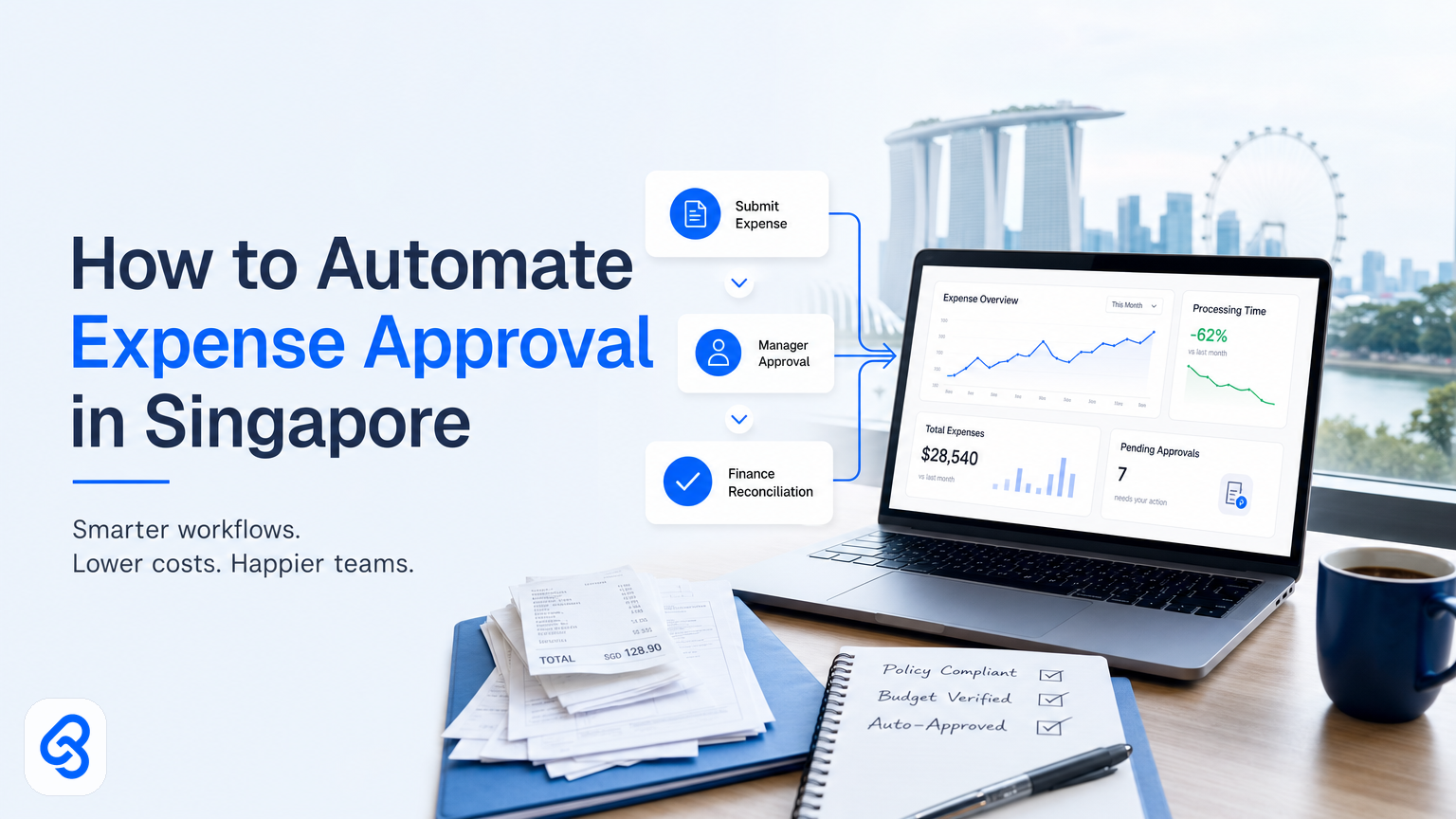
If you run a Singapore SME, you already know the drill. An employee submits an expense claim. It sits in someone's inbox for days. A manager approves it. Finance checks it again. Then accounting enters it into the system. By the time the reimbursement happens, weeks have passed and someone's spent unpaid hours on manual work.
Expense approval automation cuts through this. Instead of passing paperwork between people, you route approvals through a system that checks rules, flags exceptions, and only asks humans to decide on edge cases. The result: faster reimbursement, fewer errors, lower processing costs, and your team doing actual work instead of chasing approvals.
For external context, IMDA Industry Digital Plans and CSA Singapore resources are useful references when planning this workflow in Singapore.
This guide walks you through how to automate expense approval for a Singapore SME, shows you what a working system looks like, and tells you which tools and approaches actually reduce cost without forcing your team into rigid software.
Why Singapore SMEs struggle with manual expense approval
Manual expense approval costs money in three ways: time spent processing, errors that need rework, and cash flow delays while approvals sit in queues.
A typical SME with 20-30 staff might process 50-100 expense claims a month. If each claim takes 15 minutes to receive, check, approve, and post to the ledger, that is 12-25 hours of labour per month doing nothing but moving papers. Over a year, that is 144-300 hours. At $25 per hour loaded cost, you are looking at $3,600 to $7,500 per year in pure processing labour.
Beyond time, manual approval introduces duplicate checks. Finance checks one detail. Accounting checks the same detail again because the approval flow is not clear. Someone re-enters data from the claim form into the accounting system instead of the system pulling it once. These steps compound when claims need revision because rules were not clear upfront.
Cash flow matters too. If expense reimbursement takes 4-6 weeks instead of 3-5 days, employees front cash longer, morale dips, and you risk losing experienced staff to better-run companies.
What counts as automation in expense approval?
Automation in expense approval means software handling repetitive, rule-based decisions without human input, and surfacing only the exceptions or discretionary calls to people. Not all of this needs AI. In fact, most does not.
A basic automated workflow might work like this: an employee uploads a receipt and fills a form, the system checks if the amount is under policy limits and the category is allowed, it routes approved claims directly to accounting, and it flags anything outside policy for a manager to review. No humans touch the routine ones.
Smarter automation (where AI helps) kicks in when rules are fuzzy. For example, if your policy says "meal expenses up to $30 per person" but claims vary by event type and attendee count, an AI model trained on past approvals can learn the pattern and flag outliers instead of forcing a manager to re-read the policy 50 times per week.
The sweet spot for SMEs is "70% automatic, 30% human review". You automate what the policy is clear on, you train the system to spot edge cases, and your manager only handles genuine judgment calls.
How to start: map your current process first
Before you pick tools, spend an afternoon writing down what actually happens now. Not what you think happens, but what actually happens.
Go through your last five expense claims. Note:
- Where does the claim land first (email, form, shared folder, accounting software)?
- Who checks it and what do they check for?
- What questions come back most often?
- How long does each approval step usually take?
- What percentage of claims sail through unchanged versus need revision or questions?
- Where do errors happen most (wrong category, missing receipt, policy violation)?
This exercise usually reveals two things: (1) you have unwritten rules ("I just know what's okay"), and (2) the same rejections happen over and over.
Once you have that map, you have a baseline. Then any automation you build will show you exactly how much time it freed up and which steps still need humans.
How this actually runs: a concrete workflow example
Let's build a real workflow that a 15-person Singapore design agency uses now.
The trigger: An employee uploads a receipt to a shared Google Drive folder (with the folder name as a date stamp and category, like "2025-01-15-Client-Entertainment").
Step 1: The system extracts the data. When a file lands in the folder, a Google Sheets automation (via Sheets' native integration or a tool like n8n) pulls the file, grabs the amount and date from the image metadata or filename, and checks if the receipt has been scanned before (to block duplicates). This step takes 30 seconds to 2 minutes depending on image quality. If the receipt is unreadable, the workflow pauses and emails the employee to re-upload.
Step 2: Policy check. The automation runs the extracted amount against the company's policy rules stored in a Sheets table:
- Category: does it match allowed expense types?
- Amount: is it under the category limit?
- Employee: are they approved to claim this category?
If all three checks pass, it moves forward. If any fails, it pauses and flags the claim for manual review. This step runs in 5 seconds. There are no exceptions yet, just rules.
Step 3: Duplicate and compliance check. The system cross-references the amount, date, and category against all approved claims from the past 90 days to catch repeated submissions (common accidents). It also checks if there is a corresponding receipt file in the folder (so you are not approving a claim with no attachment). Takes 10 seconds.
Step 4: Auto-approve routine claims or route for review. If the claim is under a set threshold (say, $50 in most categories, $100 in approved client entertainment) and passed all checks, the system automatically moves it to an "approved" sheet and logs it with a timestamp. If it is above the threshold or failed any check, it routes to your finance manager's email with a summary: the claim amount, category, employee, and which rule triggered review.
Step 5: Manager reviews edge cases. The manager opens the approval sheet (or a simple web form powered by something like Airtable), sees the flagged claim with the receipt image and extracted data already there, and clicks "approve" or "reject" with an optional reason. They do not have to re-read the policy or re-enter data. They make one call per claim. This step takes 2-3 minutes per claim, but only 10-20% of claims reach this stage.
Step 6: Approved claims post to the ledger. Once approved (automatically or by the manager), the system writes a journal entry to your accounting software. If you use Xero or QuickBooks, the automation logs into the API, creates an expense entry for the employee, categorises it correctly, and attaches the receipt. If you use Sheets only, it appends the claim to a ledger sheet that your accountant syncs monthly to the formal records.
What breaks and how it handles it:
- Bad image quality: workflow pauses and asks the employee to resubmit with a clearer photo. Built-in retry logic, no rejection, no lost data.
- Employee claims twice by mistake: the duplicate check catches it and alerts the finance manager before posting.
- New employee tries to claim a category they are not authorised for: the employee list check flags it and routes to the manager to authorise the employee first (or deny the claim). The system does not auto-reject.
- Receipt image has no readable amount: the extraction fails and the workflow pauses, asking the employee to confirm the amount manually in a form field.
- Manager does not review a flagged claim within two days: an automated reminder email goes to the manager and their supervisor so it does not fall through the cracks.
The real outcome: The team that was spending 3-4 hours per week on expense processing now spends 1 hour. Employees get reimbursed within 5 business days instead of 4 weeks. The finance manager spends maybe 30 minutes a week on judgment calls, not 3 hours. And errors dropped from "five or six a month" to nearly zero.
This is not magic. It is a straightforward rules engine with escalation to humans. And it is built on tools (Google Sheets, n8n, Xero API) that most SMEs can access or afford.
Choosing the right tools for your setup
You have several paths depending on your current software stack and tolerance for technical setup.
If you already use Microsoft 365 (Outlook, Excel, Teams), Microsoft Power Automate is the path of least resistance. It connects natively to Excel or SharePoint for data, integrates with common accounting software, and requires no coding knowledge for basic workflows. You can explore how to get started with Microsoft Power Automate at the official documentation. The free tier covers small SMEs, and paid tiers run about $15-$30 per user per month. Power Automate is pragmatic, not slick, but it works for expense workflows without fuss.
If your team uses Google Workspace, Google Sheets automation plus Zapier or n8n covers most cases. Google Sheets can handle approvals and data storage natively, and Zapier/n8n pipe data to your accounting system. Setup time is 4-6 hours for a non-technical person, or 2 hours for someone comfortable in software. Cost starts at zero for Sheets alone, then $20-50 per month for Zapier/n8n depending on triggers and actions.
If you use Xero or QuickBooks, both platforms offer built-in expense claim features that can be extended with Zapier or their native mobile apps. QuickBooks provides learning resources through their support centre to help you understand how to integrate expense workflows with your accounting records. This cuts setup time by half because the accounting side is already there; you are just automating the input and approval gates.
For SMEs wanting a no-code, fully managed solution, some firms build custom workflows on Airtable or Retool and layer on approval logic. This takes longer to set up (10-15 hours) but feels more custom and is easier for non-technical staff to manage later.
The decision framework:
- Do you have an accounting system already? Start there. Use its native expense features and extend via Zapier if needed.
- Are you on Google or Microsoft? Use that ecosystem first. It saves integration work.
- Do you have IT support in-house? If yes, n8n or Power Automate. If no, Zapier (more managed, less customisable).
- Is cost a hard constraint? Google Sheets plus a free automation layer handles 50-100 claims per month with minimal spend.
Do not pick tools before mapping your process. Tool choice follows workflow design, not the other way around.
Reducing costs: where automation actually saves money
Automation saves money in three buckets: labour, errors, and cash flow.
Labour: The biggest one. If you process 50 claims per month and each takes 15 minutes to handle manually, that is 750 minutes, or 12.5 hours per month. At a loaded cost of $25-35 per hour, that is $300-400 per month, or $3,600-4,800 per year. If automation cuts it to 2 hours per month, you save $3,000-3,600 per year from that single workflow. Now multiply that across your team. We've seen SMEs recoup automation setup costs within 3-6 months just on this.
Error rework: Manual processing creates mistakes. Wrong category, duplicate claims, missing receipts, policy violations that slip through. Each mistake takes 10-20 minutes to catch and fix, and often involves emails back and forth. If 5-10% of claims have errors, that is 3-5 hours per month fixing them. Automation catches duplicate categories and missing receipts automatically, cutting error rework by 60-70%. That is another 100-200 hours per year not being wasted.
Cash flow: Faster approvals mean faster reimbursement, which means employees are not fronting cash as long. For a 20-person team with $5,000 in monthly expense claims, moving from 4-week reimbursement to 5-day reimbursement frees up $15,000 in employee cash. That matters for morale and for your ability to retain good people.
You can also shift some processing to your accountant's time (which often costs less per hour) and away from managers (whose time is more expensive). Automation enables that because a well-structured workflow is easy for accounting staff to follow.
Singapore grants and incentives for automation
Singapore offers support for SMEs investing in digital tools and automation. Enterprise Singapore's Boost capabilities programme and IMDA's SMEs Go Digital initiative both provide funding and guidance for operational improvements, including automation.
Enterprise Singapore provides grants and support through their Boost capabilities programme, and IMDA offers guidance through their SMEs Go Digital initiative and Industry Digital Plans tailored to your sector. Grant details and caps change regularly, so verify against the official sources (Enterprise Singapore Boost, IMDA SMEs Go Digital, and IMDA Industry Digital Plans) rather than relying on this article alone.
Many automations for expense approval cost less than $2,000 to implement (if you use no-code tools and in-house or freelance setup help), so you may not need a grant. But if you are planning a larger suite of automations (expense approval, invoice processing, vendor onboarding), grants can offset the cost.
Common mistakes when automating expense approval
Automating before mapping: You build a workflow based on what you think the process is, not what it actually is. You end up automating the wrong bottleneck. Spend 2 hours mapping your current flow first. It saves 20 hours of rework later.
Forcing a rigid policy: You see automation as a chance to lock down the policy with strict rules. In reality, most SMEs need flexibility (client entertainment varies by client, meal limits vary by event). Build automation that flags edge cases for human review rather than rejecting them. A system that says "no" to 30% of legitimate claims will get ignored or bypassed.
Not telling your team: You roll out automation in secret, then people get confused when approvals don't work the way they used to. Spend 15 minutes in a team meeting explaining what changed, why, and what the new approval time is. Buy-in matters.
Picking tools before understanding your data: You choose software because a vendor told you to, then spend weeks trying to connect it to your accounting system. Start with how data flows. Then pick tools that fit that flow.
Not tracking the impact: You build an automation, then never measure whether it actually saved time or money. Pick one metric (approval cycle time, or hours spent per claim) and measure it before and after. This tells you if it worked and gives you confidence to automate the next process.
Beyond expense approval: what else you can automate
If you get expense approval working well, the same approach scales to other approvals. Invoice approvals (vendor bills), purchase requisitions, and timesheet sign-offs all follow the same pattern: extract data, check rules, escalate exceptions, log outcomes.
Many of these use the same tools and infrastructure. If you build a solid approval workflow, you can fork it and adapt it in days instead of weeks. That is why it pays to do the first one well.
For expense claims specifically, we have written two deeper guides: one on Expense Claims Automation for Singapore SMEs that covers the full lifecycle from submission to ledger, and another on How to Automate Expense Approval with a step-by-step template you can adapt. There is also Approval Workflow Automation Singapore that covers approval patterns across multiple processes.
FAQ
How long does it take to set up expense approval automation?
A simple workflow (Google Sheets plus Zapier) takes 4-8 hours for someone comfortable with spreadsheets and forms. A more integrated setup (Xero or QuickBooks with policy rules) takes 15-20 hours. Most of that is mapping your policy and testing edge cases, not actual tool configuration. Once built, it runs without attention.
Will automation break if we change our expense policy?
No. The policy rules live in a table or sheet that you update without touching the workflow itself. If you change a limit from $50 to $75, you edit one cell and the automation respects the new rule immediately. The harder part is deciding on a policy and sticking with it for at least 3-6 months so the automation learns what normal looks like.
Do we need IT staff to set this up?
No. Any SME owner or finance manager who is comfortable with spreadsheets and forms can set up a basic workflow with no-code tools like Zapier, Power Automate, or Google Sheets automation. If you want something more integrated with your accounting software or need custom logic, hiring a freelancer for 10-15 hours of setup is cheaper than hiring IT staff full-time.
What happens if the system approves something by mistake?
It does not happen often if you set rules correctly. But if it does, the claim is logged with a timestamp and linked to the extracted receipt, so your accountant can catch it during their regular ledger review. You can also add a secondary check where claims above a certain amount require manual sign-off even if they passed all rules. This gives you a safety net.
Can we integrate expense automation with our current accounting software?
Yes, if your software has an API (Xero, QuickBooks, Sage, Jurnal, and most others do). If not, you can route approved claims to a sheet that your accountant syncs to the formal records. It is one extra step, but it still saves 80% of the manual work compared to processing each claim by hand.
Next steps
You now have a clear picture of how expense approval automation works, what tools fit different setups, and where the actual cost savings come from. The next move is to map your own process and run the numbers for your team.
If you want to discuss your specific workflow and figure out which automation would give you the biggest return, we can help. Book a call with us to walk through your process and identify quick wins.