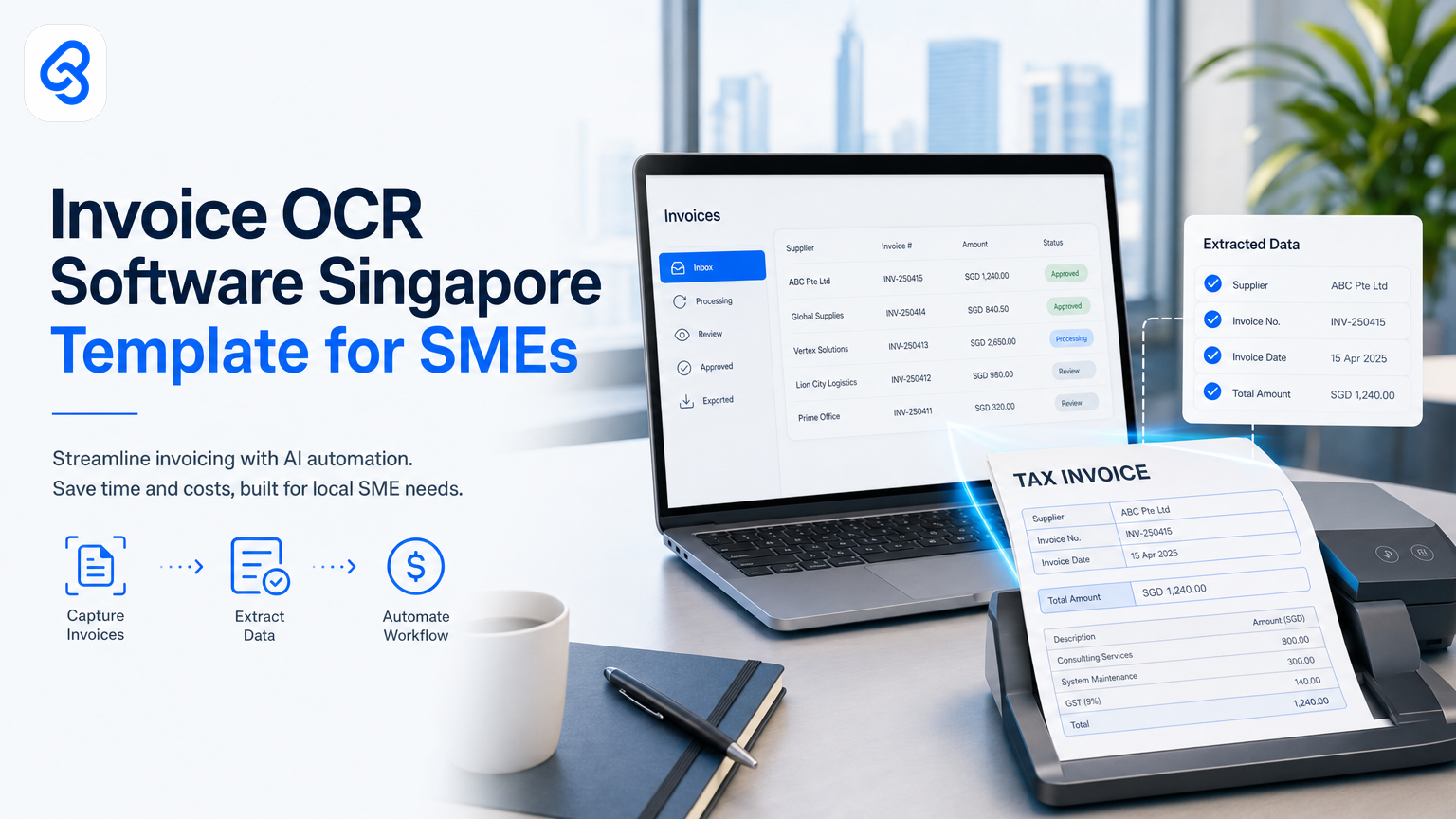
Managing invoices efficiently remains a perennial challenge for many Singapore SMEs. Manually entering data from invoices slows down accounts payable, increases errors, and ties up valuable staff hours, impacting your bottom line. Using the right invoice OCR software Singapore template can automate data capture, remove repetitive work, and speed up your accounting workflows. This means faster payments, fewer mistakes, and clear cost savings.
At Lynqra, we help Singapore SMEs identify operational bottlenecks and tailor AI automations focusing on real returns on investment, not just flashy technology. This article explains how invoice OCR software works with practical examples and how to choose and implement a Singapore-specific template suited to your business needs.
What is invoice OCR software and why does it matter for Singapore SMEs?
Invoice OCR (Optical Character Recognition) software extracts relevant data from scanned or digital invoices, converting it into editable digital formats. This automation eliminates manual data entry, speeds up invoice processing, and reduces errors.
For Singapore SMEs, which often face tight staff resources and growing invoice volumes, OCR helps lighten the workload without hiring extra staff. With local tax requirements including GST reporting and IRAS audit readiness, having accurate digitised invoices also improves compliance. The recent push for digital transformation through IMDA's Industry Digital Plans encourages Singapore SMEs to adopt digital tools like OCR to stay competitive and efficient.
By adopting invoice OCR software, companies save hours weekly on repetitive tasks, freeing finance teams to focus on exceptions and vendor relationships instead of routine input. This practical automation directly cuts business costs.
How can an invoice OCR software Singapore template simplify your workflow?
A ready-built Singapore template means the OCR software recognises invoice layouts tailored to common local formats. This reduces manual corrections and builds confidence in data accuracy from day one.
Singapore invoices typically require fields such as vendor details, invoice number, date, GST breakdown, purchase order numbers, and line item descriptions. A good template automatically maps these fields, validating them against local tax requirements. For guidance on GST compliance and invoice rules, see IRAS corporate income tax guidance.
Using a Singapore-specific invoice OCR template avoids generic errors caused by mismatched fields or unknown tax line formats. It also supports different languages and GST variations common in Singapore commerce.
What should you consider when choosing invoice OCR software and templates?
Look for:
- Compatibility with existing accounting or ERP systems to avoid duplicate work.
- Local currency and GST handling aligned with tax requirements.
- High accuracy rates on Singapore-style invoices to minimise manual review.
- Ability to process multiple invoice formats seamlessly.
- Integration with business process automation so approvals and payment workflows can be automated.
- Security and data privacy safeguards compliant with Singapore's Personal Data Protection Act. For more on data obligations, check resources from the CSA Singapore.
A checklist to help you decide includes:
- Does the software support Singapore GST fields and formats?
- Can you customise or import templates for your typical vendors?
- How well does it handle non-standard or handwritten invoices?
- Are validation or exception workflows included?
- Is cloud-based OCR suitable given your data policies?
- What level of local technical support is available?
How to automate invoice processing with OCR software: a practical workflow
Here is a step-by-step example of how invoice processing can be automated using real tools and a Singapore-specific invoice OCR template:
Trigger: Incoming invoice received by email or uploaded to cloud storage.
1. Capture: Use Power Automate integrated with Google Sheets as the data repository. Power Automate's AI Builder form processing uses a Singapore-specific invoice OCR template to extract vendor name, invoice number, date, GST, and amounts from the incoming invoice image or PDF.
2. Validate: Cross-check extracted invoice data automatically against purchase orders and vendor master records stored in Google Sheets using Power Automate logic flows and conditional rules.
3. Flag exceptions: Any mismatches, missing information, or amounts outside expected ranges trigger alerts via Microsoft Teams or email for finance team review and approval.
4. Integrate: Once approved, invoice data is automatically sent to accounting software like Xero using Power Automate connectors for payment scheduling and ledger posting.
5. Archive: Digitised invoices and complete audit trails are stored securely in SharePoint with metadata tags for easy retrieval and compliance with Singapore tax record-keeping requirements.
Each step uses AI and business rules: OCR for capture, logic checks for validation, workflow automation for approvals, and integration APIs to sync with accounting systems. This workflow reduces manual touchpoints from typically five to seven per invoice down to near-zero for compliant transactions.
Common pitfalls include poor template fit, lack of validation rules, and siloed systems causing redundant work. Automation solutions link these steps smoothly, focusing on measurable ROI rather than technology for its own sake.
To learn more about automating invoice processing, see our blog on Invoice OCR Software Singapore for SME.
Can SMEs get government support for invoice OCR software adoption in Singapore?
Singapore SMEs can tap government grants and programmes to adopt automation software as part of broader digital transformation efforts. Enterprise Singapore offers grants to boost capabilities, including automation tools, accessible through their Boost Capabilities initiative.
Additionally, IMDA's SMEs Go Digital programme curates digital solutions and facilitates funding for SMEs moving to automated workflows such as invoice processing. Confirm eligibility and grant details through official channels, as criteria and deadlines may change.
Accessing such support reduces upfront costs and speeds your path to time savings and improved cash flow management.
What are the benefits of invoice OCR software beyond data capture?
Beyond extracting data, invoice OCR software can:
- Improve cash flow management by accelerating invoice approval and payment cycles.
- Enhance vendor relationships through timely and accurate payments.
- Reduce audit risk by maintaining consistent digital records and metadata.
- Provide insightful analytics for spend and supplier management.
- Integrate with accounts payable automation for streamlined workflows, as covered in our guide to Accounts Payable Automation Singapore - How to Build It Right.
In Singapore's competitive SME ecosystem, these practical improvements increase operational agility without breaking budgets.
How does AI document processing fit with invoice OCR?
Invoice OCR is a key component of broader AI document processing that handles PDFs, forms, and other business documents. When connected with process management tools, it creates a seamless flow from scanned invoice to payment approval and reporting.
This combination increases your team's capacity without overloading staff or forcing disruptive system changes, thus boosting adoption and impact.
Checklist for implementing invoice OCR software with a Singapore template
- Assess current invoice formats and volume to baseline your starting point.
- Identify key data fields required for GST and local compliance.
- Choose OCR software with strong Singapore template support and vendor references.
- Pilot with small vendor batches to validate accuracy before full rollout.
- Integrate with your accounting system (Xero, MYOB, or your existing platform) before scaling.
- Train finance teams on exception handling and approval workflows.
- Monitor results, track time savings, and refine templates based on real performance data.
Next steps and how Lynqra helps you automate smartly in Singapore
If your Singapore SME struggles with invoice bottlenecks, Lynqra can build AI-powered OCR templates and full invoice automation solutions fitting your workflows. We do more than install technology; we identify pain points, drive real ROI, and support your teams.
Explore more practical automation insights on our blog:
- Automated Invoice Template in Excel: A Practical Guide for Singapore SMEs
- Google Sheet Automation Templates for Singapore SMEs
Discuss how custom invoice OCR and automation can save time and money. Contact us to schedule a free discovery call or email mark@lynqra.com.
FAQ
What is the main difference between generic OCR and invoice OCR software?
Generic OCR converts images of text into digital text but often lacks invoice-specific fields and validation logic. Invoice OCR extracts structured invoice information, including GST and vendor details needed for accounting workflows.
Can invoice OCR software handle handwritten or poorly scanned invoices?
Accuracy depends on AI capability and template quality. Better scans improve results, but manual review may be needed for handwritten or damaged documents. Singapore-specific templates reduce errors common to local formats.
Are there compliance risks when digitising invoices with OCR?
Digitising invoices is legal if data is accurate and records are securely stored. Automation helps maintain audit trails required for tax compliance. Refer to CSA Singapore resources for data security best practices.
Do government grants cover the cost of invoice OCR automation?
Some Enterprise Singapore and IMDA grants support adopting workflow automation tools. Confirm eligibility and current programmes through official sources before applying.
How quickly can SMEs expect ROI from invoice OCR?
Many SMEs see time and cost savings within weeks due to reduced manual input and faster invoice approvals. ROI varies by invoice volume and integration extent.
---
By carefully integrating the right invoice OCR software Singapore template, your SME can transform invoicing into a fast, accurate, and cost-effective process, a key step in building a digitally resilient business.