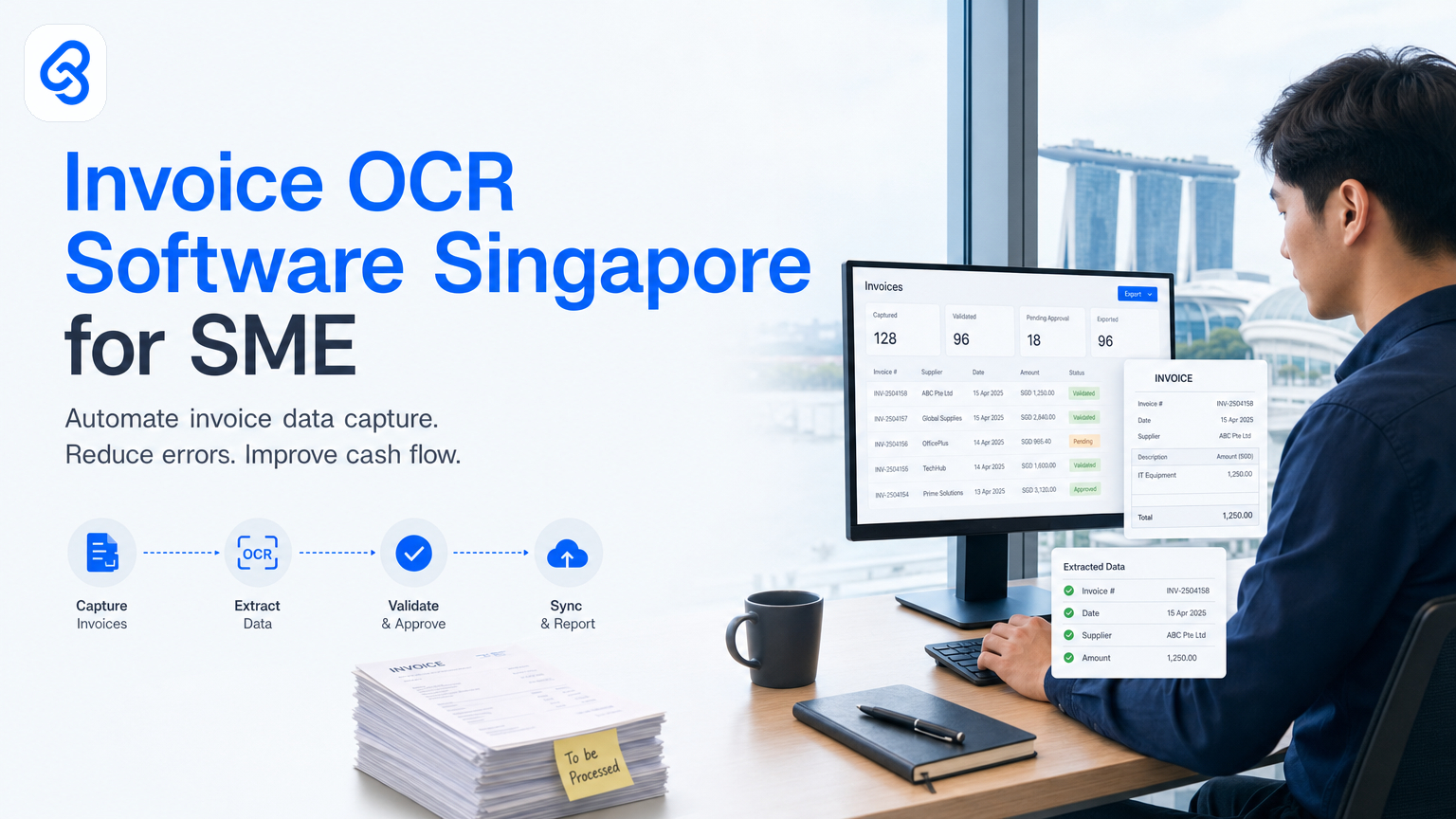
Your accounts team spends three hours a week typing invoice details into spreadsheets. A customer sends a PDF. Someone prints it, fills in a form, scans it back. A supplier's invoice arrives in an email and someone manually enters every line item into your accounting system. These are not inefficiencies you should accept as normal. Invoice OCR (optical character recognition) software automates exactly this kind of work, and the right tool can pay for itself within weeks.
This guide walks you through what invoice OCR actually does, how it fits into a real Singapore SME operation, and how to pick a solution that matches your cash flow and team size, not just one that sounds impressive.
What is invoice OCR software, and why does it matter for Singapore SMEs?
Invoice OCR software reads text from invoice images, PDFs, and scanned documents, then extracts key data (invoice number, date, vendor, amount, line items) and pushes it into your accounting system or spreadsheet. You stop typing. The software does it. Your team moves on to work that requires judgment instead of data entry.
Singapore SMEs often treat manual invoice processing as unavoidable. Your team gets used to it. But when you automate this step, you recover real hours every week. When implementing invoice OCR, you also bridge the gap between how suppliers send invoices (email PDFs, scanned copies, images, printouts) and how your accounting system expects data (structured, typed, error-free).
The software matters because this gap creates bottlenecks. OCR fills that gap automatically, freeing your finance team to focus on higher-value work like cash flow management and payment negotiations.
How does invoice OCR fit into your current workflows?
Invoice OCR does not sit alone. It works best when integrated into your larger accounts payable process. A typical flow looks like this:
Trigger: An invoice arrives (email, portal, WhatsApp, print). Capture: The OCR software reads the document and extracts data. Validation: Your team (or rules you set) checks the extracted data for errors. Entry: Approved data flows into your accounting system (Xero, SAP, Excel, whatever you use). Action: The invoice is ready for approval, matching against a purchase order, or payment scheduling.
The time saving comes from skipping the manual typing in steps 1 and 4. But the real value comes from reducing errors and creating an audit trail. When you type invoices manually, typos slip through. An amount becomes SGD 5000 instead of SGD 500. A vendor code is wrong. The OCR system, combined with basic validation rules, catches these before they reach your books.
For Singapore SMEs working with import invoices, multi-currency transactions, or vendors sending invoices in different formats, OCR software handles variation that would otherwise force your team to standardize supplier behaviour (which is hard) or accept slow manual processing.
What should you check before buying invoice OCR software?
Before you commit budget, test these questions. They reveal whether a tool will actually solve your problem or just add another system to manage.
Accuracy on your actual documents: Vendors claim 95% accuracy in marketing materials. That means nothing until you test the software with your own invoices. A supplier sending crisp, clean PDFs from their accounting system will see near-perfect accuracy. A vendor printing invoices and faxing photocopies will see worse. Ask for a trial, upload 10 of your real documents, and check the output yourself. Do not trust a demo with clean test data.
Integration with your accounting system: If your invoices end up in a different tool than your accounting system, you have not solved the problem, you have just moved it. Check whether the OCR software can write directly to Xero or your ERP. When filing tax returns and maintaining records for IRAS, ensure the OCR tool's output maintains compliance with Singapore tax documentation standards. You can review IRAS guidance on corporate income tax and record-keeping to confirm your chosen tool meets requirements. If it can only output to a CSV or email, you still have a manual step. That step matters because it introduces opportunity for error and still costs time.
How errors are handled: No OCR software is 100% accurate. When it makes a mistake, does someone have to manually fix it in the OCR tool, or in your accounting system, or both? Does the software flag low-confidence extractions for human review, or does it push guesses straight through? A tool that marks uncertain fields for review is more trustworthy than one that guesses and hopes.
How it handles your invoice variety: If all your suppliers send identical PDFs, any OCR software works. But most Singapore SMEs work with invoices that vary: some from overseas suppliers with different formats, some from local vendors, some scanned at odd angles, some with handwritten notes. Ask the vendor how they handle variation. If they promise perfection on everything, they are overselling.
Cost structure and what it actually costs you: Many invoice OCR tools charge per page or per document processed. A manufacturing company processing 200 supplier invoices per month might pay SGD 50-200 monthly for the tool itself, but if someone still spends three hours reviewing and fixing errors, the real cost is much higher. Calculate the fully loaded cost: software fee plus your team's time to validate output. Only then compare it against the time you save.
User experience for your team: If the software is clunky, your team will find ways to avoid it. They will slip back to manual entry when they are busy. A good OCR tool should feel like part of your natural workflow, not a separate system to log into and manage. Test whether it plays nicely with how your team actually works, not just how the vendor says it should work.
How to automate invoice processing end-to-end: A practical walkthrough
Here is a concrete example of what a working automation looks like. This is the kind of workflow we build for Singapore SMEs. You can use this framework to plan your own or to brief a consultant.
Step 1: Capture (OCR tool). A customer or supplier sends an invoice via email, portal, or even WhatsApp. The OCR software monitors your email inbox or is triggered manually, extracts all text and key fields from the invoice, and outputs structured data (vendor name, invoice number, amount, date, GST, line items, etc.).
Step 2: Validate (Rule engine or human review). The extracted data is checked against rules you define: Is the vendor in your approved vendor list? Is the amount within expected range for this supplier? Are all required fields present? Low-confidence extractions (where the OCR tool is uncertain) are flagged for human review. High-confidence matches pass through automatically.
Step 3: Match (Integration). The invoice data is matched against a purchase order (PO) if your workflow uses POs. The system checks that the amount, quantity, and delivery details align. Mismatches trigger an alert so you do not accidentally pay for something that does not match what you ordered.
Step 4: Entry (Accounting system). Approved invoices are pushed directly into your accounting system (Xero, SAP, or custom spreadsheet system). No one types anything. The system creates an accounts payable entry with all the extracted details, ready for approval or payment.
Step 5: Approval and payment (Your process). From here, invoices follow your normal approval workflow: manager review, director sign-off, scheduled payment, whatever you use. The OCR step has removed all the data-entry grunt work upstream.
Common pitfalls to avoid:
Assuming the OCR software solves everything: It does not. You still need rules for what gets approved and what does not. You still need someone to check unusual invoices. The software handles data extraction, not decision-making.
Failing to clean up your email or document source: If invoices arrive in five different email addresses, inconsistent folder structures, or unclear naming conventions, the OCR software will struggle to find them or will process duplicates. Tidy this first.
Not building in error feedback: If an OCR extraction is wrong and no one tells the system, it keeps making the same mistake. A good workflow includes a feedback loop so the software learns or so humans can flag patterns and fix them in batches.
Underestimating the validation step: Even with automation, someone needs to spot-check output. A manager reviewing 30 invoices weekly is faster than a team member typing 30 invoices, but the validation is not optional. Budget time for it.
Pushing live too fast: Test the workflow with a small batch first (20-30 invoices), let your team get comfortable, then scale. Do not flip a switch and automate 500 invoices on day one.
Singapore funding and digital transformation support
Singapore offers support for SMEs investing in digital tools like invoice OCR software. The IMDA SMEs Go Digital programme supports capability building and technology adoption for Singapore businesses. Check IMDA's guidance on digital transformation and the Digital Enterprise Blueprint to learn how to partner with approved solution providers for your digital transformation journey.
Before you commit budget, ask your industry association or trade group whether your sector has a specific digital roadmap that covers accounts payable automation. Many sectors in Singapore have published industry digital plans that flag invoicing and payments as priority areas.
Funding typically covers a percentage of costs for approved tools and implementation. Eligibility depends on company size, sector, and whether you are buying standalone tools or building custom integrations. Check directly with IMDA or Enterprise Singapore to confirm what costs are eligible before you sign a contract, because not all invoice OCR products qualify and some require a formal digital transformation plan.
Invoice OCR vs. other automation approaches
You have options beyond standalone OCR software. Understanding the trade-offs helps you pick the right one.
OCR tool only: Fast to set up, low upfront cost, works with existing systems. Best if you have a single, predictable invoice format. Limited if you need custom rules or integration with multiple systems.
Custom workflow automation: Built specifically for your invoice variety, vendor list, and approval process. More expensive and slower to build, but handles edge cases and integrates cleanly with everything else you do. Our guide to AI document processing for Singapore SMEs explores how custom automation works and when it makes sense. Best if you process high volume or have complex requirements.
Accounts payable outsourcing: You send invoices to a third party, they process them, they send you clean data or pay them on your behalf. No system to manage. Expensive on a per-invoice basis and you lose visibility. Best only if you have truly low volume and do not want to think about this at all.
Hybrid approach: Use OCR software for your standard suppliers (80% of invoices, high confidence, fast processing) and handle unusual invoices manually or through a custom rule. This balances speed and flexibility.
For most Singapore SMEs, OCR software alone is enough. Pair it with basic validation rules and you capture 80% of the benefit with 20% of the complexity. If you process invoices with high variation, custom fields, or complex approval chains, consider a wider automation project. Our detailed guide to accounts payable automation for Singapore SMEs covers how to build end-to-end workflows that integrate with your existing systems.
Can invoice OCR work with your existing systems?
Yes, if your accounting system accepts data from external sources. Most modern accounting tools (Xero, QuickBooks, SAP, Oracle NetSuite) have APIs or import functions that accept structured data from OCR tools. Even legacy systems often accept CSV imports, which means you can export from the OCR tool and import into your accounting system with a simple process.
The key question is whether your team is comfortable with one extra step (export and import) or whether you need a fully integrated real-time connection. For most Singapore SMEs, a daily batch import is fast enough and costs less than a fully integrated custom build.
If your accounting system is very old or custom-built, ask your IT provider whether they can build a connector to receive data from the OCR tool. The cost is usually low (SGD 1000-3000 one-time) and the payoff is removing the import step entirely.
Common objections Singapore SME owners raise
"Our invoices are too varied. OCR will not work." Most OCR tools handle variation better than you think. Even if accuracy drops to 85% on your most unusual suppliers, that is still fewer errors than manual entry and much faster to fix. Test it on your actual documents before you assume it will not work.
"We do not have time to set it up." A simple OCR integration typically takes days, not months. You can start with a single vendor and scale. Do not wait for perfect conditions.
"It is too expensive." The software fee is usually low (SGD 50-500 per month). The real cost is the time your team spends validating output. If that validation time is less than the data-entry time you save, the tool pays for itself.
"We use an old system that does not integrate." Even if your main system does not integrate directly, you can often export from the OCR tool as CSV and import into your system with a script. It is not ideal, but it is still better than manual entry.
"We need IRAS compliance for tax records." Invoice OCR does not change your tax obligations. The extracted data still feeds the same accounting records. You still have an audit trail (better than manual entry). For guidance on digital record requirements, check IRAS resources on corporate income tax and record-keeping to confirm OCR-processed invoices meet your compliance obligations.
"We need to ensure our team has the right skills for this." Digital capability building is supported through Singapore's SkillsFuture movement. You can access training programmes and learning resources at SkillsFuture for enterprise to upskill your finance team on new tools and workflows.
Decision framework for Singapore SMEs
Use this to decide whether invoice OCR software is right for you now.
You should implement OCR software if:
- Your team spends more than 3 hours per week on invoice data entry
- Your suppliers send invoices in multiple formats (PDF, email, scanned, print)
- You process more than 50 invoices per month
- You have access to basic budget for software (SGD 50-300 per month)
- You want to reduce data-entry errors and improve payment speed
- Your invoices have consistent key fields (vendor, amount, date, GST) even if layout varies
You can wait if:
- You process fewer than 20 invoices per month and data entry takes less than 1 hour weekly
- All your invoices come in a single, standardized format
- Your current system already has OCR built in and you are happy with it
- You are in the middle of a larger system migration anyway
You need something more than OCR if:
- Invoices need approval workflows with multiple sign-offs
- You match invoices against POs and need to flag mismatches automatically
- You process invoices in multiple currencies with automatic exchange-rate conversion
- You have custom business rules (vendor credit limits, cost-centre allocation, etc.)
For the third category, consider a wider automation project. We have built these for Singapore SMEs and they pay for themselves through error reduction and cash-flow speed alone.
FAQ
Q: Will OCR software work with invoices from overseas suppliers in different formats?
A: Yes, if the invoices have clear structure (even if the layout varies). OCR handles different fonts, languages, and formats better than you might expect. Test it on samples from your actual suppliers before buying. Handwritten invoices or very unclear photocopies may not work well.
Q: How long does it take to set up invoice OCR?
A: A basic setup takes 1-2 days if you are using an off-the-shelf tool. You configure which fields to extract, connect it to your accounting system, test with a small batch, then scale. Custom automation takes longer but is built to your exact requirements.
Q: Do we need a consultant or can we set this up ourselves?
A: Simple OCR tools are designed for self-service setup. If you have one person comfortable with basic integrations and spreadsheets, you can do it. For custom workflows with multiple systems, a consultant saves time and reduces mistakes.
Q: Is the data secure if we use a third-party OCR tool?
A: Any reputable tool will encrypt data in transit and at rest. Check the vendor's security certifications and data location. For highly sensitive invoices, you can run OCR on-premises or through a private integration. Singapore's Cyber Security Agency publishes resources and guidance on data security best practices if you want to review security standards your vendor should meet.
Q: Will OCR replace our accounts team?
A: No. It removes the manual data-entry part of their job, so they have time for invoice verification, exception handling, payment negotiations, and cash-flow management. Your team becomes more valuable, not redundant.
Invoice OCR software solves a real problem for Singapore SMEs: the waste of time and errors that come from manually typing invoice data. The right tool reduces that work to minutes instead of hours, costs between SGD 50-300 per month, and integrates with systems you already use.
Start by auditing your current process: count the hours your team spends on invoice entry each week, list the different invoice formats you receive, and identify your biggest frustrations (errors, slow approvals, late payments). Then test a tool with 10-20 of your actual invoices. If the output is 85% accurate or better and saves more time than validation costs, you have your answer.
If you want to go beyond standalone OCR and build a complete automated accounts payable workflow tailored to your business, we can help. We have built document automation and invoice processing systems for Singapore SMEs in retail, logistics, manufacturing, and professional services. Our approach starts with understanding your actual invoices and approval process, then builds automations that fit how you work, not the other way around.