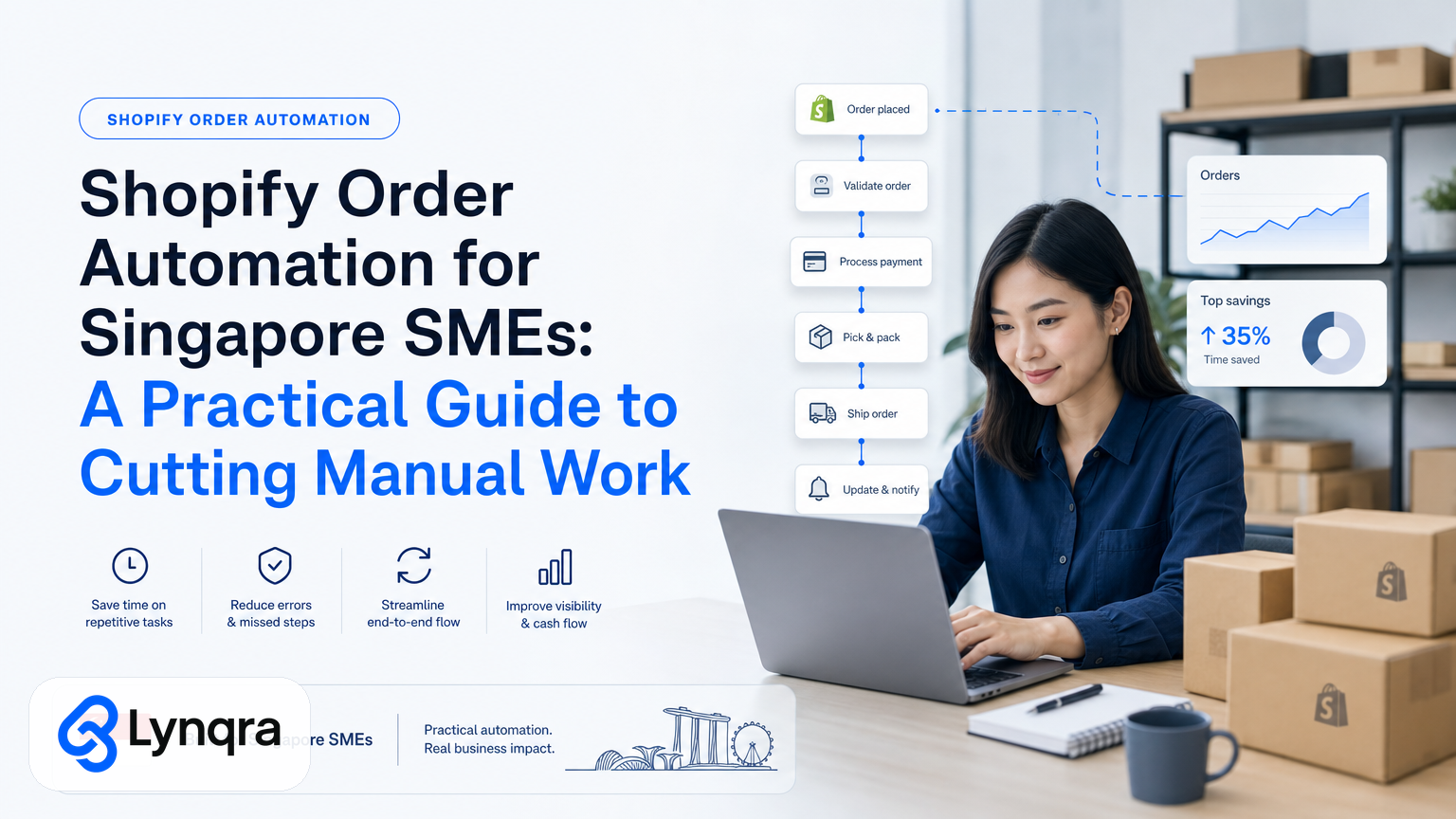
If you run a small or medium business in Singapore using Shopify, you probably spend hours each week on tasks that repeat: chasing unpaid invoices, manually entering order data into spreadsheets, creating approval requests for refunds or large orders, or sending status updates to customers. Your team does the same steps over and over, on different platforms, often across email, WhatsApp, and Google Sheets.
That's not a sign you need a bigger team. It's a sign you need to automate.
Shopify order automation means using technology to handle the repetitive parts of your order workflow without forcing your team onto heavy new software. Instead, you build automations that work inside the tools you already use: Shopify itself, Gmail, Google Sheets, WhatsApp, Telegram, and approval systems that fit your process.
In this guide, we walk through what Shopify order automation actually looks like for Singapore SMEs, how to identify what to automate first, how to build it right, and what to expect in terms of time and cost savings.
What Shopify Order Automation Really Means
Shopify order automation is not about replacing Shopify or bolting on an expensive third-party platform. It means connecting your Shopify orders to the downstream tasks that currently require manual work.
Common examples:
- A new order arrives. Instead of manually logging it in your invoice tracker, an automation reads the order, extracts the customer name, amount, and due date, and creates a row in your Google Sheet with the correct format.
- A customer orders something flagged as out of stock. Instead of a team member checking inventory and sending a manual email, an automation checks your stock system and either confirms fulfillment or triggers an approval request to your manager.
- An order exceeds your normal credit limit. Instead of waiting for someone to notice and email your accounts team, an automation flags it in Telegram and routes it to the right approver.
- A refund request comes in. Instead of manually checking order history and emailing back, an automation gathers the order details, checks against your refund policy, and either auto-approves small refunds or escalates larger ones for manual review.
None of these require you to leave Shopify, Google Sheets, email, or WhatsApp. The automation sits between them.
The result: your team stops doing the same task fifty times a day and starts doing work that actually requires judgment.
Why Should Singapore SMEs Care Now?
Singapore's SME sector is competitive, and margins are tight. The government's recognition of digital adoption's impact on profitability is reflected in initiatives like the IMDA Industry Digital Plans, which support SMEs in connecting their existing tools and workflows.
But "going digital" does not mean buying more software. Most Singapore SMEs already use Shopify, Gmail, Google Sheets, and WhatsApp. The gap is not in tools. It's in connecting those tools to remove the manual work between them.
Specific examples of workflows that improve with automation:
- A food production SME used Shopify to process orders but manually created quotations in Word or spreadsheets. Automation cut response time from about 2 hours to 6 minutes. They could quote during business hours instead of at night.
- A logistics SME processed orders manually across Shopify and spreadsheets. Automation tied to stock levels prevented overstock by 30% and freed the operations manager from daily inventory reconciliation.
- A trading company issued invoices manually from Shopify and chased payments via email. Automation created invoices directly in their accounting system and flagged overdue amounts in Telegram, saving 6 hours per week and eliminating missed payments.
These are the kinds of workflows we see in Singapore SME order processing every month. Automation pays for itself in weeks, not months. A team member doing 6 hours of manual order work per week is a cost driver. Remove that, and you recover the investment immediately.
Common Order Workflows That Slow Singapore SMEs Down
Before you automate, you need to see where the time actually goes. Most SMEs do not track this clearly, so here are the typical bottlenecks:
Invoice and payment tracking
You receive a Shopify order. Your finance person logs into Shopify, notes the amount and date, opens a spreadsheet, manually types the details, then checks the spreadsheet each week to see which invoices are unpaid. If a payment is late, they send a chase email, manually.
Time cost: 5 to 10 minutes per order, plus 2 to 3 hours per week on payment chasing.
Quotation and order acknowledgment
A customer inquires about a bulk order or custom size. Someone pulls the order template, manually fills in customer name, product details, and pricing, sends it as email or PDF, and waits for confirmation. If they do not hear back, they follow up manually.
Time cost: 30 minutes to 1 hour per quote.
Approval delays
A large order or refund request lands. No one on the team has clear permission to approve it. It sits in email or a message until someone notices and escalates. By then, the customer is frustrated.
Time cost: Hours of delay, lost urgency, and customer friction.
Inventory and fulfillment checks
An order arrives. Someone checks Shopify, then checks your separate stock spreadsheet or system, then decides whether to fulfill or hold. If stock is low, they manually notify the warehouse. If it is going to be delayed, they craft a custom message to the customer.
Time cost: 10 to 15 minutes per order, multiplied by dozens daily.
Data entry and re-entry
Order information lives in Shopify. But your finance system, your CRM, your delivery notes, and your customer follow-up list all need that same data. So someone copies it from Shopify into each system, manually, sometimes multiple times.
Time cost: 2 to 5 minutes per order, plus the error rate that comes with manual re-entry.
Customer follow-up and status updates
A customer orders something. You receive payment. You ship it. But there is no automatic way to notify the customer of each step. So your team sends manual updates via email or WhatsApp, one customer at a time.
Time cost: 2 to 5 minutes per order, per update.
Which Workflow Should You Automate First?
You cannot automate everything at once. The best approach is to pick one workflow that meets three criteria:
1. High frequency: it happens 10 or more times per week, or requires 2 or more hours of staff time per week.
2. Clear process: the rules are consistent. If you had to explain it to a new hire, you could do it in a paragraph.
3. Measurable impact: you can count the time saved or errors prevented.
Invoice and payment tracking usually wins for first automation because it is frequent, rule-based, and the ROI is immediate: fewer late payments and hours recovered.
Approval workflows come second because they unblock customers without adding headcount.
Quotation automation comes third because it improves response time, which customers feel directly.
Stock and fulfillment automation comes fourth because it reduces shipping errors and manual escalations.
Ask yourself: if we automated one workflow this month, which one would free up the most time for your team to do something that actually grows the business?
That is your first target.
How to Build Shopify Order Automation Without Heavy Software
You have two options: buy a pre-built Shopify app, or build a custom automation that connects Shopify to your existing tools.
Pre-built Shopify apps
Shopify's app store has hundreds of automation apps. Many are useful for specific tasks: email follow-ups, inventory sync, accounting integrations. The advantage is they are tested and fast to set up. The disadvantage is they often force you onto a new platform or cost a fixed monthly fee regardless of whether you use them.
Custom automation (the Lynqra approach)
If you want to keep your workflow inside Shopify, Gmail, Google Sheets, and WhatsApp, you build a custom automation.
Here is how it works:
1. Map your current workflow: write down every step, every tool, every person involved. Where does the order come in? Who sees it first? What decisions do they make? Where does the data go next?
2. Identify the repetitive steps: which steps have the same rules every time? Which steps are just data entry or format changes?
3. Design the automation: decide what the automation will trigger on (a new Shopify order, a customer email, a manual button press), what data it will pull, what checks it will run, and where it will send the output (Google Sheet, approval message, invoice template, customer email).
4. Build and test: use tools like Zapier, Make, or custom scripts to wire Shopify to your downstream systems. Test with real orders before you rely on it fully.
5. Iterate: run the automation live for one week. Measure time saved. Ask your team what is working and what is clunky. Adjust.
Custom automation is faster and cheaper than you think if you start with one workflow. Most SME order automations take 2 to 4 weeks to build and cost between SGD 2,000 and SGD 10,000 depending on complexity.
Data, Compliance, and Safety
When you automate order data, you move sensitive information between systems. Singapore's Personal Data Protection Act (PDPA) applies to any business handling customer or employee data. You need to ensure:
- Customer data is only shared with systems that need it and are secure.
- You have audit trails so you can show who accessed what and when.
- You delete old data on schedule and can respond to customer data access requests.
The CSA Singapore resources provide guidance on data protection responsibilities for businesses of all sizes. It is worth reviewing, even if you do not appoint a formal DPO.
For payment data, if you are storing credit card information, follow PCI DSS standards. Most of the time, you should not store payment details at all; let Shopify and your payment processor handle that, then Shopify sends you order confirmation. That is safer and simpler.
For approval workflows, use tools that log who approved what and when. WhatsApp or email-based approvals are human-readable but leave no audit trail. Telegram or Google Sheets based approvals are better for compliance because you can export a full log.
What Grants and Funding Are Available
Singapore's government offers support for SMEs adopting digital tools. The IMDA Industry Digital Plans initiative provides advisory support, training, and co-funding for digital projects including automation and workflow integration.
Do not assume you automatically qualify. Each scheme has specific eligibility criteria, and approval timelines vary. If you are building an automation, it is worth checking early to see if funding is available to offset your costs.
Related reading: we have written a detailed guide on Delivery Order Automation for Singapore Logistics SMEs, which covers automation approaches for logistics-focused businesses that may also qualify for government support.
What Time and Cost Savings Should You Expect?
If you automate invoice creation and payment tracking:
- Time saved: 6 to 10 hours per week.
- Cost savings: one staff member no longer spends 25% of their week on manual invoice work. That is roughly SGD 600 to SGD 1,200 per month recovered.
- Secondary benefit: fewer late payments, less cash flow friction.
If you automate approval workflows:
- Time saved: 4 to 8 hours per week.
- Cost savings: approvals complete in hours instead of days. You process more orders and lose fewer to delay.
- Secondary benefit: clearer audit trail, fewer disputes.
If you automate quotation generation:
- Time saved: 8 to 15 hours per week.
- Cost savings: you quote faster, win customers, or quote more accurately, reducing disputes.
- Secondary benefit: more quotes per week means more pipeline visibility.
If you automate inventory checks and alerts:
- Time saved: 5 to 10 hours per week.
- Cost savings: fewer out-of-stock surprises, less overtime for warehouse staff.
- Secondary benefit: better stock decisions, reduced overstock.
These numbers are typical, not guaranteed. Your results depend on order volume, current process complexity, and how much of the work you actually automate. A business doing 10 orders a day will see more savings than one doing 5. A business with a chaotic approval process will see bigger gains than one with a clear structure already in place.
Common Objections and How to Address Them
"Will automation break our workflow?"
It can if you do not test it properly or if you over-automate. The right approach is to pick one workflow, build and test it thoroughly, then measure it against the manual version for a week. If it works, you keep it and move to the next workflow. If it does not, you revert to manual and iterate.
"We do not have time to set up something complex."
Good automations are not complex. They are specific. A working invoice automation is probably three to five simple steps: capture the order, format the data, write it to a sheet, send a confirmation. That is not complex.
"What if the automation makes a mistake?"
Automations make fewer mistakes than humans on repetitive tasks, but they do make them. That is why you add checkpoints: a human review step for high-value orders, or an alert if something looks wrong (a missing customer name, a negative price, a duplicate order). You design automation to catch mistakes, not to avoid human oversight.
"Will it cost a lot?"
Not relative to staff time. If an automation saves 6 hours per week and costs SGD 4,000 to build, you recover the cost in 10 weeks. After that, you have 6 hours per week of recovered capacity. Over a year, that is worth roughly SGD 30,000.
"Will our team resist it?"
They usually do not, if the automation makes their job easier, not harder. Most team members would rather approve a quotation than type out 50 quotations. They would rather spot a payment error than spend an hour reconciling invoices. Resistance usually comes when automation is unclear, changes process without warning, or creates more work on the front end. Avoid that by involving your team in the design phase.
Related Workflows to Automate Later
Once you have your first automation working, you have a template. Building a second automation is usually faster and cheaper because you already understand the process and the technical setup.
Common second targets for Singapore SMEs:
Accounts payable and supplier invoices: similar structure to customer invoice tracking, but the other direction. We have written a full guide on Accounts Payable Automation Singapore that covers the specific setup for Singapore SMEs.
Approval workflow automation: turning email or WhatsApp approvals into a trackable process with clear routing and sign-off trails. This is especially useful for SMEs running lean and needing to scale decision-making without adding layers.
Customer follow-up and WhatsApp or Telegram notifications: automating status updates so customers know when their order ships, arrives, or needs action. We have covered this in our WhatsApp Automation Singapore SME guide.
Document and PDF data extraction: if you receive invoices, receipts, or delivery notes as PDFs, automation can extract key data and feed it into your systems, eliminating manual re-entry.
Each of these uses the same underlying approach: map the workflow, identify repetitive steps, design an automation, build it, test it, iterate.
Does Shopify Order Automation Make Sense for Your Business?
Shopify order automation makes sense if:
- You process 10 or more orders per week.
- Your team spends 2 or more hours per week on repetitive order tasks.
- You use Shopify already and do not want to migrate to a new platform.
- You are open to working inside your existing tools (Google Sheets, Gmail, WhatsApp, Telegram) rather than buying new software.
- You want to see ROI within three months.
It does not make sense if:
- You process fewer than 5 orders per week (the overhead may not justify the benefit).
- Your order process is completely non-standard and changes weekly (automation needs consistency).
- You are planning to hire a new team member to handle orders (they might be cheaper and more flexible in the short term).
If you fit the first description, the next step is to map your current workflow and measure how much time it actually takes. Be honest. Do not estimate. Track it for a week. Then you will know your ROI.
Frequently Asked Questions
How long does it take to build a Shopify order automation?
Most SME order automations take 2 to 4 weeks from design to full implementation and testing, depending on how many systems you need to connect and how complex your approval rules are.
Can we start with just one automated workflow?
Yes, and you should. Start with the workflow that takes the most time and has the clearest rules. Once that is working smoothly, you can expand to other workflows using the same approach.
What if we change our process later?
Automations are not fixed. If you change how you process orders, you update the automation rules. That is typically a faster change than rebuilding from scratch, especially if your new workflow is similar to the old one.
Do we need a dedicated person to maintain the automation?
No. A good automation requires minimal maintenance. Your team will interact with it (entering data, reviewing outputs, approving orders), but no one needs to spend time managing the automation itself unless you change your workflow.