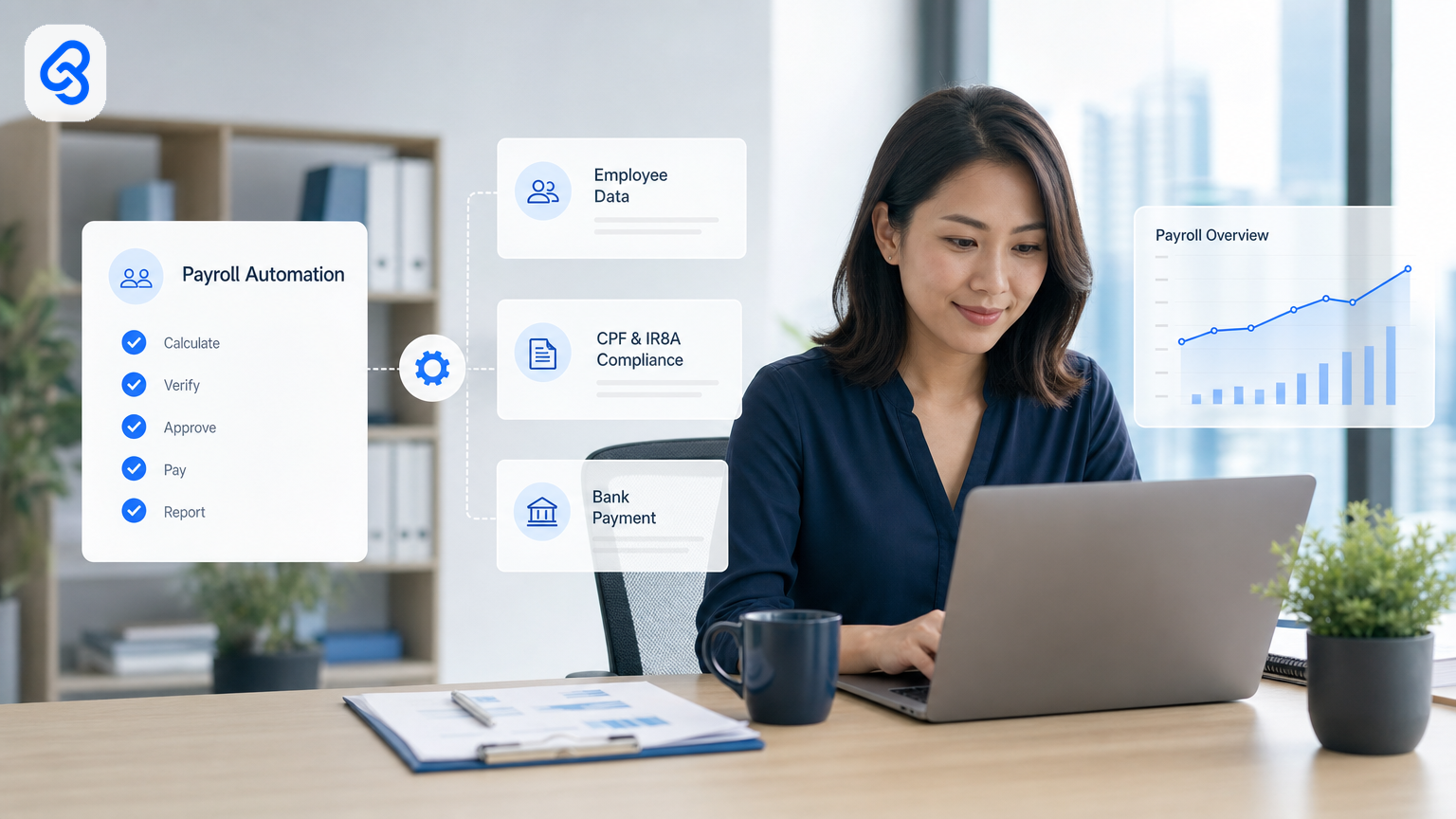
Running payroll in Singapore looks straightforward at first. No employee income tax. No PAYE. But the reality is more complex. Every month you manage Central Provident Fund contributions, Skills Development Levy, Foreign Worker Levy where applicable, and annual Form IR8A reporting. For a small team, that rhythm of monthly calculations, employee verification, and submissions can eat 3 to 5 hours weekly, time you do not have.
Most SME owners assume they have two choices: hire a payroll administrator or outsource to a service provider. But payroll automation for Singapore SMEs offers a third option that sits in the middle. Automate the repetitive parts of your existing payroll process. Keep your current tools. Reduce manual data entry. Cut the risk of late submissions or miscalculations. And fund it through grants like EDGE or SME initiatives that many Singapore business owners overlook.
This guide walks you through payroll automation, when it makes sense, and how to move forward without reinventing your entire back office.
Why Payroll Automation Matters for Singapore SMEs
Payroll touches three pressures that hurt small business owners: time, accuracy, and compliance risk.
Time is obvious. But the hours add up in invisible ways. Someone collects timesheets, logs absences, cross-checks employee data against the payroll software, prepares bank files, prints payslips, records transactions, and chases missing supporting docs. If you employ 15 to 50 people, this is a half-time job. If you do it yourself, it is hours stolen from sales or strategy.
Accuracy is less forgiving in Singapore. The CPF Act requires employers to make contributions by the deadline. Late submissions attract penalties. Incorrect contribution rates, especially after the 2026 changes to contribution ceilings, compound errors over months. One misdeclared wage or foreign worker status can trigger a back-pay liability that absorbs margin. According to MOM guidance on employment practices, employers must meet statutory deadlines and maintain accurate records to avoid penalties and disputes.
Compliance risk grows as you scale. You must maintain audit trails, handle employee data securely under the Personal Data Protection Act, keep records for six years, and respond to queries from MOM, IRAS, or CPF. The PDPC provides guidance on data protection responsibilities; as an employer collecting and processing payroll data, you must understand how to protect employee information and maintain security controls. If your payroll calculations live in separate spreadsheets, emails, and paper timesheets, you cannot prove you did the right thing when an auditor asks.
Payroll automation removes the grunt work without forcing you onto a bloated all-in-one HRMS you do not need. That is the point.
What Should You Automate First in Payroll?
Before automating everything, clarify what makes sense for your business.
Payroll outsourcing makes sense if you want to hand over the whole function. You provide employee data, the provider calculates, submits, and handles compliance. Cost is a flat monthly fee per employee. You lose control but gain certainty. This is right for growing teams (50+ headcount) or where payroll is not your competitive edge and you prefer not to think about it.
Payroll automation makes sense if you want to keep payroll in-house but remove the manual labour. You keep the spreadsheets, email flows, or payroll software you already use. Automation fills in the blanks: it extracts data from timesheets, cross-checks against CPF and MOM requirements, flags mismatches, submits forms, and logs everything. Cost is lower per employee and scales with complexity, not headcount. You keep visibility and control.
For most Singapore SMEs with 10 to 50 staff, automation sits in the sweet spot. You understand your payroll logic. Your team has institutional knowledge. A service provider would charge more than the hours you save. But manual work keeps bleeding time and risks.
The Four Payroll Pain Points Automation Tackles
Data Entry and Cross-Checking
Your payroll data comes from multiple sources: timesheets (email, forms, spreadsheets), leave requests (HR system or email), salary adjustments (managers, approvals), and external feeds (MOM, CPF, tax brackets). Someone collates it all, cross-checks for errors, and enters it into the payroll system.
Automation extracts data from these sources, validates it against rules you set (for example, is this person a CPF member? What is their latest salary? Any unpaid leave?), and flags mismatches before submission. You avoid the re-entry cycle where one error propagates through payslips, bank files, and compliance forms.
CPF, SDL, and FWL Calculations
Singapore payroll math is rule-heavy. CPF contribution rates shift by age and income band. Foreign Worker Levy depends on job category and worker nationality. Skills Development Levy applies to specific payroll ranges. From January 2026, the ordinary wage ceiling and additional wage ceiling changed, so any employer who did not update their software or spreadsheet will underpay or overpay.
Manual calculation invites errors. Automation uses current tax and contribution tables, applies rules based on employee status, and recalculates every pay period if rates change. It also tracks year-to-date contributions so you know when someone hits the CPF ceiling and subsequent contributions drop.
Compliance Reporting and Submissions
Every month you must submit CPF contributions to the Central Provident Fund Board. Once a year, you file Form IR8A with IRAS (employee income) and other required tax documents. ACRA provides detailed guides and forms to help companies understand their statutory obligations, including payroll-related compliance requirements. You maintain payroll records for six years. You respond to employee queries about their contributions.
Manual reporting means pulling data from spreadsheets, formatting it, and uploading it. Automation sends payroll data to CPF and IRAS systems directly (where APIs exist), builds Form IR8A automatically, logs every transaction with a timestamp, and keeps a searchable record for audits. You spend minutes on review instead of hours on formatting and re-submission.
Approval Workflows and Audit Trails
Before payroll runs, several people sign off: the finance manager approves the salary cost, the HR lead confirms leave balances, a director may sign off on bonuses or adjustments. If these approvals happen via email and spreadsheet, you have no proof who approved what or when. If someone forgets to approve, payroll runs late.
Automation routes approval requests to the right people, logs their sign-off with a timestamp, and blocks payroll execution until all gates pass. It builds an audit trail that satisfies MOM, IRAS, and internal auditors. You also know instantly if a payroll has been reviewed.
How to Automate Payroll: A Practical Framework
You do not need new payroll software to automate. Start where your data already lives.
Step 1: Map Your Current Payroll Process
Write down every step: where timesheets come in (email? Google Forms? Time-tracking app?), who approves them, where salary data lives (spreadsheet? HR system?), how you calculate CPF and deductions, who approves the payroll before it runs, and how you submit to CPF and IRAS. Note the tools you already use: Google Sheets, email, spreadsheets, Telegram, WhatsApp, forms.
This is your baseline. You are not trying to replace it yet. You are identifying the repetitive steps that eat time and introduce risk.
Step 2: Identify the Highest-Friction Step
Which step takes the most time or creates the most errors? Is it the reconciliation between timesheets and payroll? The cross-check for CPF membership changes? The month-end formatting for IRAS submission? The approval routing?
Start with the highest-friction step, not the most strategic. Automation wins on volume and frequency. A step you repeat 20 times a month has more ROI than a step you do once a year.
Step 3: Define the Rules and Data Sources
For the step you picked, write down the rules: "If an employee is above the CPF ceiling, do not add to CPF this month." "If leave balance is negative, flag for HR approval." "If salary is 2 months late in payment, trigger a reminder." Also list the data sources: timesheets (form or file), leave records (email or spreadsheet), salary changes (email or approval system), external feeds (MOM, CPF, tax codes).
Step 4: Choose Automation Tools or Build a Workflow
If you use Google Sheets and email heavily, you can automate within those tools. Tools like Google Apps Script (free, built into Sheets), Zapier, or Make (formerly Integromat) connect your forms, emails, and spreadsheets without coding.
If your payroll software has an API, automation can push data directly into it and pull compliance data back out.
For payroll, you often need both: automation to collect and validate data upstream, and integration to feed it into your payroll software downstream.
Step 5: Test Against Real Data
Build the automation with a test payroll run. Use the previous month's data, run it through the automated steps, and compare the output (payslips, bank file, IRAS report) against what you built manually. Fix mismatches. Iterate until the output is identical.
This step is non-negotiable. Payroll errors are costly and visible. You need 100% confidence before you switch to automated payroll.
Step 6: Train Your Team and Monitor
Once live, your payroll team shifts from manual work to exception handling. They watch for data quality issues, approve payroll runs, and investigate any alerts the automation flags. This is a lighter load, but it still requires focus.
Review the automation monthly for the first three months. Check that approvals are routing correctly, that submission deadlines are met, and that no manual steps are being skipped. Once you have rhythm, review quarterly.
Cost and ROI: What to Expect
Setup cost depends on complexity. A simple automation (timesheet to payroll calculation in Google Sheets) costs SGD 2,000 to 4,000 if you work with a consultant. A multi-step workflow with approvals and CPF integration costs SGD 5,000 to 10,000. Ongoing maintenance is typically SGD 200 to 500 per month depending on changes and support.
Time savings usually land between 3 to several hours each week per payroll cycle. For a 20-person team, that is 1 to 1.5 full-time-equivalent hours freed up every month. Over a year, automation pays for itself in the first 3 to 4 months.
Risk reduction is harder to quantify but real. Fewer manual entries mean fewer errors. Faster submissions mean no late penalties (which can reach SGD 200 to 1,000 per month depending on the violation). Audit trails lower the cost of compliance reviews.
Scaling benefit: When you hire 5 more people, manual payroll scales linearly (more hours, more risk). Automated payroll scales by percentage (a small increase in data volume, same process). This advantage grows as you grow.
Grants and Funding for Payroll Automation
Singapore offers grants to help SMEs adopt digital and automation tools. The two main pathways for payroll automation are:
IMDA SMEs Go Digital provides support for SMEs to adopt technology solutions, including workflow automation and digital tools for business process improvement. IMDA helps eligible SMEs access funding for digital transformation across back-office functions like payroll, data management, and operational automation. You may qualify if your company has fewer than 200 employees and meets revenue thresholds. The scheme covers a percentage of costs for approved digital solutions and implementation.
Enterprise Singapore grants include EDGE (Enterprise Development Grant), which funds productivity and automation projects that improve operational efficiency. Payroll automation that reduces labour cost or improves compliance can qualify. The grant covers 70% of project costs for smaller firms (subject to caps and conditions).
Both schemes have eligibility criteria, and grant approval is not automatic. Check the official sources for current rates, caps, and application deadlines. A grant advisor can help you assess fit and prepare your application. If you work with an automation partner, many have experience with grant submissions and can guide the process.
Lynqra partners with grant advisory specialists who help clients identify and navigate suitable funding pathways based on company profile, scope, and timeline. For more details, read our AI Automation Grants in Singapore: EDGE and SME ROI Guide to understand how grants can offset your implementation costs.
Frequently Asked Questions About Payroll Automation for Singapore SMEs
How long does it take to set up payroll automation?
Most payroll automation projects take 4 to 8 weeks from discovery to live deployment. The timeline depends on complexity (single-step vs multi-step workflows), data source integration (spreadsheets vs APIs), and testing cycles. Simple timesheet-to-payroll automation can go live in 3 to 4 weeks. Complex workflows with CPF and IRAS integration typically take 6 to 8 weeks to design, build, test, and train your team.
Can we automate payroll without replacing our current software?
Yes. Payroll automation works around your existing tools, not against them. If you use Google Sheets, email, and a basic payroll software, automation can collect data from Sheets and email, validate it, and feed it into your payroll software. You do not need to migrate platforms. This is one reason automation is attractive for SMEs: low disruption, high impact.
What happens if the automation makes a mistake during payroll?
Automation mistakes are almost always data quality issues upstream. For example, if someone enters an employee's CPF status incorrectly in the source spreadsheet, automation will use that wrong data. This is why testing against historical data is critical. You verify that the automated output matches your manual output before going live. For the first 3 months, you also keep manual records as backup and compare them to the automated output. If automation fails (very rare once tested), you have a fallback process ready.
Is payroll automation secure under Singapore data protection law?
Yes, if designed correctly. Automation tools like Google Apps Script, Zapier, and enterprise workflow platforms are built with encryption, access controls, and audit logs. You must follow the Personal Data Protection Act (PDPA) by limiting who can access payroll data, keeping it encrypted at rest and in transit, and maintaining logs of who accessed what and when. Automation often improves security because it removes manual email and spreadsheet sharing, which is higher-risk. Consult a data protection specialist if you are unsure.
Should we hire a consultant or build it ourselves?
If your team has time and coding skills, you can build simple automation (Google Apps Script, Zapier) yourselves. But payroll has low margin for error, so most SMEs prefer to work with a consultant who specializes in payroll. They understand the compliance rules, test rigorously, and provide ongoing support. Cost difference is small compared to the risk. If payroll is not your core business, outsourcing the build is worth it.
Can we automate payroll if we use a cloud HR system like BambooHR or Workday?
Yes. Most HR systems have APIs that automation can connect to. You can pull employee data from the HR system, feed it into your payroll logic, and push results back. Some HR systems also have built-in payroll modules, in which case your automation feeds into those modules rather than around them. Check with your HR system vendor about API access and payroll integration options.
Common Objections and How to Overcome Them
"Our payroll is too custom to automate."
Most SME payroll processes look unique but follow common patterns: timesheets, leave, deductions, approvals, submissions. Automation works on the data, not the software. Even if you use a bespoke payroll tool, you can automate the steps before (data collection) and after (reporting).
"We do not have IT people. How do we build this?"
You do not need internal IT. Automation consultants build these workflows for you using low-code tools and APIs. The automation lives in your existing systems (Google Sheets, email, forms), so your team does not need to learn a new platform. Maintenance is light and supported by your partner.
"What if the automation breaks during month-end?"
Risk is real but manageable. You design automation with fallback: if the system fails, you have a manual process ready. You also monitor uptime and test monthly. Most automation for payroll is rock-solid once tested because the rules are deterministic (they do not depend on external APIs that fail).
"Changing our payroll process sounds risky."
It is. That is why you test against historical data first, run a trial month, and only go live once you have verified the output. You keep manual records as backup for the first 3 months. You do not flip a switch overnight; you migrate step by step.
"Outsourcing is simpler. Why not just pay a service?"
True, outsourcing shifts risk to a provider. But it also shifts control and visibility. You stop understanding your payroll, which matters if you audit your own compliance or need to respond to employee queries. It also costs more per employee as you scale. Automation keeps you in the loop while saving time.
How to Move Forward
If payroll automation sounds right for your business, here is what to do:
1. Map your current process (1 hour). Write down every step from timesheet to submission.
2. Identify the highest-friction step (30 minutes). Where does the most time go or where do errors happen most?
3. Get a rough cost estimate (1 call). Talk to an automation consultant about the specific step and complexity.
4. Explore grant eligibility (1 hour). Check Enterprise Singapore and IMDA channels for funding that covers setup cost.
5. Pilot on test data (2 to 4 weeks). Build and test the automation against last month's payroll before going live.
Lynqra specializes in payroll and back-office automation for Singapore SMEs. We map your payroll process, identify bottlenecks, and build automation inside the tools you already use (Google Sheets, email, forms) without forcing a platform migration. We stay with you through testing and for ongoing support, adjusting as your business changes. We also help navigate grant pathways to reduce cost.
For more on how automation connects to broader business transformation, see our guide on Business Process Automation in Singapore: A Practical SME Guide. We also cover Accounts Payable Automation Singapore if you want to extend automation to other back-office functions. For deeper insight into what works for SMEs specifically, explore our Business Process Automation in SMEs: A Systematic Literature Review for Singapore Operators.
If you want to explore whether payroll automation is right for your business, book a free discovery call with us. We will review your current process, estimate time and cost savings, and outline next steps. No pressure, no templates, no generic advice, just a conversation about what would actually work for your team.