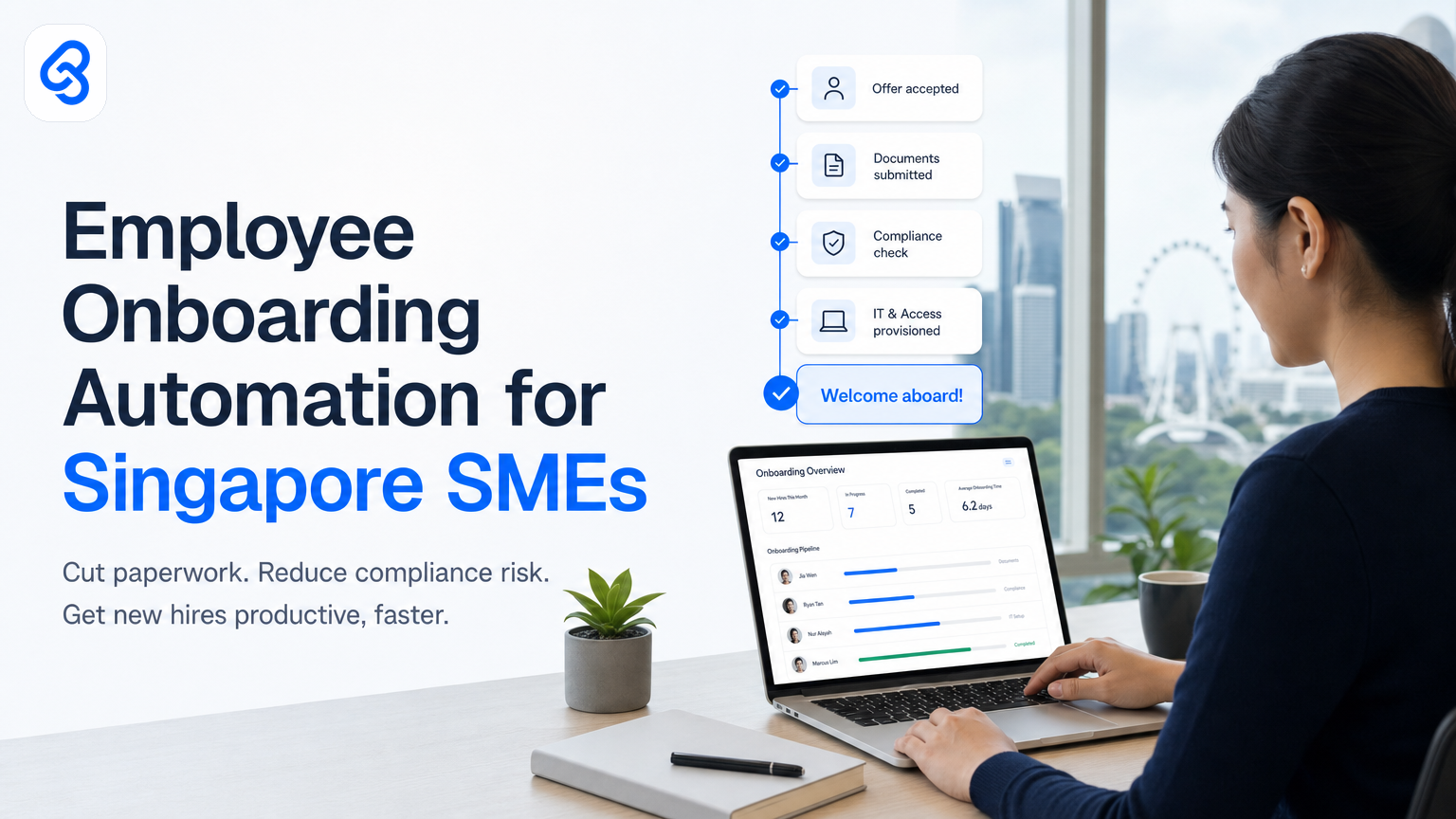
When you hire someone at your Singapore SME, what actually happens in the first week? Most likely, a folder of forms lands on your desk. Your new hire sits down with a stack of documents. HR chases you for signed approvals. IT spends hours setting up accounts. Finance waits for payroll details. By Friday, nobody's quite sure what got completed and what's still pending.
This is where employee onboarding automation comes in. Instead of manual handoffs and scattered emails, you automate the entire flow: from job offer through first-day setup, compliance paperwork, system access, and training assignment. You cut the time HR spends on repetitive tasks by 60-80%, reduce hiring delays, and sidestep compliance gaps.
For Singapore SMEs, automation here serves a real purpose. You face strict employment law requirements. You need to track leave entitlements, CPF contributions, and tax filing accurately according to MOM employment practices guidance. You probably don't have a dedicated HR team. Automation handles the busy work, freeing your people to focus on culture, training, and retention instead of chasing signatures and re-entering data.
This guide walks you through what onboarding automation actually does, how to decide if you need it, and what to check before you implement.
What Does Employee Onboarding Automation Actually Do?
Employee onboarding automation removes the manual, repetitive steps that slow down hiring and create compliance risk. Instead of forms living in email inboxes, PDFs stored in different places, and data entered twice into separate systems, automation creates a single workflow that guides every new hire through every step at once.
Here's what the system typically handles:
Paperwork collection. When you hire someone, you send them a digital form (not a PDF they print and scan back). They fill in personal details, bank account information, emergency contacts, and tax file references in one session. The data goes straight into your records.
Compliance documentation. Your new hire gets a digital copy of the Employment Act summary, company policies, and non-disclosure agreements. They confirm they've read and accepted each one. You get a timestamped record for audit purposes.
System access provisioning. The moment your new hire's data is confirmed, automation triggers requests to IT: create email, set up Slack or Teams, provision laptop software licenses, add them to the company directory. IT doesn't receive five separate Slack messages asking for different things.
Tax and CPF setup. You collect the tax file number and CPF details digitally. Automation checks the data format against IRAS requirements and flags incomplete information before it reaches your payroll system, cutting back-and-forth cycles.
Training and induction scheduling. Automation assigns onboarding training modules, books induction meetings with team leads, and sends calendar invites. New hires see their first week schedule the moment they receive their offer letter.
Manager and buddy assignment. The system notifies relevant people (manager, team lead, buddy, HR) that a new hire is starting, surfaces the new hire's background and role, and sets reminders for check-ins.
Leave and benefit activation. Once a new hire is in the system, automation activates their leave balance, health insurance eligibility, and SkillsFuture credit visibility.
The outcome: instead of a month-long, people-heavy process with gaps, you have a structured 2-3 week onboarding that stays on track and leaves an audit trail.
Why Is Onboarding Automation Important for Singapore SMEs Specifically?
Singapore's employment law is strict, and compliance failures carry real costs. The Employment Act mandates specific record-keeping, leave tracking, and wage documentation. IRAS requires accurate tax information at hire date. CPF contribution calculations must be right, or you face penalties. Most SMEs lack a dedicated HR compliance officer, so mistakes often slip through until an audit finds them.
Manual onboarding increases risk on two fronts. First, paperwork goes missing or is stored inconsistently, making it hard to prove you acted lawfully if the MOM or IRAS audits you. Second, slow onboarding delays productivity and frustrates good hires, raising turnover.
Automation also protects your budget. According to IMDA's SMEs Go Digital programme, many Singapore SMEs still run payroll and HR processes on spreadsheets or disjointed software. Data re-entry wastes time and introduces errors. When your CFO spends an hour a month manually fixing a hire's tax code, that's money you could spend on growth.
Singapore also offers support for digital capability building. Enterprise Singapore and IMDA's Industry Digital Plans help SMEs fund automation projects. When you automate onboarding, you reduce operational cost and may become eligible for grants to support that investment, though you should verify current eligibility against the official channels.
What Are the Key Steps in an Automated Onboarding Workflow?
Understanding the mechanics helps you spot where automation saves the most time and where it reduces risk.
Step 1: Job offer and acceptance (trigger). You send a job offer that includes a digital acceptance form. The new hire signs electronically. This creates the start date record and kicks off the entire workflow.
Step 2: Pre-start data collection. Automation sends a guided form (not a dense PDF) asking for personal details, bank account, tax file number, CPF information, and emergency contact. The form validates the CPF format, checks the tax file number isn't blank, and flags incomplete entries so your new hire corrects them before submitting.
Step 3: Compliance document setup. Automation serves the company handbook, Employment Act summary, and policies as digital documents. The new hire reads each one (or views it) and confirms acceptance. You record the timestamp and their IP address for audit purposes.
Step 4: System provisioning triggers. Once data is confirmed, automation sends structured requests to IT: create email account, add to directory, provision software licenses, set up messaging app. IT receives one workflow ticket, not five emails, so nothing falls through the cracks.
Step 5: Payroll and tax setup. Automation transfers the tax file number and CPF data to your payroll system. It also checks the new hire's start date against your leave year to calculate opening leave balance correctly.
Step 6: First-day logistics. Automation schedules the new hire's induction, books them into office space if needed, sends them their manager's contact details, and reminds the manager an hour before the new hire's arrival.
Step 7: Training pathway activation. Depending on the role, automation assigns onboarding training modules (safety, systems, role-specific). The new hire gets a dashboard showing what's due and when.
Step 8: Check-in reminders. Automation sends reminders to the manager and buddy at day 3, week 2, and week 4 to check in with the new hire and surface any issues early.
How Much Time Does Onboarding Automation Actually Save?
The time savings come from stopping repetitive, low-value work. Here's where the hours pile up without automation:
- Manual form processing. Someone receives a printed or emailed form, reads it, enters data into the payroll system, then enters it again into the HR system. That's 30-45 minutes per hire. With 20 hires a year, that's 10-15 hours just re-entering the same information.
- Chasing incomplete data. Your new hire forgets to include their tax file number. HR emails them. A few days pass. HR sends a reminder. Finally, you get it and correct the entry. Across several hires, this adds up to 5-10 hours of follow-up per year.
- System access delays. IT doesn't know a new hire is starting until the manager mentions it in a meeting. IT creates the email account a day later, Slack access another day later, laptop software the next day. The new hire sits idle waiting. Automation triggers all of this on day one.
- Compliance documentation. Printing policy documents, having the new hire sign them, scanning them back, and filing them takes 20-30 minutes per hire. With digital, it's automatic and timestamped.
- Manager and buddy coordination. Someone has to email the team lead, book the induction meeting, send calendar invites, and follow up if people don't respond. Automation handles all of it.
For a 20-person SME hiring 10-15 people a year, onboarding automation typically saves 40-60 hours of HR and management time annually. At a loaded cost of SGD 50-80 per hour, that's SGD 2,000-4,800 per year in labor saved. That doesn't count the value of faster hiring (getting productive people into seats sooner) or reduced compliance risk.
What Are the Common Pitfalls When Implementing Onboarding Automation?
Most SME automation efforts fail not because the technology is wrong, but because the company hasn't mapped its actual process first or hasn't aligned the team on what the system should do.
Pitfall 1: Not capturing your current process first. You assume onboarding is just filling forms. But your company might have a pre-start survey, a specific order for introducing new hires to clients, or a peer mentorship step. If you skip mapping what you actually do, the system won't fit, and your team will bypass it.
Pitfall 2: Trying to automate before standardizing. If every hiring manager does onboarding differently, automation will break under the variation. Before you automate, agree on one standard process: who collects data, in what order, from whom, with what deadline.
Pitfall 3: Automating the wrong part. You automate form collection but forget to automate the step where IT provision access. Your new hire has all their data in the system but no email address. Pick the bottleneck first: what step takes the longest or causes the most error.
Pitfall 4: Not checking employment law compliance. Singapore's Employment Act and MOM employment practices have specific rules. Your automation must capture legally required information and in the right format. A system that doesn't collect CPF correctly or doesn't timestamp policy acceptance will create audit risk instead of reducing it.
Pitfall 5: Letting data live in the automation tool instead of feeding it into payroll. Automation collects data, but that data must flow into your payroll system the same day. If it lives in a separate tool, you still have to re-enter it, and you've just added complexity.
Pitfall 6: Not planning for edge cases. What happens when a new hire doesn't have a CPF number yet (some expats don't)? What if they're starting remotely? What if their manager is on leave when they arrive? Good automation has branching logic to handle these, not a single rigid path.
To avoid these pitfalls, work with someone who understands both your business and the compliance requirements. That's why we recommend a discovery phase before you build: map your process, agree on the changes you'll make, and check against MOM requirements before a single system gets built.
How Do You Decide If Your SME Needs Onboarding Automation Right Now?
You don't need automation if you hire one person every two years. You do need it when onboarding is eating time or creating mistakes.
Use this checklist to assess:
- You hire more than 5 people a year. If you do, the time savings pay for the system within 12 months.
- Your HR person spends more than 4 hours per month on new hire paperwork and data entry. That's a clear bottleneck.
- You've had a compliance issue or audit finding related to incomplete or missing hire documentation. Automation eliminates that class of mistake.
- Your new hires are delayed in getting email, systems access, or training because onboarding is manual and slow. That costs you in reduced productivity.
- You have two or more people involved in onboarding, and they work in different departments. Coordination is slow and error-prone without a central system.
- You plan to hire more aggressively over the next 12-18 months. Automation scales with you.
- Your team forgets onboarding steps or does them in different orders. Process consistency matters.
If you check three or more of these boxes, onboarding automation will save you real time and money. If you check fewer than two, build the process first, then add automation once you're stable.
What Should You Check Before You Choose or Build an Automation?
When you're ready, you'll face a choice: buy an off-the-shelf HRMS (Human Resource Management System) with onboarding, or build custom automation tailored to your process. Here's what to evaluate:
Data privacy and security. Your onboarding system will hold tax file numbers, CPF information, bank details, and personal medical history. Check that the system is encrypted, backed up regularly, and complies with Singapore's Personal Data Protection Act. The Cyber Security Agency of Singapore provides resources and guidance to help businesses stay safe in Singapore's digital landscape.
Singapore Employment Act compliance. The system must capture required information (employee ID, start date, leave year, CPF details, tax file number) in the format your payroll system expects. It must timestamp policy acceptance. If the system is built offshore, ensure it understands Singapore's leave rules and CPF calculation.
Integration with your payroll system. If you use payroll software, onboarding data must flow directly in. Manual re-entry defeats the purpose. Ask the vendor for the integration, or make sure it's technically possible before you commit.
Mobile-friendly form design. Your new hires may fill forms on their phone. The form must work on mobile, validate data in real time, and not lose their progress if they step away.
Audit trail and reporting. You need to prove who filled what form, when, and from which IP address (helps detect fraud). You also need to run a report: how many hires completed onboarding on time, which forms are bottlenecks, which hires are still pending something.
Customization for your process. Off-the-shelf systems are fast but rigid. Custom automation is slower to build but fits your exact workflow. For SMEs with under 50 employees, custom automation usually makes sense if your process is a bit different from the template.
Cost and timeline. An off-the-shelf HRMS costs SGD 50-150 per employee per month. Custom automation costs SGD 5,000-15,000 to build, then SGD 500-2,000 per month to run (depending on complexity and whether it talks to other systems). Know your budget before you start.
Vendor support and update cycle. Who fixes the system if it breaks during a critical hire? Who updates it when MOM changes the Employment Act template? Make sure you're not dependent on a vendor who disappears.
If you're unsure how to evaluate these trade-offs, a discovery call with an automation consultant helps. They map your process, check compliance, estimate the time and cost, and show you realistic examples.
Is Onboarding Automation Eligible for Singapore Grants?
Yes, onboarding automation may qualify for grant support, but eligibility depends on your industry and the specific automation investment.
Enterprise Singapore and IMDA's SMEs Go Digital initiative both support digital capability projects. If your automation project improves operational efficiency and reduces manual work, you may be eligible for partial funding. The exact percentage and cap depend on the scheme and your company size.
However, grant approval is not automatic. You'll need to apply, demonstrate that the automation reduces cost or improves productivity, and meet compliance requirements. Always check the official eligibility details on the Enterprise Singapore website before you plan a project around grant funding.
One related resource is ACRA's how-to guides, which provide step-by-step templates to help you comply with legal and regulatory requirements. That's worth reviewing if you're planning a project.
Frequently Asked Questions
How long does it take to implement employee onboarding automation?
Off-the-shelf HRMS products take 4-8 weeks to set up, configure, and train your team on. Custom automation takes 8-12 weeks from discovery to go-live. The timeline depends on how many integrations you need (payroll, email, Slack, etc.) and how much process change you're willing to accept.
What if we don't have a formal onboarding process yet?
That's actually easier to automate, not harder. You define the process, then build the automation around it. Many SMEs discover that automating forces them to standardize for the first time, which is a benefit. Start by mapping what you do now, then decide what you want to change.
Can we automate onboarding if we have remote and office staff?
Yes. The same workflow works for both. Digital forms, system access, and training assignments are location-agnostic. The only difference is that remote new hires skip physical office tours and get a virtual induction instead.
What if a new hire's information is wrong after they've started?
Automation includes an amendment workflow. The new hire or HR can update records (tax file number, bank details, etc.) directly in the system. Changes are logged and sent to payroll on the next run. You keep an audit trail of what changed and when.
Do we need to hire someone new to manage the automation?
No. Onboarding automation runs on its own once it's set up. Your existing HR or operations person manages new hires, updates the form if your process changes, and troubleshoots the rare error. Typically, it adds 2-3 hours per month of light maintenance, not a full-time role.
Next Steps: See Automation in Action
Ready to see how much time your onboarding could save? We've built HR and candidate screening automation for Singapore SMEs and understand how employee onboarding connects to your entire hiring workflow. We also help with customer onboarding automation to stop manual processes and start saving hours, so you can see how automation principles work across your business.
We map your actual process, check compliance against MOM requirements, and build automation that works with your existing payroll system. The result is faster hiring, lower compliance risk, and your team back on strategy instead of forms. If you're exploring how automation fits across your operations, our guide to customer communication and operations automation for Singapore SMEs shows how these tools connect.
If you're hiring more than 5 people a year and onboarding is eating your time, it's worth a conversation. Email mark@lynqra.com or book a free discovery call to walk through your current process and see what's possible.