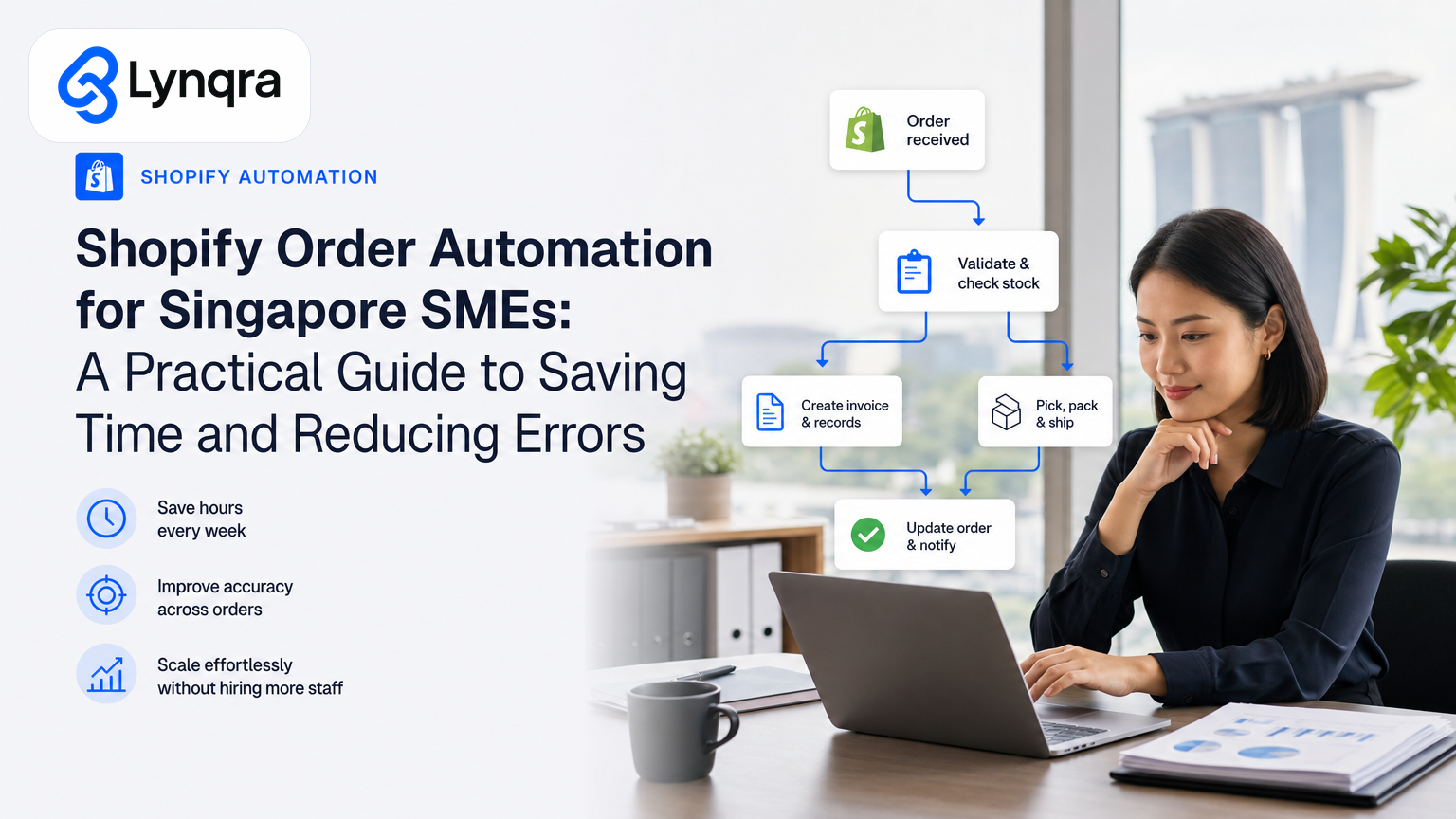
If you run a small or mid-sized business in Singapore that sells through Shopify, you know the pattern: orders arrive, someone manually checks them, routes them to the right team, updates a spreadsheet, sends notifications, and tracks fulfillment. By Friday, that person has spent 6-10 hours on tasks that a well-designed automation could handle in minutes.
Shopify order automation does exactly that. It captures orders the moment they land, validates them, routes them to the right person or system, and keeps everyone in the loop without anyone touching a keyboard. For a lean Singapore team stretched across operations, this difference matters. It means fewer missed orders, faster response times, and real cost savings you can measure immediately.
This guide walks through what Shopify order automation actually solves, how to decide if it fits your business, and what to look out for when you build it.
What Shopify Order Automation Actually Does
Order automation takes the repetitive, error-prone parts of order handling and turns them into instant, rule-based workflows. Instead of a person reading an order email, opening Shopify, noting details, and messaging the team on WhatsApp, the automation does that sequence in seconds.
Here's what typically moves into automation for Singapore SMEs:
Order capture and validation. When an order lands in Shopify, the automation checks it against your rules: does the customer address exist? Is the postcode valid for your delivery zones? Is the payment confirmed? If anything fails, the automation flags it for review instead of letting a bad order slip into fulfillment.
Tagging and routing. Automation assigns orders to the right fulfillment team, warehouse location, or supplier based on product type, region, or customer tier. A food production business, for example, can route rush orders to one team and standard orders to another, and the system does the sorting instantly.
Real-time notification. Your team gets notified in the channels they already use: a message in Telegram or WhatsApp, an email, or a note in Google Sheets. No need to log into Shopify or check email every 20 minutes.
Google Sheets sync. Many Singapore SMEs track inventory and fulfillment in Google Sheets. Automation can push order data directly into your sheets, update stock counts, and pull data back into Shopify without manual copy-paste.
Approval workflows. For high-value orders or custom requests, automation can route orders to a manager for approval, track the decision, and move the order forward only when signed off. This is especially useful for B2B or wholesale businesses.
Fulfillment tracking and customer updates. Once an order is packed or shipped, the automation sends the tracking number to the customer and updates Shopify's order status automatically.
The result is fewer errors, faster cycle times, and your team focusing on exceptions and growth instead of data entry.
Why Singapore SMEs Need This Now
Singapore's economy runs on speed and efficiency. Your customers expect fast responses. Your logistics partners expect clean data. Your accountant expects accurate records. And your team is already stretched.
Operational bottlenecks and manual processes are top brakes on scaling for Singapore SMEs. If you're doing $500K to $5M in annual revenue and selling online, the manual order handling that worked when you had one person fulfilling orders becomes a real cost drain once you hit double-digit orders per day.
Shopify order automation addresses this directly. It doesn't require you to replace Shopify with a new platform or hire someone full-time to manage orders. It works inside the tools you already use: Shopify admin, Google Sheets, email, and messaging apps. And it pays for itself in a matter of weeks through labor savings and fewer mistakes.
For context on how Singapore supports digital adoption, the IMDA SMEs Go Digital initiative provides support with automation tools and digital capabilities to help businesses like yours invest in and scale these solutions. You may also qualify for funding through IMDA's Industry Digital Plans, which tailors support to specific sectors. More on funding options later in this guide.
Common Shopify Order Workflows That Save the Most Time
Not every workflow saves the same amount of time. The ones that move the needle fastest are usually the ones where someone currently does the same task manually 10, 20, or 50 times a day. Here's what we see work best for Singapore SMEs:
Order to Google Sheets sync with inventory deduction. Your fulfillment team lives in Google Sheets. Automating the push of new Shopify orders into a sheet (including customer name, address, SKU, quantity) and automatically deducting inventory saves around 5-15 minutes per day. For a business with 20-30 orders daily, that's 2-3 hours per week.
WhatsApp or Telegram order alerts with key details. Instead of checking Shopify email notifications or logging into the admin dashboard, your packer gets a message on WhatsApp the moment an order is ready, with a clickable link to the order. This cuts the time your team spends hunting for order details and speeds fulfillment. For a deeper dive into how to design these workflows, read our guide on WhatsApp Automation Singapore SME: A Practical Implementation Guide.
Automatic payment status checks and customer follow-up. For orders with payment issues, automation can send a follow-up message to the customer within 2 hours of the failed payment, with a link to retry. This recovers orders that might otherwise drop off. Most SMEs recover 5-10% of failed payments this way.
High-value order approval routing. If an order exceeds a certain value or comes from a new customer, the automation routes it to your manager for approval in Google Sheets or email, with a one-click approve/reject button. This keeps you in control of risk without slowing orders down.
Fulfillment tracking updates to Shopify. Your 3PL or warehouse management system (WMS) sends tracking data as orders ship. The automation syncs that data back into Shopify and sends the tracking number to the customer automatically. This eliminates the daily job of copying tracking numbers into Shopify email templates.
Each of these workflows saves 30 minutes to 2 hours per week per person. Combined, they often free up one full person-day per week.
The Three Decisions You Need to Make Before Starting
Before you pick a tool or talk to a vendor, lock down these three questions. They determine whether order automation makes sense for you and how much it will cost.
1. What's the bottleneck that hurts the most right now?
Identify the single task that takes the most time, causes the most errors, or slows your customer response. Don't try to automate everything at once. If your biggest pain is that fulfillment orders take 2 hours to pick and pack because your packer is hunting through three different systems, start there. Once that's solved, move to the next one.
2. What systems do you use today?
Write down every tool your team actually touches: Shopify, Google Sheets, Gmail, Telegram, WhatsApp, your accounting software, your WMS, your 3PL portal, your CRM. The best automation setup works inside these tools, not alongside them. If automation requires your team to log into a new dashboard, it will fail. If it sends data to the tools they already use daily, it will stick.
3. What does "done" look like?
Be specific. "Faster order processing" is not done. "Packing time drops from 40 minutes per order to 20 minutes" is done. "Fulfillment team gets notified on WhatsApp within 2 minutes of order landing, with customer address and order number" is done. Specific goals let you measure ROI and know whether the automation actually worked.
How to Build Shopify Order Automation: The Path Forward
There are three common approaches to building order automation for Shopify. Each has trade-offs.
Shopify Flow (free, built-in, limited).
Shopify Flow is Shopify's native automation tool. It's free and lives inside your Shopify admin, so there's no new platform to learn. You can use it to tag orders, send simple notifications, and trigger other Shopify actions.
The catch: Shopify Flow handles basic in-store tasks well, but struggles with workflows that span external tools. If you need to push order data into Google Sheets, sync with a 3PL system, or send rich notifications to Telegram with formatting, you'll hit its limits quickly.
Dedicated automation platforms (moderate cost, flexible, requires integration work).
Platforms like MESA connect Shopify to 100+ other apps and let you build workflows that handle order tagging, fulfillment routing, Google Sheets sync, and custom notifications, either with or without code. These platforms use trigger-based workflows to handle everything from order validation to 3PL sync automatically.
These platforms charge per workflow or per monthly volume, typically $50-500 per month depending on complexity and the number of orders you process. Setup usually takes 1-4 weeks and requires someone on your team who's comfortable following instructions and testing workflows.
Custom development (high cost, fully tailored, long timeline).
If your order process is truly unique or you need tight integration with legacy systems, you might build custom automation. This costs $5,000-20,000+ and takes 6-12 weeks. It's rarely the right choice for a young SME unless you have very specific technical requirements.
For most Singapore SMEs, the middle path (a dedicated platform like MESA) works best. It costs less than hiring someone part-time, solves real problems, and stays flexible as your business changes.
What Automation Costs (And How to Measure ROI)
A typical Shopify order automation project costs between $2,000 and $8,000 to set up, depending on complexity and the number of systems involved. That usually breaks down like this:
Discovery and design: $500-1,500. This is where you and your automation partner sit down, map your current process, identify the biggest bottlenecks, and design the automated workflow. It's the most important part. A bad design costs way more to fix later.
Build and integration: $800-4,000. Your partner connects Shopify to your other tools, sets up the rules, tests everything, and trains your team.
Platform fees: $50-300 per month. Depending on the automation platform you choose and how many orders you process, monthly platform fees run $50 for simple setups to $300+ for complex multi-tool workflows.
Ongoing support and iteration: $200-1,000 per month or bundled into a retainer. As your business grows, your workflows need tweaks. Your automation partner stays on call to handle that.
Total year-one cost: $3,000-15,000 depending on scope.
To measure ROI, calculate the labor hours you save:
If one person currently spends 8 hours per week on order processing, and automation cuts that to 2 hours per week, you save 6 hours weekly or roughly 240 hours per year. At a loaded cost of $25-40/hour (salary plus overhead), that's $6,000-9,600 in labor savings alone. Add in the cost of mistakes (missed orders, slow fulfillment causing refunds, late customer follow-ups causing complaints) and ROI typically hits 200-400% in year one.
For a practical example: a trading and distribution SME in Singapore used order automation to sync Shopify orders into their stock management spreadsheet and route approvals to their manager. It removed 6 hours per week of manual entry and slashed approval turnaround from 4 hours to 20 minutes. They paid $4,000 upfront and $150/month platform fees. They recovered that cost in 3 months and saved over $7,000 in labor in the first year alone.
Data Protection and Security in Singapore
If you're handling customer data through automation, Singapore's Personal Data Protection Act (PDPA) applies to you. This means you need to be clear about what data you're collecting, how you're storing it, who can access it, and what happens if there's a breach.
This doesn't mean you can't automate. It means you need to be intentional. The Personal Data Protection Commission (PDPC) provides guidance to help organisations understand and comply with the PDPA, covering your responsibilities as a business and the essential tools for data protection governance.
When you set up order automation, make sure:
- Your automation platform stores data in Singapore or a jurisdiction you've approved
- You're not sending customer data to tools that don't have privacy controls
- Your team knows not to screenshot or share customer PII outside secure channels
- You have a basic privacy notice on your Shopify store that explains what data you collect and why
Most reputable automation platforms have built-in privacy controls and compliance documentation. Ask them outright: "Do you comply with Singapore PDPA?" If they don't have a clear answer, walk away.
Funding Automation Through Singapore's Grant Programs
The Singapore government offers funding pathways for SMEs investing in automation and digital tools. The most relevant are:
IMDA SMEs Go Digital: The IMDA SMEs Go Digital initiative supports eligible SMEs in adopting digital solutions and automation. Depending on your industry and the type of automation you're building, you might qualify for co-funding that covers tools, integration, and training.
Enterprise Singapore grants: Enterprise Singapore provides grants for capability development and growth. Some of these grants can support technology investments, including automation. Check the current guidelines to see what might apply to your business profile and scope.
EDGE (Enterprise Development Grant): The EDGE grant supports SMEs investing in productivity and growth. Automation that demonstrably cuts costs and increases capacity often qualifies. However, eligibility depends on your company size, sector, and the specifics of your project.
Grant details change regularly, so always cross-check against official channels before making a decision. Don't assume you'll qualify. Get advice early, and factor funding timelines into your planning (grants often take 2-3 months to approve).
For more on grants and how they fit into automation ROI, read our guide on AI Automation Grants in Singapore: EDGE and SME ROI Guide.
Risks and Red Flags to Watch
Not every order automation project succeeds. Here's what goes wrong most often:
Automating a broken process. If your manual order process is chaotic (no clear approvals, data lives in different places, no one owns the outcome), automating it will just make the chaos faster. Fix the process first, then automate it.
Picking a tool that doesn't fit your stack. If you choose an automation platform that doesn't integrate neatly with Google Sheets, WhatsApp, or your 3PL, you'll end up with workflows that require manual handoffs anyway. The whole point is to remove human intervention.
Underestimating change management. Your team will resist using the new workflow if it feels slower or more complicated than the old way. Spend time training them, show them the time savings early, and iterate based on their feedback.
Not measuring the right metrics. Don't just measure "we saved 5 hours per week". Measure the actual business impact: orders fulfilled 2 days faster, customer response time cut from 8 hours to 2 hours, inventory accuracy improved from 92% to 98%. Those metrics are what matter.
Choosing the wrong partner. Some vendors oversell what automation can do, promise ROI without understanding your business, and disappear after launch. You need a partner who stays with you, iterates, and treats your success as their success. Look for someone who asks questions first and sells solutions second. Explore how to build automation the right way by reading our guide on Accounts Payable Automation Singapore: How to Build It Right, which applies the same principles.
Common Objections (And Why They Usually Don't Hold Up)
"Won't automation cost more than just hiring someone to handle orders?"
Not usually. A part-time order processor in Singapore costs $2,500-3,500 per month. Order automation costs $150-300 per month in platform fees, plus maybe $500 one-time setup. Even if you still need someone part-time to handle exceptions, you've cut their workload by 60-70%. The math works out.
"What if the automation breaks and orders don't go through?"
Your automation should always have a fallback. If something fails (like the Google Sheets sync timing out), the order stays in Shopify and gets flagged for manual review. No order actually gets lost. And a good automation partner monitors for failures and fixes them before they become problems.
"We're too small for this. It's overkill."
If you're processing more than 20 orders per day, automation almost always pays for itself. Even at 10-15 orders per day, if you have multiple people touching the same data, there's room for automation to save time. The question isn't whether you're big enough. It's whether you have repetitive work that slows you down.
"Our business is too unique. Off-the-shelf solutions won't work."
Probably not an off-the-shelf solution, but custom workflows built on a flexible platform will. That's what integration platforms are designed for. They let you build a workflow that fits your exact process, not force your process into a template.
Why It Matters for Singapore Businesses Right Now
Competition in Singapore is tight. Your customers have choice. Your suppliers have demands. And your team is expensive and hard to hire.
Order automation for Shopify is not about fancy technology. It's about buying back time for your team to focus on customer experience, quality control, and growth instead of data entry. It's about reducing the time between when a customer orders and when they get their product. It's about the confidence that comes from knowing every order is handled consistently, with no mistakes. If you're ready to explore what else automation can do for your business beyond order processing, start with our guide on AI Agent for Business Singapore: What It Is and How to Build It Right.