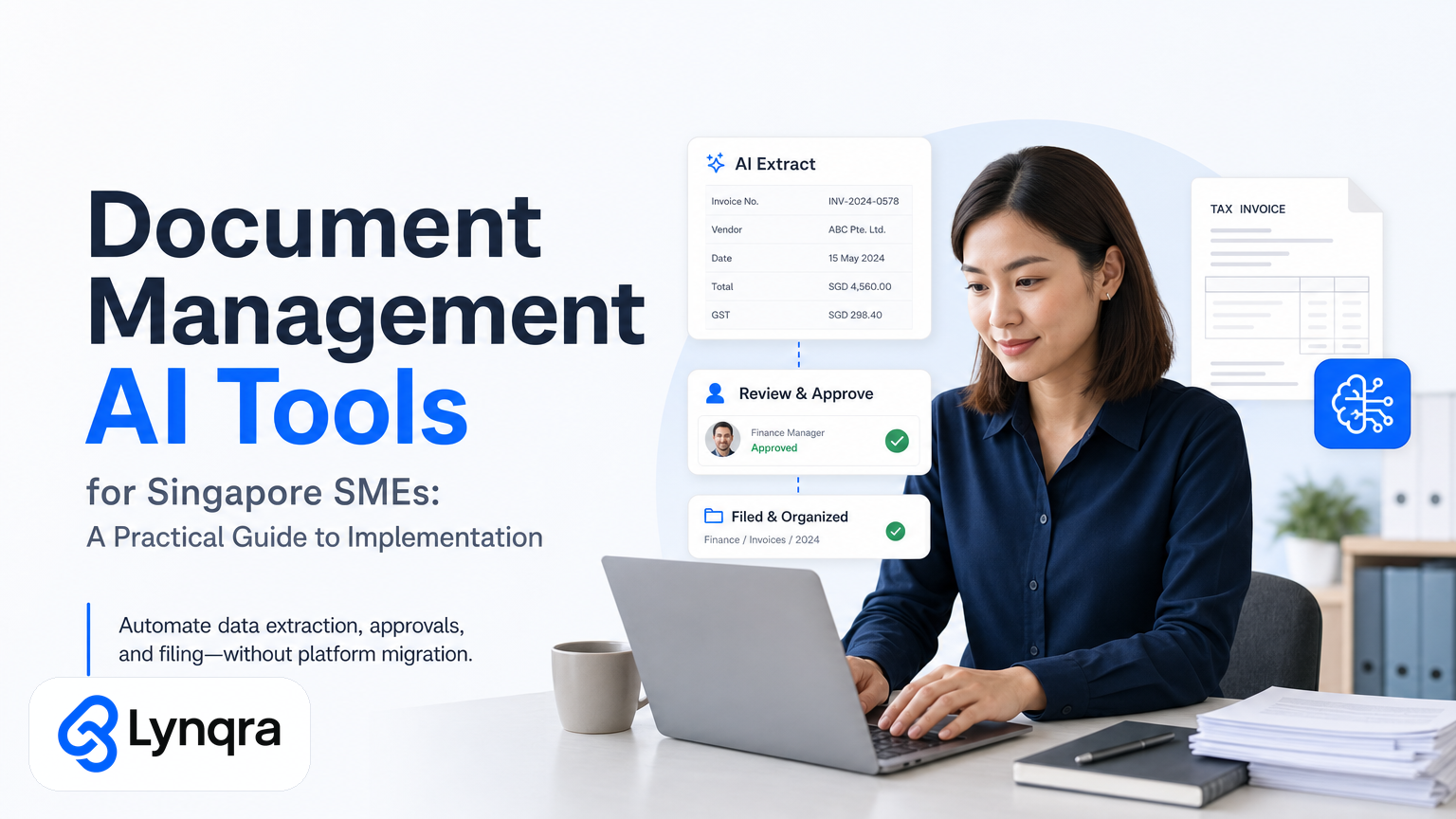
Document management sounds like enterprise software territory, but it does not have to be. If your team spends hours copying invoice data into spreadsheets, hunting for approval signatures, or manually filing forms into folders, you have a document management problem. The good news is modern AI tools can solve this without forcing you to abandon the systems you already use.
Most Singapore SMEs run on a combination of email, Google Sheets, WhatsApp, and basic accounting software. You do not need to replace all of that. You need to extract, classify, and route documents smarter. That is where document management AI tools come in.
This guide walks you through what these tools do, which ones fit small teams, how to evaluate them honestly, how to fund them without blowing your budget, and real examples of how other Singapore SMEs have implemented them successfully.
What document management AI tools actually do
Document management AI tools do three things well:
Extract data from unstructured documents. A PDF invoice arrives in your inbox. An AI tool reads it, identifies the vendor name, invoice number, line items, due date, and total amount, then places that data where you need it: a spreadsheet, an approval system, or your accounting software. No manual typing.
Classify and sort documents. An AI tool looks at a pile of incoming PDFs or images and decides what type each one is: invoice, quotation, purchase order, contract, timesheet, or claim form. It then routes each type to the right person or folder automatically.
Trigger actions based on document content. A quotation arrives and meets your approval threshold. The tool automatically sends it to your manager. An invoice is flagged as over budget. A notification goes to finance. A candidate resume arrives and gets scored and routed to the hiring team.
None of this requires you to log into a separate portal or learn new software. The tool lives inside your email, Google Sheets, or approval workflow.
Why Singapore SMEs need document management AI tools now
Almost 82 percent of SMEs in Singapore already use digital solutions for accounting and document management. However, many still do the manual work inside those systems. You have accounting software but someone still copies numbers by hand. You have a shared drive but still file documents manually. Approval emails bounce back and forth multiple times before signoff.
The friction is not technology choice. It is manual repetition.
Document management AI tools remove that repetition. For example, a trading and distribution SME processed 40-60 invoices weekly. Staff spent several hours each week matching invoices to purchase orders, entering data, and flagging exceptions. Implementing an AI extraction and approval workflow inside their existing tools resulted in zero manual data entry, clearer payment visibility, substantial weekly time reclaimed, and a full audit trail.
This is the real value: saving time and avoiding costly mistakes. When you free up 6 hours weekly, that team member can focus on relationship building, problem-solving, or strategic tasks that actually grow your business.
How can Singapore SMEs choose the right document management AI tool?
Choosing the right AI tool for your SME depends on several factors:
Identify which documents cause the most manual work. Most SMEs find 60-80% of manual effort comes from 2-3 document types, often invoices, timesheets, or quotations. Start with those.
Calculate how much your manual process costs. If someone spends 5 hours weekly at SGD 20/hour, that is SGD 5,200 annually. An AI solution costing SGD 1,000 setup and SGD 200 monthly runs pays back quickly.
Check tool integration with your existing setup. The ideal tool works with Google Sheets, email, and accounting software. Avoid solutions that require migrating your data or new platforms. Learn more about practical implementation in our guide on AI Document Processing for Singapore SMEs.
Determine who will manage the system. AI tools require monitoring, handling exceptions, and tuning rules as business processes evolve. Decide who is responsible.
Ensure data security and PDPA compliance. AI tools handling personal or sensitive data must comply with the Personal Data Protection Act. Understand where data is stored, who accesses it, and how it is used. Refer to CSA Singapore resources for guidance on data protection standards and security best practices.
Real examples of document management AI tools in Singapore SMEs
Several Singapore SMEs have successfully implemented document management AI tools within their existing workflows:
- A trading company automated invoice receipt, data extraction, and approval routing, saving 6 hours weekly and eliminating missed payments.
- A recruitment agency implemented AI resume screening integrated with email and Google Sheets, reduced manual screening and enabling faster shortlists.
- A food production SME automated quotation generation and approval using current email systems and Google Sheets, cutting quotation times from 2 hours to 6 minutes.
None switched platforms. They automated within tools they already used. For deeper insight into how to structure this approach, explore our resource on Document Management AI Tools for Singapore SMEs: A Practical Guide to Implementation.
Funding options for Singapore SMEs to implement AI tools
Singapore offers grants that support digital automation projects. Before you assume cost is a barrier, explore these options:
- The IMDA Industry Digital Plans provide guidance on eligible digital solutions projects and funding support.
- SkillsFuture for enterprise offers workforce training support related to technology adoption, helping your team get comfortable with new tools.
- Check with Singapore Business Federation for industry-specific grants and programs that may apply to your sector.
A knowledgeable consultant often helps SMEs identify suitable grants and improve application success. Upfront investment in understanding your options typically pays off. Many SMEs discover they qualify for co-funding or subsidies they did not know existed.
FAQ: Common questions about document management AI tools
Will the tool make mistakes?
Yes, AI tools are not perfect. They might misread data occasionally. However, they reduce overall errors by flagging exceptions for human review, resulting in fewer costly mistakes than fully manual processes. The goal is not perfection but dramatic error reduction compared to manual data entry.
What if our workflows change?
Modern AI solutions are flexible. They can adapt if you switch approval systems or handle increased document volumes. Data ownership remains with you, so extracted data is preserved. This flexibility is especially important for growing SMEs whose processes evolve.
Is it worth the upfront effort?
If you process fewer than 20 documents monthly, probably not. But for over 100 documents, the time saved justifies initial setup. Most SMEs adopt AI to remove bottlenecks slowing growth. Evaluate based on your actual document volume and current staff time spent on manual tasks.
How long does implementation take?
Most SMEs can see results within 2-4 weeks. Initial setup includes configuring document types, setting approval rules, and testing with real documents. Your team typically needs only a few hours of training since the tool integrates into tools you already use daily.
Do I need IT expertise?
No. Modern document management AI tools are designed for business users. If you can set up email rules or Google Sheets workflows, you can configure basic automation. For complex scenarios, vendors typically provide implementation support.
Next steps for Singapore SMEs
Document management AI tools can streamline your workflow, reduce errors, and accelerate approvals without costly platform changes. The path forward is straightforward: identify your biggest pain points, evaluate the integration and compliance risks, and consider funding support to start your automation journey.
To dive deeper into practical implementation, visit our guides on Document Processor AI for Singapore SMEs and Accounts Payable Automation Singapore to see how similar businesses structured their approach.
Ready to explore how this could work for your team? Book a free discovery call to discuss your workflow, constraints, and bottlenecks. No pitch. Just honest advice on whether automation makes sense now.